
Telekinesis Agentic Skill Library: build AI-powered Computer Vision, Robotics and Physical AI applications.





Telekinesis Agentic Skill Library for Computer Vision, Robotics and Physical AI
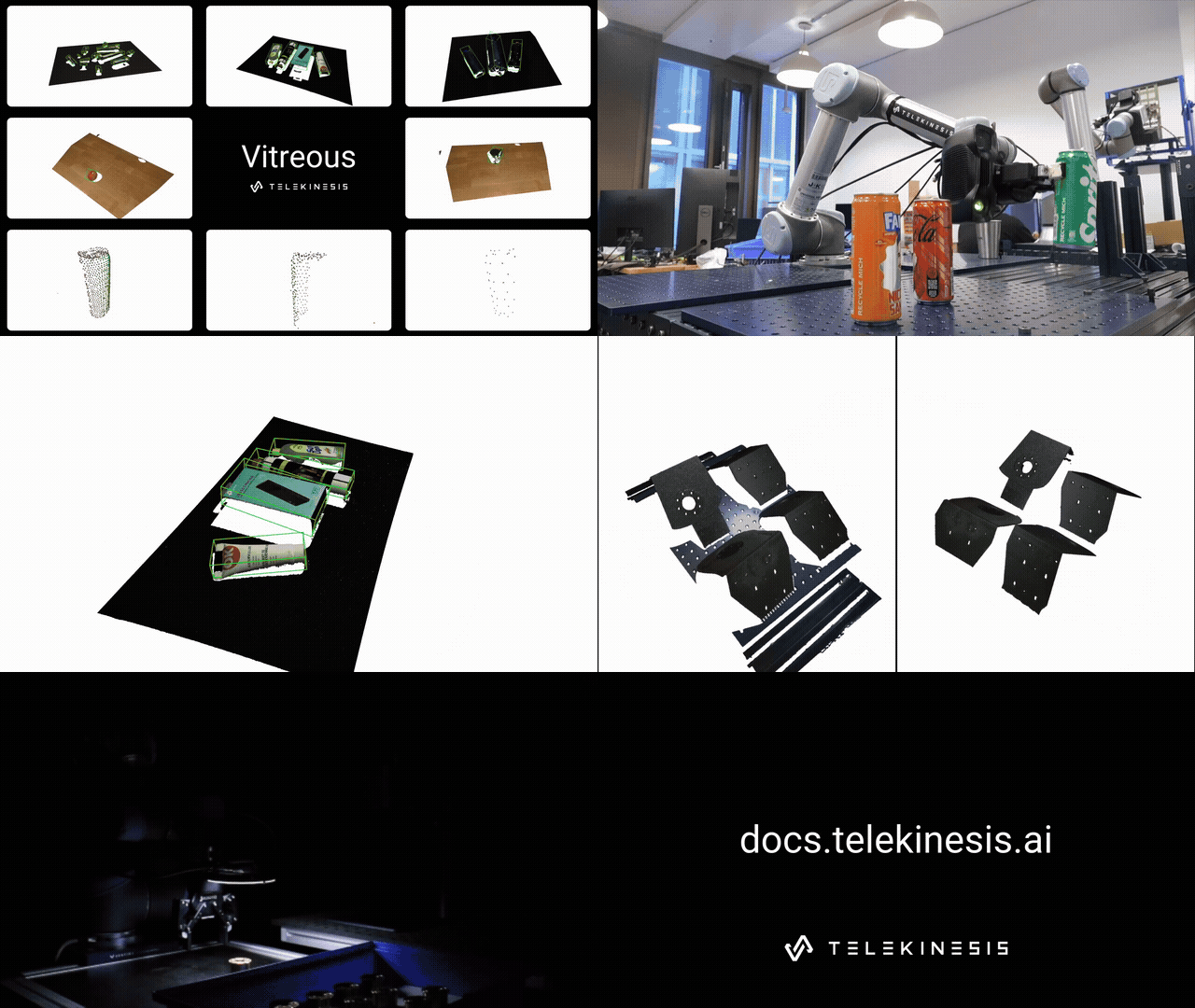
The Telekinesis Agentic Skill Library is the first large-scale Python library for building agentic robotics, computer vision, and Physical AI systems. It provides:
- Skills: a broad set of AI algorithms for perception, motion planning, and control.
- Physical AI Agents: LLM/VLM agents for task planning across industrial, mobile, and humanoid robots.
- Speed up development by integrating production-grade robotics, computer vision, and AI algorithms
- Add intelligence to robots with LLM/VLM-driven task planning tied to real perception and control systems
- Iterate quickly on Physical AI systems using a single, consistent Python library
Tip: A free API key is required. Create one at platform.telekinesis.ai. See the Quickstart Guide for details.
The Telekinesis Community
Telekinesis Agentic Skill Library is just the beginning. We're building a community of contributors who grow the Physical AI Skill ecosystem—researchers, hobbyists, and engineers alike. If you have a Skill, we want to see it. Release it, let others use and improve it, and watch it deploy in real-world systems.
Join our Discord community to connect, share, and build together.
Table of Contents
- What is a Skill?
- What is a Physical AI Agent?
- How do Physical AI Agents use Skills?
- What Can You Build?
- Control Any Robot
- Production-Grade Computer Vision
- Getting Started
- Example Categories
- Directory Structure
- Who We Are
What is a Skill?
A Skill is a reusable operation for robotics, computer vision, and Physical AI. Skills span 2D/3D perception (6D pose estimation, 2D/3D detection, segmentation, image processing), motion planning (RRT*, motion generators, trajectory optimization), and motion control (model predictive control, reinforcement learning policies). Skills can be chained into pipelines to build real-world robotics applications.
Example 1: Segment image using SAM — docs
from telekinesis import cornea # Import Cornea - Image segmentation moduleimage=image, bboxes=[[400, 150, 1200, 450]] )Executing a 2D image segmentation Skill
result = cornea.segmentimageusingsam( # Executing Skill -segmentimageusingsamAccess results
annotations = result.to_list()
Example 2: Detect objects using RF-DETR — docs
from telekinesis import retina # Import Retina - Object detection moduleimage=image, score_threshold=0.5, )Executing a 2D object detection Skill
annotations, categories = retina.detectobjectsusingrfdetr( # Executing Skill -detectobjectsusingrfdetrAccess results
annotations = annotations.to_list() categories = categories.to_list()
Skills are organized in Skill Groups. Each can be imported from the telekinesis library:
from telekinesis import cornea     # image segmentation skills
from telekinesis import retina     # object detection skills
from telekinesis import pupil      # image processing skills
from telekinesis import vitreous   # point cloud processing skills
from telekinesis import synapse  # robotics skills
from telekinesis import medulla    # hardware communication skills
from telekinesis import illusion   # synthetic data generation skills
from telekinesis import iris       # AI model training skills
Cornea: Image segmentation
from telekinesis import cornea- Color-based segmentation: RGB, HSV, LAB, YCrCb
- Region-based segmentation: Focus region, Watershed, Flood fill
- Deep learning segmentation: BiRefNet (foreground), SAM
- Graph-based segmentation: GrabCut
- Superpixel segmentation: Felzenszwalb, SLIC
- Filtering: Filter by area, color, mask
- Thresholding: Global threshold, Otsu, Local, Yen, Adaptive, Laplacian-based
Retina: Object detection
from telekinesis import retina- Classical shape detection - Hough Transform, Contours
- 2D Object detection - YOLOX, RF-DETR
- Open-Vocabulary detection - Qwen-VL, Grounding DINO
Pupil: 2D image processing
from telekinesis import pupil- Morphology: erode, dilate, open/close, gradient, top-hat
- Structure: Frangi, Hessian, Sato, Meijering
- Edges: Sobel, Scharr, Laplacian, Gabor
- Denoising: Gaussian, median, bilateral, box filters
- Enhancement: CLAHE, gamma correction, white balance
- Transforms: pyramids, mask thinning
Vitreous: 3D point cloud processing
from telekinesis import vitreous- Point cloud: centroids, normals, bounding boxes, principal axes
- Filtering: masks, outliers, downsampling, plane & cylinder removal
- Segmentation: DBSCAN, density, color, plane-based clustering
- Transforms: rigid transforms, scaling, projection
- Registration: ICP (P2P, P2Plane), global registration, cuboid sampling
- Meshes: shapes, mesh to point cloud, convex hull, Poisson reconstruction
Illusion: Synthetic data generation
from telekinesis import illusion- Synthetic image data generation for AI model training
Iris: AI model training and deployment
from telekinesis import iris- AI model training pipelines • Fine-tuning and evaluation of foundation models
Synapse: Robotics
from telekinesis import synapse- Kinematics: forward & inverse kinematics, collision-free IK, IK with seed/motion profile, solver setup, default joint configuration
- Motion: Cartesian & joint moves, joint-space Cartesian targets, freedrive, teach mode, jog, move-until-contact, motion stop, protective stop
- Servo control: Cartesian, joint, and circular servoing
- Force control: tool-contact detection
- State reading: TCP pose/force/speed, joint positions/velocities/torques, target values, timestamp, connection status
- Robot statuses: robot mode, safety mode, runtime state, controller frequency
- Diagnostics: speed scaling, target speed fraction
- Tools (grippers): open/close, move, set force/speed/position range/unit, read current position
- Visualization & model: visual & collision meshes, link transforms
- Supported robots: ABB, Fanuc, Franka Emika, KUKA, Motoman, Neura, Universal Robots (no-hardware quickstarts included)
- Supported tools: parallel grippers — Robotiq 2F-85, OnRobot RG6
What is a Physical AI Agent?
Recent advances in LLMs and VLMs have shown the potential of learned models to perform semantic reasoning, task decomposition, and high-level planning from vision and language inputs.
In the Telekinesis library, a Physical AI Agent—typically a Vision Language Model (VLM) or Large Language Model (LLM)—autonomously interprets natural language instructions and generates high-level Skill plans. In autonomous Physical AI systems, Agents continuously produce and execute Skill plans, allowing the system to operate with minimal human intervention.
To learn more, explore Tzara.
How do Physical AI Agents use Skills?
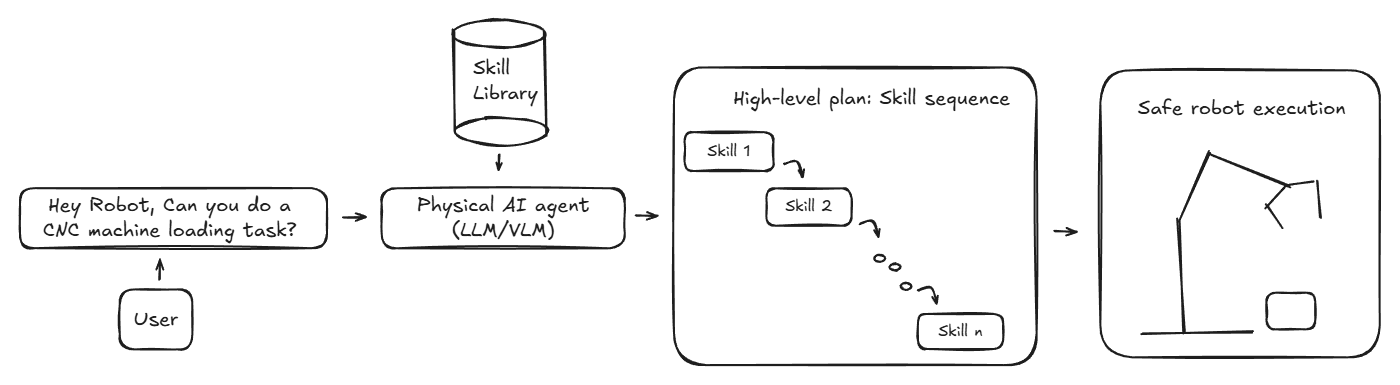
Telekinesis Agentic Skill Library Architecture
Flow Overview
- A user prompts the robot with a task: "Hey, can you do a CNC machine loading task?"
- The Agent interprets the intent and reasons over the given task and sequencing.
- The Agent constructs a high-level plan and orchestrates the Skills—selecting order and parameters.
- Skills are executed on the robot using production-grade perception, motion, and control algorithms, with continuous feedback from the environment.
What Can You Build?

Telekinesis Agentic Skill Library helps you build real-world robotics and Physical AI applications for industries such as manufacturing, automotive, aerospace, and others. Below are use cases the Telekinesis team has deployed using the skill library.
| Example Use Case | Description | |----------|-------------| | Carton Palletizing | Vision-guided palletizing that adapts to changing layouts and product variations. Object detection, pose estimation, and motion planning for accurate placement. | | Automated Assembly | Multi-step assembly combining task planning, coordinated manipulation, and precise motion execution. | | Vision-Based Quality Control | Industrial computer vision for defect detection, dimensional verification, and surface analysis. | | Automated Basil Harvesting | Vision-based manipulation for agricultural robotics in unstructured outdoor environments. Detect plants, estimate grasp poses, execute adaptive closed-loop motions. |
| | | |:---:|:---:| |  |
|  | | Carton Palletizing | Automated Assembly | |
  |
| 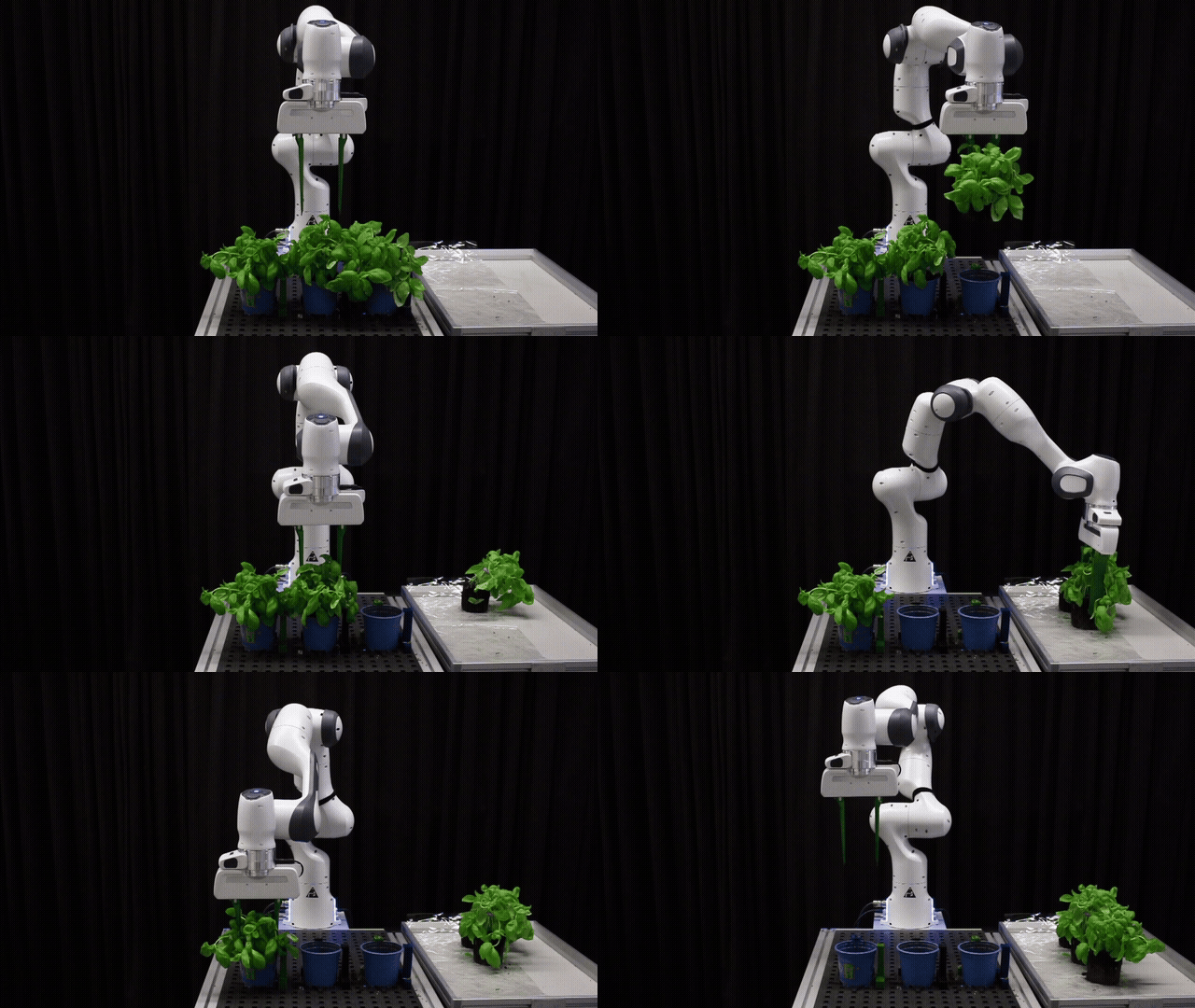 | | Vision-Based Quality Control | Automated Basil Harvesting |
Control Any Industrial Robot, Mobile Robot & Humanoid with a Unified Python Interface
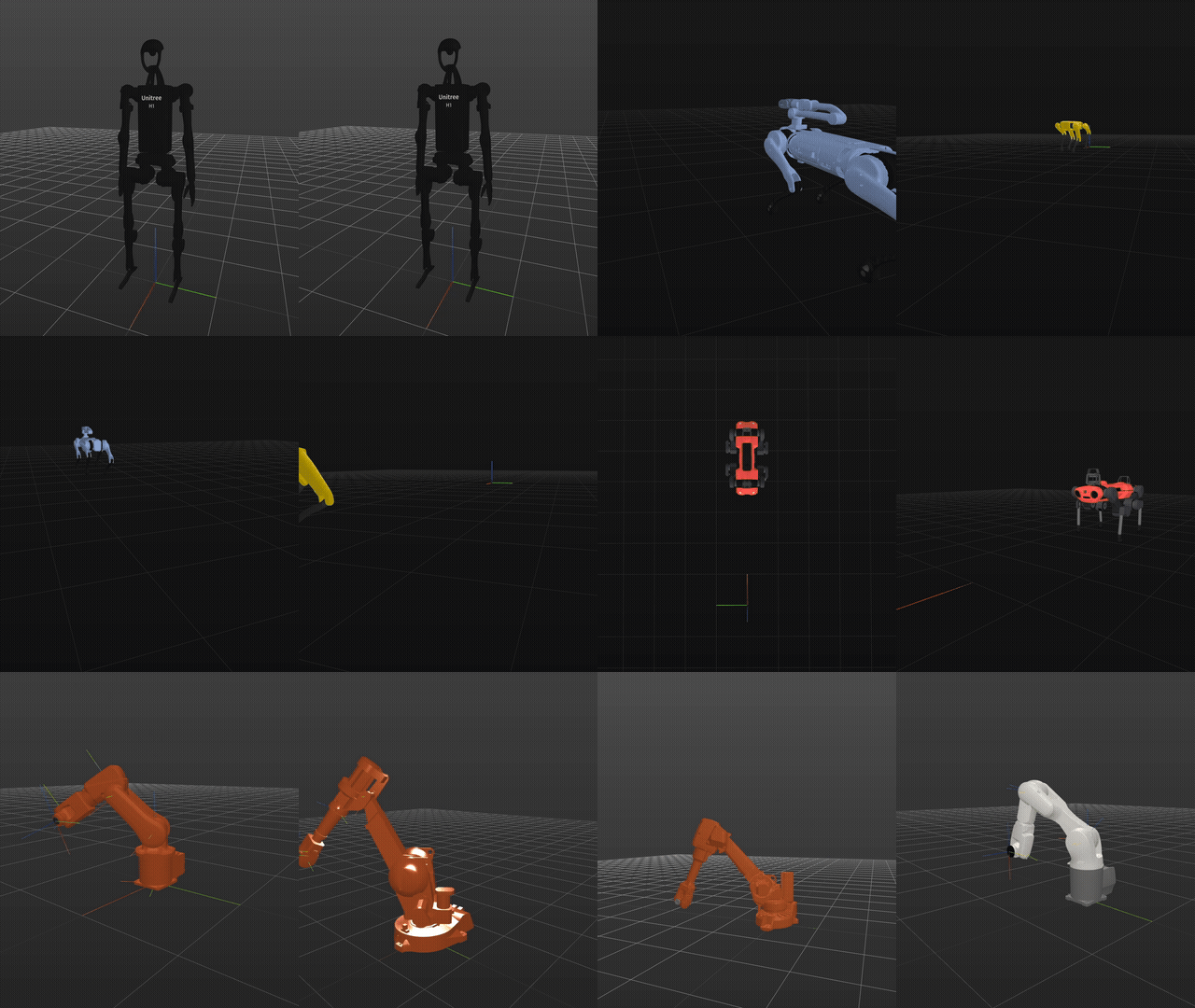
One of the biggest pains of robotics is that each robot provider has their own interface. Telekinesis offers Neuroplan—a skill group that provides a unified interface to control any industrial, mobile, or humanoid robot.
Supported: Universal Robots, KUKA, ABB, Franka Emika (real & simulation); Boston Dynamics, Anybotics, Unitree (simulation).
from telekinesis import neuroplan # robotics skillsPrototype on any robot, perform any task on the same platform, and deploy the same Skill Groups anywhere—any robot, any task, on one Physical AI platform.
Production-Grade Computer Vision Models for Robotics and Physical AI Systems
The library offers production-grade computer vision Skill Groups for object detection, segmentation, pose estimation, synthetic data generation, and AI model training.
from telekinesis import cornea     # image segmentation skills
from telekinesis import retina     # object detection skills
from telekinesis import pupil      # image processing skills
from telekinesis import vitreous   # point cloud processing skills
from telekinesis import illusion   # synthetic data generation skills
from telekinesis import iris       # AI model training skills
from telekinesis import medulla    # sensor interface skills
| | | |:---:|:---| | 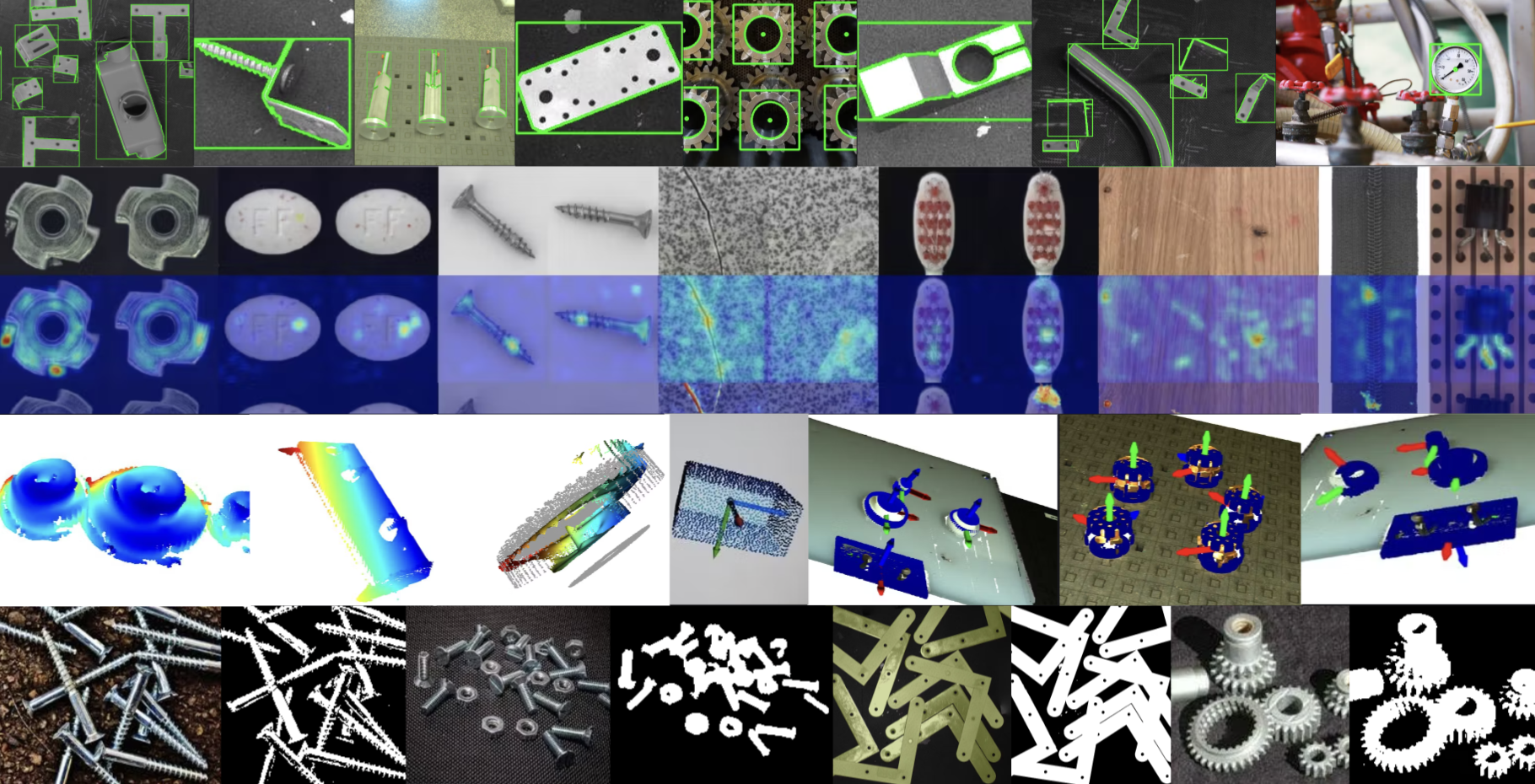 | 2D Image Processing, Object Detection & Segmentation
Build reusable 2D vision pipelines using Pupil for low-level image processing, Retina for object detection, and Cornea for segmentation and mask generation. These Skill Groups can be composed into standalone perception pipelines for images, video, or sensor data. | | 3D Point Cloud Processing & Mesh Generation
Develop geometric alignment pipelines using Vitreous to register point clouds or meshes against reference models or scenes. Vitreous provides reusable registration Skills—ICP-based alignment, global registration—enabling precise localization and model-to-scene matching. | 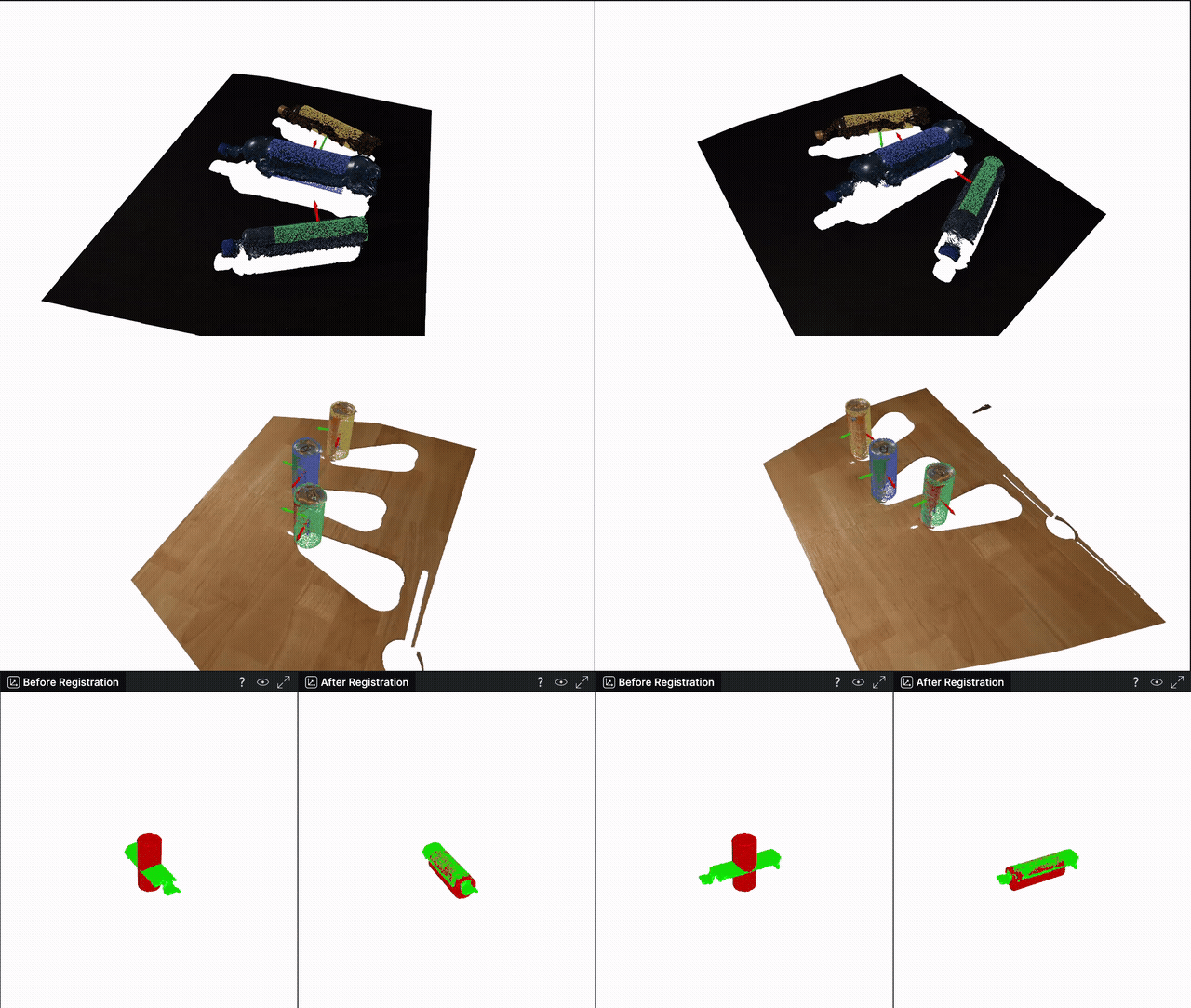 | |
| | 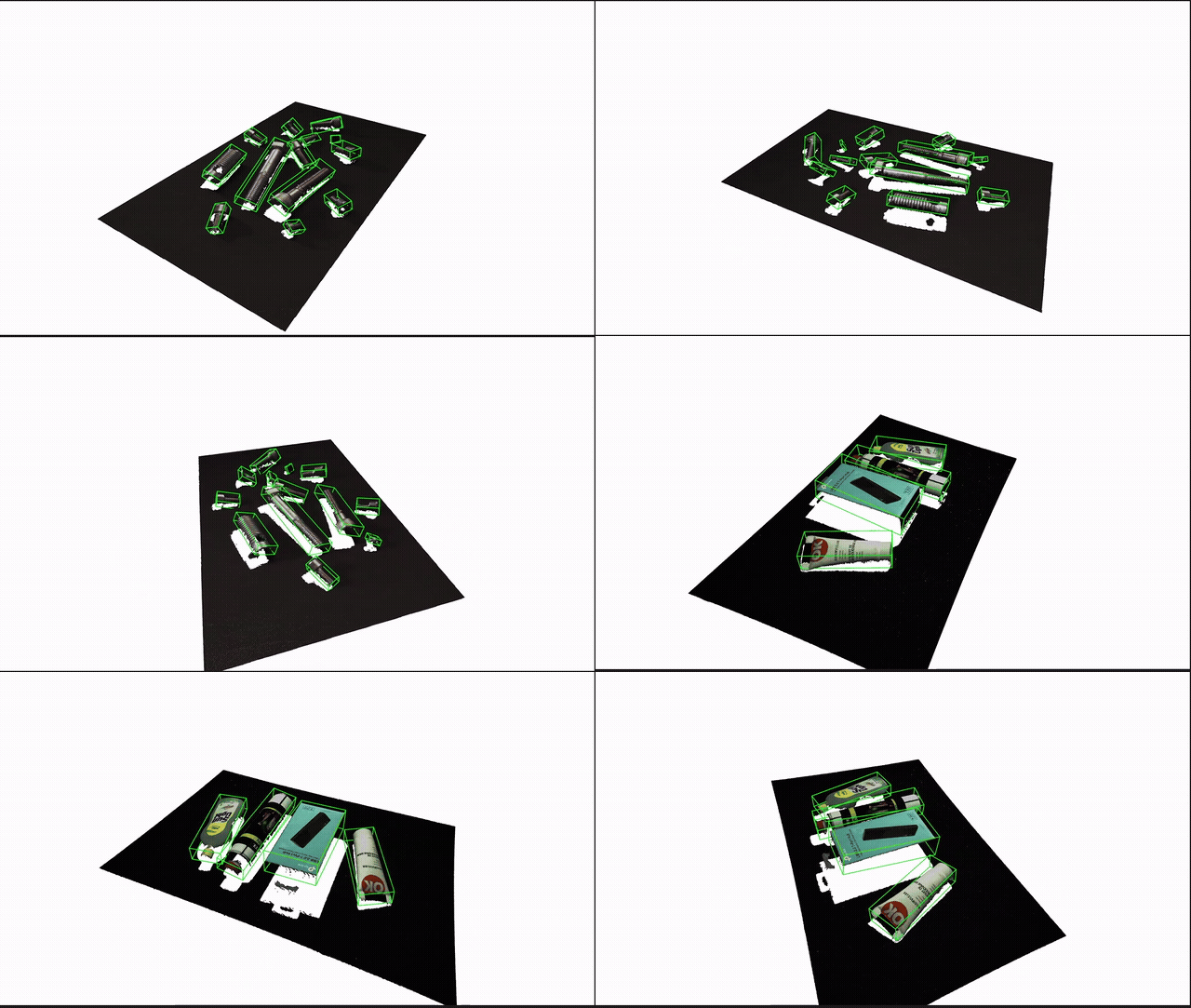 | 3D Object Detection & 6D Pose Estimation
Create 3D object detection and 6D pose estimation pipelines by combining Retina for object detection with Vitreous for point cloud filtering, registration, and geometric pose estimation—for grasp planning, inspection, and vision-guided manipulation. | | Synthetic Data Generation & AI Model Training
Generate photo-realistic synthetic image datasets for training object detection, segmentation, and classification models using the Illusion skill group. Train state-of-the-art AI models in the cloud and deploy them to real-world systems using the Iris skill group. | 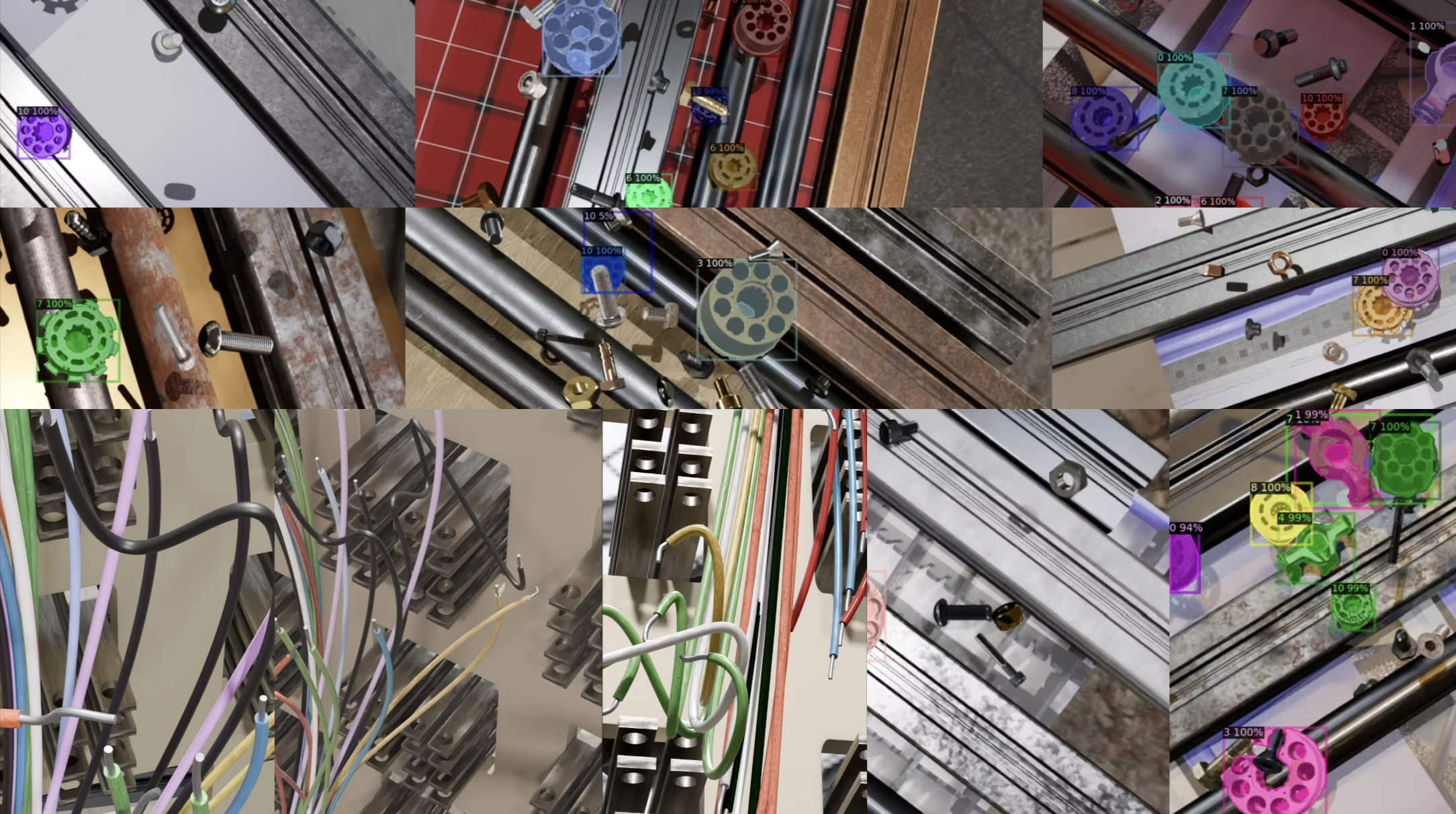 |
|
Simulation Applications
Develop and simulate digital twin workflows to validate, stress-test, and optimize Skill Groups. Deploy the same Skill Groups to real-world robots using a simulation-to-real transfer pipeline.
| | | | |:---:|:---:|:---:| | 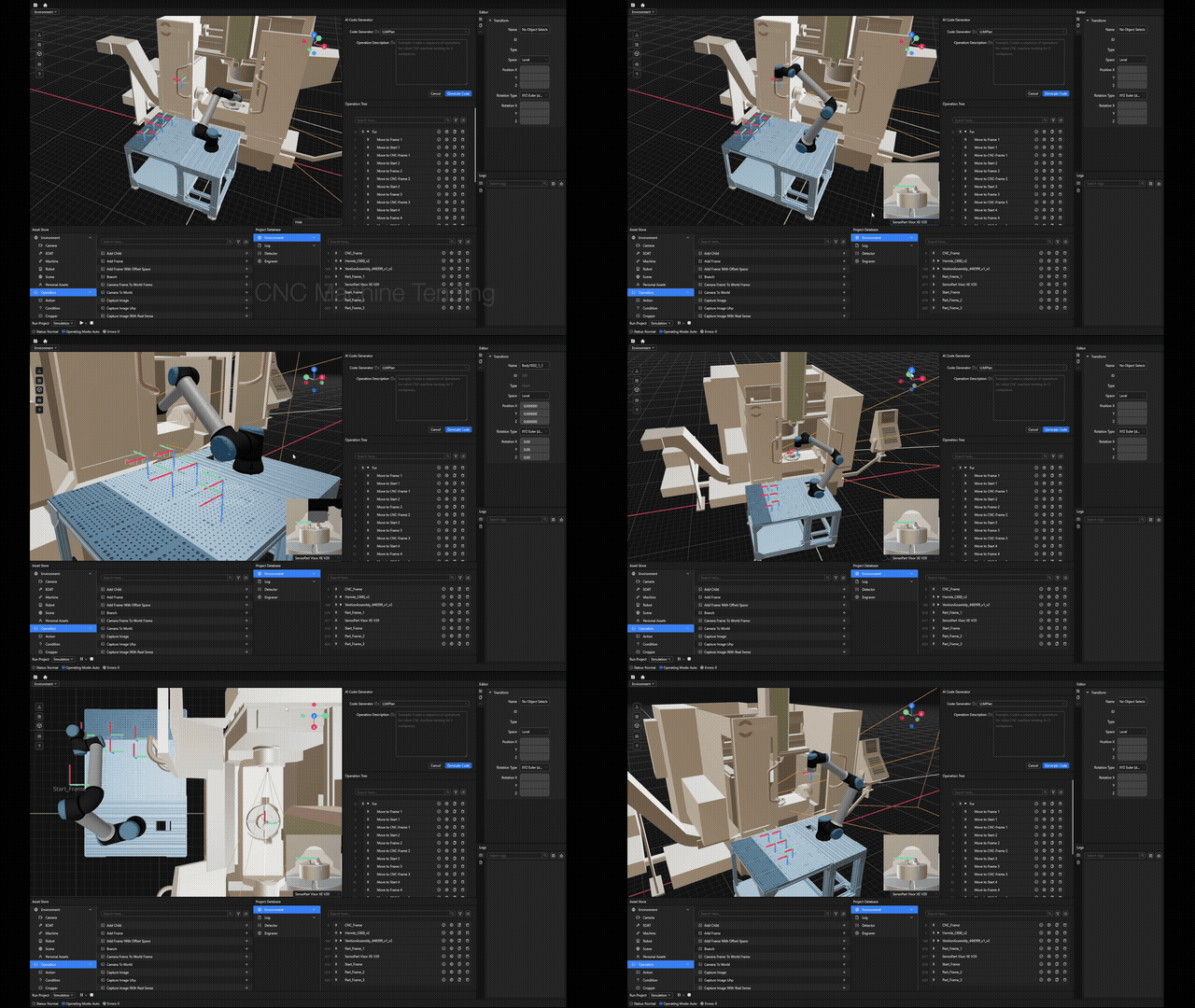 |
| 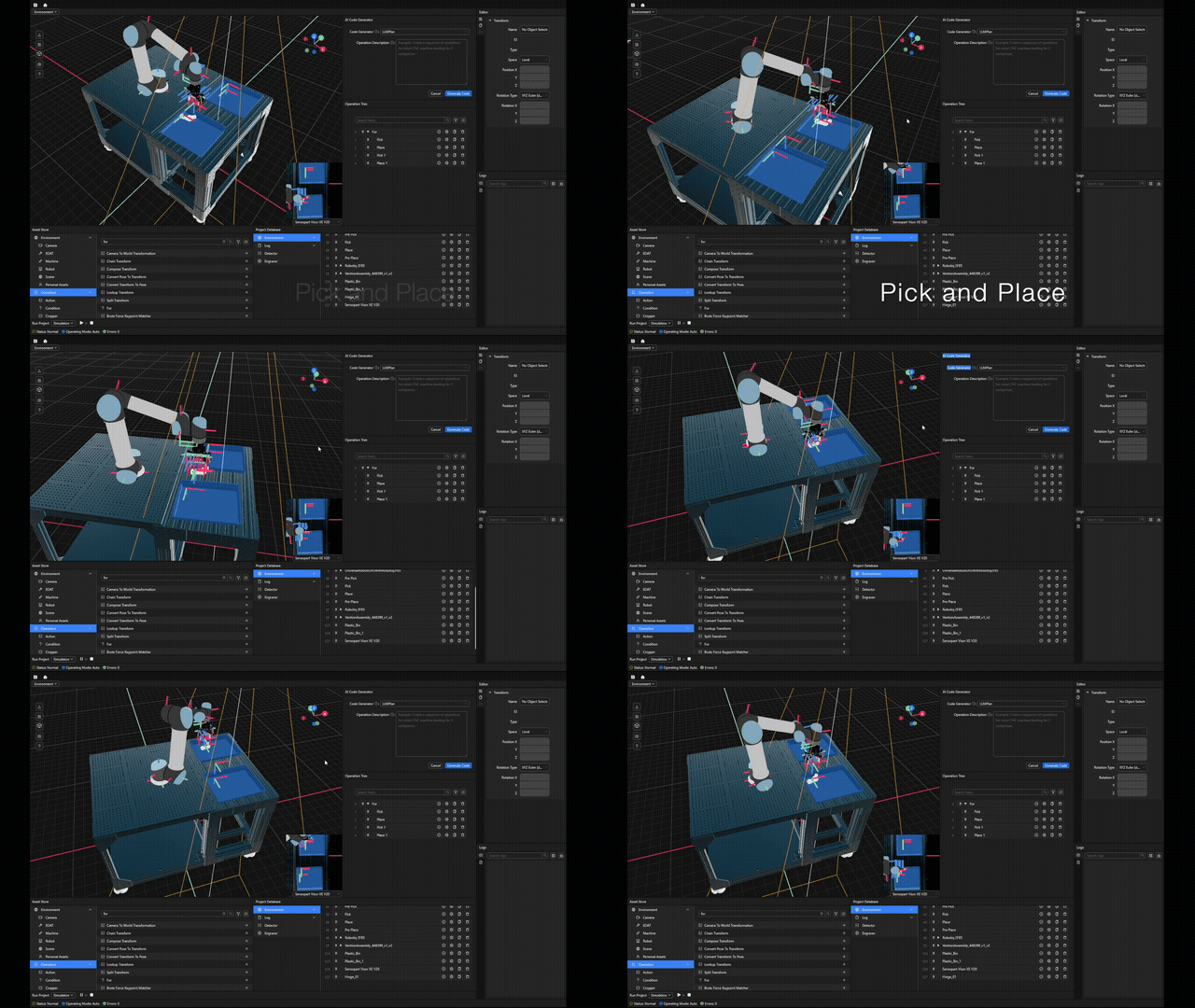 |
| 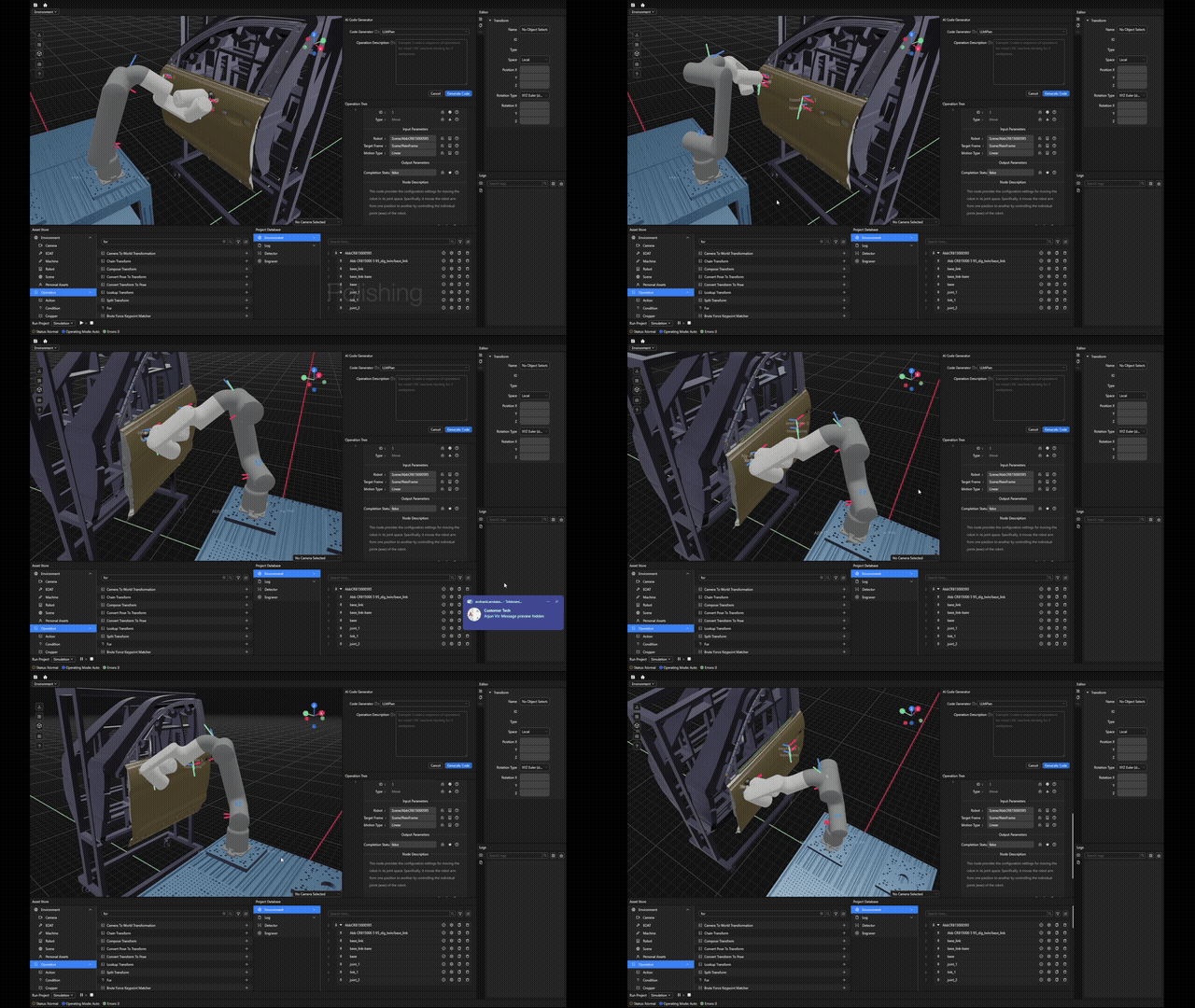 | | CNC Machine Tending | Pick and Place | Surface Polishing | |
 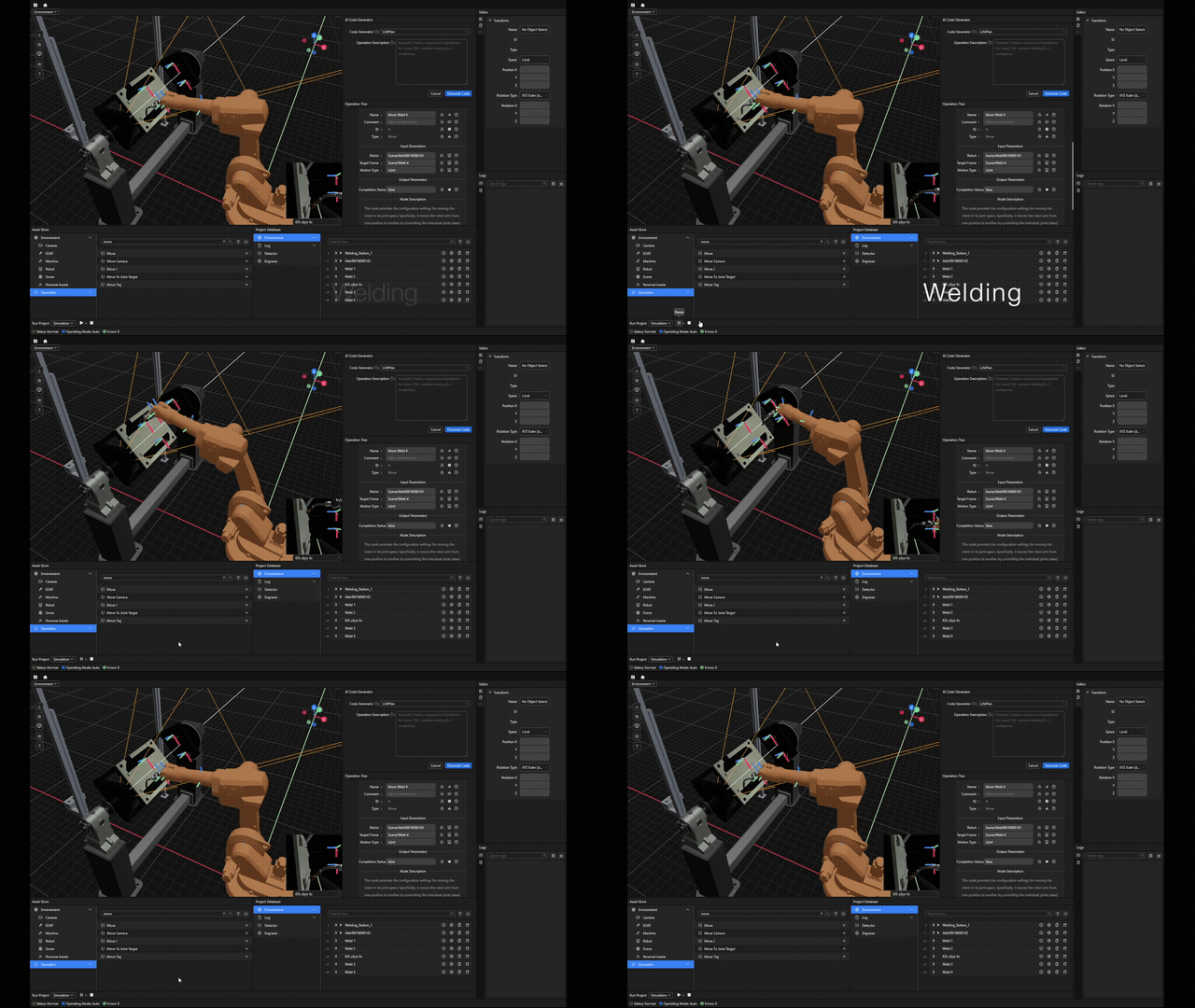 |
| 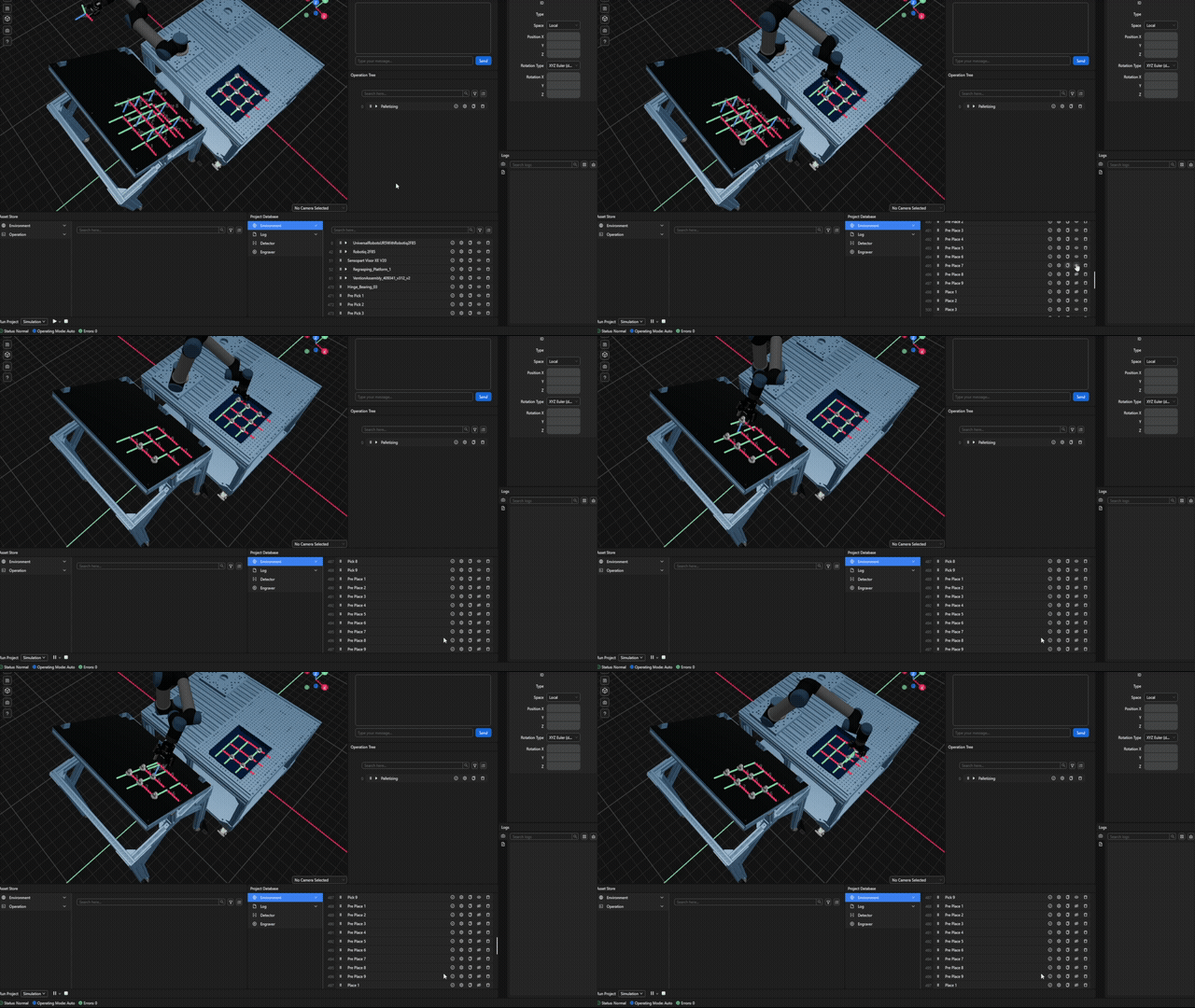 |
| 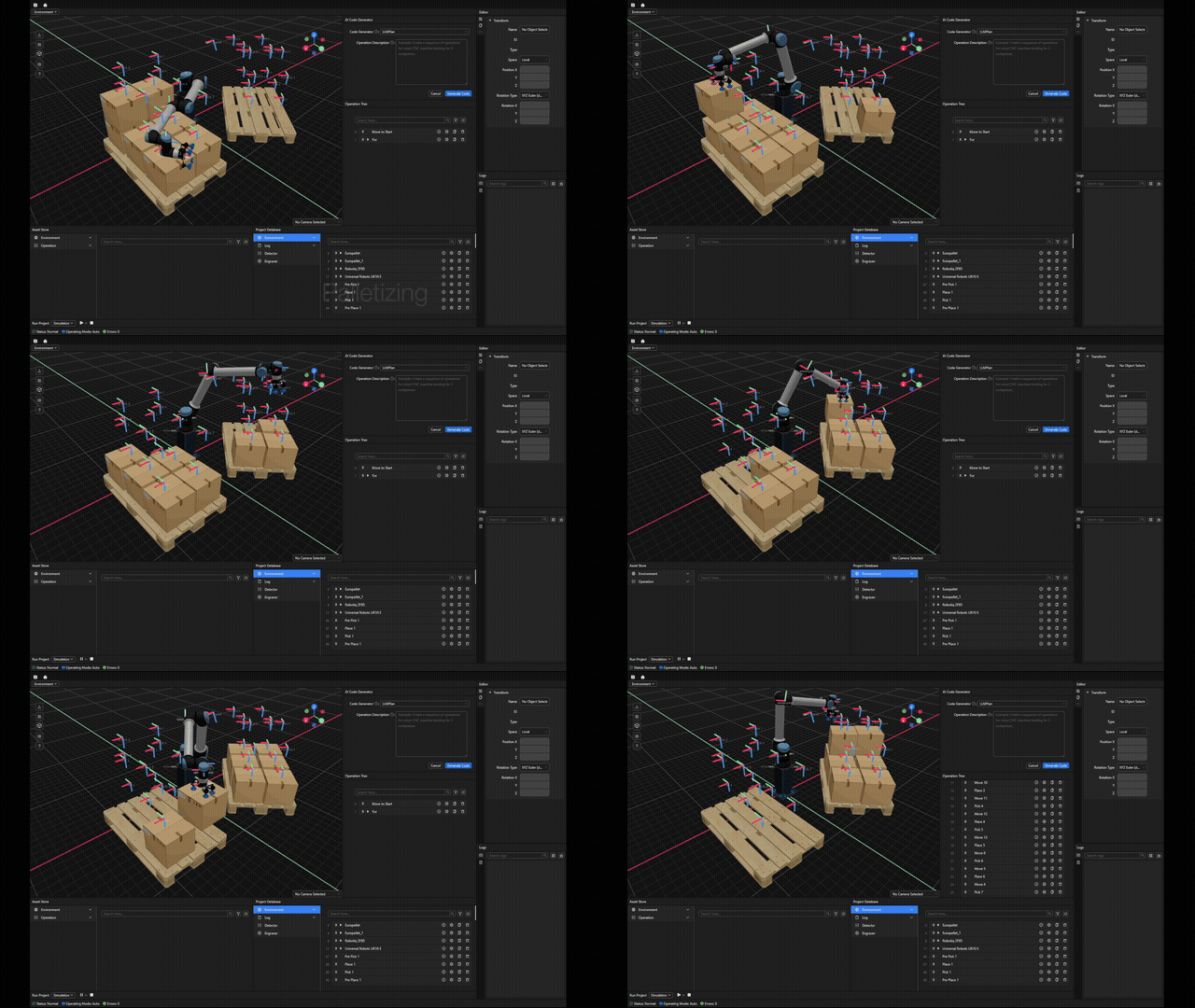 | | Robotic Welding | Metal Palletizing | Palletizing |
Getting Started
You can easily integrate the Telekinesis Agentic Skill Library into your own application. Set up the library in just 4 steps and start building!
Requirements
- Python 3.11 or 3.12
- A Telekinesis account and API key
Step 1: Create an API Key
Since all Skills are hosted in the cloud, you need a free API key to access them securely. Create a Telekinesis account and generate an API key: Create API Key
Store the key in a safe location, such as your shell configuration file (e.g. .zshrc, .bashrc) or another secure location on your computer.
Step 2: Configure the API Key
Export the API key as an environment variable. Open a terminal and run the command below for your operating system.
Note: Replace yourapikey with the key you generated in Step 1.
# macOS / Linux
export TELEKINESISAPIKEY="yourapikey"
# Windows
setx TELEKINESISAPIKEY "yourapikey"Note: After running setx on Windows, restart your terminal for the changes to take effect.
The Telekinesis Agentic Skill Library uses this API key to authenticate requests and automatically reads it from your system environment.
Step 3: Install the Telekinesis Agentic Skill Library
- Create an isolated environment so that there is no dependency conflicts. We recommend installing
Minicondaenvironment by following instructions from here.
- Create a new
condaenvironment calledtelekinesis:
conda create -n telekinesis python=3.11- Activate the environment:
conda activate telekinesis- Install the library using
pip:
pip install telekinesis-aiStep 4: Run Your First Example
- Clone the
telekinesis-examplesrepository (including the data submodule):
git clone --depth 1 --recurse-submodules --shallow-submodules https:// github.com/telekinesis-ai/telekinesis-examples.gitThis also downloads the telekinesis-data repository, which contains sample point clouds, meshes, and images. You can replace this with your own data when using Telekinesis in your projects. Download time may vary depending on your connection.
- Change into the repository directory:
cd telekinesis-examples- Install example dependencies:
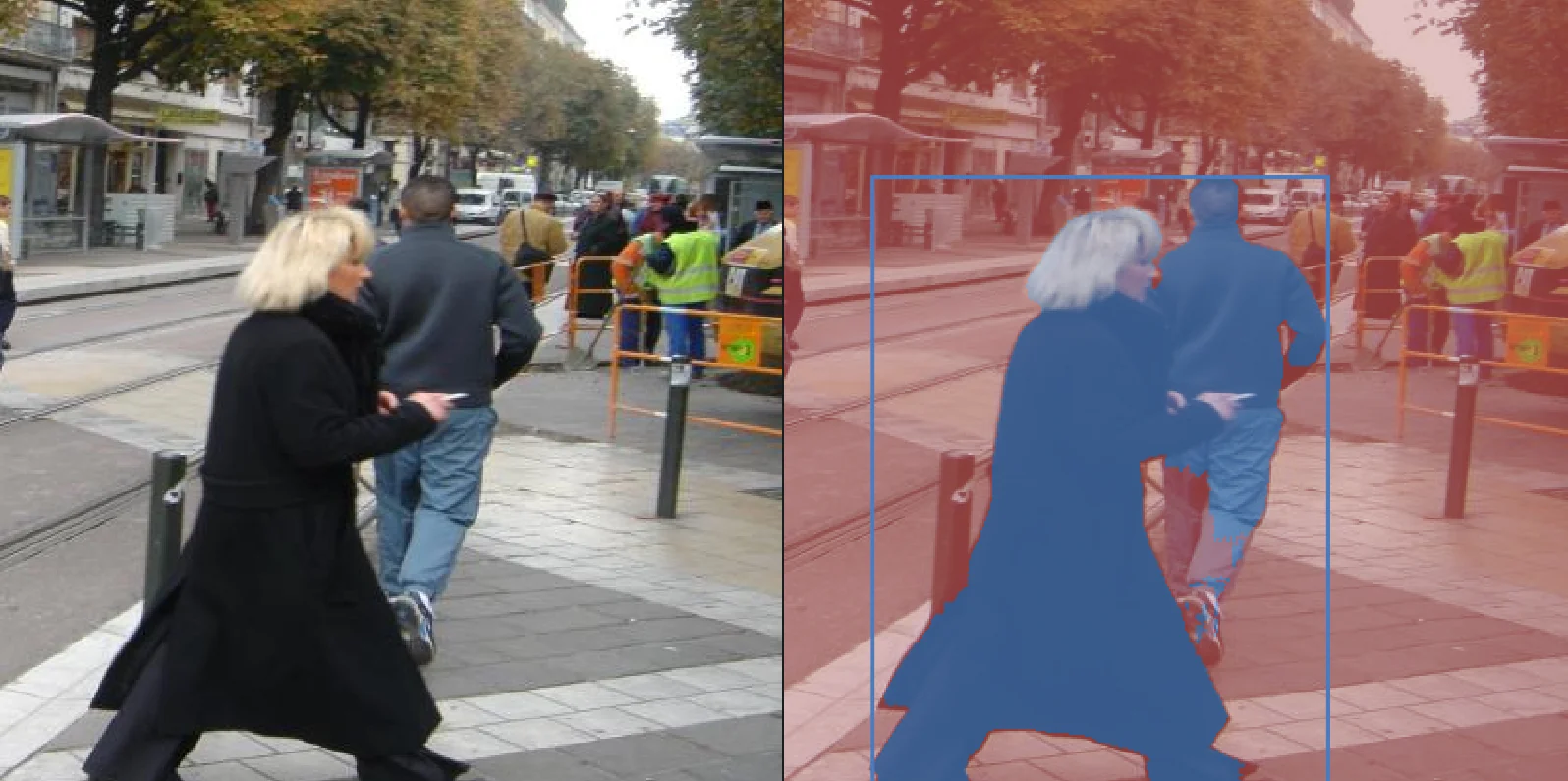
pip install numpy scipy opencv-python rerun-sdk==0.27.3 loguru pycocotools- Run the segmentimageusing_sam example:
python examples/corneaexamples.py --example segmentimageusingsamIf the example runs successfully, a Rerun visualization window will open showing the input and filtered point cloud. Rerun is a visualization tool for 3D data and processing results.
- (Optional) Run a Synapse robotics quickstart — no hardware required:
> Note: Synapse quickstarts require the synapse extras and a newer Rerun than the vision examples. Install both into your environment before running them: > >
> pip install 'telekinesis-ai[synapse]' > pip install --upgrade rerun-sdk==0.31 >Pick any supported vendor:
python examples/synapse/quickstartsetcartesianposeabb.py                # ABB
    python examples/synapse/quickstartsetcartesianposefanuc.py              # Fanuc
    python examples/synapse/quickstartsetcartesianposefranka_robotics.py    # Franka Emika
    python examples/synapse/quickstartsetcartesianposekuka.py               # KUKA
    python examples/synapse/quickstartsetcartesianposemotoman.py            # Motoman
    python examples/synapse/quickstartsetcartesianposeneura_robotics.py     # Neura
    python examples/synapse/quickstartsetcartesianposeuniversal_robots.py   # Universal Robots
Joint-space variants (quickstartsetjointpositions*.py) are available for each vendor as well. A Rerun window will open and animate the robot tracing a circle in its TCP frame, with a color-gradient trajectory drawn live.
List Available Examples
Computer vision examples (Cornea, Retina, Pupil, Vitreous) are launched from a single file per Skill Group with --list:
python examples/cornea_examples.py --list     # Cornea (2D image segmentation)
python examples/retina_examples.py --list     # Retina (2D image object detection)
python examples/pupil_examples.py --list      # Pupil (2D image processing)
python examples/vitreous_examples.py --list   # Vitreous (3D point cloud & mesh)
Robotics (Synapse) and hardware (Medulla) examples are organized as standalone scripts in subdirectories—browse them directly:
ls examples/synapse/             # Synapse: kinematics/, motion/, servocontrol/, statereading/, tools/, ...
ls examples/medulla/             # Medulla: ids/, webcam/
Run a Specific Example
# Computer vision (one launcher per Skill Group)
python examples/corneaexamples.py --example segmentimageusingrgb                    # Cornea
python examples/retinaexamples.py --example detectobjectsusinggrounding_dino        # Retina
python examples/pupilexamples.py --example filterimageusingmorphological_gradient   # Pupil
python examples/vitreousexamples.py --example estimateprincipal_axes                  # Vitreous
Robotics (run the script directly)
python examples/synapse/quickstartsetcartesianposeabb.py                            # Synapse (no hardware required)
python examples/synapse/motion/setcartesianpose.py                                    # Synapse motion
python examples/synapse/kinematics/forward_kinematics.py                                # Synapse kinematics
Hardware
python examples/medulla/webcam/captureimageexample.py                                 # Medulla (webcam)
Use Your Own Data
- Create a directory with
images/,pointclouds/, andmeshes/subdirectories. See the Skills documentation for more on data formats. - Update
DATADIRin vitreousexamples.py or pupilexamples.py or corneaexamples.py or retina_examples.py - Update the
file_namevariable to your input file. - Run the example.
Example Categories
Telekinesis Agentic Skill Library Modules
| Module | Description | Status | |--------|-------------|--------| | Cornea | Image segmentation | Released | | Retina | Object detection (foundation models, classical) | Released| | Pupil | 2D image processing | Released | | Vitreous | 3D point cloud & mesh processing | Released | | Synapse | Motion planning, kinematics, control | Released | | Tzara | Task planning & skill composition | Released | | Medulla | Task planning & skill composition | Released | | Illusion | Synthetic data generation | Planned — Apr 2026 | | Iris | Model training & fine-tuning | Planned — Apr 2026 |
Directory Structure
telekinesis-examples/
├── examples/
│   ├── cornea_examples.py             # Cornea: image segmentation Skills
│   ├── retina_examples.py             # Retina: object detection Skills
│   ├── pupil_examples.py              # Pupil: 2D image processing Skills
│   ├── vitreous_examples.py           # Vitreous: 3D point cloud & mesh Skills
│   ├── datatypes_examples.py          # Data types & transformations
│   ├── usecasesexamples.py          # End-to-end Skill compositions
│   ├── synapse/                       # Synapse: robotics Skills
│   │   ├── quickstartsetcartesianpose*.py   # No-hardware quickstarts (ABB, Fanuc, Franka, KUKA, Motoman, Neura, UR)
│   │   ├── quickstartsetjointpositions*.py  # No-hardware quickstarts (per vendor)
│   │   ├── connectionanddisconnection/
│   │   ├── kinematics/                # FK, IK, collision-free IK, solver setup
│   │   ├── motion/                    # Cartesian/joint moves, freedrive, teach, jog, contact
│   │   ├── servo_control/             # Cartesian, joint, circular servoing
│   │   ├── force_control/             # Contact detection
│   │   ├── state_reading/             # TCP pose/force/speed, joint positions/torques
│   │   ├── robot_statuses/            # Mode, safety, runtime state, controller frequency
│   │   ├── diagnostics/               # Speed scaling, target speed fraction
│   │   ├── tools/                     # Gripper control: open/close/move/force/speed
│   │   └── visualizationandmodel/   # Visual & collision meshes, link transforms
│   └── medulla/                       # Medulla: hardware communication Skills
│       ├── ids/                       # IDS industrial cameras
│       └── webcam/                    # USB/integrated webcams
├── telekinesis-data/                  # Git submodule (sample data)
│   ├── images/
│   ├── point_clouds/
│   └── meshes/
├── assets/
├── README.md
├── DEVELOPMENT.md
└── LICENSE.txt
Who We Are
We're a team of passionate robotics and computer vision experts who care about the details. Industry veterans who know the frustration of systems that just don't work. All of us asking the same question: why is robotics still so hard to use?
Telekinesis began as a spin-off from the Intelligent Autonomous Systems Lab at TU Darmstadt, led by Prof. Jan Peters, and is supported by people with years of experience at KUKA and Universal Robots.
Next Steps
Ready to go further? Explore the Agentic Skill Library, dive into specific modules, or connect with the community.
- Documentation — Full Agentic Skill Library reference and guides
- Quickstart — Step-by-step setup
- Discord — Ask questions, share feedback, connect with users
Support
- GitHub Issues — Report bugs or request features
- Create API Key — Get started with the Telekinesis platform
- Discord — Community support and discussions


