
Open-source MAVLink fleet operations for PX4: SITL, drone shows, search and rescue, cooperative autonomy, and field validation
MDS - Mission-Directed Swarm
Open-source MAVLink fleet operations for PX4 drones, SITL, drone shows, SAR, and cooperative autonomy.






MDS began as MAVSDK Drone Show and now covers a broader PX4-oriented fleet stack: drone-side runtime, GCS/backend services, React operator dashboard, SITL, real companion computers, sidecar connectivity, and mission execution workflows. It is built to stay simple enough for a quick SITL demo while remaining structured enough for serious multi-drone validation, operations, and custom deployments.
What MDS Covers
- Offline drone shows with SkyBrush-imported trajectories and synchronized execution
- Smart swarm missions with live leader-follower coordination and runtime control
- QuickScout SAR / recon with multi-drone coverage planning and PX4 Mission Mode execution
- Unified operations tooling with SITL, GCS services, Swarm Trajectory planning, and live/historical logs
Simurgh maturity boundary
Simurgh Operator is currently a demo / proof-of-feasibility beta, not a production-ready or safety-certified autonomy product. The completed SITL checkpoint demonstrates that typed intent, guarded confirmation, monitored actions, telemetry evidence, and ULog review can work together in a repeatable operator workflow. It does not establish production readiness, real-aircraft approval, or commercial/field safety.
Use Simurgh only with the documented human-confirmation and circuit-breaker controls in a trusted SITL or review environment. Treat telemetry gaps, ambiguous state, provider behavior, and all remaining deferred items as operator-visible limitations. Real-aircraft and commercial hardening are explicitly deferred to a later phase; see the Simurgh feasibility checkpoint.
Start Here
| If you want to... | Start here | |-------------------|------------| | run the first demo quickly | SITL Comprehensive Guide | | use the governed Simurgh AI operator or connect an MCP client | Simurgh Operator Guide | | import and launch a drone show | Drone Show Guide | | run Smart Swarm from the dashboard | Smart Swarm Guide | | author, process, and launch a Swarm Trajectory mission | Swarm Trajectory Guide | | point MDS at a customer/private repo | Custom Repo Workflow | | install a GCS on a VPS or Ubuntu box | GCS Setup Guide | | deploy real drone hardware | MDS Init Setup Guide | | build or ship a validated custom SITL image | SITL Custom Release Workflow | | browse everything else | Documentation Index |
Quick Demo
Start with the SITL Comprehensive Guide. It covers the official SITL archive, validation, bootstrap, dashboard launch, and the current dashboard-first SITL Control workflow.
The stock lab/SITL profile is intentionally plug-and-play: dashboard and machine API authentication are off on the trusted deployment network, and MDS warns when a feature uses that open posture. Do not expose that profile to an untrusted network. Before shared, field, customer, or commercial deployment, follow the staged hardening path in the GCS Auth Guide.
For normal demos, use the dashboard SITL Control page to reconcile/start SITL drones instead of copying low-level shell commands from the README. Shell and make wrappers still exist for automation and advanced operators; see the Operator Makefile Guide when you need scripted control.
The dashboard launcher keeps the FastAPI backend single-process by default, so telemetry, heartbeats, command tracking, and other in-memory operational state stay coherent during live SITL runs. Backend auto-reload is only for backend code editing; the SITL guide covers that advanced mode.
For the stock official SITL package, Mission Config starts from the tracked Azadi Stadium demo origin in data/origin.sitl.default.json. If you later set a different origin in the dashboard or via the API, MDS writes a local runtime override to data/origin.json on that server. Remove that local file when you want the stock Azadi default to apply again.
For the default official HTTPS demo path, the GCS now treats git write-back as disabled by default (MDSGITAUTO_PUSH=false). That keeps imports/config saves clean on read-only evaluation setups; move to the fork/SSH workflow when you want the GCS to commit and push changes.
If you skipped the bootstrap installer and do not have the repo yet, follow the clone/bootstrap path in the SITL guide instead of copying ad-hoc commands from the README.
For a first dashboard-driven Smart Swarm run after SITL launch:
- open
Overviewand confirm the target drones showREADYwith live telemetry - open
Swarm Designand review the saved follow chain / cluster layout - use
Formation Analysisto choose the cluster you want to operate on - use
Smart Swarm Runtimeto verify theFormation Previewand live readiness snapshot - start
Selected DroneorSelected Cluster, then useStop Swarm (Hold),Land Swarm, orRTL Swarmfor explicit swarm-level control
If you need your own fork, custom image, or a pinned redistribution workflow, do not improvise from the demo path. Use:
These advanced and real-hardware paths require stronger PX4/Linux/networking knowledge plus licensing, regulatory, and operational review. If you need private assistance or deployment consulting, contact Alireza on LinkedIn or p30planets@gmail.com.More Guides
- Advanced SITL Guide for custom runtime env vars, mutable boot-sync behavior, and debug-oriented SITL tuning
- Logging System Guide for live and historical GCS / drone logs
- QuickScout Guide for SAR / recon workflows
- Documentation Index for the full map, APIs, archived notes, and deeper references
Optional Ecosystem Tools
MDS can integrate optional companion-side tools when real hardware needs them:
- Smart Wi-Fi Manager for field Wi-Fi profile management on Linux companion computers
- MAVLink Anywhere for MAVLink routing over companion computers, LTE/Wi-Fi/VPN, UDP, and serial
Product Highlights
- Single operator surface: React dashboard for monitoring, control, QuickScout, Swarm Trajectory, and log review
- Governed AI operator demo: Simurgh combines live MDS evidence, multilingual semantic planning, human confirmation, durable progress, and circuit-breaker enforcement as an early proof-of-feasibility beta
- Modern SITL workflow: prebuilt PX4 Gazebo SITL image, fast container startup, and reproducible custom-image tooling
- Operational visibility: unified logging across GCS, drones, and frontend error reporting with exportable sessions
- Drone Show pipeline: staged SkyBrush ZIP import, processed trajectory plots, readiness gating, and synchronized launch control
- Scalable architecture: designed for anything from a small demo to large validated multi-container runs
Roadmap Direction
Active and planned work is tracked in ROADMAP.md. Current research directions include:
- MCP-compatible AI-agent workflows for drone swarms and fleet operations
- automated SAR, surveillance, and cooperative mission workflows
- PixEagle integration for vision-assisted swarm control
- GPS-denied and indoor swarm feasibility using AI/image-processing pipelines such as monocular vision
- future ArduPilot support exploration
- optimized minimal SIH Docker simulation for lightweight validation
Dashboard Scope
The dashboard covers:
- live fleet monitoring and control
- mission upload and execution
- Swarm Trajectory planning and advanced route editing
- QuickScout mission planning and monitoring
- live and historical Log Viewer workflows
Videos
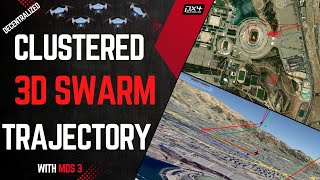
Feature Showcase |
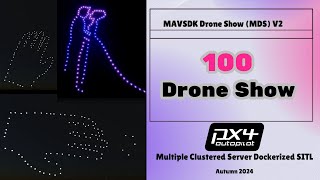
100-Drone SITL |
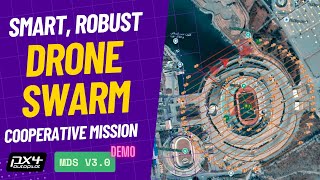
Smart Swarm Demo |
- Project history and walkthrough playlist: YouTube playlist
- MDS 5 walkthrough: coming soon, to be linked here when published
Documentation
- Documentation Index: full guide map
- CHANGELOG.md: notable changes
- VERSIONING.md: release/version workflow
- Python Compatibility: supported Python versions
Licensing
MDS uses dual licensing:
- PolyForm Noncommercial for education, research, and other non-commercial use
- PolyForm Small Business for qualifying small commercial operators
- Commercial license for larger commercial deployments
Contact And Contributions
- Commercial / deployment inquiries: p30planets@gmail.com
- GitHub issues: bug reports and feature requests
- Contributing guide: CONTRIBUTING.md
main. Use short-lived feature or client branches for work-in-progress, then merge back to main only after SITL/hardware validation.
Safety Note
Real-drone deployment requires appropriate flight-test discipline, regulatory compliance, and failsafe validation. Treat SITL success as a prerequisite, not as proof of real-world readiness.


