
This library generate an Mp4 movie using Android MediaCodec API and apply filter, scale, trim, transcode, crop, timeScale, mute and rotate Mp4.
Mp4Composer-android



This library generate an Mp4 movie using Android MediaCodec API and apply filter, scale, trim, transcode, crop, mute and rotate Mp4.
Idea from: android-transcoder
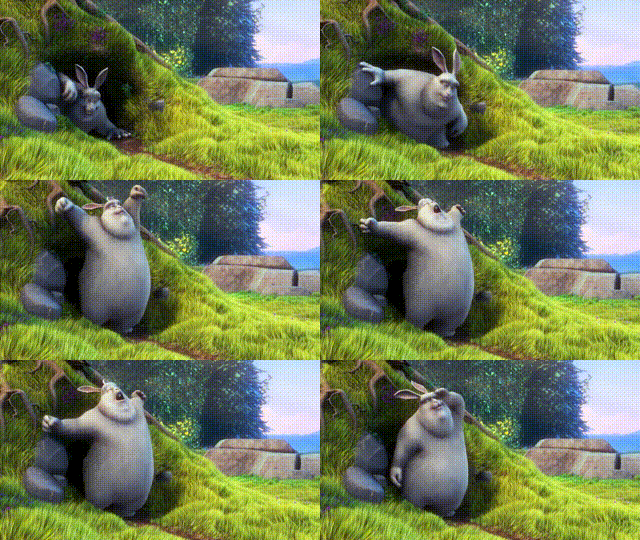 Sample Video No filter |
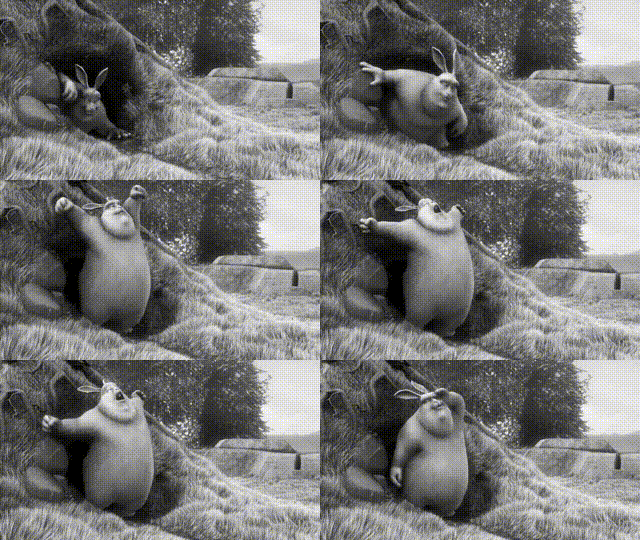 GlGlayScaleFilter apply |
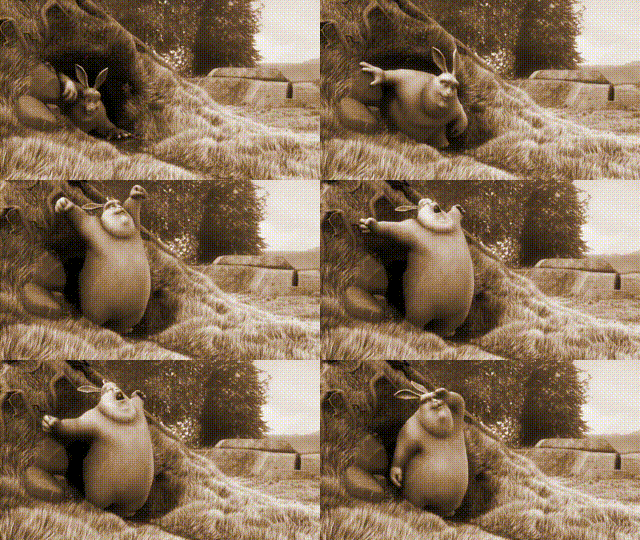 GlMonochromeFilter apply |
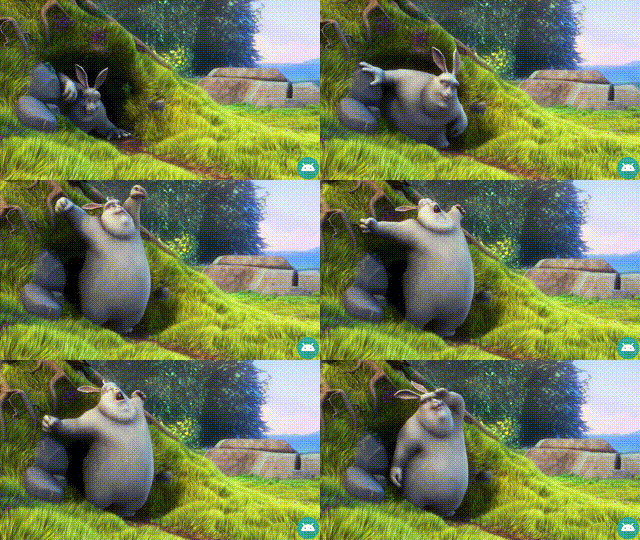 GlWatermarkFilter apply |
Gradle
Step 1. Add the JitPack repository to your build fileallprojects {
repositories {
...
maven { url 'https://jitpack.io' }
}
}dependencies {
implementation 'com.github.MasayukiSuda:Mp4Composer-android:v0.4.1'
}Usage
new Mp4Composer(srcMp4Path, destMp4Path)
            .rotation(Rotation.ROTATION_90)
            .size((width) 540, (height) 960)
            .fillMode(FillMode.PRESERVEASPECTFIT)
            .filter(new GlFilterGroup(new GlMonochromeFilter(), new GlVignetteFilter()))
            .trim((trimStartMs) 200, (trimEndMs) 5000)
            .listener(new Mp4Composer.Listener() {
                @Override
                public void onProgress(double progress) {
                    Log.d(TAG, "onProgress = " + progress);
                }
@Override                 public void onCompleted() {                     Log.d(TAG, "onCompleted()");                     runOnUiThread(() -> {                         Toast.makeText(context, "codec complete path =" + destPath, Toast.LENGTH_SHORT).show();                     });                 }
@Override                 public void onCanceled() {                     Log.d(TAG, "onCanceled");                 }
@Override                 public void onFailed(Exception exception) {                     Log.e(TAG, "onFailed()", exception);                 }             })             .start();
Builder Method
| method | description | |:---|:---| | rotation | Rotation of the movie, default Rotation.NORMAL | | size | Resolution of the movie, default same resolution of src movie. If you specify a resolution that MediaCodec does not support, an error will occur. | | fillMode | Options for scaling the bounds of an movie. PRESERVEASPECTFIT is fit center. PRESERVEASPECTCROP is center crop , default PRESERVEASPECTFIT.FILLMODECUSTOM is used to crop a video. Check this for behavior. Sample source code is this. | | filter | This filter is OpenGL Shaders to apply effects on video. Custom filters can be created by inheriting GlFilter.java. , default GlFilter(No filter). Filters is here. | | videoBitrate | Set Video Bitrate, default video bitrate is 0.25 30 outputWidth * outputHeight | | mute | Mute audio track on exported video. Default
mute = false. | | trim | Trim both audio and video tracks to the provided start and end times, inclusive. Default does not trim anything from the start or end. | | flipVertical | Flip Vertical on exported video. Default flipVertical = false. | | flipHorizontal | Flip Horizontal on exported video. Default flipHorizontal = false. | | videoFormatMimeType | The mime type of the video format on exported video. default AUTO. Suppurt HEVC, AVC, MPEG4, H263. Check this. | | timeScale | Set TimeScale. default value is 1f. should be in range 0.125 (-8X) to 8.0 (8X) |
References And Special Thanks to
- android-transcoder
- android-transcoder Japanese blog
- android-gpuimage
- Android MediaCodec stuff
- grafika
- libstagefright


