
The Learning Path and Comprehensive List of Materials from Data Science

Codecademy want to create a world where anyone can build something meaningful with technology, and everyone has the learning tools, resources, and opportunities to do so. Code contains a world of possibilities — all that’s required is the curiosity and drive to learn. At Codecademy, we are committed to empowering all people, regardless of where they are in their coding journeys, to continue to learn, grow, and make an impact on the world around them.
Data Scientist Learning Path
1. Welcome to the Data Scientist Career Path
Details
The Data Scientist Career Path is designed for you to gain the technical skills, knowledge, resources, and confidence you need to get your start as a data scientist.
After this Path, you will be able to:
- Create programs using Python 3
- Move off of the Codecademy platform with the Command Line, Jupyter Notebook, Git, and GitHub Desktop
- Acquire and query data with SQL and BeautifulSoup
- Manipulate data using NumPy and pandas
- Wrangle and tidy data with pandas
- Summarize and analyze data with scikit-learn
- Implement many different hypothesis tests using Python
- Visualize data using Matplotlib and seaborn
- Communicate data science findings effectively
- Work with text data using natural language processing
- Build, train, and test a variety of supervised and unsupervised machine learning models
- Understand the fundamentals of deep learning
- Work with aggregate functions and joins in SQL
As you go through the path, we’ll suggest certain resources for you to use, like articles, videos, tutorials, and documentation. Here are some additional resources that are considered groundbreaking, significant, or classics in the industry and will help you throughout your Path:
- Documentation:
- Cheatsheet:
- Books:
2. Getting Started with Data Science
Details
a. Introduction to Data Science
Data science enables us to take data and transform it into meaningful information that can help us make decisions. Data science is interdisciplinary and combines other well-known fields such as probability, statistics, analytics, and computer science. The work that you might do could range from writing up reports to building machine learning models. No matter what your interests are, data science is applicable - because these days, we have data on everything!
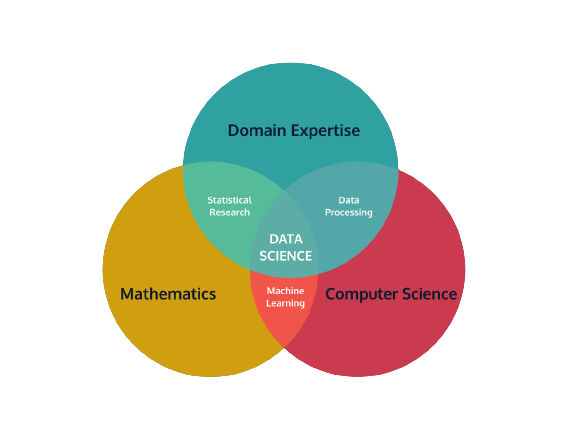
1) Statistics
A fundamental part of data science is statistics. Statistics is the practice of applying mathematical calculations to sets of data to derive meaning. Statistics can give us a quick summary of a dataset, such as the average amount or how consistent a dataset is.
There are two types of statistics:
- Descriptive Statistics
- Inferential Statistics
2) Probability
Another field that informs the field of data science is probability. Probability is the mathematical study of what could potentially happen. Fun fact: the study of probability came about as a method to decode secret messages.
In data science, probability calculations are used to build models. Models are able to help us understand data that has yet to exist - either data we hadn’t previously collected or data that has yet to be created. Data scientists create models to help calculate the probability of a certain action and then they use that probability to make informed decisions.
Example of Probability Application
3) Programming
Given that we’re a “learn to code” website, this one may seem fairly obvious. But in all seriousness, programming is an essential part of data science. It’s also what sets data science apart from similar fields, like data analytics.
Programming is the practice of writing commands for a computer to execute. Computer Science is the discipline of interacting with computation systems.
Example of Programming Application
4) Domain Expertise
One of the reasons that data science is one of the most interesting fields to go into is that it doesn’t limit you to a specific industry. Interested in airplanes? Work for a company on ticket pricing! Like fashion? Create a model that predicts the latest trends.
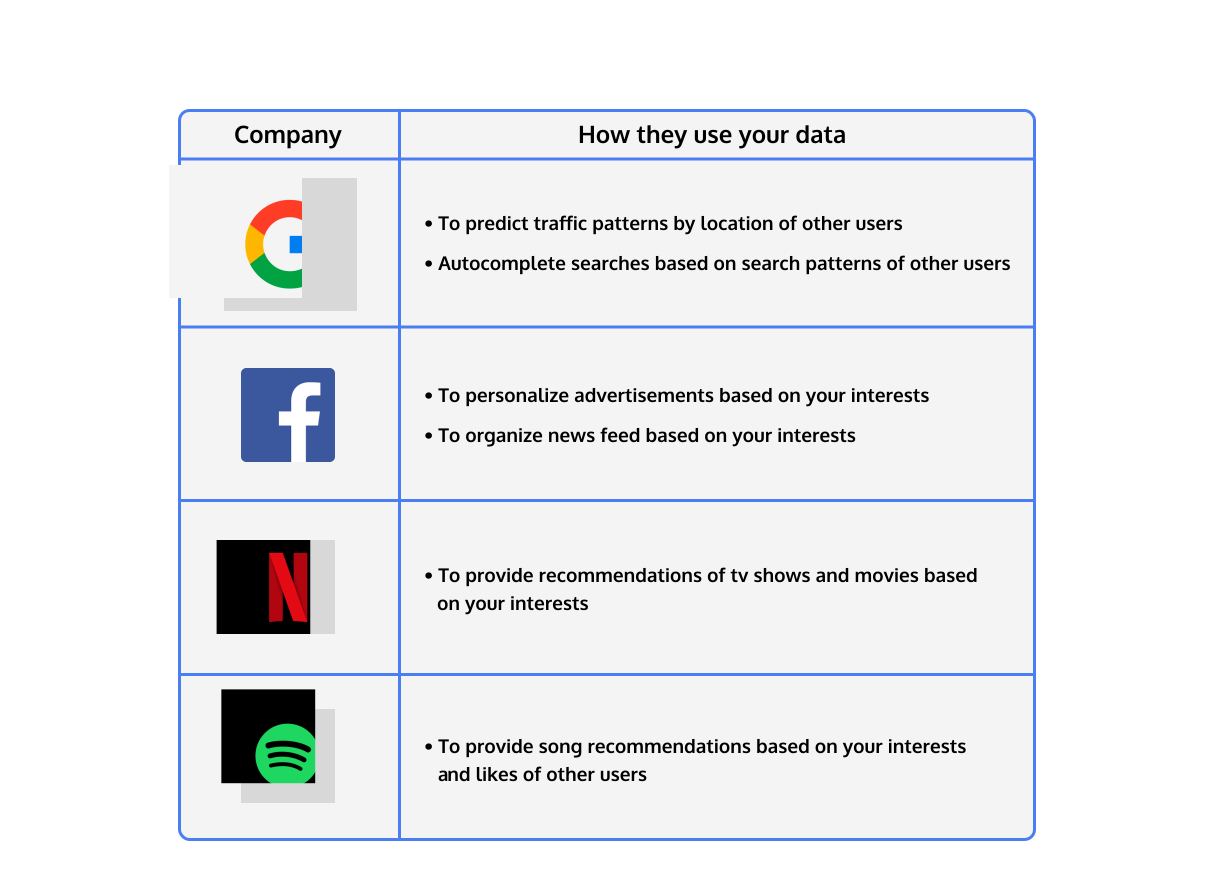
Domain Expertise refers to the particular set of knowledge that someone cultivates in order to understand their data. You may be able to crunch the numbers, but in order to understand their meaning, you’re going to need a lot of context. Sometimes this context comes from your research, your teammates, or the knowledge that you gain after working in a particular industry.
Review
Review! You now know the basic parts that make up the field of data science.
- Data Science—the field of taking data and transforming it into meaningful information that can help us make decisions
- Descriptive Statistics—statistics that describe the data in objective terms
- Inferential Statistics—inferences for the overall population based on data
- Probability—the likelihood that an event will happen
- Programming—the act of giving the computer instructions to perform a task
- Domain Expertise—the particular set of knowledge that someone cultivates and brings with them in order to understand their data
- Blog: What does a data scientist do?
- Article: What Data Scientists Really Do, According to 35 Data Scientists
- Article: Achieving business impact with data

b. Data Science Process
c. Data Science Applications
As you can see, there are many different applications and kinds of projects that you can do once you know a bit of data science!
- Reports - a way of presenting your process, insights, and recommendations
- Recommender Systems - a process that uses data about users and items to predict interest
- Dynamic Pricing - a strategy that takes into account factors such as demand to increase and decrease prices to drive profit
- Natural Language Processing - ways of analyzing text to gain insights as well as support applications, such as chatbots
3. Python Fundamentals
Details
a. Python Syntax and Variable Types
Details
Python is a programming language. Like other languages, it gives us a way to communicate ideas. In the case of a programming language, these ideas are “commands” that people use to communicate with a computer!
0) Welcome 1) Comment 2) Print 3) String 4) Variables 5) Errors 6) Numbers 7) Calculations 8) Changing Numbers 9) Exponents 10) Modulo 11) Concatenation 12) Plus Equals 13) Multi-line Strings 14) Review
Two common errors that we encounter while writing Python are SyntaxError and NameError.
SyntaxErrormeans there is something wrong with the way your program is written — punctuation that does not belong, a command where it is not expected, or a missing parenthesis can all trigger aSyntaxError.
- A
NameErroroccurs when the Python interpreter sees a word it does not recognize. Code that contains something that looks like a variable but was never defined will throw aNameError.
Documentation
Python Documentation - Built-in Types
In this documentation, you will learn about the built-in data types of Python. This is helpful if you would like to learn about data types that you can use when programming in Python.
b. Python Functions
Details
Let’s imagine we were building an application to help people plan trips! When using a trip planning application we can say a simple procedure could look like this:
1. Establish your origin and destination
 2. Calculate the distance/route
 3. Return the best route to the user
We will perform these three steps every time users have to travel between two points using our trip application. In our programs, we could rewrite the same procedures over and over (and over) for each time we want to travel, but there’s a better way! Python gives us a useful concept called functions.
1) Why Functions? 2) Defining a Function 3) Calling Function 4) Whitespace & Execution Flow 5) Parameters & Arguments 6) Multiple Parameters 7) Types of Arguments 8) Built-in vs User Defined Functions 9) Variable Access 10) Returns 11) Multiple Returns 12) Review
Here’s an example of a function definition:
def function_name():
    # functions tasks go here
There are some key components we want to note here:
- The
defkeyword indicates the beginning of a function (also known as a function header). The function header is followed by a name in snake_case format that describes the task the function performs. It’s best practice to give your functions a descriptive yet concise name.
- Following the function name is a pair of parenthesis
( )that can hold input values known as parameters (more on parameters later in the lesson!). In this example function, we have no parameters.
- A colon
:to mark the end of the function header.
- Lastly, we have one or more valid python statements that make up the function body (where we have our python comment).
- First Three Multiples/1.%20first%20three%20multiples.py)
- Tip/2.%20tip.py)
- Bond, James Bond/3.%20james%20bond.py)
- Dog Years/4.%20dog%20years.py)
- All Operations/5.%20all%20operations.py)
c. Python Control Flow
Details
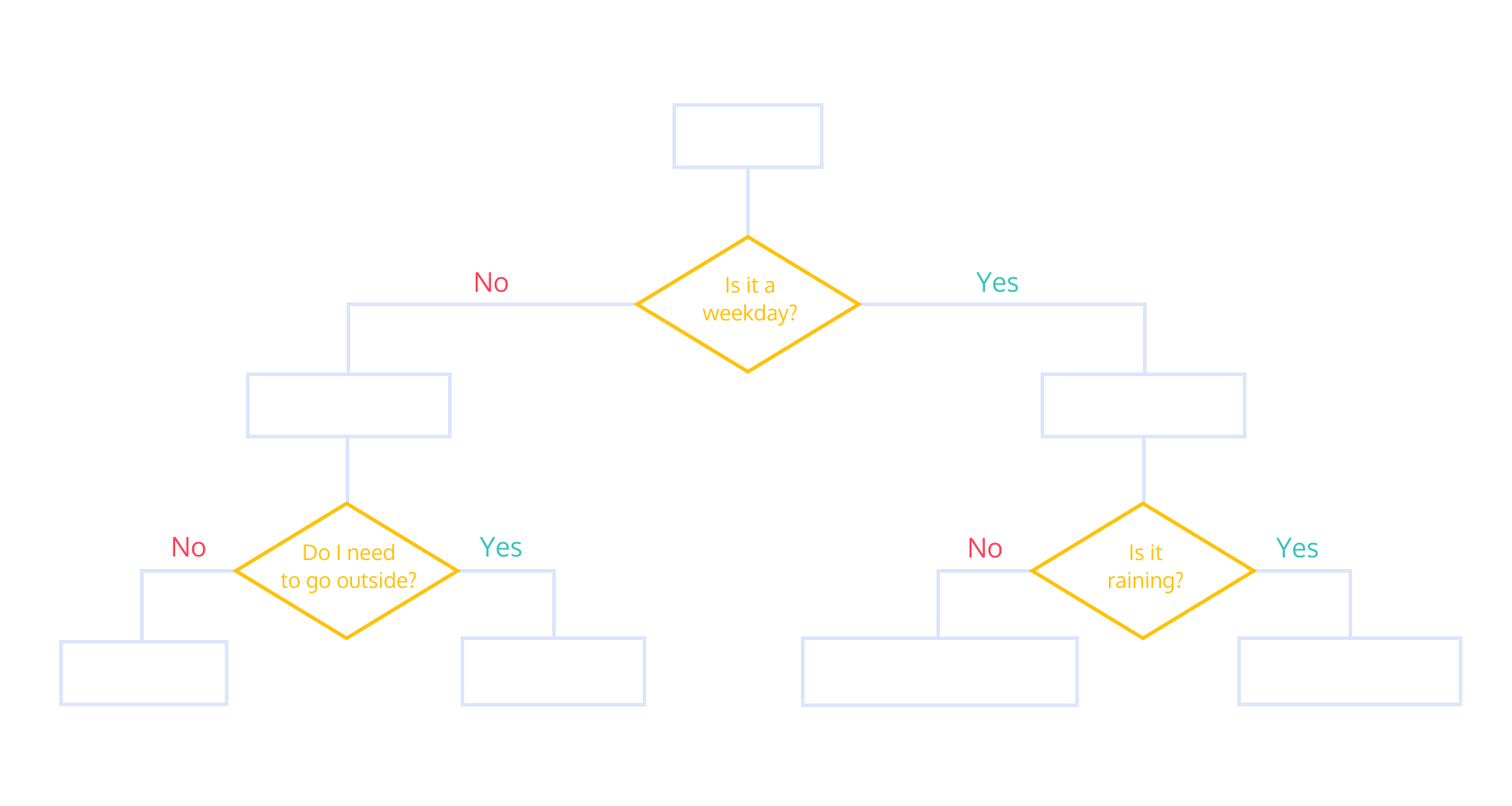
1) Boolean Expressions 2) Relational Operators: Equals and Not Equals 3) Boolean Variables 4) If Statement 5) Relational Operators II 6) Boolean Operators: and 7) Boolean Operators: or 8) Boolean Operators: not 9) Else Statements 10) Else If Statements 11) Review
Let’s review what we’ve learned this lesson:
- Boolean expressions are statements that can be either
TrueorFalse - A boolean variable is a variable that is set to either
TrueorFalse. - We can create boolean expressions using relational operators:
== : Equals
- != : Not equals
- > : Greater than
- >= : Greater than or equal to
- < : Less than
- <= : Less than or equal to
ifstatements can be used to create control flow in your code.elsestatements can be used to execute code when the conditions of anifstatement are not met.elifstatements can be used to build additional checks into yourifstatements
Documentation
Python Tutorial - More Control Flow Tools
In this documentation, you will learn about the different flow control statements of Python. This is helpful if you would like to conditionally execute blocks of code in a Python program.
Python Code Challenges: Control Flow
Python Code Challenges: Control Flow (Advanced)- In Range/1.%20in%20range.py)
- Same Name/2.%20same%20name.py)
- Always False/3.%20always%20false.py)
- Movie Review/4.%20movie%20review.py)
- Max Number/5.%20max%20number.py)
d. Getting Started Off-Platform
Details
1) Command Line Interface Setup
Windows has a different CLI, called Command Prompt. While this has many of the same features as Bash, Bash is much more popular. Because of the strength of the open source community and the tools they provide, mastering Bash is a better investment than mastering Command Prompt.
To use Bash on a Windows computer, we will download and install a program called Git Bash. Git Bash allows us to easily access Bash as well as another tool we’ll be using later called Git, inside the Windows environment.
For more detailed tutorial, please watch this video.
2) Introducing Jupyter Notebook
Jupyter Notebook (sometimes called IPython Notebook) is a popular way to write and run Python code, especially for data analysis, data science and machine learning. Jupyter Notebooks are easy-to-use because they let you execute code and review the output quickly. This iterative process is central to data analytics and makes it easy to test hypotheses and record the results (just like a notebook).
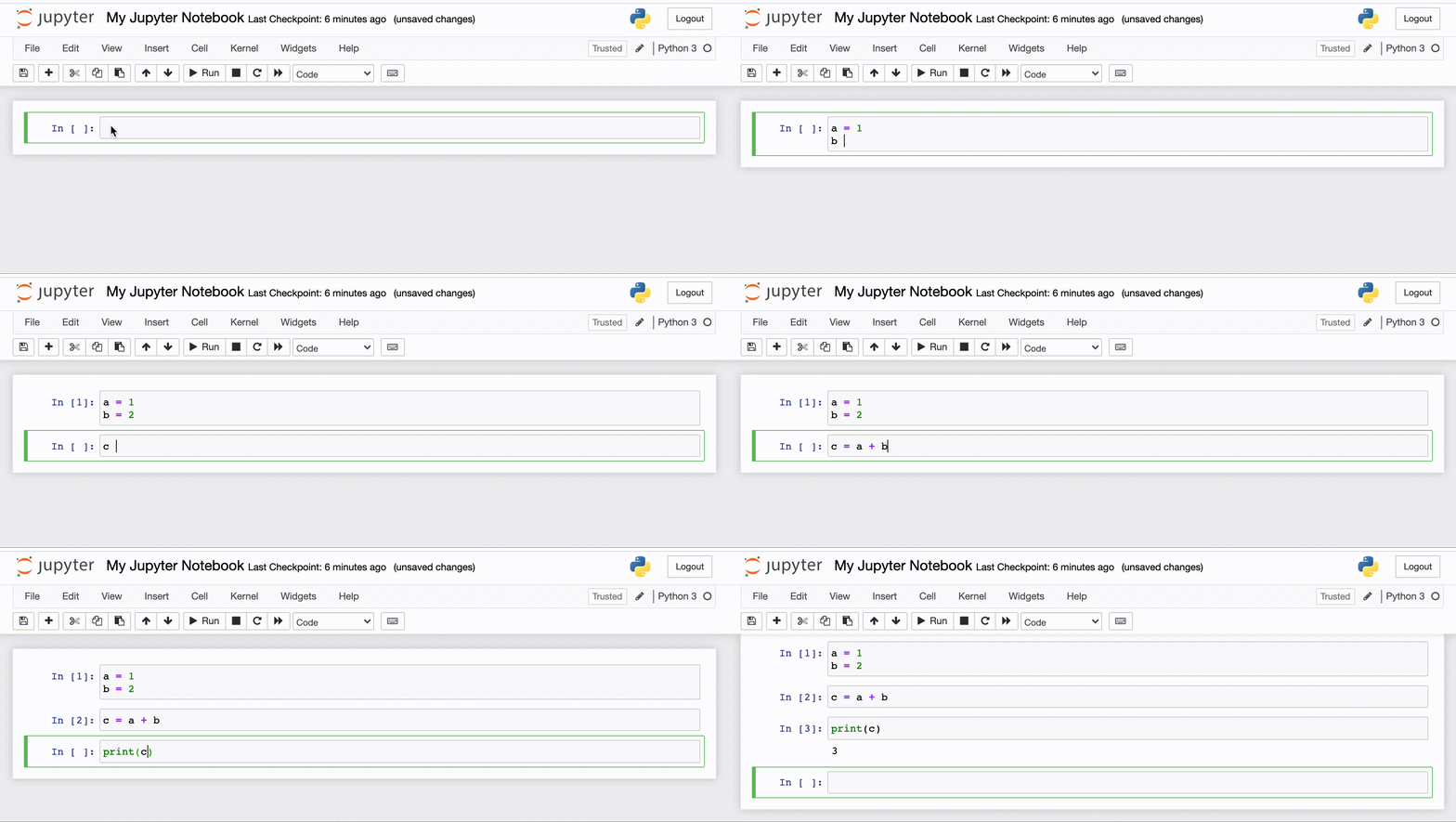
Above is the Jupyter Notebook interface. A Jupyter Notebook has two parts:
- the front-end interface (what you see in the gif)
- the back-end kernel
front-end interface loads in a web browser and consists of “cells” where you enter your code. The browser is just for display, so you do not need to be connected to the internet.
Jupyter Notebook uses a back-end kernel called IPython. The ‘I’ stands for ‘Interactive’, which means that a program or script can be broken up into smaller pieces, and those pieces can be run independently from the rest of the program.
You do not need to worry about the difference between Python and IPython. The important thing to know is that you can run small pieces of code, which can be helpful when working with data.
3) Setting up Jupyter Notebook
Windows Anaconda
Go to the Anaconda Downloads page and download the appropriate version of Anaconda (32- or 64-Bit Graphical Installer)
- Double click on the .exe file and click
Install. - Read and agree to the licensing terms.
- Select if you want to install for 'Just Me' or 'All Users'. If you are installing for 'All Users', you must have Administrator privileges.
- You will be prompted to select the installation location. By default, Anaconda should try to install in your home directory. We recommend accepting this default. Click
Install. - You will be asked if you want to add Anaconda to your PATH environment variable. Do not add Anaconda to the PATH because it can interfere with other software.
- You will be asked if you want Anaconda to be your default version of Python. We recommend 'Yes'. There are some rare instances where you might not make Anaconda the default version, but they are beyond the scope of this article.
- Click the Install button.
- Go ahead and finish the installation.
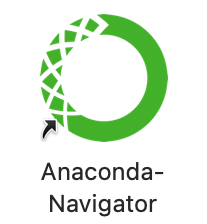
If it appears, it is installed. Congratulations!
Double click on it, and the Anaconda Navigator window should appear.
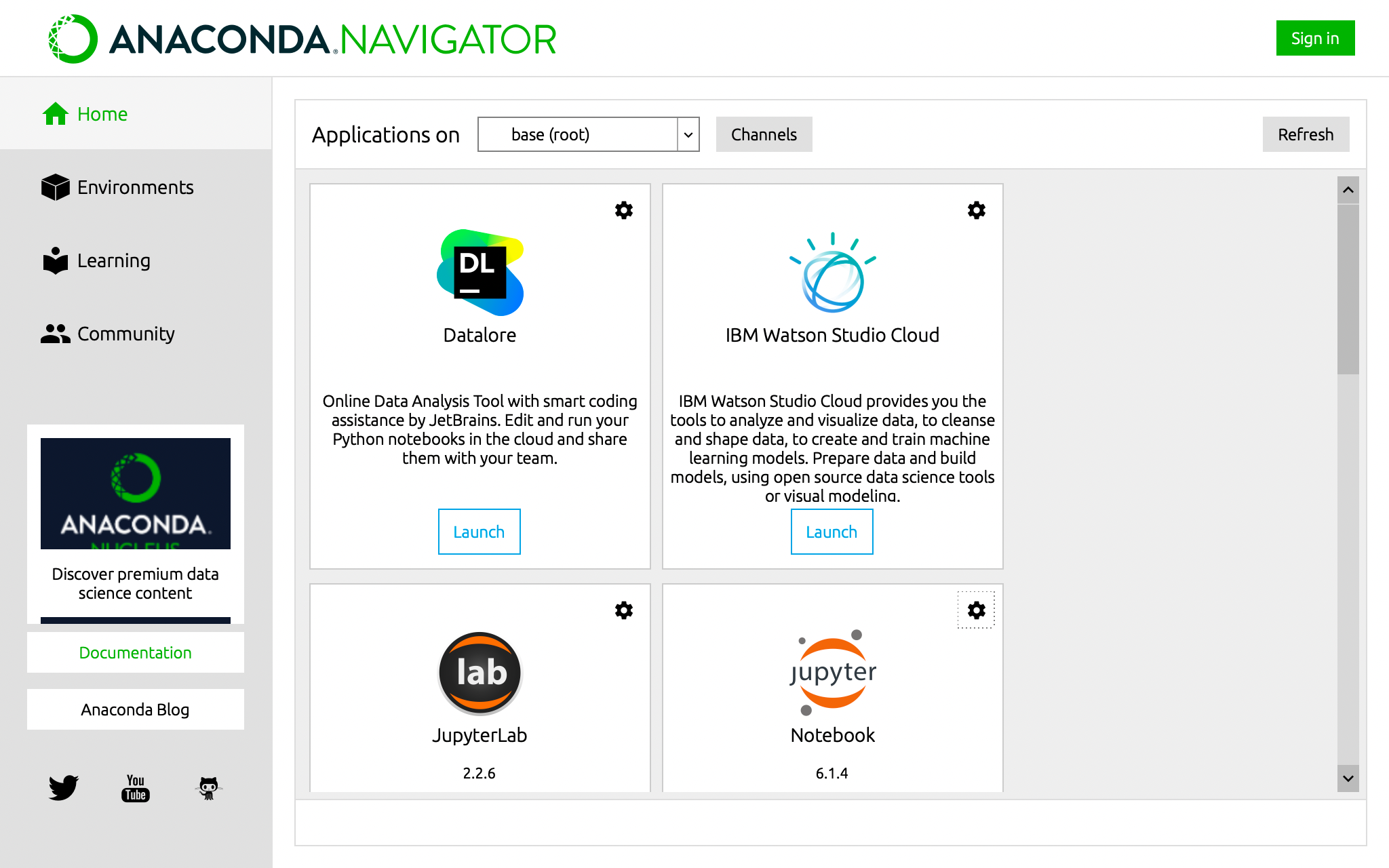
Your applications screen may look slightly different from this one, but that is ok. Click the Launch button under Jupyter Notebook. A Jupyter Notebook interface will appear in your default browser.
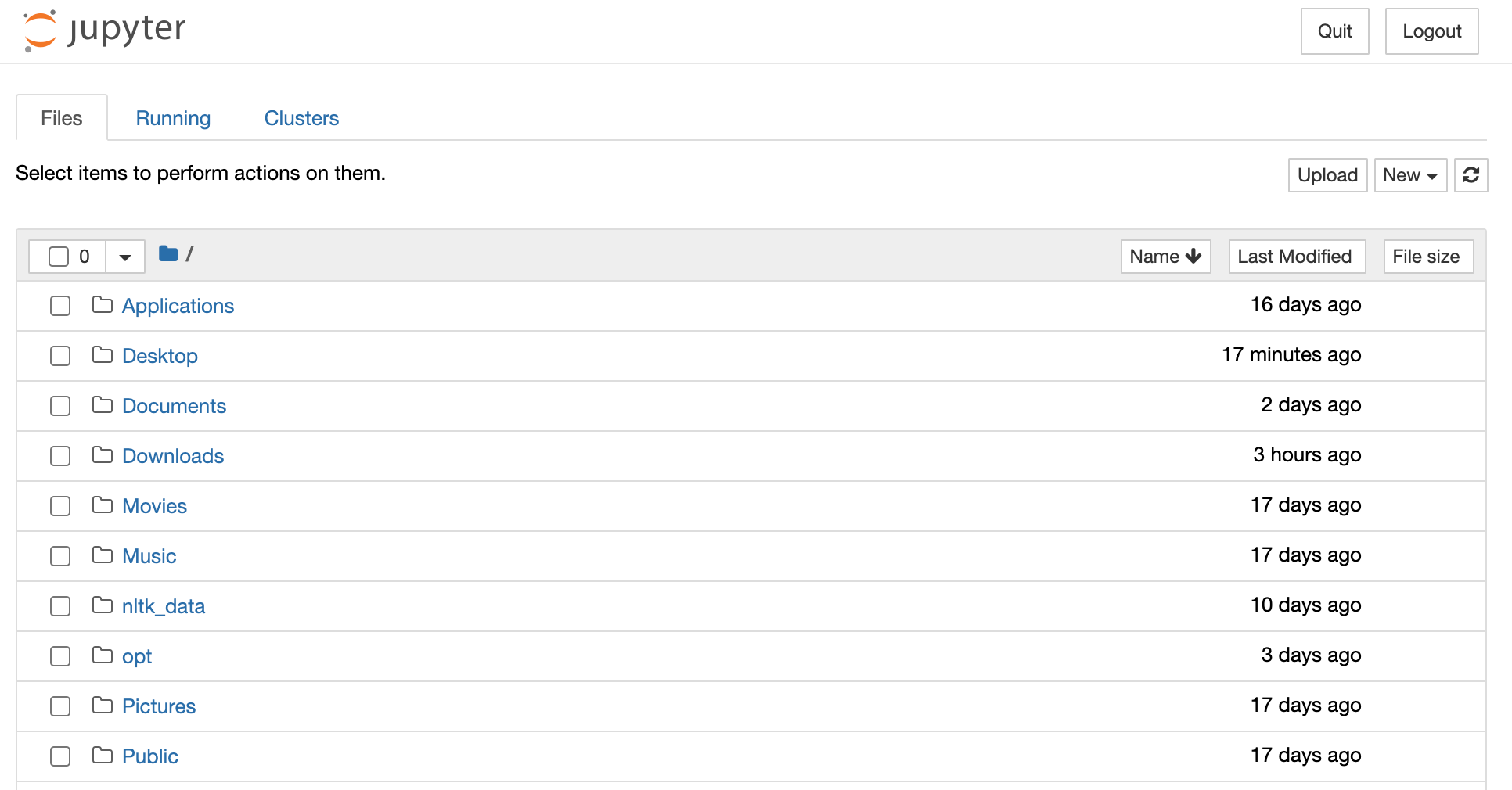
An Anaconda Prompt might also open and display a url. If it does, do not close it until you are done working with Jupyter Notebook. If it does not appear, don’t worry - this has to do with your operating system and will not affect Jupyter Notebook’s performance.
Congratulations!! You are ready to move on to the next article and get started using Jupyter Notebook!
4) Getting Started with Jupyter
For many more helpful tools and features, check out the documentation, and if you want to be inspired to do more with Jupyter notebook, check out A gallery of interesting Jupyter Notebooks.
Have fun coding with Jupyter Notebook!
5) Getting More out of Jupyter Notebook
There are numerous ways to enhance your Jupyter Notebook and make it more readable and standardized. We have covered some of the methods, but there are many others that can be found in the Jupyter Notebook User’s Manual.
Documentation
Jupyter Notebook Documentation
In this documentation, you will learn about how to install, configure, and use Jupyter Notebook for Python programming. This is helpful if you would like to quickly validate Python code or prototype visualizations.
e. Python List
Details
In programming, it is common to want to work with collections of data. In Python, a list is one of the many built-in data structures that allows us to work with a collection of data in sequential order.
Suppose we want to make a list of the heights of students in a class:
- Noelle is 61 inches tall
- Ava is 70 inches tall
- Sam is 67 inches tall
- Mia is 64 inches tall
heights = [61, 70, 67, 64]Notice that:
- A list begins and ends with square brackets
([and]). - Each item (i.e.,
67or70) is separated by a comma (,) - It’s considered good practice to insert a space
()after each comma, but your code will run just fine if you forget the space.
1) What is a List? 2) What can a List contain? 3) Empty Lists 4) List Methods 5) Growing a List: Append 6) Growing a List: Plus (+) 7) Accessing List Elements 8) Accessing List Elements: Negative Index 9) Modifying List Elements 10) Shrinking a List: Remove 11) Two-Dimensional (2D) Lists 12) Accessing 2D Lists 13) Modifying 2D Lists 14) Review
Combining Lists: The Zip Function
Use zip() to create a new variable called namesanddogsnames that combines owners and dogsnames lists into a zip object.
Then, create a new variable named listofnamesanddogsnames by calling the list() function on namesanddogsnames.
Print listofnamesanddogs_names.
See the code here.
Documentation
Python Tutorial - Sequence Types
In this documentation, you will learn about the built-in sequence types available in Python. This is helpful when you are working with a sequence of data in Python.
Python List Methods:
.count()- A list method to count the number of occurrences of an element in a list..insert()- A list method to insert an element into a specific index of a list..pop()- A list method to remove an element from a specific index or from the end of a list.range()- A built-in Python function to create a sequence of integers.len()- A built-in Python function to get the length of a list..sort() / sorted()- A method and a built-in function to sort a list.
1) Adding by Index: Insert 2) Removing by Index: Pop 3) Consecutive Lists: Range 4) The Power of Range! 5) Length 6) Slicing Lists I 7) Slicing Lists II 8) Counting in a List 9) Sorting Lists I 10) Sorting Lists II 11) Review
Python Code Challenges: Lists
Python Code Challenges: Lists (Advanced)- Every Three Numbers/1.%20every%203%20number.py)
- Remove Middle/2.%20remove%20middle.py)
- More Frequent Item/3.%20more%20frequent%20item.py)
- Double Index/4.%20double%20index.py)
- Middle Item/5.%20middle%20item.py)
e. Python Loop
Details
In programming, this process of using an initialization, repetitions, and an ending condition is called a loop. In a loop, we perform a process of iteration (repeating tasks).
Programming languages like Python implement two types of iteration:
Indefinite iteration, where the number of times the loop is executed depends on how many times a condition is met.
Definite iteration, where the number of times the loop will be executed is defined in advance (usually based on the collection size).
1) Why Loops? 2) For Loops: Introduction 3) For Loops: Using Range 4) While Loops: Introduction 5) While Loops: Lists 6) Infinite Loops 7) Loop Control: Break 8) Loop Control: Continue 9) Nested Loops 10) List Comprehensions: Introduction 11) List Comprehensions: Conditionals 12) Review
Documentation
Python Tutorial - Data Structures : Looping Techniques
In this documentation, you will learn about the different Python looping techniques. This is helpful if you would like to repeatedly execute a code block in a program for a sequence of values.
List Comprehension - Code Challenge:
1) Double 2) Squares 3) Add Ten 4) Divide By Two 5) Parity 6) Add Hello 7) First Character 8) Size 9) Opposite 10) Same String 11) Greater Than Two 12) Product 13) Greater Than 14) First Only 15) Add With Zip 16) Divide With Zip 17) Capitals 18) Ages 19) Greater Than With Zip
f. Python Strings
Details
In Python, the way we store something like a word, a sentence, or even a whole paragraph is as a string. A string is a sequence of characters contained within a pair of 'single quotes' or "double quotes". A string can be any length and can contain any letters, numbers, symbols, and spaces.
Intro to String:
1) String 2) They're all Lists! 3) Cut Me a Slice of String 4) Concatenating Strings 5) More and More String Slicing 6) Negative Indices 7) Strings are Immutable 8) Escape Characters 9) Iterating through Strings 10) Strings and Conditionals (Part One) 11) Strings and Conditionals (Part Two) 12) Review
String Methods:
1) Formatting Methods 2) Splitting Strings 3) Splitting Strings II 4) Splitting Strings III 5) Joining Strings 6) Joining Strings II 7) .strip() 8) Replace 9) .find() 10) .format() 11) .format() II 12) Review
Documentation
Python Documentation - Common String Operations
In this documentation, you will learn about common string operations in Python. This is helpful if you would like to manipulate strings using Python code.
Code Challenge - String Methods:
1) Count Letters 2) Count X 3) Count Multi X 4) Substring Between 5) X Length 6) Check Name 7) Every Other Letter 8) Reverse 9) Make Spoonerism 10) Add Exclamation
g. Python Dictionaries
Details
A dictionary is an unordered set of key: value pairs.
It provides us with a way to map pieces of data to each other so that we can quickly find values that are associated with one another.
Suppose we want to store the prices of various items sold at a cafe:
- Avocado Toast is 6 dollars
- Carrot Juice is 5 dollars
- Blueberry Muffin is 2 dollars
menu = {"avocado toast": 6, "carrot juice": 5, "blueberry muffin": 2}Notice that:
- A dictionary begins and ends with curly braces
{and}. - Each item consists of a key (
"avocado toast") and a value (6). - Each
key: valuepair is separated by a comma.
) after each comma, but our code will still run without the space.
Intro to Dictionaries:
1) Make a Dictionary 2) Invalid Keys 3) Empty Dictionary 4) Add A Key 5) Add Multiple Keys 6) Overwrite Values 7) List Comprehensions to Dictionaries 8) Review
Documentation
Python Tutorial - Data Structures - Dictionaries
In this documentation, you will learn about Python’s built-in dictionary datatype. This is helpful if you would like to store the data as a set of key:value pairs, and later extract a value given its key.
Using Dictionaries:
1) Get A Key 2) Get an Invalid Key 3) Try/Except to Get a Key 4) Safely Get a Key 5) Delete a Key 6) Get All Keys 7) Get All Values 8) Get All Items 9) Review
h. Python Classes
Details
Intro to Classes:
1) Types 2) Class 3) Instantiation 4) Object-Oriented Programming 5) Class Variables 6) Methods 7) Methods with Arguments 8) Constructors 9) Instance Variables 10) Attribute Functions 11) Self 12) Everything is an Object 13) String Representation 14) Review
i. Python Modules
Details
A module is a collection of Python declarations intended broadly to be used as a tool. Modules are also often referred to as “libraries” or “packages” — a package is really a directory that holds a collection of modules.
Usually, to use a module in a file, the basic syntax you need at the top of that file is:
from modulename import objectnameOften, a library will include a lot of code that you don’t need that may slow down your program or conflict with existing code. Because of this, it makes sense to only import what you need.
Intro to Modules:
1) Modules Python Introduction 2) Modules Python Random 3) Modules Python Namespaces 4) Modules Python Decimals 5) Modules Python Files and Scope
Documentation
In this documentation you will learn about Python modules. This is helpful if you would like to split long program code into logically grouped files and import the files to reference the classes and functions within.
j. Python Files
Details
Learn Python Files:
1) Reading a File 2) Iterating Through Lines 3) Reading a Line 4) Writing a File 5) Appending to a File 6) What's With "with"? 7) What Is a CSV File? 8) Reading a CSV File 9) Reading Different Types of CSV Files 10) Writing a CSV File 11) Reading a JSON File 12) Writing a JSON File
Documentation
Python Tutorial - Input and Output - Reading and Writing Files
In this documentation you will learn about reading and writing the data in files using Python. This is helpful if you would like to read the file’s contents into the program or write data you’ve generated into a file.
4. Data Acquisition
Details
a. Intro to Data Acquisition
Details
Data acquisition, or data mining, is the step of the Data Science Life Cycle where we identify and obtain the raw data that will later be cleaned for exploration and modeling.
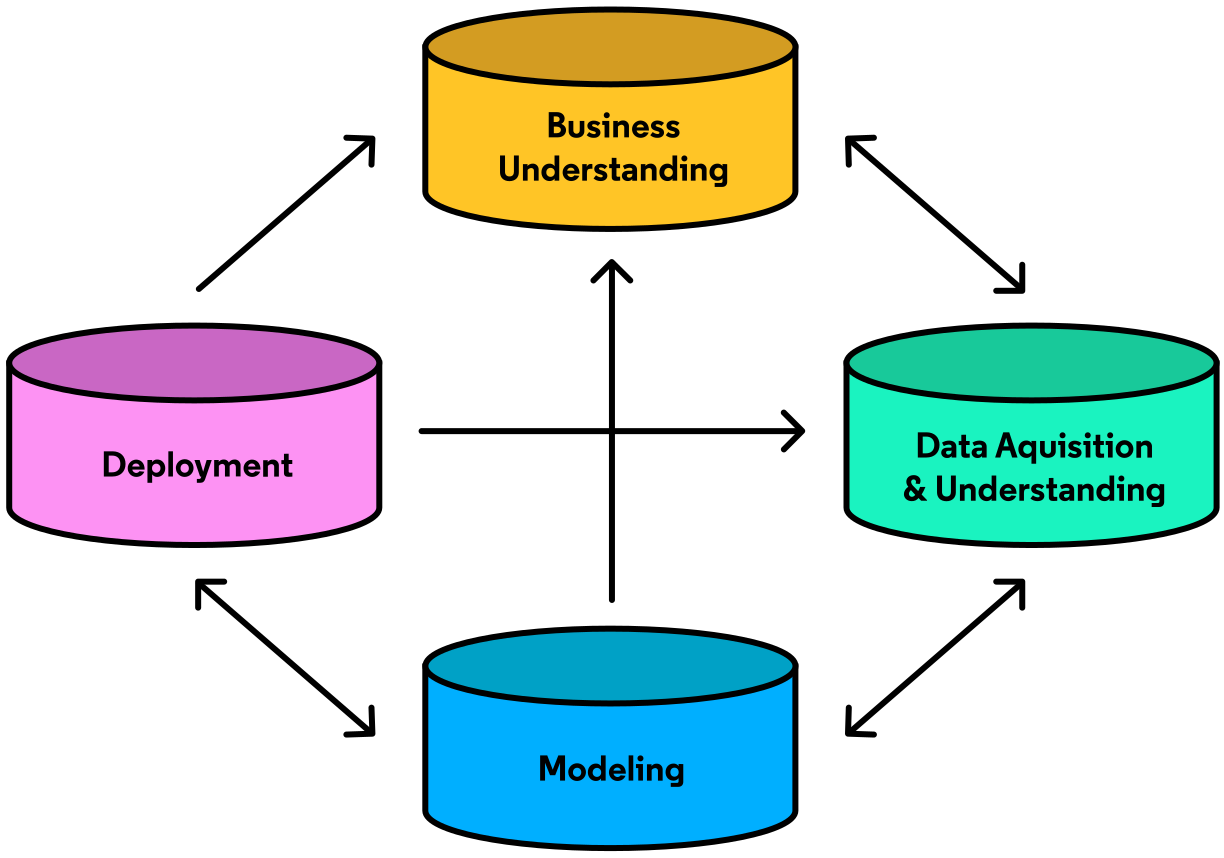
Data Science is viewed as such a powerful tool because data is often the most valuable resource we have when attempting to gain insight from our environment. In the frame of business, once a question has been defined and objectives set through the business understanding phase of the data science life cycle, the right data must b
README truncated. View on GitHub


