
Neovim plugin to Build, Debug, and Test applications created for Apple devices (iOS, macOS, watchOS, etc.)
🛠️ xcodebuild.nvim
A plugin designed to let you migrate your app development from Xcode to Neovim. It provides all essential actions for development including building, debugging, and testing.
✨ Features
- [x] Support for iOS, iPadOS, watchOS, tvOS, visionOS, and macOS.
- [x] Support for Swift Packages (building & testing).
- [x] Project-based configuration.
- [x] Project Manager to deal with project files without using Xcode.
- [x] Assets Manager to manage images, colors, and data assets.
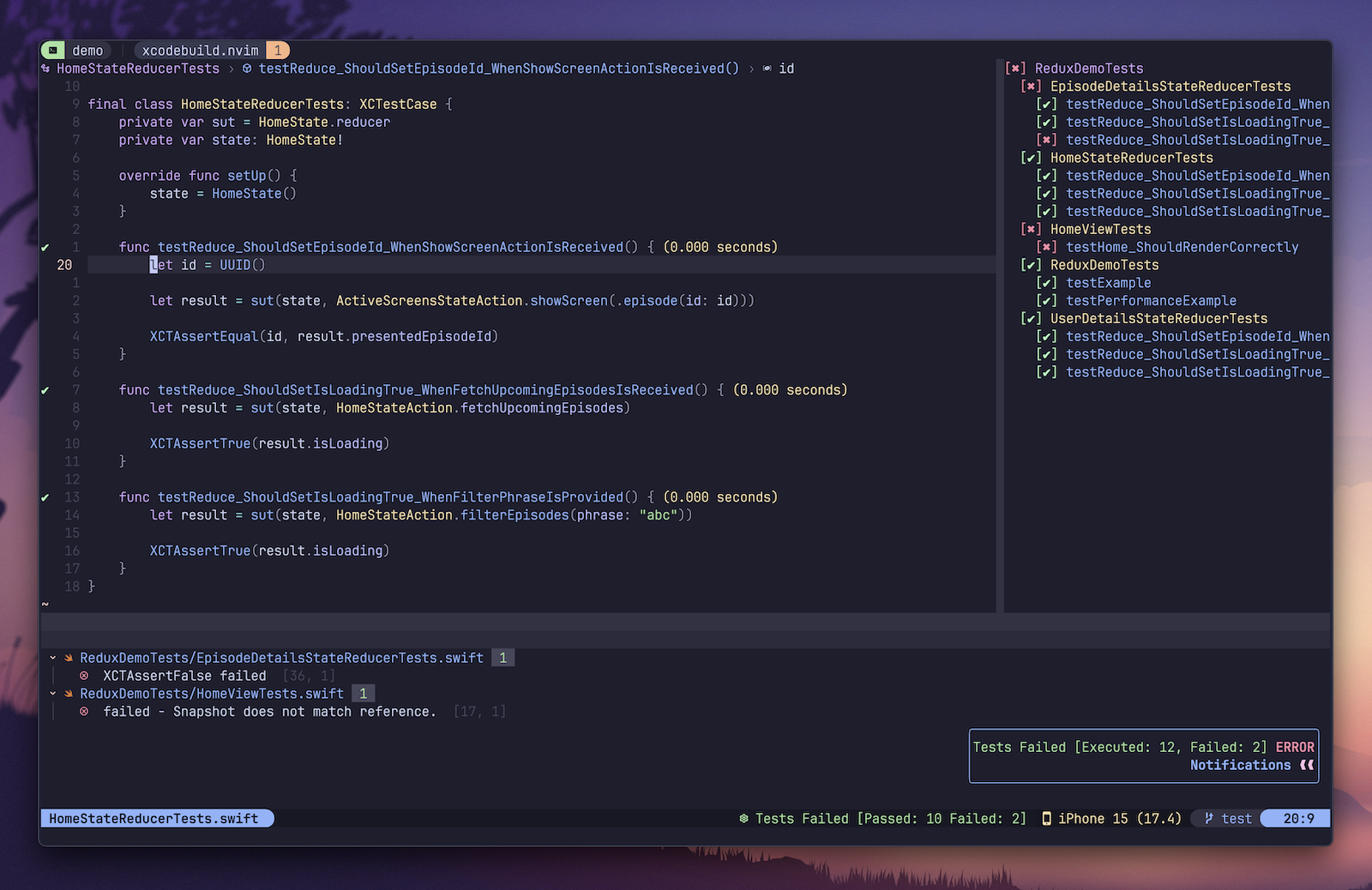
- [x] Test Explorer to visually present a tree with all tests and results.
- [x] Built using official command line tools like
xcodebuildandxcrun simctl. - [x] Actions to build, run, debug, and test apps on simulators and physical devices.
- [x] Previews for SwiftUI, UIKit, and AppKit views.
- [x] Environment variables and run arguments management.
- [x] Buffer integration with test results (code coverage, success & failure marks, duration,
- [x] Code coverage report with customizable levels.
- [x] Advanced log parser to detect all errors, warnings, and failing tests.
- [x] [nvim-tree], [neo-tree], and [oil.nvim] integration that automatically reflects
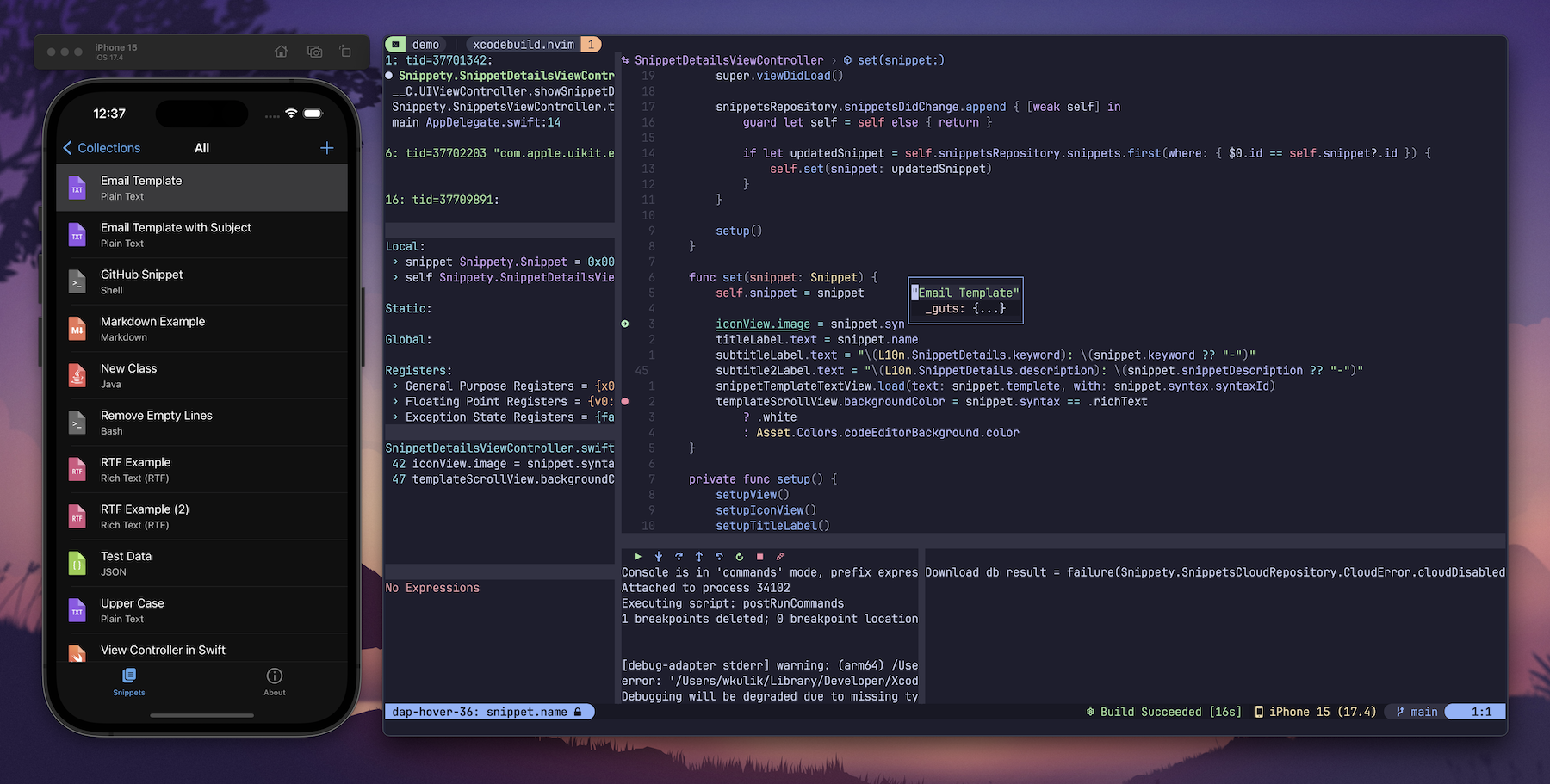
- [x] [nvim-dap] integration to let you easily build, run, and debug apps.
- [x] [nvim-dap-ui] integration to show app logs in the console window.
- [x] [lualine.nvim] integration to show selected device, test plan, and other project settings.
- [x] [swift-snapshot-testing] integration to present diff views for failing snapshot tests.
- [x] [Quick] integration to show test results for tests written using [Quick] framework.
- [x] [Swift Testing] integration to show test results for tests written using [Swift Testing] framework.
- [x] [Swift Macros] approval flow.
- [x] Auto-detection of the target membership for new files.
- [x] Picker with all available plugin actions.
- [x] Highly customizable (many config options, auto commands, highlights, and user commands).
📦 Installation
Read [Wiki] to learn how to install and configure the plugin.
📚 Documentation
Everything about the plugin is described in the [Wiki]. You can find there all available commands, integrations, settings, and examples.
🎥 Demo
Testing
xcodebuild.nvim supports code coverage, test explorer, diagnostics, snapshot tests, Quick framework, and more!
https://github.com/user-attachments/assets/50f8848e-e90b-4b0b-a0ee-79e836982f12
Working With Code
Neovim can be easily integrated with SwiftLint, SwiftFormat, Copilot, and more. In the video, you can see basic navigation, diagnostics, formatting, linting, code completion, and of course, launching the app on a simulator.
https://github.com/user-attachments/assets/67b844f8-c1bd-453d-be64-0592b904e3c2
Debugging
The plugin allows you to debug both on simulators and physical devices. You get access to all basic things like breakpoints, variables inspection, call stack, lldb, etc. You can even see app logs.
https://github.com/user-attachments/assets/27644dcd-ef4e-4471-8ddc-cf1c9d2ca27e
Previews
The plugin allows you to display previews for SwiftUI, UIKit, and AppKit views. The setup is quite easy, you just need to install [snacks.nvim] to enable image support and [xcodebuild-nvim-preview] package to add previews to your project. See Wiki for more details.
https://github.com/user-attachments/assets/ec6c6e96-667a-40a3-a9d3-a75c9c9cf272
💛 Sponsors
Big thanks to all the sponsors who support this project 🍻!
Monthly Sponsors
 |
 |
 |
 |
 |
One Time Sponsors
 |
 |
 |
 |
 |
Past Monthly Sponsors
 |
 |
 |
 |
 |
🤓 My Other Projects
- Snippety - Snippets manager for macOS & iOS
- FlashSpace - Fast virtual workspace manager for macOS
- Smog Poland - Air quality monitoring app for Poland
- [XcodeProjectCLI] - Open Source CLI tool to manage Xcode project
[Wiki]: https://github.com/wojciech-kulik/xcodebuild.nvim/wiki [nvim-tree]: https://github.com/nvim-tree/nvim-tree.lua [neo-tree]: https://github.com/nvim-neo-tree/neo-tree.nvim [oil.nvim]: https://github.com/stevearc/oil.nvim [nvim-dap]: https://github.com/mfussenegger/nvim-dap [nvim-dap-ui]: https://github.com/rcarriga/nvim-dap-ui [nvim-treesitter]: https://github.com/nvim-treesitter/nvim-treesitter [swift-snapshot-testing]: https://github.com/pointfreeco/swift-snapshot-testing [Quick]: https://github.com/Quick/Quick [lualine.nvim]: https://github.com/nvim-lualine/lualine.nvim [Swift Testing]: https://developer.apple.com/xcode/swift-testing/ [snacks.nvim]: https://github.com/folke/snacks.nvim [xcodebuild-nvim-preview]: https://github.com/wojciech-kulik/xcodebuild-nvim-preview [XcodeProjectCLI]: https://github.com/wojciech-kulik/XcodeProjectCLI [Swift Macros]: https://docs.swift.org/swift-book/documentation/the-swift-programming-language/macros/


