ROS remote development environment setup using Docker and CLion IDE
Last updated Mar 2, 2026
22
Stars
4
Forks
0
Issues
0
Stars/day
Attention Score
1
Language breakdown
No language data available.
▸ Files
click to expand
README
ros-docker-clion
Workflow merging the Holy Trinity - ROS + Docker + CLion IDE.
But why I hear you ask. Here are my reasons:
- I cannot stand VMs
- Working on multiple projects each using different ROS distros, I am done dual booting and copying dotfiles, creating GitHub pipelines and manually setting up docker environments with no code completions and hints ;-;
- Well that's pretty much it.
Improvements and suggestions are always welcome.
Features
- A sandbox container for building and testing ROS projects.
- IDE auto-completion and code hints irrespective of host OS and ROS Distribution.
- Simulation environment based on nvidia-docker2. GUI based nodes and applications can be run inside this container.
Setup
Install Docker and nvidia-docker2
- Docker official Installation guide - Nvidia container toolkit installationRun the setup script
bash dev/setup.shBuild the images
This might take some time.
docker-compose buildStart services
- Run the containers
docker-compose upThis creates a sandbox container configured with SSH and a simulation container which can be used to run GUI based applications like RViz and Gazebo.
You can now SSH into the sandbox environment and make sure everything is working properly.
ssh rosdev@localhost -p 2222If you change your settings later or have ssh'ed into a host with similar settings before, clear SSH cache with
ssh-keygen -f "$HOME/.ssh/known_hosts" -R "[localhost]:2222"Setup CLion
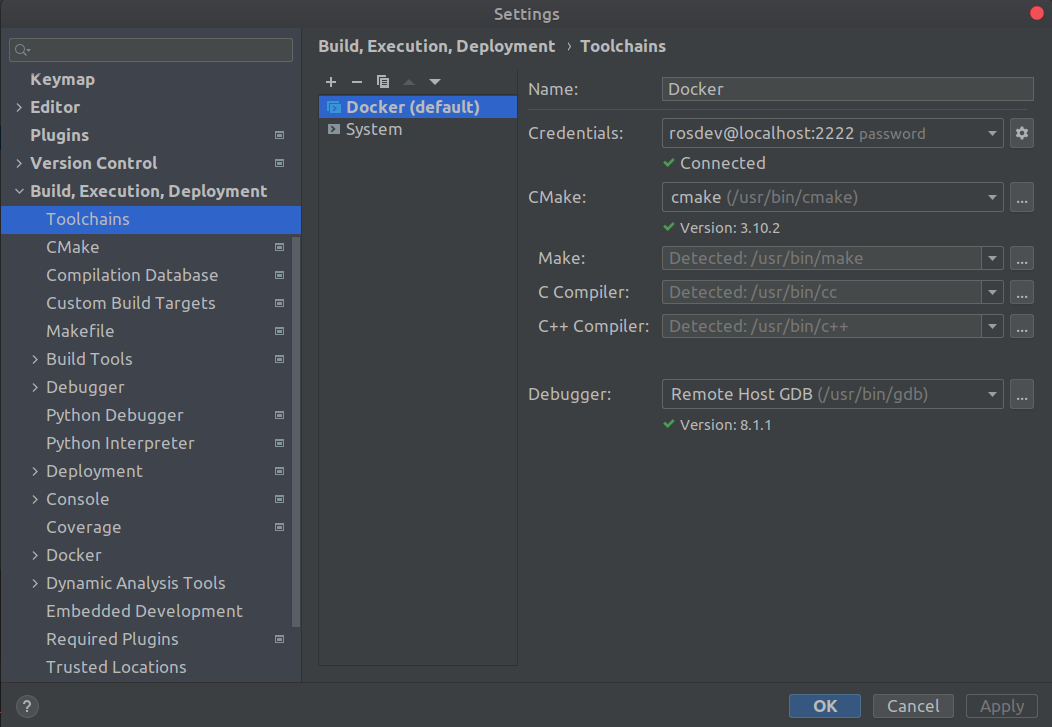
- Open Settings in CLion and add a new remote toolchain. Give it a name (say Docker) and use the credentials
Setup workspace
We need to fetch the required environment variables for remote builds and running binaries.
- SSH into the environment and trigger a catkin build
ssh rosdev@localhost -p 2222
cd /home/rosdev/catkin_ws
. /opt/ros/melodic/setup.sh
catkin_make
. devel/setup.sh- Run the following script to fetch the environment variables.
rosenv="ROSROOT ROSMASTERURI ROSPACKAGEPATH CMAKEPREFIXPATH PKGCONFIGPATH PYTHONPATH LDLIBRARYPATH PATH ROSDISTRO ROSPYTHONVERSION ROSLOCALHOSTONLY ROSVERSION"
env_string=""
for e in ${ros_env}; do
    env_string+="$e=${!e};"
done
echo "$env_string"- Save the output to some file as this will be handy in configuring the Run configurations for each target.
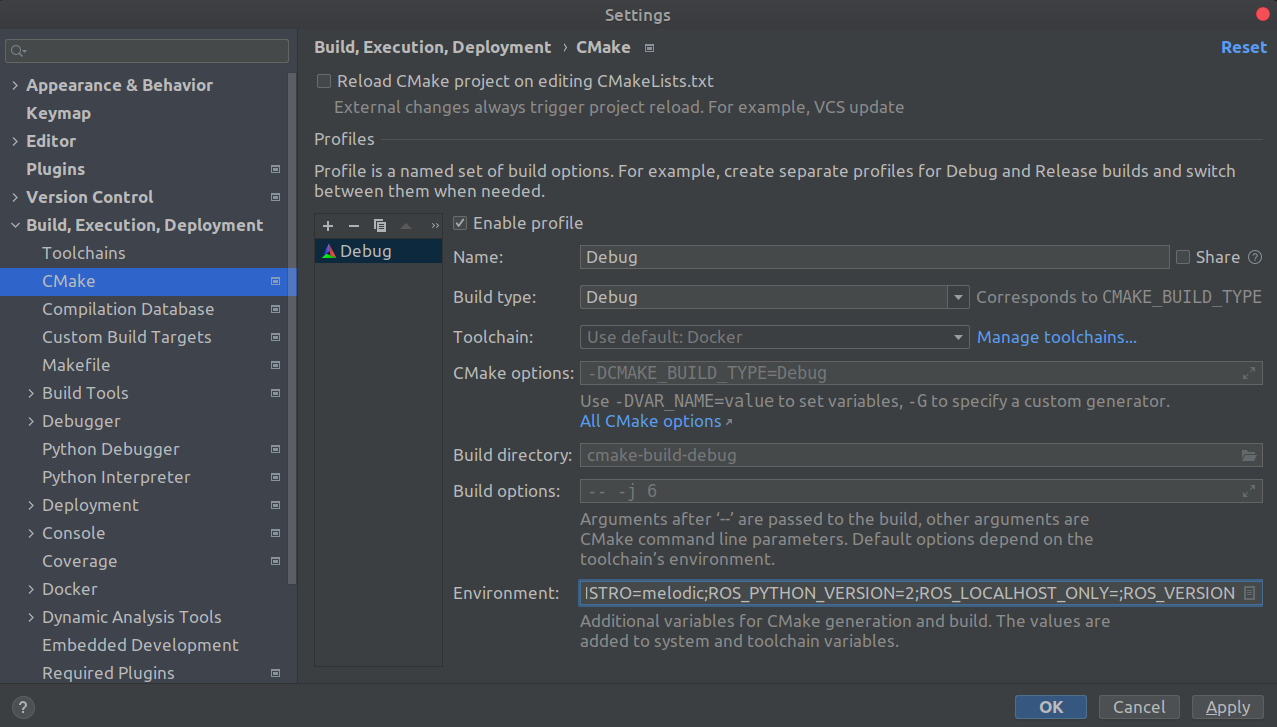
Reload the CMake project. This will allow for autocompletion and code hints in CLion.
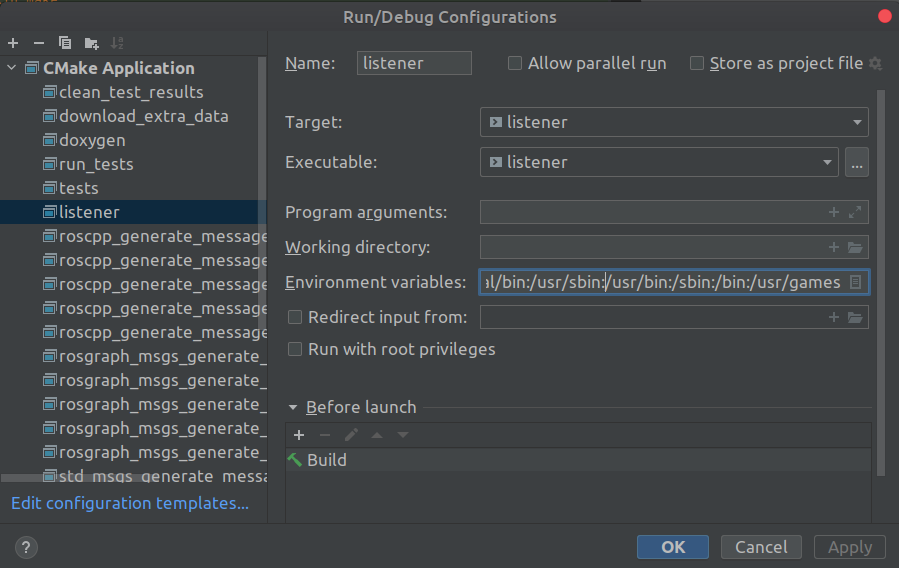
Add to it debugging features and testing!!Save environment variables in Run/Debug configurations
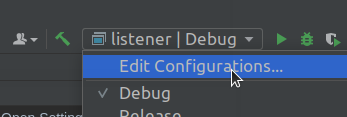
- Click on Edit configurations under Run in CLion.
- Save the previously saved environment variables for the required targets.