
🧙♂️ Zero-Code Machine Learning Wizard - Transform ideas into intelligent solutions without writing code. AI-powered ML pipeline automation with interactive web interface.
🧙♂️ Ruaroa AI
Zero-Code Machine Learning Wizard








📈 Repository Stats





✨ Transform ideas into intelligent solutions without writing a single line of code
Ruaroa AI is your personal ML wizard that conjures complete machine learning pipelines from simple natural language descriptions. Just describe what you want, upload your data, and watch the magic happen!
🪄 The Magic Behind Ruaroa AI
Ruaroa AI is not just another ML tool—it's your intelligent coding companion that transforms complex machine learning challenges into simple conversations. Using advanced AI reasoning and iterative experimentation, it crafts production-ready solutions that would typically require weeks of expert development.
🎯 Core Features
|
🗣️ Natural Language Interface
|
📝 Production-Ready Code
|
🎭 Cast Your First Spell - Getting Started
🌟 Web Wizard Interface (Magical Experience)
Step into the enchanted world of automated machine learning through our spellbinding web interface - where data science dreams become reality with just a few clicks!
🧪 Preparing Your Magical Environment
Before summoning the ML wizard, ensure your system is ready for magic:
Install the Wizard:
pip install -U ruaroa-aiAwaken the Web Interface:
streamlit run ruaroa/webui/app.py🪄 The Spellcasting Process
✨ From Data to Insights in 6 Magical Steps ✨
|
🔑 1. Unlock the Wizard's Power Configure your AI keys in the mystical sidebar - OpenAI or Anthropic will serve as your magical conduit to intelligence. 📊 2. Present Your Data Scrolls
|
⚙️ 4. Set the Magical Intensity Choose how many iterations the wizard should perform - more steps mean more powerful spells! 🚀 5. Begin the Incantation Click "Run Ruaroa AI" and watch as the wizard:
|
⚡ Terminal Sorcery - Command Line Magic
🔮 Summoning the Wizard via Terminal
For developers who prefer the mystical power of command lines, invoke Ruaroa AI directly from your terminal:
Conjure the Wizard:
pip install -U ruaroa-aiBind Your AI Familiar:
export OPENAIAPIKEY=yourmagicalkey or choose your preferred AI companion
export ANTHROPICAPIKEY=youranthropickey🎪 Spellcasting Examples
The Basic Incantation:
ruaroa datadir="./yourdata" \ goal="Transform this data into predictions" \ eval="Measure success with accuracy"Real Example - House Price Prediction:
ruaroa datadir="exampletasks/house_prices" \ goal="Estimate property values for residential homes" \ eval="Apply Root Mean Square Error on log-transformed predictions vs actual values."⚙️ Configuration Options
| Parameter | Required | Description | Example | |-----------|----------|-------------|---------| | datadir | ✅ | Directory containing your dataset files | "./mydata" | | goal | ✅ | What you want the model to achieve | "Predict customer churn" | | eval | ⚪ | Evaluation metric for model performance | "F1 score", "RMSE" | | steps | ⚪ | Number of optimization iterations | 10 (default) |
Alternatively, you can provide the entire task description as a descstr string, or write it in a plaintext file and pass its path as descfile (example file).
ruaroa datadir="mydatadir" descfile="mytaskdescription.txt"The result of the run will be stored in the logs directory.
logs/<experiment-id>/bestsolution.py: Python code of the best solution_ according to the validation metric.logs/<experiment-id>/journal.json: A JSON file containing the metadata of the experiment runs, including all the code generated in intermediate steps, plan, evaluation results, etc.logs/<experiment-id>/tree_plot.html: You can open it in your browser. It contains a visualization of the solution tree, which details the experimentation process of finding and optimizing ML code. You can explore and interact with the tree visualization to view what plan and code Ruaroa AI comes up with in each step.
workspaces directory will contain all the files and data that the agent generated.
Advanced Usage
To further customize the behavior of Ruaroa AI, some useful options might be:
agent.code.model=...to configure which model the agent should use for coding (default isgpt-4-turbo).agent.steps=...to configure how many improvement iterations the agent should run (default is 20).agent.search.num_drafts=...to configure the number of initial drafts the agent should generate (default is 5).
config.yaml file for more options.
Using Local LLMs
Ruaroa AI supports using local LLMs through OpenAI-compatible APIs. Here's how to set it up:
- Set up a local LLM server with an OpenAI-compatible API endpoint. You can use:
- Configure your environment to use the local endpoint:
export OPENAIBASEURL="http://localhost:11434/v1"  # For Ollama
export OPENAIAPIKEY="local-llm" # Can be any string if your local server doesn't require authentication- Update the model configuration in your Ruaroa AI command or config. For example, with Ollama:
# Example with house prices dataset
   ruaroa agent.code.model="qwen2.5" agent.feedback.model="qwen2.5" report.model="qwen2.5" \
       datadir="exampletasks/house_prices" \
       goal="Predict the sales price for each house" \
       eval="Use the RMSE metric between the logarithm of the predicted and observed values."
Using Ruaroa AI in Python
Using Ruaroa AI within your Python script/project is easy. Follow the setup steps above, and then create a Ruaroa AI experiment like below and start running:
import ruaroa
exp = ruaroa.Experiment(
    datadir="exampletasks/bitcoin_price",  # replace this with your own directory
    goal="Build a time series forecasting model for bitcoin close price.",  # replace with your own goal description
    eval="RMSLE"  # replace with your own evaluation metric
)
best_solution = exp.run(steps=10)
print(f"Best solution has validation metric: {bestsolution.validmetric}") print(f"Best solution code: {best_solution.code}")
Development
To install Ruaroa AI for development, clone this repository and install it locally:
git clone https://github.com/RuaroaAI/ruaroa-ai.git
cd ruaroa-ai
pip install -e .
Running the Web UI in Development Mode
Ensure that you have all the required development dependencies installed. Then, you can run the Web UI as follows:
cd ruaroa/webui
streamlit run app.py
🐳 Containerized Magic - Docker Enchantment
Summon the wizard within an enchanted Docker container for ultimate portability and isolation:
🏗️ Forge Your Magical Container
1. Craft the Wizard's Vessel:
docker build -t ruaroa-wizard .2. Unleash the Containerized Wizard:
# Prepare your magical workspace export WIZARDWORKSPACE=$(pwd)/enchantedworkspaces export SPELLLOGS=$(pwd)/magicallogs
Invoke the containerized wizard
docker run -it --rm \
           -v "${SPELL_LOGS:-$(pwd)/logs}:/app/logs" \
           -v "${WIZARD_WORKSPACE:-$(pwd)/workspaces}:/app/workspaces" \
           -v "$(pwd)/ruaroa/example_tasks:/app/data" \
           -e OPENAIAPIKEY="your-magical-key" \
           ruaroa-wizard \
           datadir=/app/data/houseprices \
           goal="Divine the true value of each dwelling" \
           eval="Measure wisdom using RMSE on logarithmic prophecies"
⚙️ Customize Your Magical Realm
Configure your wizard's domain with these mystical environment variables:
WIZARD_WORKSPACE: Your enchanted laboratory directory (default:./workspaces)SPELL_LOGS: Chronicle of all magical experiments (default:./logs)
🤝 Join the Wizard's Guild
Contribution guide will be available soon - help us expand the magical realm!
👨💻 Meet the Wizard
Developed with ❤️ by Vimal
Transforming the future of machine learning, one spell at a time.
🧠 How Ruaroa AI Works
🔄 Solution Space Tree Search Algorithm
Inspired by how human data scientists approach complex problems
Ruaroa AI employs an intelligent Solution Space Tree Search methodology that mirrors the iterative problem-solving approach of experienced data scientists. The system generates multiple solution candidates and systematically refines them through continuous experimentation.
🏗️ Core Components
|
🎯 Solution Generator Creates novel ML approaches and iteratively improves existing solutions through intelligent code modifications |
📊 Performance Evaluator Automatically runs and benchmarks each solution, extracting key metrics to guide the optimization process |
🎖️ Solution Selector Identifies the most promising candidates to serve as the foundation for the next iteration cycle |
🔄 The Process
- 🌱 Initial Generation → Create diverse solution approaches
- 🧪 Experimentation → Test and evaluate each candidate
- 📈 Performance Analysis → Extract insights from results
- 🔧 Refinement → Improve promising solutions
- 🎯 Convergence → Deliver the optimal solution
🎬 Live Demo & Visual Walkthrough
📺 Complete Demo Video
🎥 Watch Ruaroa AI in Action - Full Bitcoin Price Prediction Demo
📹 Demo Video Available: Download App Demo.mp4 to watch the complete walkthrough>
Experience the complete workflow from data upload to production-ready ML code generation
🖼️ Step-by-Step Visual Guide
|
🚀 1. Getting Started |
📊 2. Data Upload & Configuration |
|
⚡ 3. AI Processing in Action |
🌳 4. Interactive Solution Tree |
|
🏆 5. Generated ML Code |
⚙️ 6. System Configuration |
|
📖 7. Experiment Journal |
📊 8. Performance Analytics |
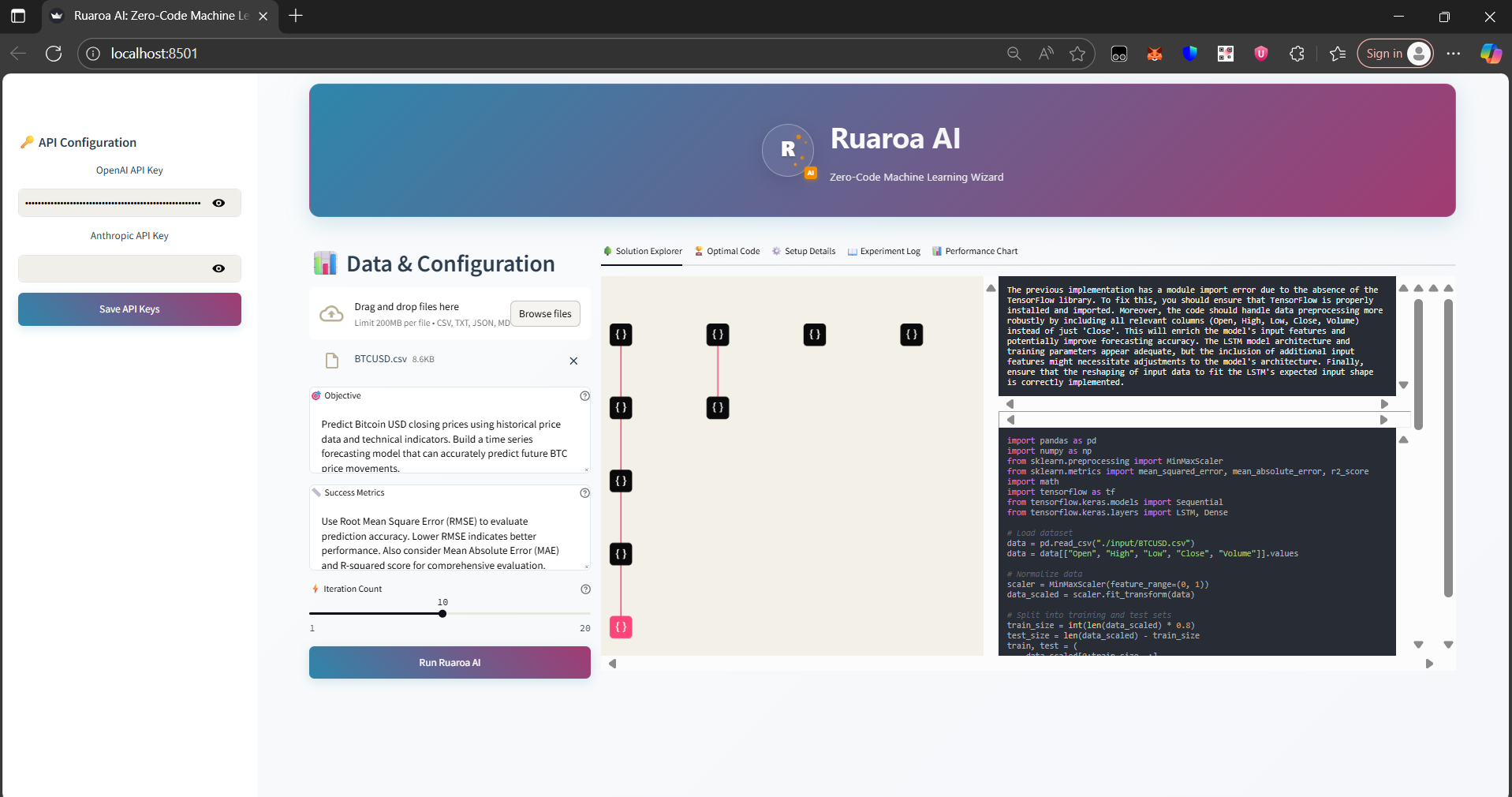
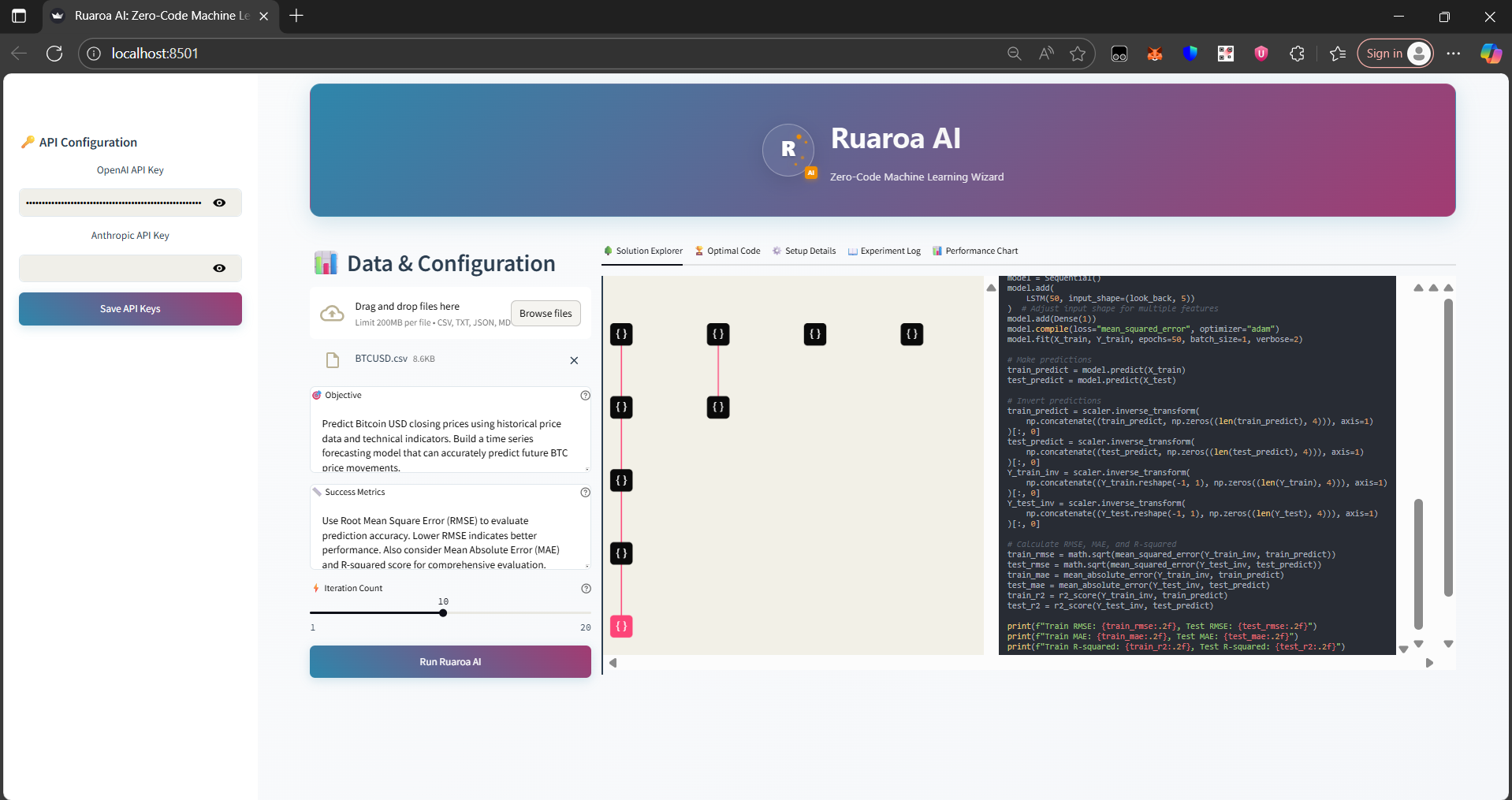
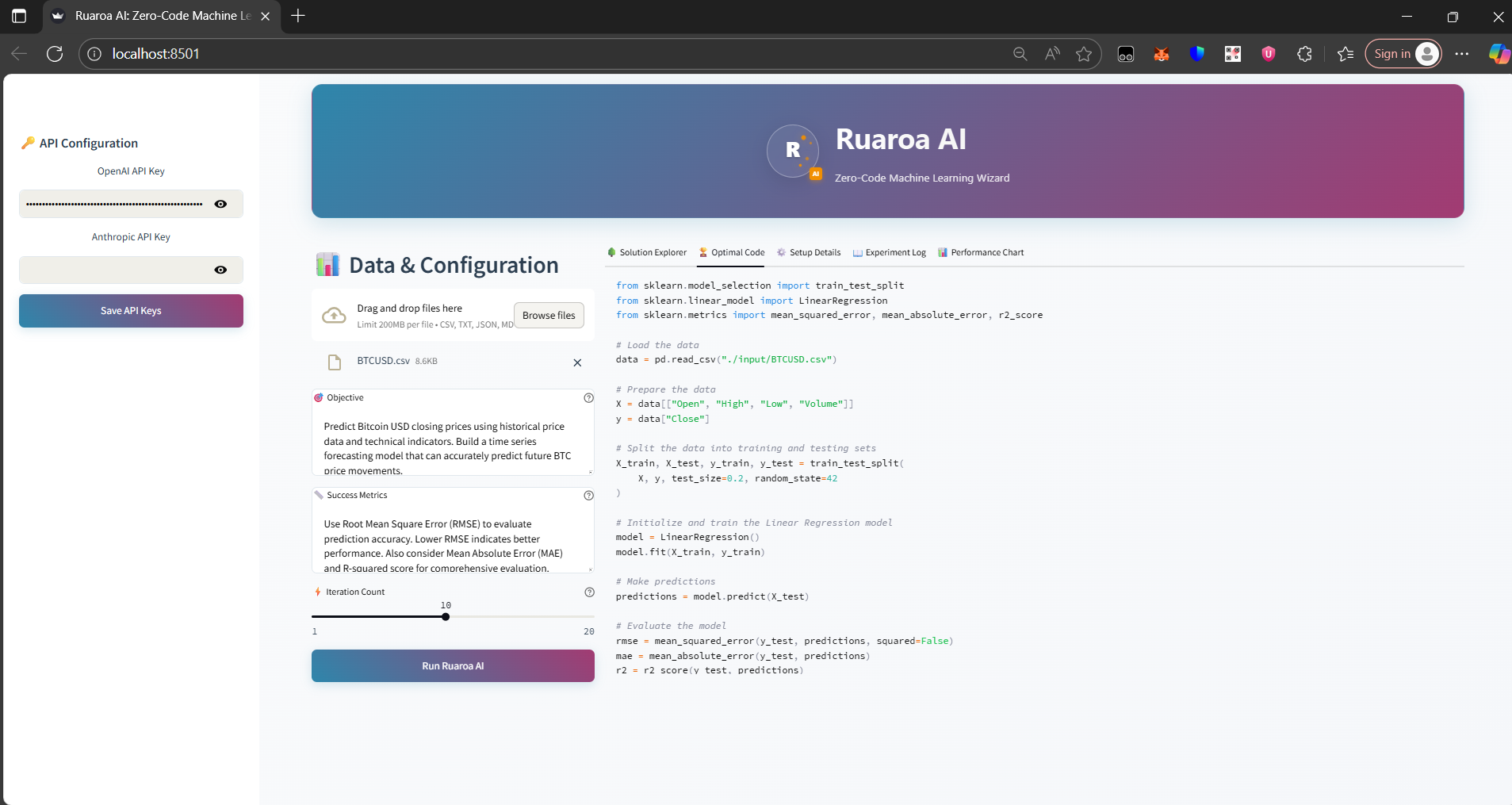
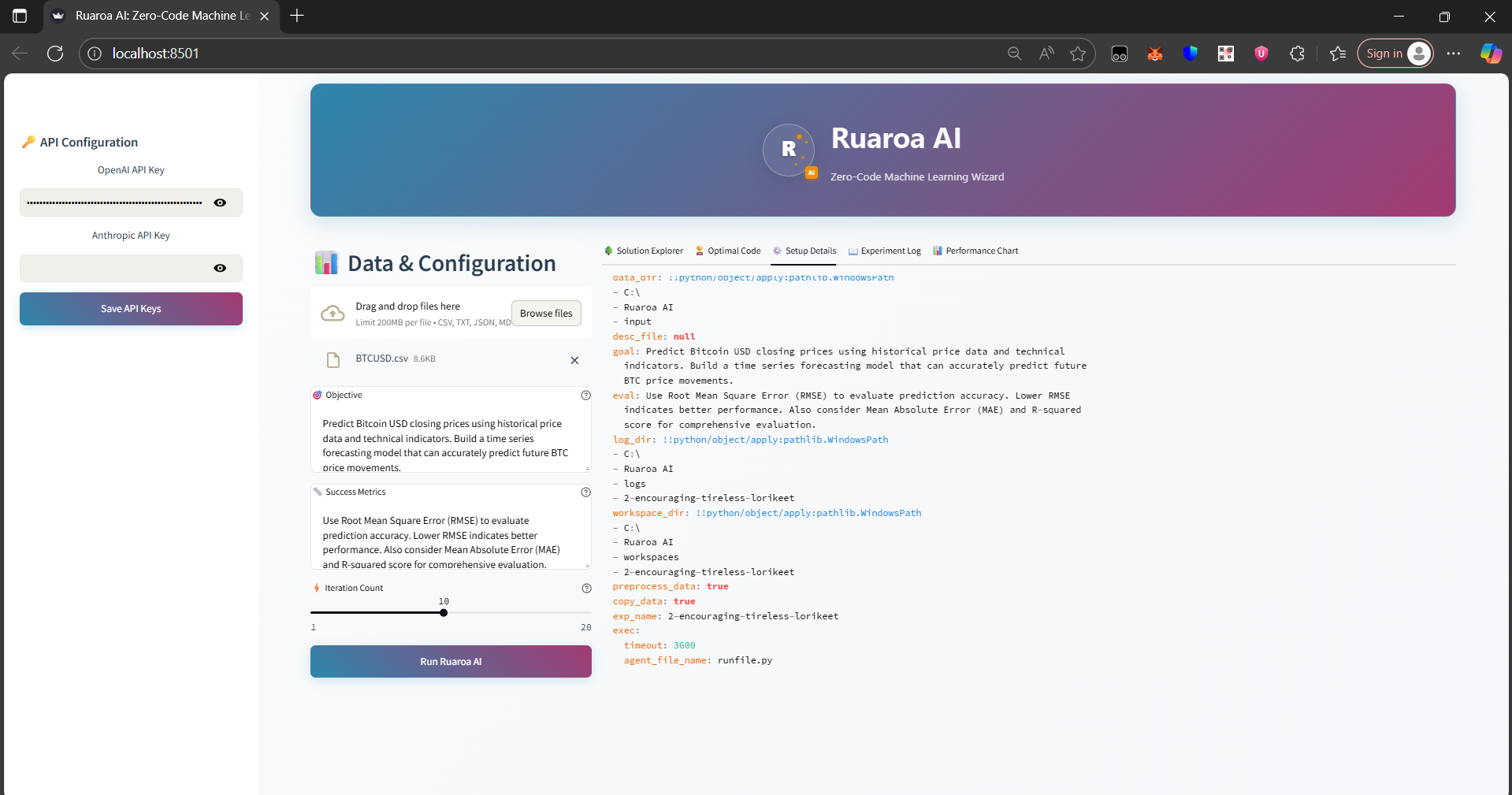
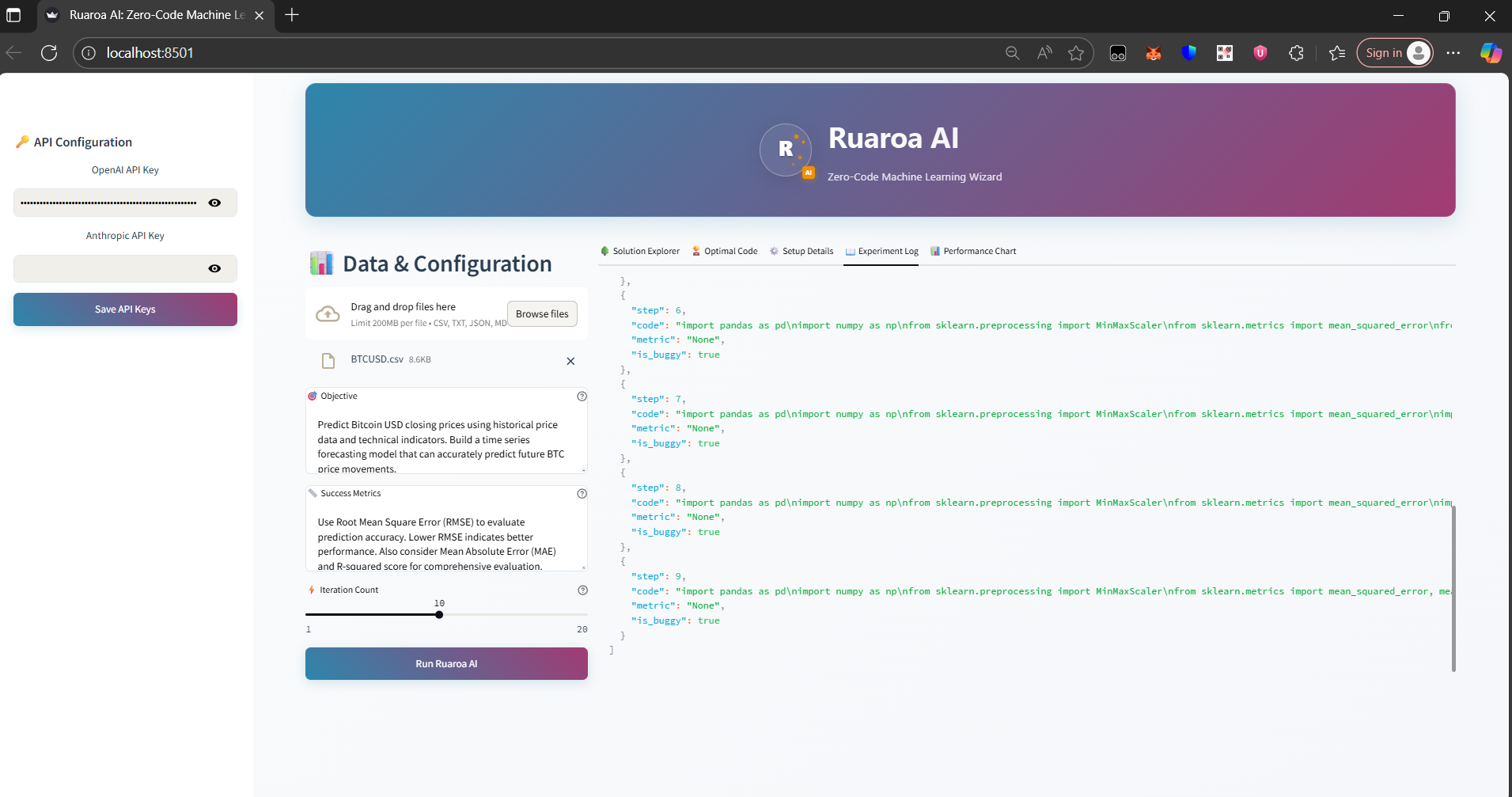
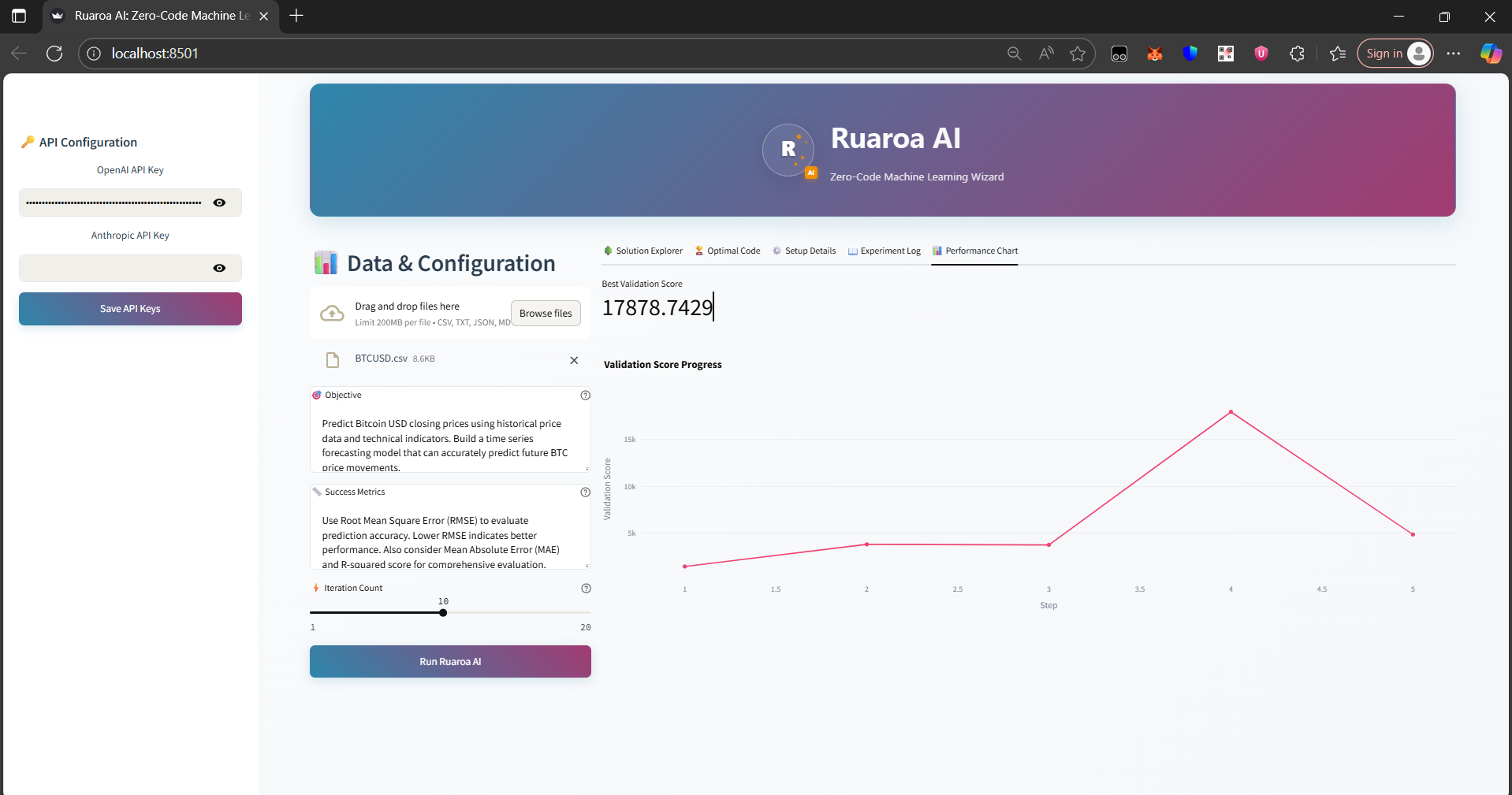
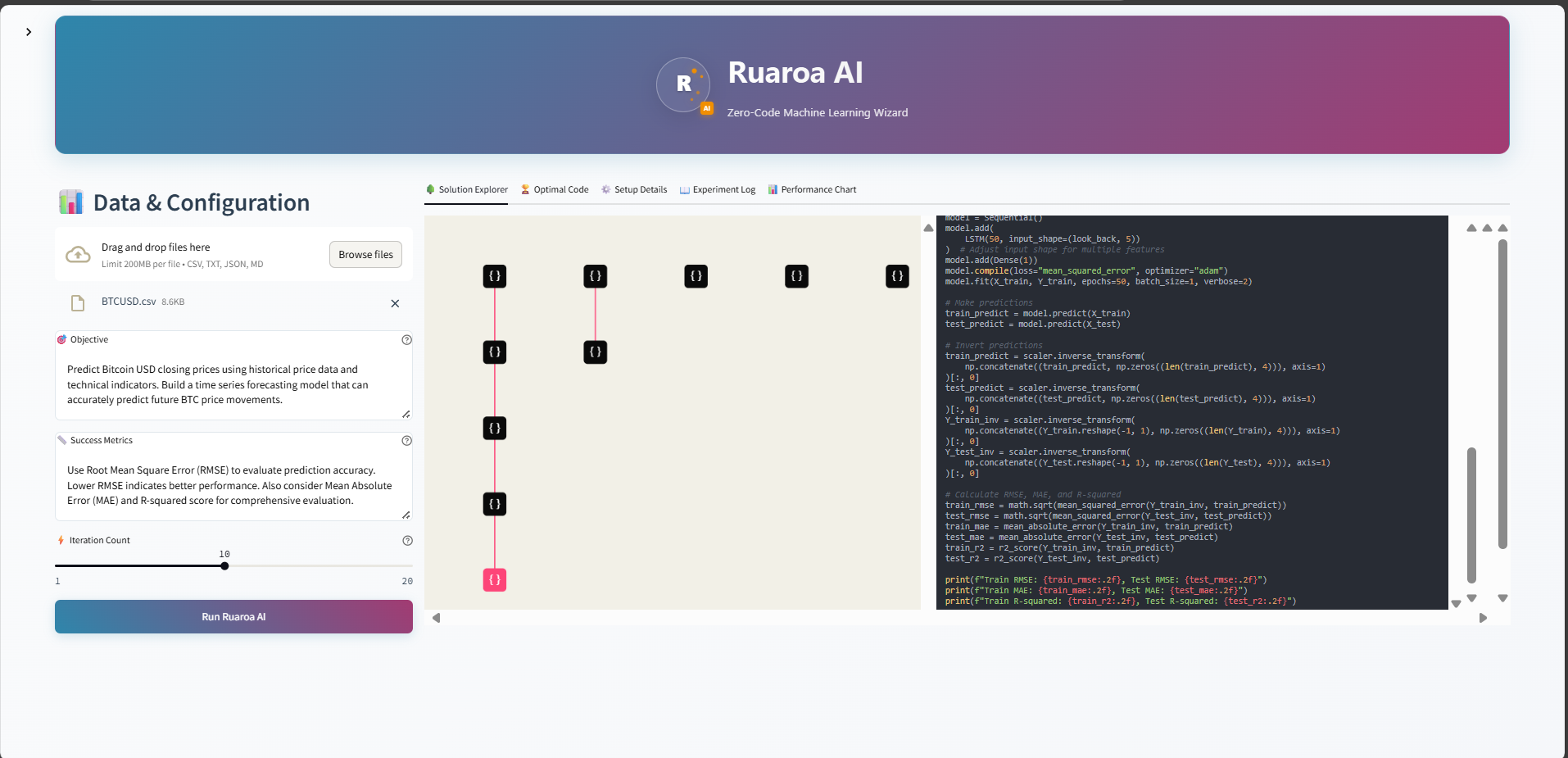
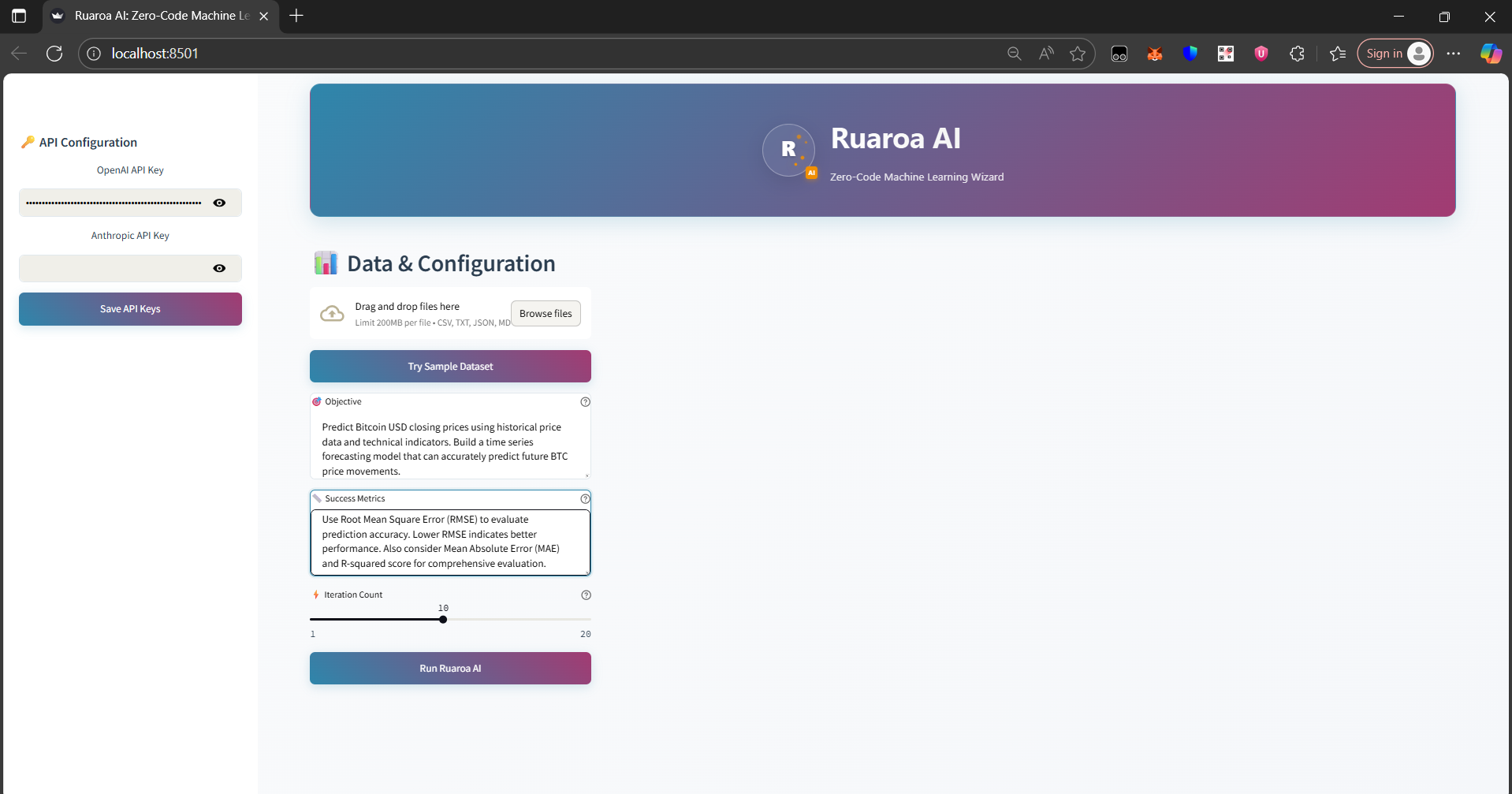
🔄 Ruaroa AI Workflow Architecture
graph TD
    A[📁 Data Upload] --> B[🎯 Goal Definition]
    B --> C[⚙️ System Configuration]
    C --> D[🚀 AI Processing Starts]

    D --> E[🧠 Solution Generation]
    E --> F[🔬 Code Testing & Validation]
    F --> G[📊 Performance Evaluation]
    G --> H{🎯 Goal Achieved?}

    H -->|No| I[🔧 Solution Refinement]
    I --> E
    H -->|Yes| J[🏆 Best Solution Selected]

    J --> K[📋 Results Package]
    K --> L[🌳 Interactive Tree View]
    K --> M[💻 Production Code]
    K --> N[📊 Performance Metrics]
    K --> O[📖 Experiment Journal]

    style A fill:#e1f5fe
    style D fill:#f3e5f5
    style J fill:#e8f5e8
    style K fill:#fff3e0
🛠️ Core Technology Stack
| Component | Technology | Purpose | |---------------|----------------|-------------| | 🤖 AI Engine | OpenAI GPT-4, Anthropic Claude | Code generation & optimization | | 🐍 ML Framework | scikit-learn, pandas, numpy | Machine learning implementation | | 🎨 Frontend | Streamlit | Interactive web interface | | 📊 Visualization | Plotly, Matplotlib | Data & results visualization | | 🌳 Tree Rendering | P5.js, HTML5 Canvas | Interactive solution exploration | | ⚙️ Configuration | OmegaConf, YAML | Experiment management | | 📝 Logging | Rich Console, JSON | Process tracking & debugging |
✨ Key Features Demonstrated
- 🎯 Zero-Code Interface: No programming knowledge required
- 🤖 Intelligent Automation: AI handles entire ML pipeline
- 🌳 Visual Exploration: Interactive tree of solution attempts
- 📊 Real-time Progress: Live updates during processing
- 💻 Production Code: Clean, documented, executable Python
- 📈 Performance Tracking: Comprehensive metrics and charts
- 🔄 Iterative Improvement: Self-optimizing algorithm
- 📖 Full Transparency: Complete experiment journal
🌟 Ready to Transform Your ML Workflow?
Get started with Ruaroa AI today and experience the future of automated machine learning!
pip install -U ruaroa-aiBuilt with ❤️ for the data science community
📄 License: MIT | 🐍 Python: 3.10+ | 🚀 Status: Production Ready


