
Pager indicator inspired by Instagram. Lightweight and easy to set up.
[![Maven Central][img version shield]][maven]
ScrollingPagerIndicator ======================= Pager indicator inspired by Instagram. Lightweight and easy to set up.
Supports ViewPager, RecyclerView and attaching to custom pagers.
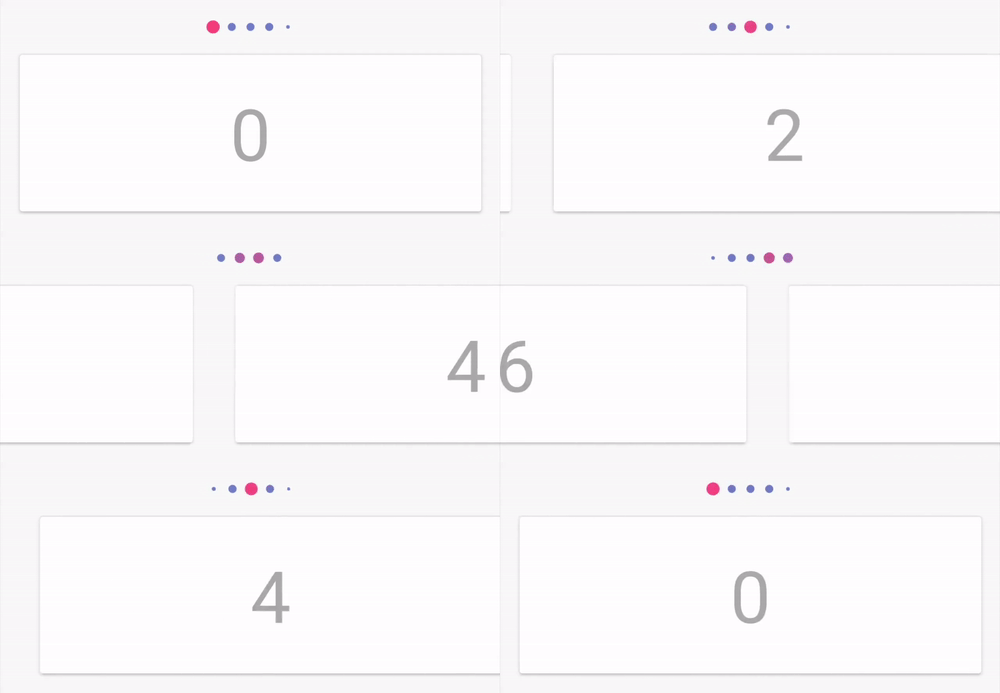

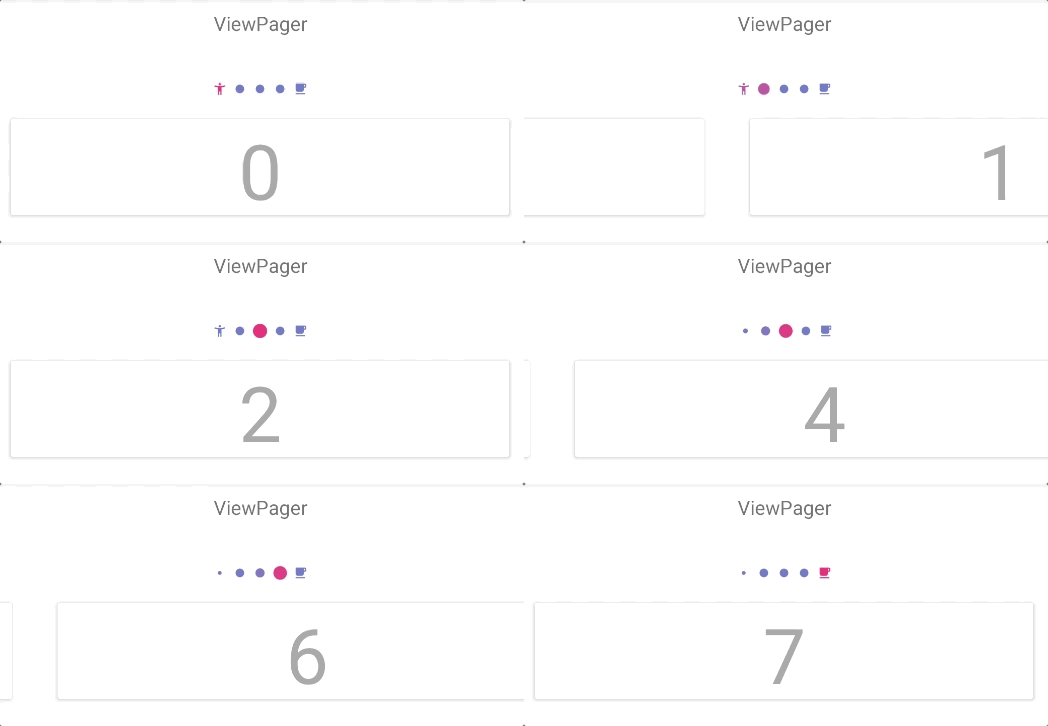
Getting started
Add dependency to Gradle script:implementation "ru.tinkoff.scrollingpagerindicator:scrollingpagerindicator:x.x.x"Attach to ViewPager
- Ensure that you have ViewPager in dependencies:
implementation "androidx.viewpager:viewpager:x.x.x"implementation "androidx.viewpager2:viewpager2:x.x.x"implementation "androidx.recyclerview:recyclerview:x.x.x"- Add view to layout:
<androidx.viewpager.widget.ViewPager
    android:id="@+id/pager"
    android:layoutwidth="matchparent"
    android:layoutheight="wrapcontent" />
<ru.tinkoff.scrollingpagerindicator.ScrollingPagerIndicator     android:id="@+id/indicator"     android:layoutwidth="wrapcontent"     android:layoutheight="wrapcontent" />
- Attach indicator to ViewPager:
ViewPager pager = findViewById(R.id.pager);
pager.setAdapter(new DemoPagerAdapter());
ScaledDotsIndicator indicator = findViewById(R.id.indicator);
indicator.attachToPager(pager);
Attach to RecyclerView
- Ensure that you have RecyclerView in dependencies:
implementation "androidx.recyclerview:recyclerview:x.x.x"- Add view to layout:
<androidx.recyclerview.widget.RecyclerView
    android:id="@+id/recycler"
    android:layoutwidth="matchparent"
    android:layoutheight="wrapcontent"/>
<ru.tinkoff.scrollingpagerindicator.ScrollingPagerIndicator     android:id="@+id/indicator"     android:layoutwidth="wrapcontent"     android:layoutheight="wrapcontent" />
- Attach indicator to RecyclerView:
RecyclerView recyclerView = findViewById(R.id.recycler); LayoutManager layoutManager = new LinearLayoutManager(this, LinearLayoutManager.HORIZONTAL, false); recyclerView.setLayoutManager(layoutManager); DemoRecyclerViewAdapter recyclerAdapter = new DemoRecyclerViewAdapter(); recyclerView.setAdapter(recyclerAdapter);
ScrollingPagerIndicator recyclerIndicator = findViewById(R.id.indicator); recyclerIndicator.attachToRecyclerView(recyclerView);
- Determine which page is current in RecyclerView:
(RecyclerView)+------------------------------+ |---+ +----------------+ +---| | | | current | | | | | | page | | | |---+ +----------------+ +---| +------------------------------+(RecyclerView recyclerView, int currentPageLeftCornerX)+-|----------------------------+ | +--------+ +--------+ +----+ | | current| | | | | | | page | | | | | | +--------+ +--------+ +----| +-|----------------------------+ | | currentPageLeftCornerXAttach to any custom pager
If you want to attach indicator to some custom pager, you have to implement.PagerAttacher.tinkoff.scrollingpagerindicator.ViewPagerAttacherindicator.attachToPager(pager, new ViewPagerAttacher());Customization
| Attribute | Explanation | Default Value | |-------------------------|-----------------------------------------------------------------------------------------------------------------------------------------------------------------------------------------------------------------------------------------------|-----------------------------------------------------------------------------------------------------| | spi_dotSize | The diameter of a dot. |@android:color/darker@android:color/darkernull | | spi_lastDotDrawable | Custom drawable of the last dot, color is tinted and size is changed like standard dots. | null |
TODO
- Some extreme customizations may work incorrect.
- There is no possibility to set fixed indicator width (because it's width is based on
).
License
Copyright 2018 Tinkoff Bank
Licensed under the Apache License, Version 2.0 (the "License"); you may not use this file except in compliance with the License. You may obtain a copy of the License at
http://www.apache.org/licenses/LICENSE-2.0
Unless required by applicable law or agreed to in writing, software distributed under the License is distributed on an "AS IS" BASIS, WITHOUT WARRANTIES OR CONDITIONS OF ANY KIND, either express or implied. See the License for the specific language governing permissions and limitations under the License.


