
No description available.
Last updated May 31, 2026
452
Stars
25
Forks
0
Issues
0
Stars/day
Attention Score
64
Language breakdown
No language data available.
▸ Files
click to expand
README
⚠️ This plugin is deprecated and no longer maintained.
Obsidian has evolved, and integrating the plugin with the new live preview editor is non-trivial. Here is an alternative setup that is future proof, less prone to bugs, and supports many of the requested features (such as storing outputs and supportinginput calls).
- Set up your python distribution, install Jupyter Lab and Jupytext for markdown-based notebooks:
pip install jupyterlab jupytext [other dependencies].
- Run
jupyter labfrom the root directory of your vault.
- Right-click on any markdown file and select
Open With > Notebookto open the Obsidian note as a Jupyter notebook.
.ipynb extension) to keep the results if you close and reopen a notebook. To do so, add a jupytext.toml file to the root directory of your vault containing the following code. This will create a hidden .ipynb directory containing the results of your notebook for later use.
formats = "md,.ipynb//ipynb"Obsidian Jupyter Plugin 


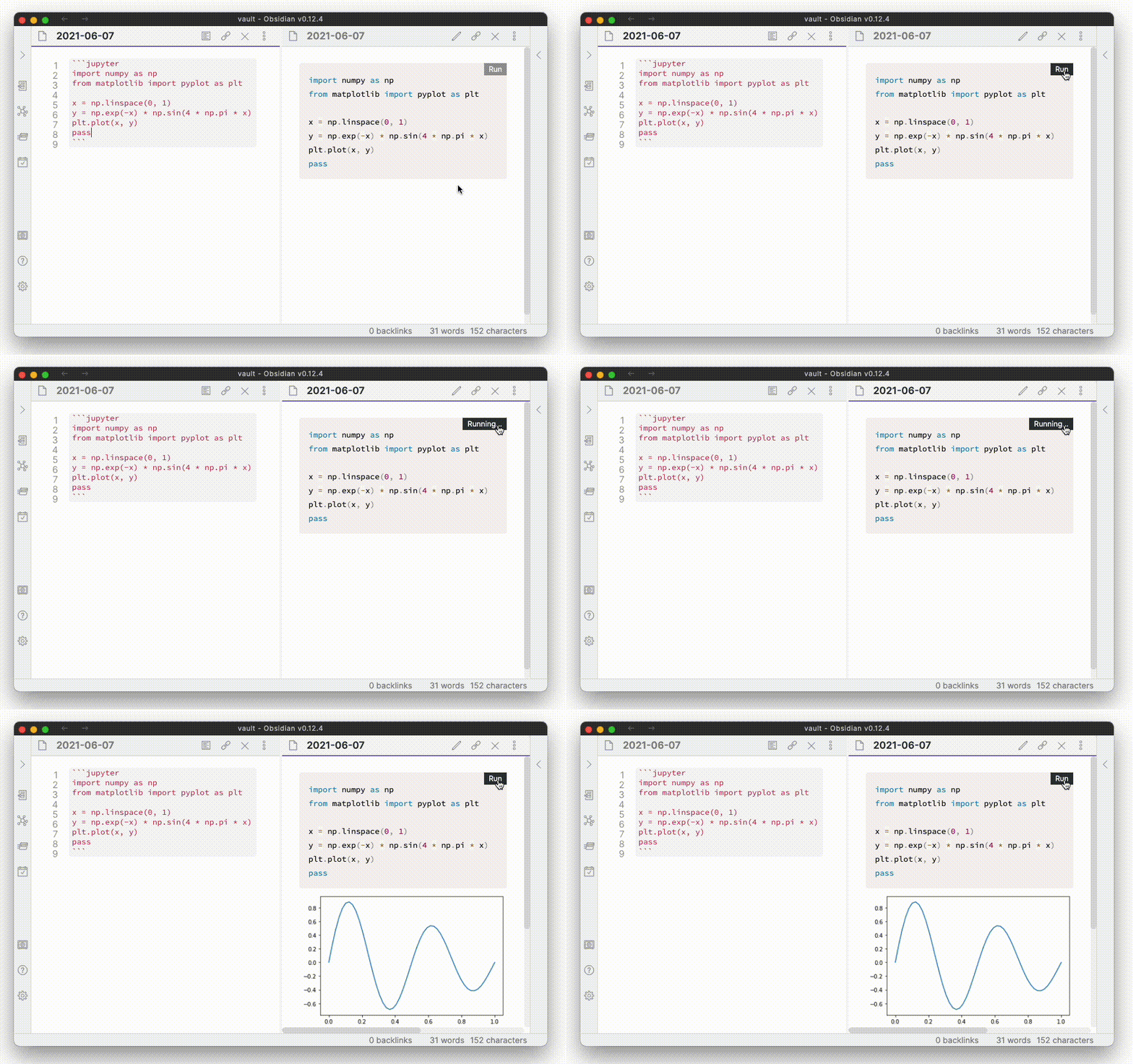
This plugin allows python code blocks in fences with jupyter language to be executed as Jupyter notebooks.
Installation
- Install the plugin via the community plugins settings tab in Obsidian.
- Specify the python interpreter path in the settings tab of the plugin. If you don't know what your interpreter path is, run
python -c 'import sys; print(sys.executable)'from the console. The python version should be at least 3.7.
- Verify that jupyter is installed. If you're unsure, run
pip install jupyter --upgradefrom the console to install the latest version. You can also use theInstall dependenciesbutton in the settings to install the requirements.
jupyter==1.0.0
jupyter-client==7.0.2
jupyter-console==6.4.0
jupyter-core==4.7.1
jupyterlab-pygments==0.1.2
jupyterlab-widgets==1.0.1
nbclient==0.5.4
nbconvert==6.1.0
nbformat==5.1.3
notebook=6.4.3
Settings
- Python interpreter: path to the python interpreter used to execute code, e.g.
/usr/bin/python.
- Setup script: script that is run prior to every execution of a python code block.
---
obsidian-jupyter:
 interpreter: interpreter-path
---


