
🌎📡 TypeScript Astrodynamics Software for Non-Engineers. 3D Visualization of satellite data and the sensors that track them.







KeepTrack.space™
Professional satellite tracking for everyone
KeepTrack™ brings real orbital mechanics to students and educators. Used by EPFL’s Cosmos Archaeology, StarTalk, the 18th Space Defense Squadron, and ethicallyHackingspace, among many others.
Key Features:
- 🚀 Track 50,000+ satellites in real-time
- ⚡ 5 MB core app, loads in under 2 seconds
- 🎮 Simulate 2.5M debris objects at 60fps
- 📱 Works on mobile, tablet, and desktop
- 🆓 Free, open source, runs offline
Table of Contents
- Project Overview
- Who Is KeepTrack For?
- Technology Stack
- Installation
- Architecture
- Contributing
- Features
- Screenshots
- Deployment
- Release Notes
- Contributors
- Trademarks
- License
- Use of AI
- Additional Resources
Project Overview
Welcome to KeepTrack, an ambitious project aiming to make orbital analysis tools accessible to all. KeepTrack provides a simplified and streamlined experience for learning and interacting with satellites and space debris. Built from the ground up with custom WebGL 2.0 shaders, an internal orbital mechanics library, and a high-performance render loop, this is a lot more than just dots around a globe.
What makes KeepTrack unique:
- Built with performance-first architecture
- No installation required—runs in any modern browser
- Offline capability for operations in restricted environments
- See satellites up close in 3D, or zoom all the way out to the entire solar system
Who is KeepTrack For?
KeepTrack is used in operations centers, classrooms, and outreach programs around the world.
Operations Centers
- Get popup alerts when satellites pass through sensor coverage
- Find when sensors can see priority satellites in seconds
- Simulate new launches for mission planning
- Model satellite breakups and debris fields
Education
- Learn through hands-on interaction
- Use Xbox controllers for classroom demonstrations
- Experience AAA video game quality graphics
- Visualize complex orbital mechanics
Outreach
- Embed KeepTrack on your website for free
- Show satellite designs in orbit before launch
- Explain space sustainability and the debris problem
- Create custom demos for public engagement
Technology Stack
- TypeScript - Type-safe development with ES6+ modules
- WebGL 2.0 - Hardware-accelerated 3D rendering
- OOTK (ootk) - Orbital Mechanics library
- Web Workers - Background orbit calculations (non-blocking UI)
- Webpack - Module bundling and optimization
- Materialize CSS - UI framework (being modernized)
- Chrome 56+ | Firefox 51+ | Safari 15+ | Edge 79+
Installation
KeepTrack is automatically deployed to production and development environments:
- Production:
- Development:
Prerequisites
To build KeepTrack locally, you need:
Quick Start
# Clone the repository
git clone https://github.com/thkruz/keeptrack.space
cd keeptrack.space
Install dependencies
npm install
Build the project
npm run build
Start development server
npm start
Then open: http://localhost:5544 in your browser.
First time setup? The app will download the satellite catalog (~5 MB) on first load. This takes approximately 30 seconds.
Development Commands
| Command | Description | |---------|-------------| | npm start | Start dev server at localhost:5544 | | npm run build | Production build to /dist | | npm run lint | Check code style | | npm run lint:fix | Auto-fix linting issues | | npm test | Run test suite | | npm run sonar:up | Start a local offline SonarQube server (Docker) | | npm run sonar | Run tests with coverage, then analyze against local SonarQube | | npm run sonar:down | Stop the local SonarQube server |
Offline Code Quality Analysis (SonarQube)
Run the same static analysis we use, fully offline and self-hosted, with only Docker installed. No account setup, token juggling, or cloud service. See docs-local/sonarqube.md for details. The whole thing is one command:
npm run sonar # starts SonarQube, runs tests + coverage, scans, opens the dashboardIt auto-starts a local SonarQube server, mints an analysis token for you, enables anonymous access so the dashboard needs no login, runs the scan, and opens http://localhost:9000/dashboard?id=keeptrack. Run npm run sonar:down to stop the server when you're done.
Troubleshooting
Port 5544 already in use?
The development server will automatically select an alternative port and display it in the terminal.
Build errors?
- Ensure Node.js 18+ is installed:
node --version - Clear npm cache:
npm cache clean --force - Delete
nodemodulesand reinstall:rm -rf nodemodules && npm install - Still having problems? Open an issue and I will address it as soon as possible.
- Check browser console (F12) for error messages
- Verify WebGL 2.0 support: Visit
- Update graphics drivers
- Try a different browser (Chromium based browser recommended for development)
- Check network tab in browser DevTools
- Verify
api.keeptrack.spaceis accessible
Architecture
KeepTrack is transitioning from a monolithic structure to a clean, layered architecture that separates the rendering engine from application-specific features.
Project Structure
src/
├── engine/                  # Core rendering engine (satellite-agnostic)
│   ├── core/                # Dependency injection, event bus
│   ├── plugins/             # Plugin system base classes
│   ├── rendering/           # WebGL pipeline, shaders
│   ├── input/               # Camera, mouse, keyboard controls
│   ├── ootk/                # Git Submodule of the OOTK Library
│   └── utils/               # Utilities and helpers
│
├── app/                     # Application layer (satellite-specific)
│   ├── data/                # Catalog management, TLE parsing
│   ├── sensors/             # Ground station calculations
│   ├── ui/                  # UI components and menus
│   └── utils/               # App-specific utilities
│
├── plugins/                 # Feature modules (optional functionality)
│   ├── sensor/              # Sensor management UI
│   ├── analysis/            # Orbit analysis tools
│   ├── screen-recorder/     # Recording functionality
│   └── ...                  # 50+ modular plugins
│
├── webworker/               # Background computation
│   ├── positionCruncher.ts  # Real-time position updates
│   └── orbitCruncher.ts     # Orbit line generation
│
└── settings/                # Configuration management
Key Systems
Rendering Pipeline (engine/rendering/)
- WebGL 2.0 shaders - Custom GLSL for points, lines, meshes
- Draw manager - 60fps render loop with up to 2.5M objects
Camera Management (engine/camera/)
- Camera system - Multiple projection modes (perspective, orthographic, planetarium)
Plugin System (engine/plugins/)
- Modular architecture - Features as isolated plugins
- Dependency injection - Automatic resolution of plugin dependencies
- Hot-reloading - Fast development iteration
- UI integration - Auto-generated bottom menu and side panels
Catalog Manager (app/data/)
- TLE parsing - Two-Line Element set processing
- Indexing - Fast lookup by NORAD ID, COSPAR ID, name
- Groups - Predefined satellite collections (GPS, ISS, etc.)
Web Workers (webworker/)
- Non-blocking - Orbit propagation runs in background threads
- Message passing - Syncs UI state with computation threads
- Performance - Offloads expensive calculations from main thread
Design Principles
Engine Layer
The engine should be satellite-agnostic and reusable for other space applications:
- ✅ Rendering, camera, input handling, scene management
- ✅ Plugin system, event bus, dependency injection
- ❌ TLE parsing, sensor calculations, satellite-specific UI
Application Layer
The app layer contains domain-specific logic:
- ✅ Satellite catalog management
- ✅ Sensor field-of-view calculations
- ✅ Ground station tracking
- ✅ Launch simulation, breakup modeling
- ❌ Generic UI Utilities
Plugin Layer
Plugins are optional features that can be enabled/disabled:
- Each plugin is self-contained
- Dependencies are explicitly declared
- Plugins can extend core functionality
- User can customize which plugins load
- Plugins should not be required for the core application to work
For contributors: Keep engine code generic. Put satellite-specific logic in the app layer or plugins.
Contributing
We welcome contributions! Whether you're fixing bugs, adding features, improving documentation, or creating new plugins, your help is appreciated.
Development Workflow
- Fork the repository to your GitHub account
- Clone your fork:
git clone https://github.com/YOUR-USERNAME/keeptrack.space - Create a branch:
git checkout -b feature/my-awesome-feature - Make changes and test thoroughly
- Run linting:
npm run lint(auto-fix withnpm run lint:fix) - Commit: Use clear, descriptive commit messages
- Push:
git push origin feature/my-awesome-feature - Submit a PR to the
developbranch (notmain)
NOTE: Please avoid auto-formatting code outside of your requested changes. Format the line(s) you wish to edit, not the whole file.
Code Standards
- TypeScript strict mode - All code must type-check without errors
- ESLint compliant - Run
npm run lintbefore committing - No console.log - Use the error manager for logging
- Commented code - Explain "why" not "what" for complex logic
- Test your changes - Use
npm run testand refer to the Regression Testing Documentation
Adding Features
Option 1: Create a Plugin (Recommended)
The easiest way to add features is via the plugin system. Plugins are:
- Self-contained and isolated
- Easy to enable/disable
- Use hooks to integrate into the rest of the application
import { KeepTrackPlugin } from '@app/engine/plugins/base-plugin';
import myIcon from './icon.png';
export class MyAwesomePlugin extends KeepTrackPlugin {   readonly id = 'MyAwesomePlugin';   dependencies_ = ['SomeOtherPlugin']; // Optional dependencies
bottomIconImg = myIcon;   bottomIconLabel = 'My Feature';
addHtml() {       // UI elements (optional)   }
addJs() {     // Feature initialization     EventBus.getInstance().on(EventBusEvent.KeyDown, (key: string, _code: string, isRepeat: boolean) => {       if (key === 'A' && !isRepeat) {         this.createAnAlert_();       }     });   }
private createAnAlert_() {     // Your logic here     alert('Hello World!!!');   } }
Place your plugin in src/plugins/my-awesome-plugin/ and register it in the plugin loader.
Option 2: Modify Core Systems
For changes to the engine, rendering pipeline, or core architecture:
- Open an issue first - Discuss your approach before implementing
- Document your changes - Update relevant documentation
- Consider backwards compatibility - Don't break existing plugins
- Performance test - Profile before and after your changes
Pull Request Guidelines
Good PRs include:
- Clear description of what changed and why
- Reference to related issues (
Fixes #123) - Screenshots/GIFs for UI changes
- Updated documentation if needed
- Passing lint checks
- Automated checks run (linting, build)
- Maintainer reviews code
- Feedback addressed
- Merged to
developbranch - Eventually promoted to
mainin the next release
Areas We Need Help
- 🐛 Bug fixes - Check open issues
- 📚 Documentation - Improve guides, add examples
- 🌍 Internationalization - Add language translations
- ✨ New plugins - Analysis tools, visualizations, integrations
- 🧪 Testing - Increase test coverage
Getting Help
- 💬 Chat with the community - Join our Discord server
- ❓ Questions? Open a Discussion
- 🐛 Bugs? File an Issue
- 🚀 Major changes? Open an issue to discuss before implementing
- 🔒 Security issues? Email
Features
The feature set rivals those of expensive commercial toolkits, and includes:
Core Capabilities
- Real-time tracking - 50,000+ satellites with live position updates
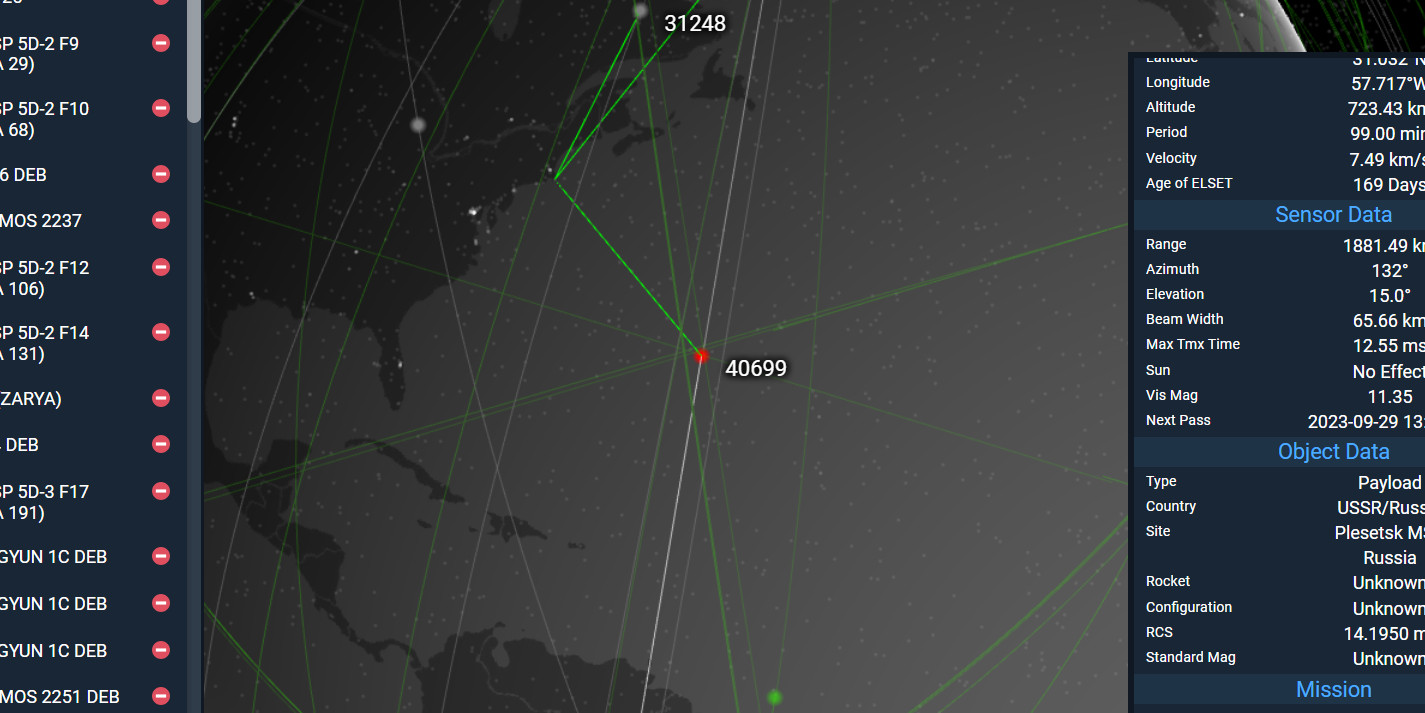
- Sensor management - Ground station pass predictions and field-of-view
- Search and filtering - Find satellites by name, NORAD ID, country, type
- Orbit visualization - 3D orbit lines with ground tracks
- Time machine - View satellite positions at any date/time
- Multiple view modes - Earth-centered, planetarium, astronomy
Analysis Tools
- Look angles - Calculate azimuth, elevation, range to satellites
- Access times - Find when sensors can see specific satellites
- Collision detection - Identify close approaches
- Launch simulation - Model new satellite insertions
- Breakup modeling - Simulate satellite fragmentation events
- Maneuver planning - Create notional orbit adjustments
Visualization
- Custom color schemes - Group satellites by type, country, velocity
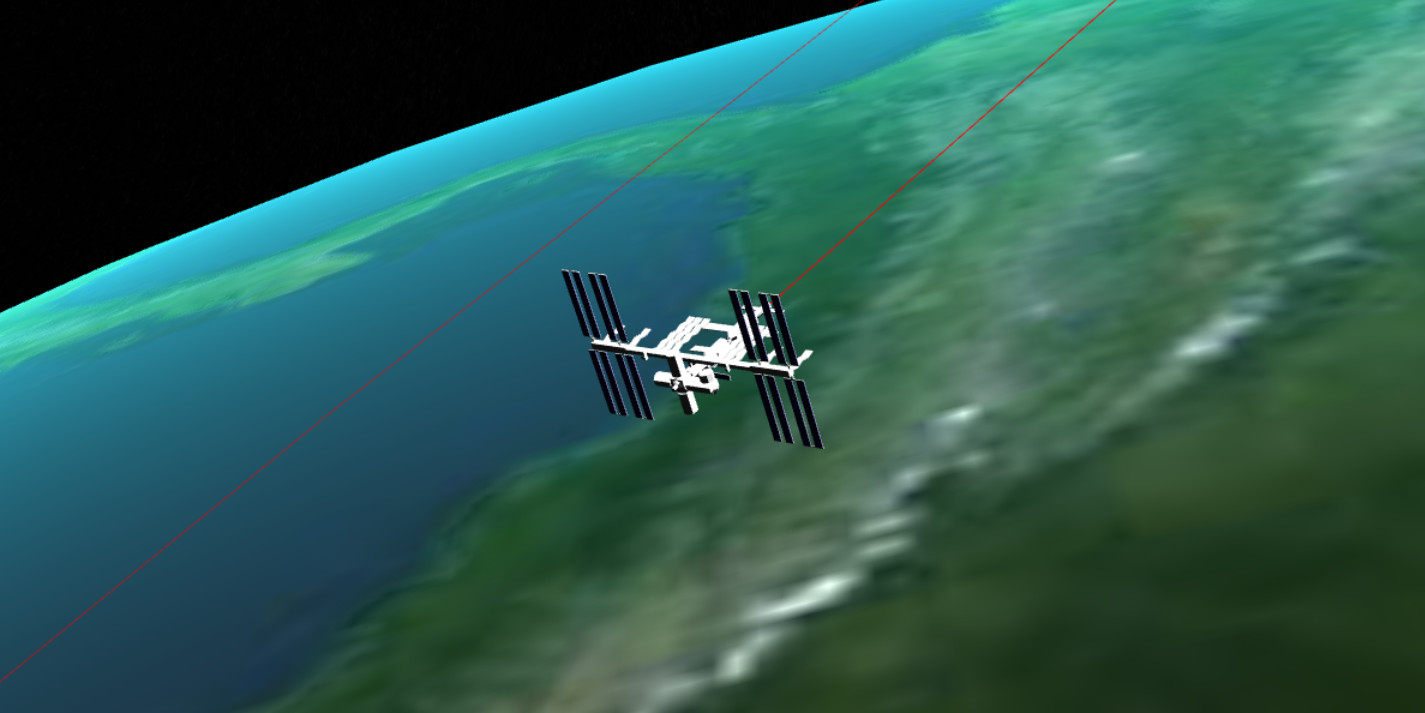
- Mesh models - 3D models for ISS, cubesats, and more
- Sun/Moon/Planets - Accurate celestial body positions
- Sensor coverage cones - Visualize ground station field-of-view
- Orbit history - Trail mode showing satellite path over time
Integration
- Xbox controller - Gamepad support for presentations
- Embed mode - Integrate KeepTrack into your website
- API access - Programmatic control via JavaScript API
- Screenshot/video - Built-in screen recording
- Custom catalogs - Load your own TLE data
And Much More
- Social media sharing
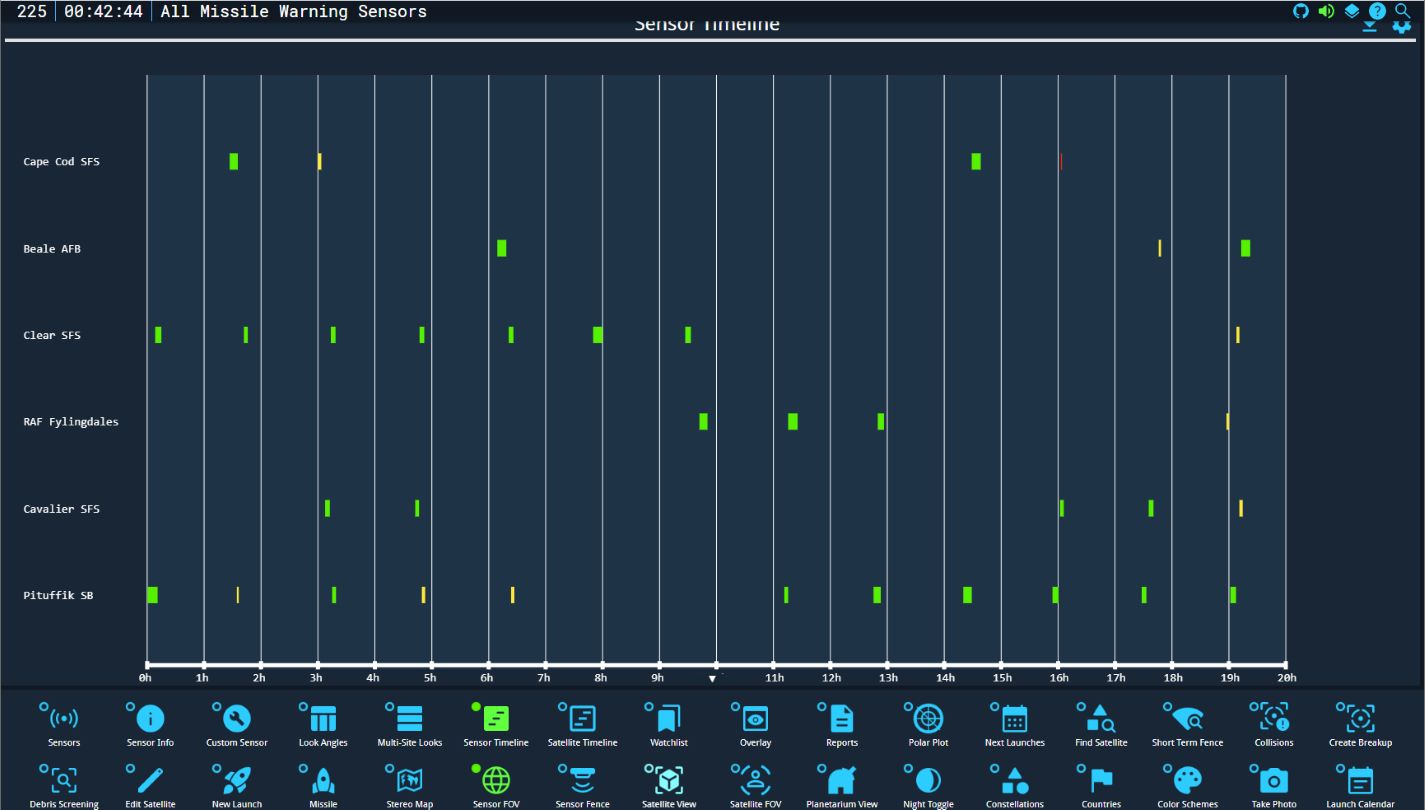
- Satellite timeline events
- Launch schedule integration
- Debris field analysis
- Line-of-sight calculations
Screenshots
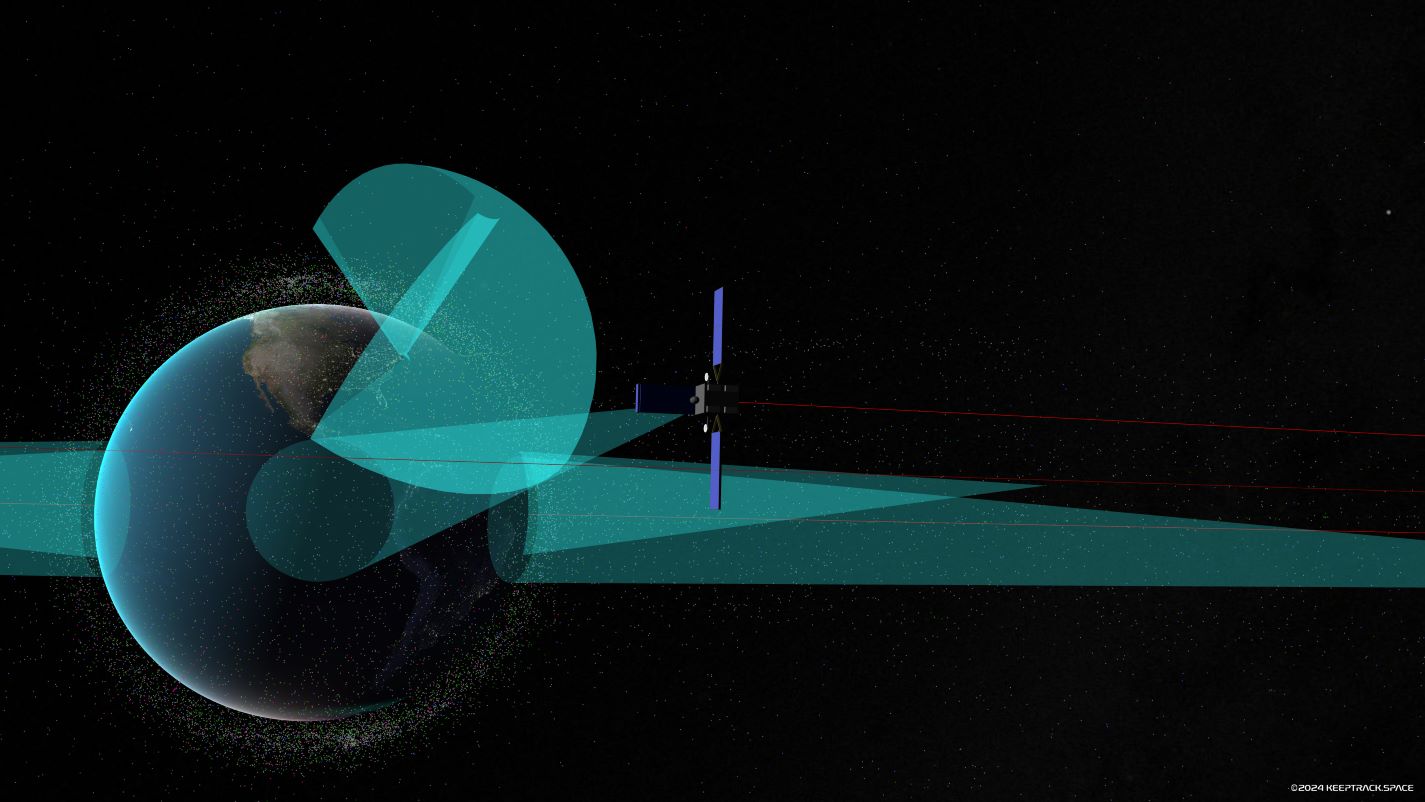
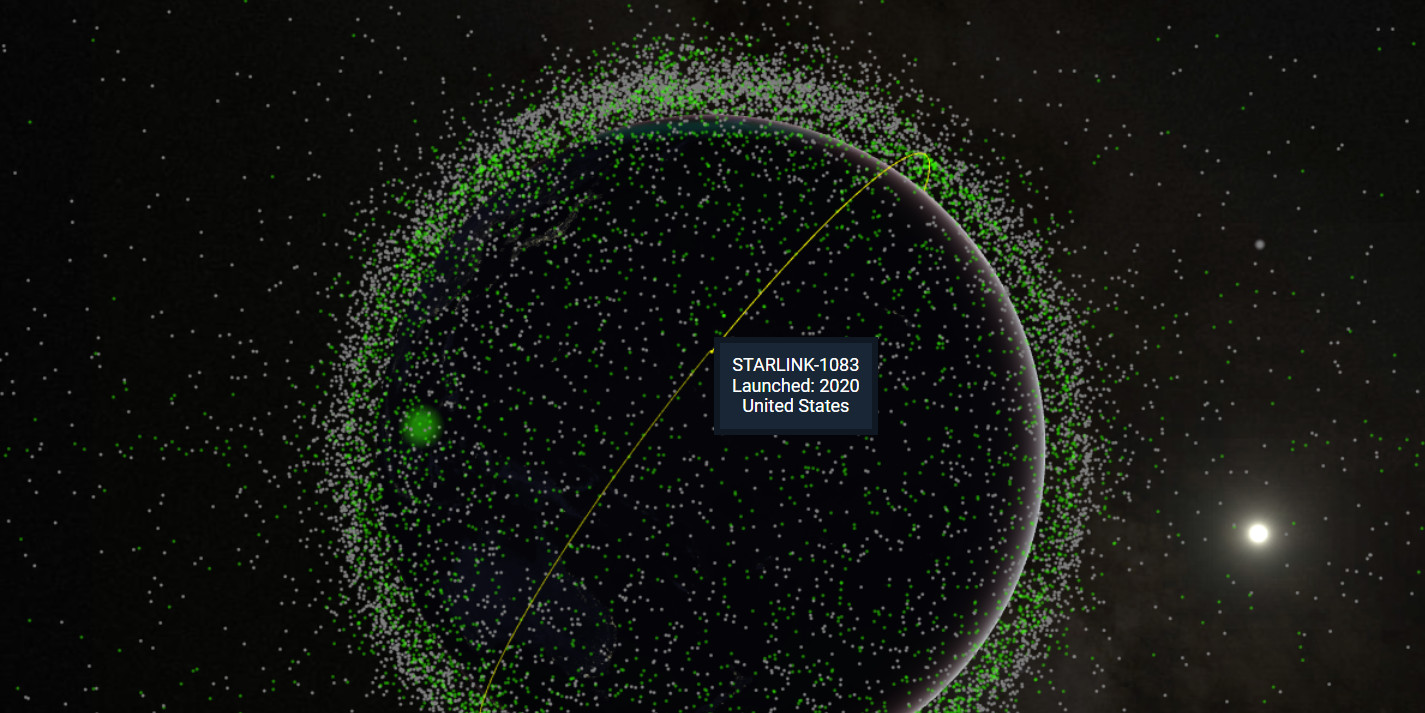
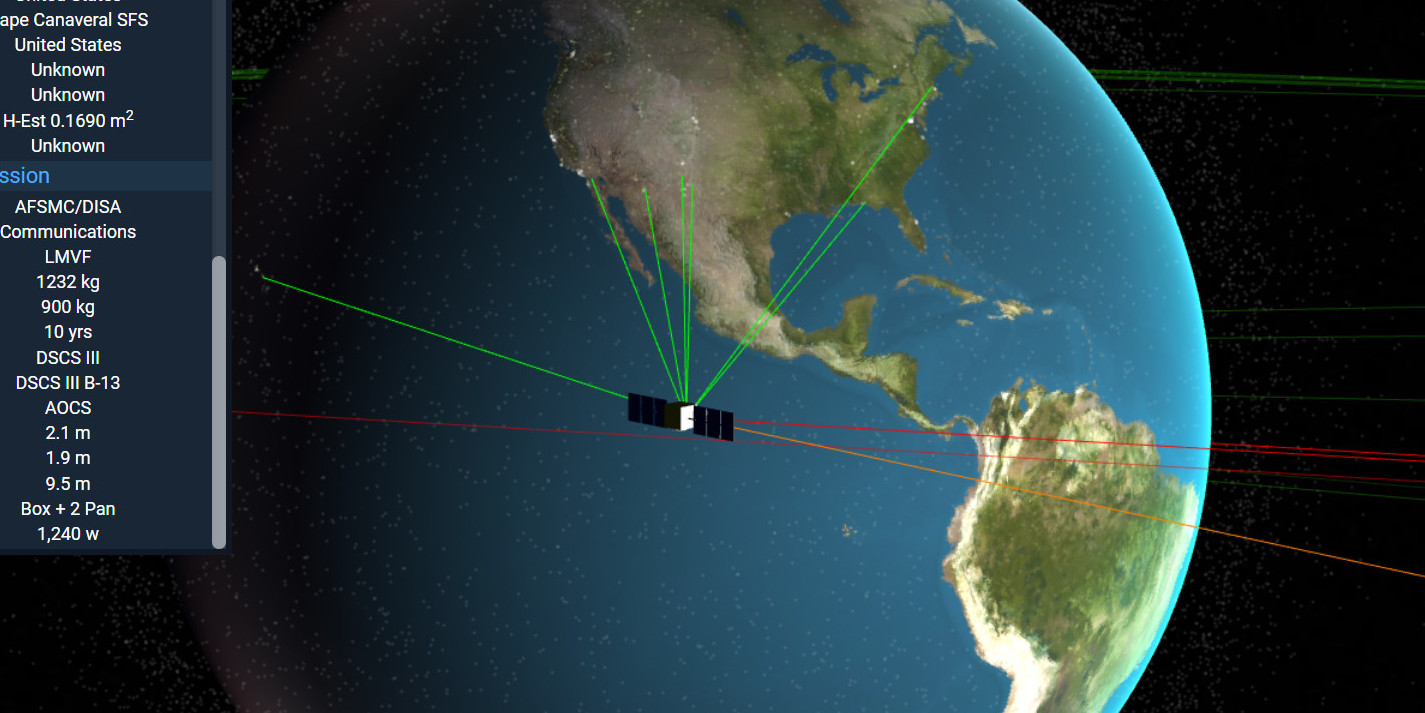
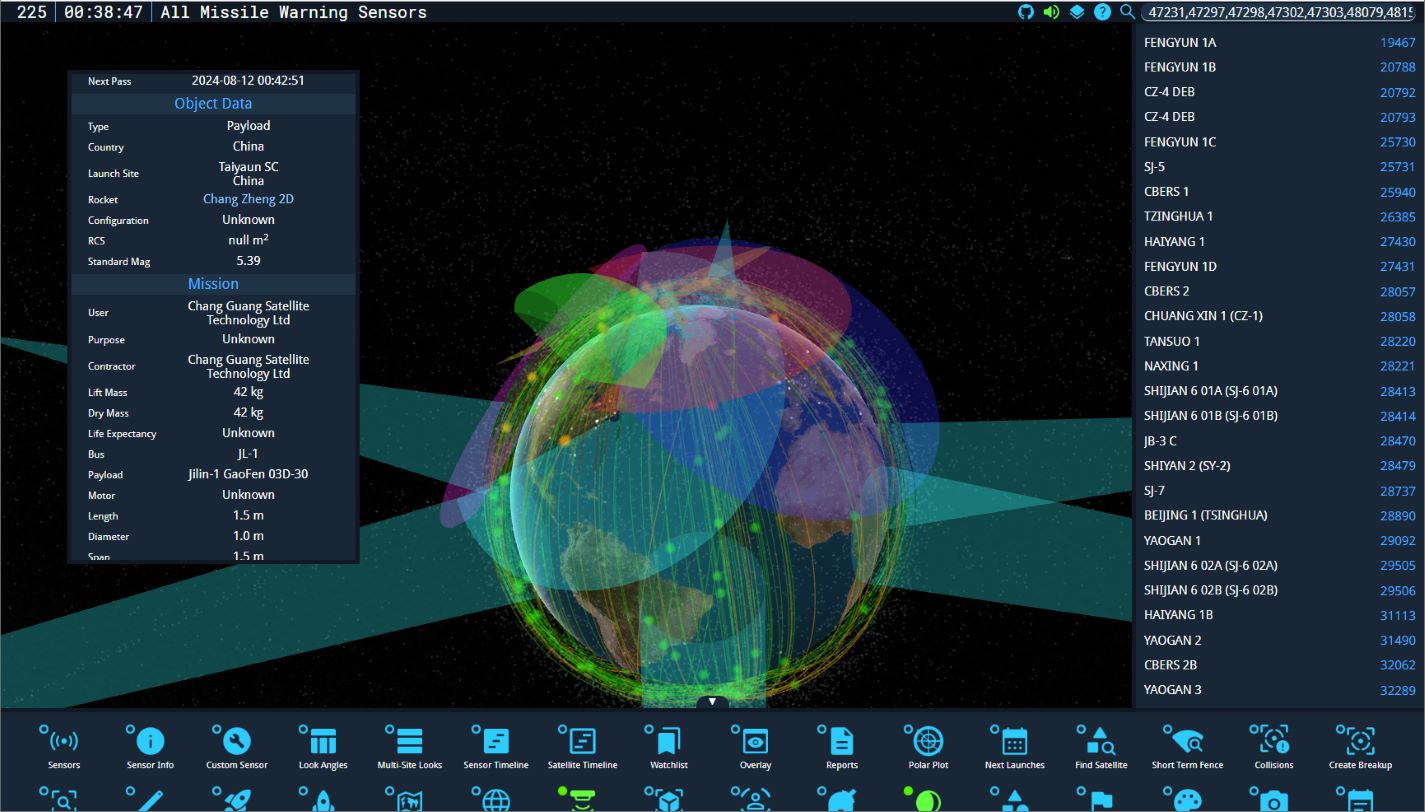
Deployment
KeepTrack uses automated deployment via Cloudflare:
- Production:
mainbranch (.env.app config) -> keeptrack.space - Development:
developbranch (.env.app config) -> dev.keeptrack.space - Embed:
mainbranch with (.env.embed config) -> embed.keeptrack.space
Release Notes
Recent Versions
- Version 11.0 - Copernicus - Current
- Version 10.0 - Euclid
- Version 9.1 - Kepler
- Version 9.0 - Kepler
Previous Versions
- Version 8.2 - Phoenix
- Version 8.1 - Phoenix
- Version 8.0 - Phoenix
- Version 7.2 - Nebula Navigator
- Version 7.0 - Vega Viewpoint
- Version 6.0 - Celestial Symphony
- Version 5.4 - Orion Overhaul
- Version 5.0 - Apollo Augments
Contributors
Special thanks to all contributors who have helped make KeepTrack better:
- @hkruczek - Features and testing
- @Le-Roi777 - UI/UX design and implementation
- @norbertpouzin - Plugin development
- @Koroviev-and-Begemot - Plugin development
- @RylandAdams - Plugin development
- @cwang-pivotal - Bug fixes and improvements
Original Work
KeepTrack is based on the original Things in Space by James Yoder, released under the MIT License. While the codebase has been completely 100% rewritten with new architecture, we acknowledge and appreciate the foundational concept.
Featured Users
KeepTrack is proud to have been used by:
- Combined Space Operations Center - U.S. Space Force operations
- Cosmos Archaeology - University of Lausanne exhibitions in Switzerland and China
- StarTalk Podcast - Neil DeGrasse Tyson's podcast
- BBC News Coverage - BBC's coverage of the 74th Intelligence, Surveillance and Reconnaissance Squadron
- Espace Ballon - "Altitudes" exhibit with the short film "Human Debris in Space 1957-2024"
- Space Waste Lab - Studio Roosegaarde art installation
Trademarks
KeepTrack™ and KeepTrack.space™ are trademarks of Kruczek Labs LLC.
- ✅ You may use "KeepTrack" to refer to this software
- ✅ You may say "powered by KeepTrack" or "based on KeepTrack"
- ❌ You may not use "KeepTrack" in your product name or domain
- ❌ You may not imply endorsement without permission
License
Copyright (C) 2025 Kruczek Labs LLC
KeepTrack is licensed under the GNU Affero General Public License v3.0 or later.
This means you can:
- ✅ Use KeepTrack for any purpose
- ✅ Modify the source code
- ✅ Distribute copies
- ✅ Distribute modified versions
- 📝 Disclose source code of modified versions
- 📝 License derivative works under AGPL-3.0
- 📝 Include copyright and license notices
- 📝 State significant changes made to the code
- ⚠️ Network use counts as distribution (AGPL-specific)
- ❌ Sublicense under different terms
- ❌ Hold authors liable for damages
- ❌ Use without providing attribution
- ❌ Run a modified version as a service without sharing ALL source code
Example Use Cases
✅ Example 1: Educational Institution
You fork KeepTrack, add custom plugins for your astronomy course, and host it on your university's public website for students.
Allowed - You must make your modified source code available (e.g., via GitHub) and clearly state what you changed. Include AGPL license and credit original authors.
❌ Example 2: Commercial SaaS Platform
You modify KeepTrack, rebrand it as "SatTracker Pro," and offer it as a paid subscription service without sharing your source code.
Not allowed - Running modified AGPL software as a network service counts as distribution. You must provide source code to all users, even paying customers. The AGPL specifically prevents this "SaaS loophole." If this license obligation is violated, Kruczek Labs LLC may take legal action to enforce its intellectual property rights.
✅ Example 3: Open Source Contribution
You add a new debris collision analysis plugin, publish it on GitHub under AGPL-3.0, and submit a pull request to the main repository.
Allowed and encouraged! - Your plugin is properly licensed, source is available, and you've contributed back to the community. This is exactly what the AGPL is designed to enable.
For more details, see the Full License or visit
Why AGPL?
The AGPL ensures that improvements to KeepTrack remain open source, even when used as a web service. If you run a modified version, you must make your source code available to users.
Need a different license? Contact Kruczek Labs about commercial licensing options.
Use of AI
KeepTrack uses AI-assisted development tools to maintain a large codebase with an international audience:
- GitHub Copilot - Code acceleration and refactoring
- Claude AI - Shader debugging and architecture troubleshooting
- Stable Diffusion - Splash screen generation
- OpenAI - Translations for 7 languages
Could KeepTrack exist without AI? Yes - it did for years. But as the project grew to serve commercial, military, and educational institutions worldwide, AI became the most cost-effective way to maintain quality at scale.
For contributors: You are NOT required to use AI tools. Whether you code with Vim or Copilot, contributions are equally valued. We care about code quality, not your workflow.
Disagree with this approach? You're free to fork and maintain your version of KeepTrack however you prefer. We respect all development philosophies.
Additional Resources
- Live Demo:
- Documentation:
- API Documentation:
- OOTK Library:
Made with ❤️ by Theodore Kruczek and contributors
Website • Discord • Issues • Discussions • Contact


