
Use FontAwesome in your Swift projects
FontAwesome.swift





Use Font Awesome in your Swift projects
To see the complete set of 3,978 icons in Font Awesome 5, please check the FontAwesome.com site.
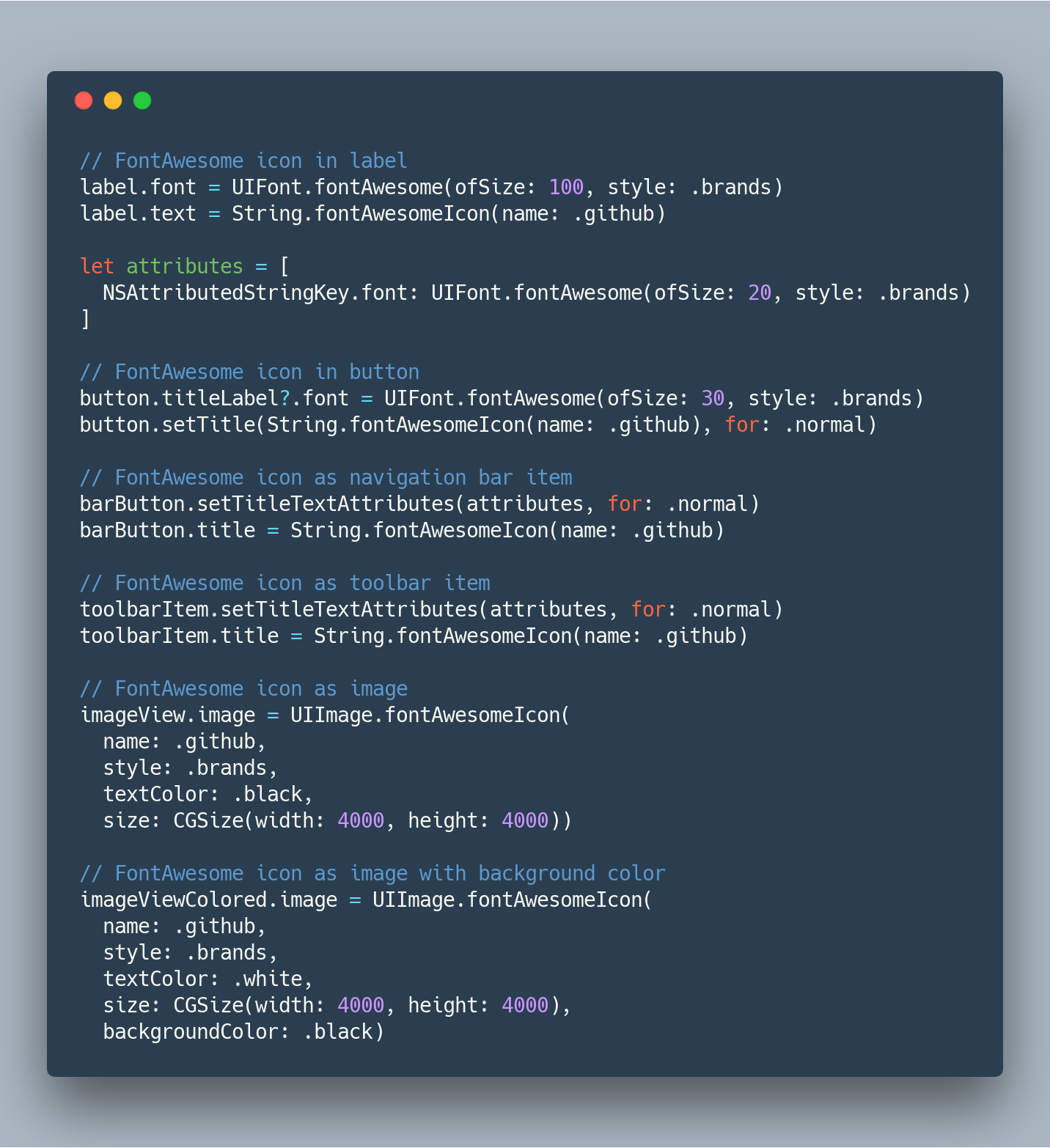
Examples
Installation
Carthage
github "thii/FontAwesome.swift"
CocoaPods
pod 'FontAwesome.swift'
Note: If you install this using CocoaPods, the framework name will be FontAwesome_swift (there is an underscore).
Manually
- Drag and drop all
.otfand.swiftfiles into your project
Requirements
iOS 8 or later.
Development
After cloning, initialise the submodule to prepare for updating FontAwesome
git submodule init
git submodule update
To update this project to include all the latest icons from the new verison of Font Awesome (replace x.y.z with the new font version):
bundle exec fastlane update_font version:x.y.z
To release a new version x.y.z (replace x.y.z with a real version number):
bundle exec fastlane release version:x.y.z
Since it will automatically make a new commit to bump version and push to CocoaPods trunk, make sure you have write access to this repo and be one of the podspec owners. If you are a maintainer but don't have these privilege yet, please let me know.
License
- All font files licensed under SIL OFL 1.1
- FontAwesome.swift licensed under MIT


