
Library for OpenAPI 3 with spring-boot




IMPORTANT: `springdoc-openapi v1.8.0 is the latest Open Source release supporting Spring Boot 2.x and 1.x.
An extended support for springdoc-openapi v1 project is now available for organizations that need support beyond 2023.
For more details, feel free to reach out: sales@springdoc.org
springdoc-openapi is on Open Collective. If you ❤️ this project consider becoming a sponsor.
This project is sponsored by
<p align="center"> <a href="https://opensource.mercedes-benz.com/" target="_blank"> <img src="https://springdoc.org/img/mercedes-benz.png" height="10%" width="10%" /> </a>
<a href="https://www.dm-jobs.com/dmTECH/?locale=deDE&wtmc=.display.github.sponsoring.logo" target="_blank"> <img src="https://springdoc.org/img/dmTECH_Logo.jpg" height="10%" width="10%" /> </a>
<a href="https://www.contrastsecurity.com/" target="_blank"> <img src="https://springdoc.org/img/contrastsecurity.svg" height="10%" width="30%" /> </a>
<a href="https://www.lvm.de/" target="_blank"> <img src="https://springdoc.org/img/LVMVersicherung2010_logo.svg.png" height="10%" width="25%" /> </a> <a href="https://gdnext.com/" target="_blank"> <img src="https://springdoc.org/img/gdnext.png" height="10%" width="10%" /> </a> </p>
Table of Contents
- Library for springdoc-openapi integration with spring-boot and swagger-ui - Spring-boot with OpenAPI Demo applications. - Source Code for Demo Applications. - Demo Spring Boot 2 Web MVC with OpenAPI 3. - Demo Spring Boot 2 WebFlux with OpenAPI 3. - Demo Spring Boot 2 WebFlux with Functional endpoints OpenAPI 3. - Demo Spring Boot 2 and Spring Hateoas with OpenAPI 3. - Integration of the library in a Spring Boot 3.x project without the swagger-ui: - Error Handling for REST using @ControllerAdvice - Adding API Information and Security documentation - spring-webflux support with Annotated Controllers - Using a separate management port (Spring Boot 3) - When Spring Security is enabled - Contributors - Additional SupportFull documentation
Introduction
The springdoc-openapi Java library helps automating the generation of API documentation using Spring Boot projects. springdoc-openapi works by examining an application at runtime to infer API semantics based on Spring configurations, class structure and various annotations.
The library automatically generates documentation in JSON/YAML and HTML formatted pages. The generated documentation can be complemented using swagger-api annotations.
This library supports:
- OpenAPI 3
- Spring-boot v3 (Java 17 & Jakarta EE 9)
- JSR-303, specifically for @NotNull, @Min, @Max, and @Size.
- Swagger-ui
- OAuth 2
- GraalVM native images
This is a community-based project, not maintained by the Spring Framework Contributors ( Pivotal)
Getting Started
Library for springdoc-openapi integration with spring-boot and swagger-ui
- Automatically deploys swagger-ui to a Spring Boot 3.x application
- Documentation will be available in HTML format, using the
- The Swagger UI page should then be available at
: The server name or IP
* port: The server port
* context-path: The context path of the application
- Documentation can be available in yaml format as well, on the following path:
/v3/api-docs.yaml
- Add the
springdoc-openapi-ui library to the list of your project dependencies (No
additional configuration is needed):
Maven
<pre><code class="lang-xml"><dependency> <groupId>org.springdoc</groupId> <artifactId>springdoc-openapi-starter-webmvc-ui</artifactId> <version>last-release-version</version> </dependency></code></pre>
Gradle
<pre><code class="lang-groovy">implementation 'org.springdoc:springdoc-openapi-starter-webmvc-ui:latest'</code></pre>
- This step is optional: For custom path of the swagger documentation in HTML format, add
a custom springdoc property, in your spring-boot configuration file:
<pre><code class="lang-properties"># swagger-ui custom path springdoc.swagger-ui.path=/swagger-ui.html</code></pre>
Spring-boot with OpenAPI Demo applications.
Source Code for Demo Applications.
Demo Spring Boot 3 Web MVC with OpenAPI 3.
Demo Spring Boot 3 WebFlux with OpenAPI 3.
Demo Spring Boot 3 WebFlux with Functional endpoints OpenAPI 3.
Demo Spring Boot 3 and Spring Cloud Function Web MVC.
Demo Spring Boot 3 and Spring Cloud Function WebFlux.
Demo Spring Boot 3 and Spring Cloud Gateway.
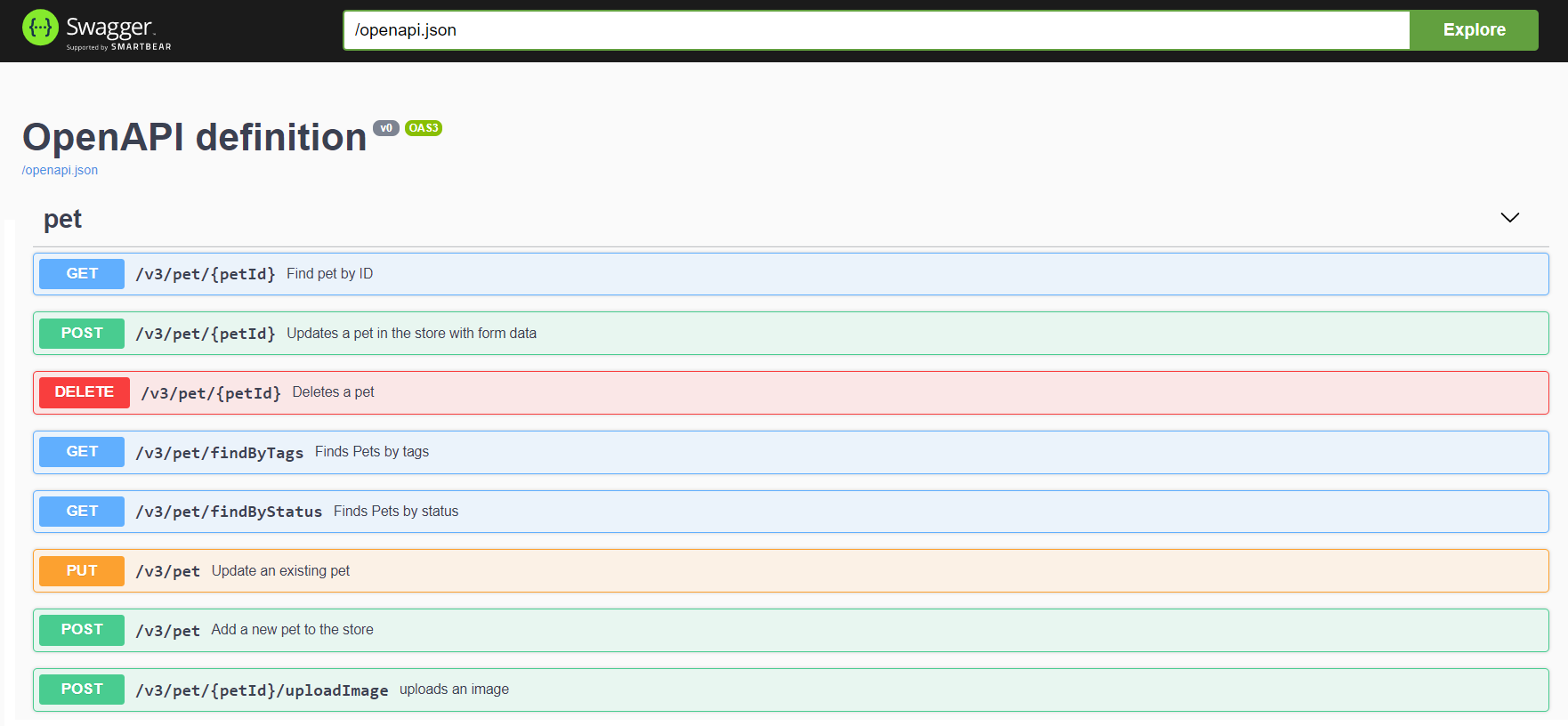
Integration of the library in a Spring Boot 3.x project without the swagger-ui:
- Documentation will be available at the following url for JSON format: http://server:
port/context-path/v3/api-docs
* server: The server name or IP
* port: The server port
* context-path: The context path of the application
- Documentation will be available in yaml format as well, on the following
path : /v3/api-docs.yaml
- Add the library to the list of your project dependencies. (No additional configuration
is needed)
Maven
<pre><code class="lang-xml"><dependency> <groupId>org.springdoc</groupId> <artifactId>springdoc-openapi-starter-webmvc-api</artifactId> <version>last-release-version</version> </dependency></code></pre>
Gradle
<pre><code class="lang-groovy">implementation 'org.springdoc:springdoc-openapi-starter-webmvc-api:latest'</code></pre>
- This step is optional: For custom path of the OpenAPI documentation in Json format, add
a custom springdoc property, in your spring-boot configuration file:
<pre><code class="lang-properties"># /api-docs endpoint custom path springdoc.api-docs.path=/api-docs</code></pre>
- This step is optional: If you want to disable
springdoc-openapi endpoints, add a
custom springdoc property, in your spring-boot configuration file:
<pre><code class="lang-properties"># disable api-docs springdoc.api-docs.enabled=false</code></pre>
Error Handling for REST using @ControllerAdvice
To generate documentation automatically, make sure all the methods declare the HTTP Code responses using the annotation: @ResponseStatus.
Adding API Information and Security documentation
The library uses spring-boot application auto-configured packages to scan for the following annotations in spring beans: OpenAPIDefinition and Info. These annotations declare, API Information: Title, version, licence, security, servers, tags, security and externalDocs. For better performance of documentation generation, declare
@OpenAPIDefinition and @SecurityScheme annotations within a Spring managed bean.
spring-webflux support with Annotated Controllers
- Documentation can be available in yaml format as well, on the following path :
/v3/api-docs.yaml
- Add the library to the list of your project dependencies (No additional configuration
is needed)
Maven
<pre><code class="lang-xml"><dependency> <groupId>org.springdoc</groupId> <artifactId>springdoc-openapi-starter-webflux-ui</artifactId> <version>last-release-version</version> </dependency></code></pre>
Gradle
<pre><code class="lang-groovy">implementation 'org.springdoc:springdoc-openapi-starter-webflux-ui:latest'</code></pre>
- This step is optional: For custom path of the swagger documentation in HTML format, add
a custom springdoc property, in your spring-boot configuration file:
<pre><code class="lang-properties"># swagger-ui custom path springdoc.swagger-ui.path=/swagger-ui.html</code></pre>
The
springdoc-openapi libraries are hosted on maven central repository. The artifacts can be accessed at the following locations:
Releases:
.
Snapshots:
.
Using a separate management port (Spring Boot 3)
Some Spring Boot apps run Actuator on a separate management port. In that case:
- Application port (e.g.,
8080) serves your app and springdoc endpoints:
- http://localhost:8080/v3/api-docs
- http://localhost:8080/swagger-ui/index.html
- Management port (e.g.,
9090) serves Actuator:
- http://localhost:9090/actuator
- http://localhost:9090/actuator/health
Minimal
application.yml:
<pre><code class="lang-yaml">server: port: 8080
management: server: port: 9090 endpoints: web: exposure: include: health,info
springdoc is enabled by default with the starter;
endpoints remain on the application port.
(OpenAPI JSON = /v3/api-docs, Swagger UI = /swagger-ui/index.html)</code></pre>
When Spring Security is enabled
With Spring Boot 3,
/v3/api-docs` and Swagger UI are served on the application port, while Actuator runs on the management port. If Spring Security is enabled, explicitly permit the docs paths on the application port:
@Bean
SecurityFilterChain api(HttpSecurity http) throws Exception {
  http
    .authorizeHttpRequests(auth -> auth
      .requestMatchers(
        "/v3/api-docs/**",
        "/v3/api-docs.yaml",
        "/swagger-ui/**",
        "/swagger-ui.html"
      ).permitAll()
      .anyRequest().authenticated()
    );
  return http.build();
}
Acknowledgements
Contributors
springdoc-openapi is relevant and updated regularly due to the valuable contributions from its contributors.
Thank you all for your support!
Additional Support
- Spring Team - Thanks for their support by sharing all relevant
- JetBrains - Thanks a lot for



