
A Computer Vision-Based Tool for Automatic Segmentation and Size Analysis of Nanoparticles in Scanning Electron Microscope (SEM) and Transmission Electron Microscope (TEM) Images
📑 Table of Contents
- 🔎 ParticleAnalyzer
- ✅ Examples
- ✨ Key Features
- 📥 Installation Guide
- 🛠 Segmentation Optimization Guide
- 📊 Analysis Outputs
- ⚙️ Advanced Settings
- 📏 Scale Calibration
- 📧 Contributors
- 📖 Citation
ParticleAnalyzer



A Computer Vision-Based Tool for Automatic Segmentation and Size Analysis of Nanoparticles in Scanning Electron Microscope (SEM) and Transmission Electron Microscope (TEM) Images.
Video demonstrations:
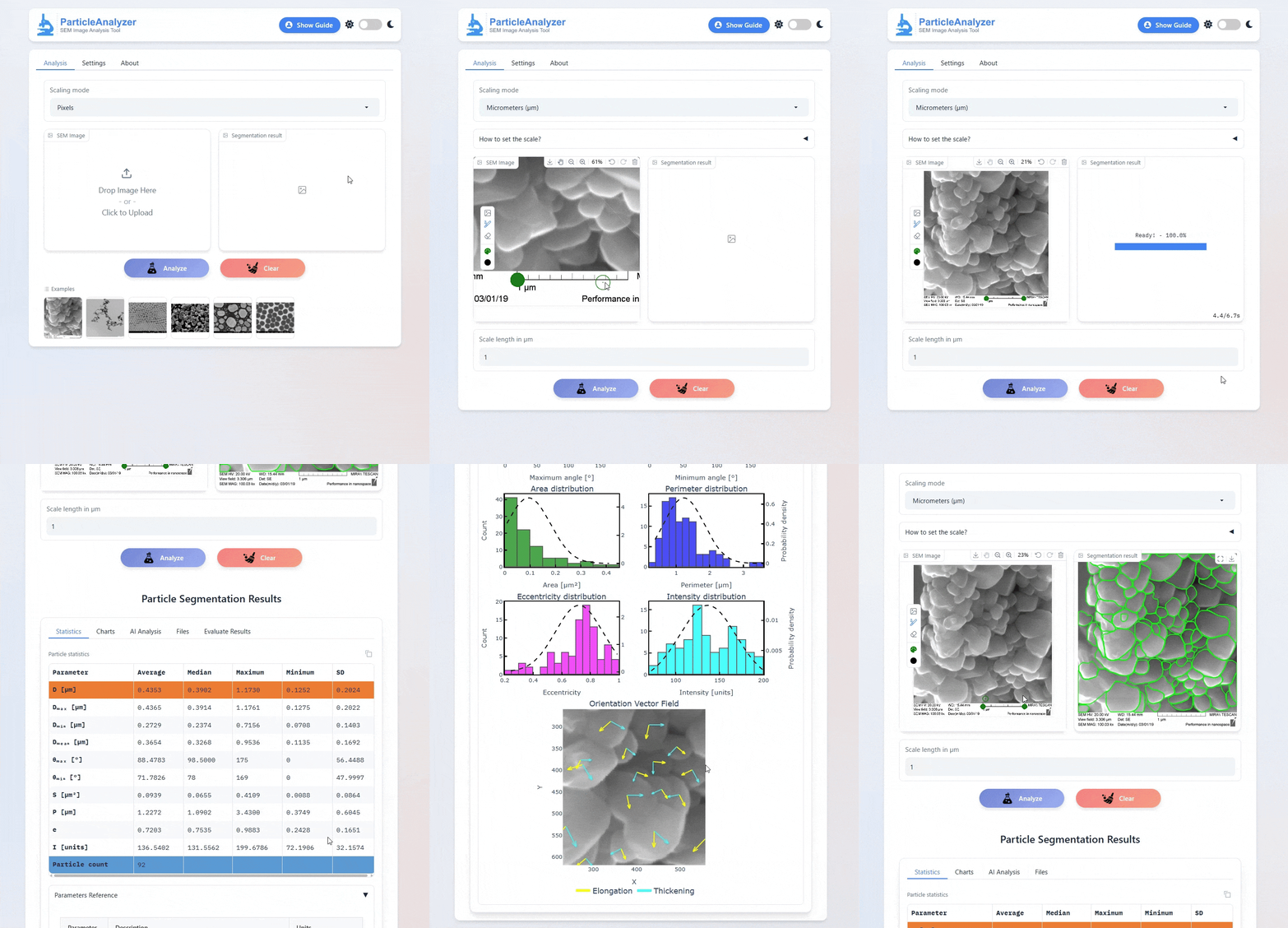
*If you encounter any errors while using Particle Analyzer, please open an issue in the GitHub repository or contact me at rybakov-ks@ya.ru for support. If the model cannot segment your images correctly, please send them to rybakov-ks@ya.ru . Your images will be used to retrain the model's.*
✅ Examples
✨ Key Features
- Automated particle segmentation in SEM images
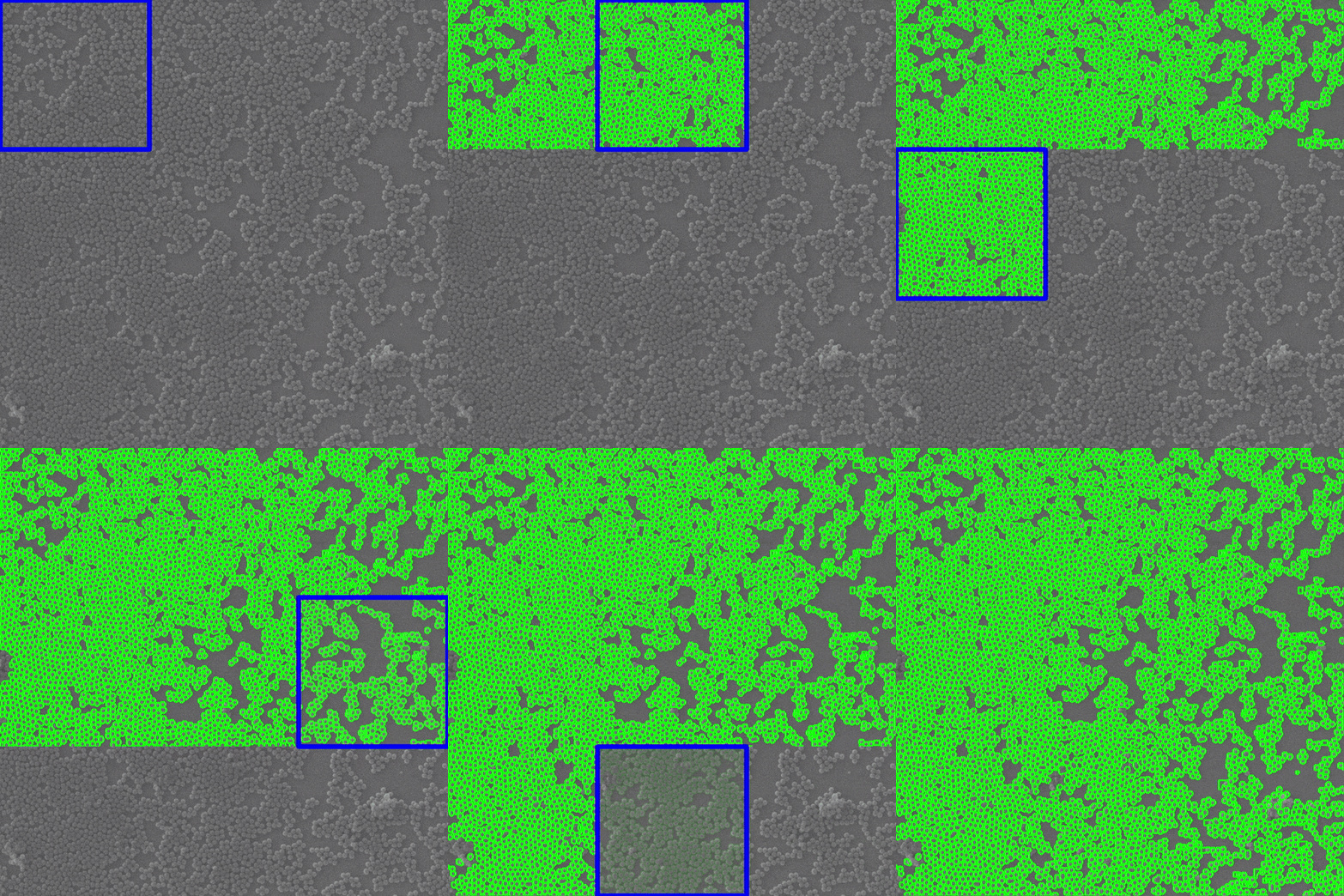
- SAHI mode enables accurate detection of small particles in high-resolution images via a sliding window method
- Comprehensive statistical analysis of particle characteristics
- Interactive visualization of size distributions
- Dual unit support — switch between pixels and micrometers (µm)
- Supports multiple AI models: YOLOv11, YOLOv12, YOLOv26, RF-DETR Seg (Preview) and Detectron2
- Advanced configuration options for fine-tuning detection accuracy
- AI Interpretation of SEM Data
- Multi-language interface: Russian, Simplified Chinese, Traditional Chinese, English (ru, zh-CN, zh-TW, en)
- Try it online: particleanalyzer.ru
🛠 Installation Guide
### 1. 📥 Install PyTorch with CUDA support Make sure your system has an NVIDIA GPU with CUDA. Install PyTorch using the appropriate CUDA version (e.g., CUDA 11.8):
pip install torch torchvision torchaudio --index-url https://download.pytorch.org/whl/cu118pip install torch torchvision torchaudio🧪 2. Install Detectron2 (Optional)
If you want to enable advanced instance segmentation, install Detectron2:
pip install 'git+https://github.com/facebookresearch/detectron2.git'[!WARNING]
There may be problems installing Detectron2. Use the official documentation.
📦 3. Install ParticleAnalyzer
Finally, install ParticleAnalyzer from PyPI:pip install --upgrade ParticleAnalyzerParticleAnalyzer runYou can specify the port if necessary:
ParticleAnalyzer run --port 5000Launch with LLM support (OpenRouter or Hugging Face API key required):
ParticleAnalyzer run --port 5000 --api-key YOUROPENROUTERAPI_KEY🛠 Segmentation Optimization Guide
🔧 Core Parameters: - Model Selection - Detection Confidence Threshold (0-1) - Increase (e.g., 0.7→0.85) to reduce false positives - Decrease (e.g., 0.5→0.3) to detect faint particles - IoU Threshold (0-1) - Increase (e.g., 0.5→0.7) to eliminate duplicate detections - Decrease for dense particle fields - Enable SAHI Processing (split-analyze-merge)🧩 SAHI Configuration (for large images): - Slice Size: Start with 400×400 - Overlap Ratio: 0.2-0.3 (prevents edge artifacts)\ SAHI mode helps detect small objects in high-resolution images by using a sliding window approach
🔄 Model Selection:
📊 Analysis Outputs
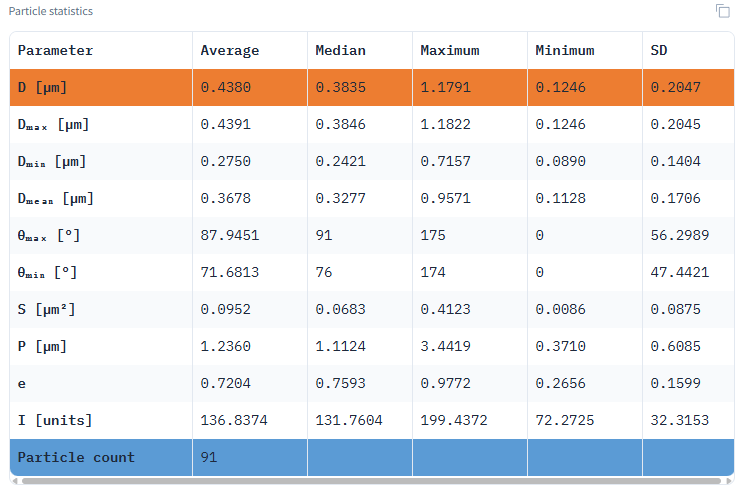
Statistical Data Table
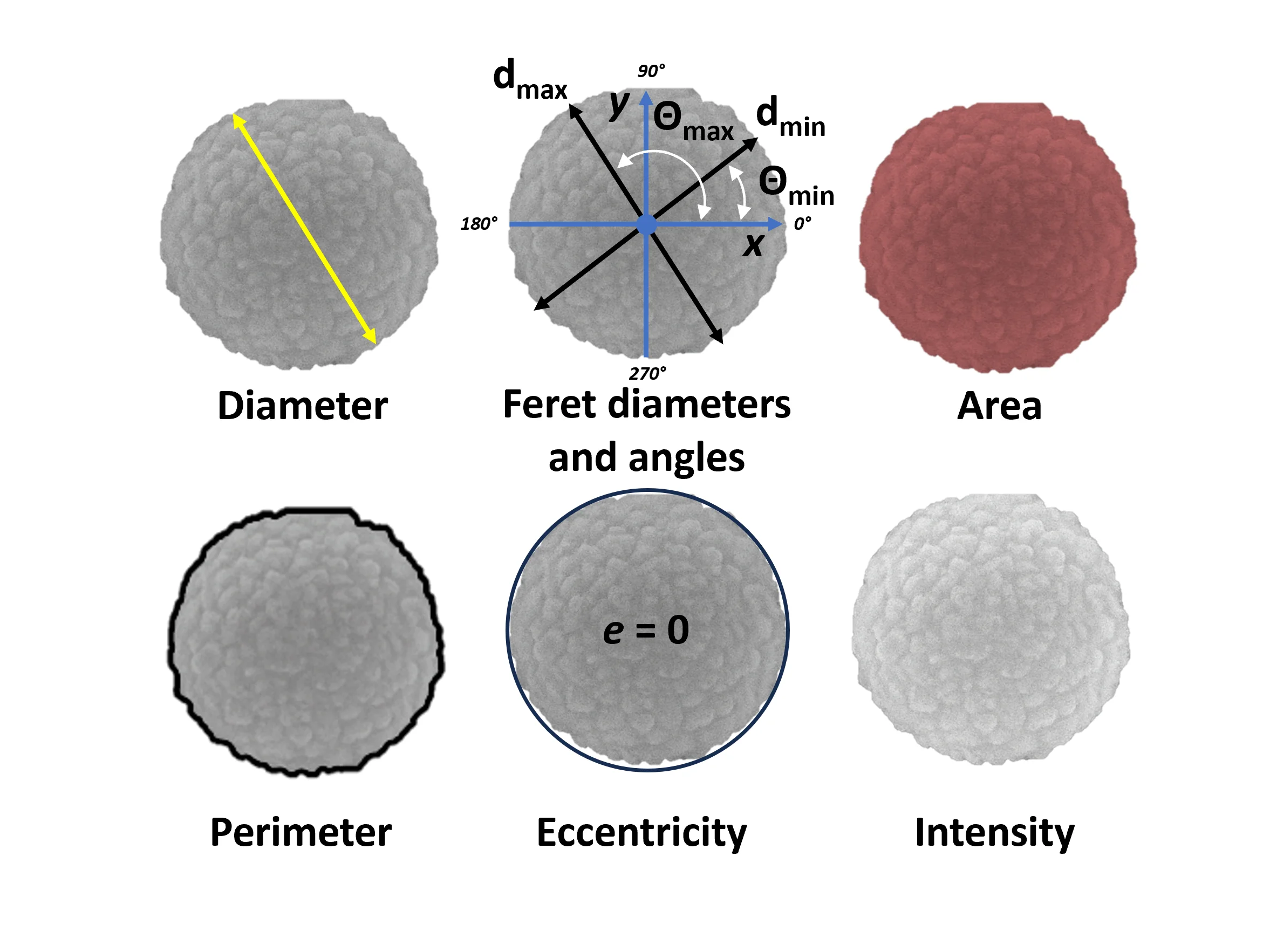
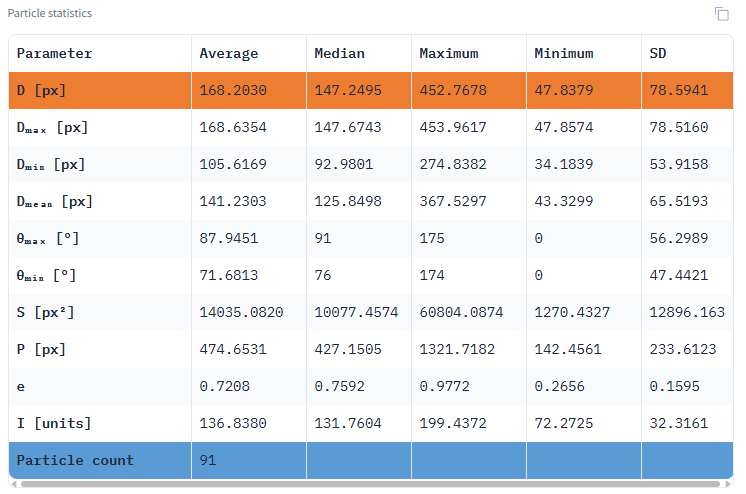
Comprehensive metrics including mean, median, min/max, standard deviation values for:
- Area (px² or µm²)
- Perimeter (px or µm)
- Equivalent diameter (px or µm)
- Feret diameters and angles (px or µm and °)
- Eccentricity (unitless)
- Intensity values (grayscale units)
Size Distribution Visualization
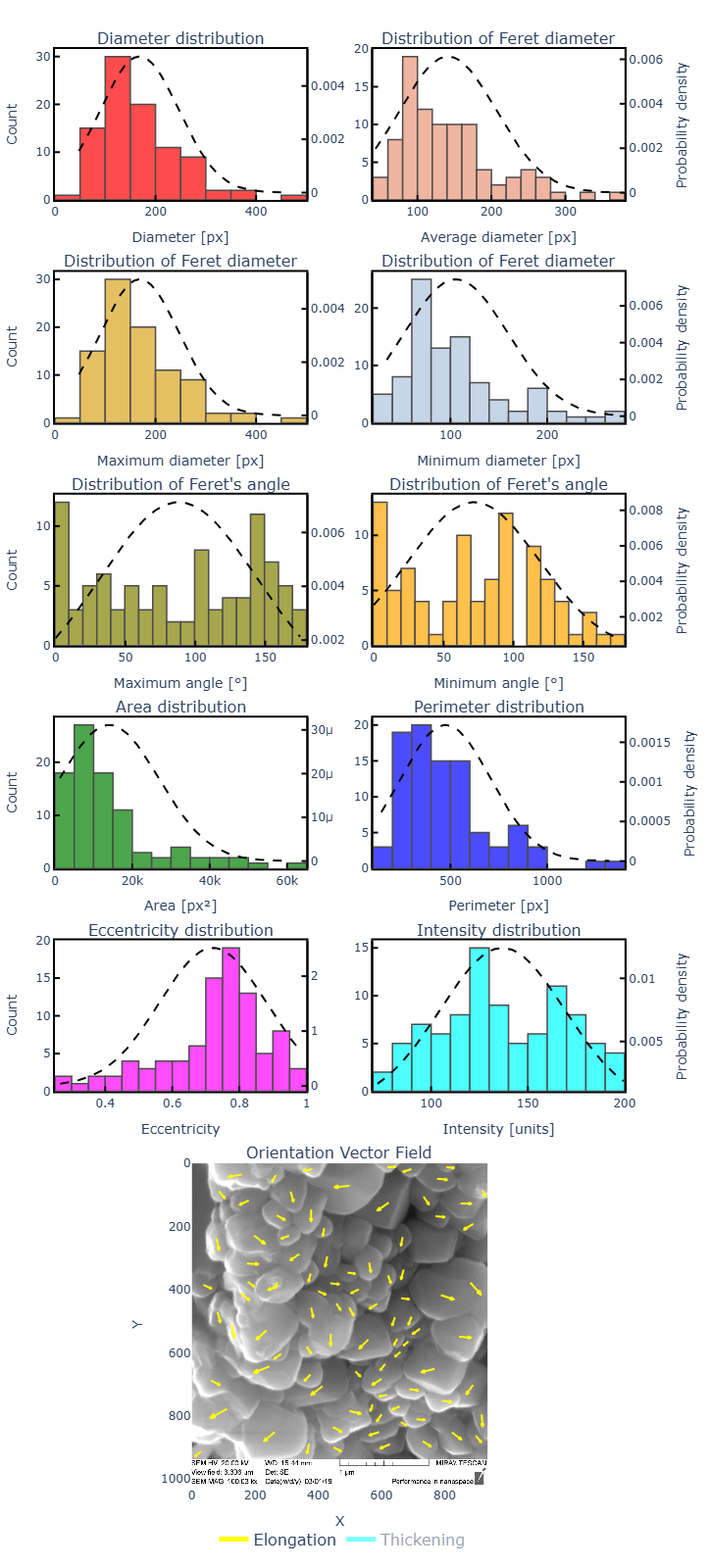
Normal distribution fitting for all measured parameters showing particle population characteristics
Data filtering
https://github.com/user-attachments/assets/6548071a-3c83-4539-897a-6ebf175bec17
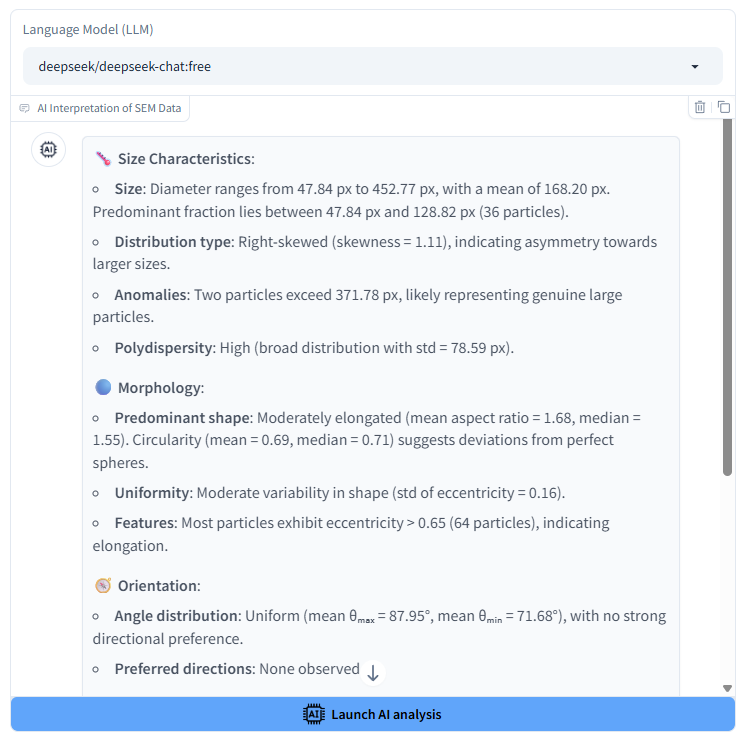
AI Interpretation of SEM Data
Advanced Settings Panel
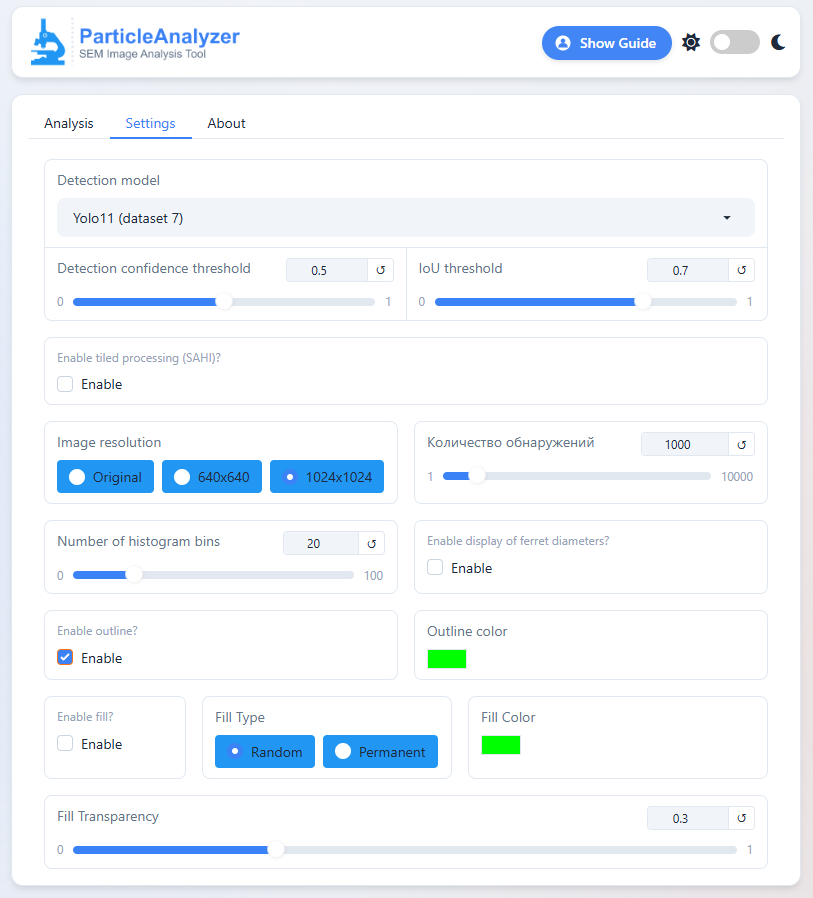
Configuration options include:
- Model Selection: YOLOv11, YOLOv12, Detectron2
- SAHI Mode: Enable/disable sliced inference for large images
- Detection Threshold: Confidence level (0-1)
- IOU Threshold: Overlap threshold for NMS (0-1)
- Max Detections: Maximum number of particles to detect
- Scaling Mode: Pixel/µm unit selection
- Image Resolution: Output resolution control
- Result Rounding: Decimal places for metrics
- Single Particle Mode: Detailed individual analysis
- Histogram Bins: Number of intervals for distribution plots
📐 Scale Calibration
https://github.com/user-attachments/assets/cf2e272b-6d04-4347-abff-7a1eadaa3033
Micrometer values are calculated by:
- Identifying the SEM image's scale bar using two marker points
- Manually specifying the known real-world distance between markers
- Automatically computing the pixel-to-µm conversion ratio
Note: For accurate µm measurements, please ensure:
- The scale bar is clearly visible in your image
- Enter the correct scale
- The scale bar was created at the same magnification as your particles


