
A docker-based starter kit for machine learning via jupyter notebooks. Designed for those who just want a runtime environment and get on with machine learning. Docker Hub:
Notebooks



A docker-based starter kit for machine learning via jupyter notebooks. Designed for those who just want a runtime environment and get on with machine learning.
Docker Images
To support both old and new environments, docker images cover various combinations of
- machine learning frameworks (Keras, TensorFlow, PyTorch)
- CUDA v8, v9, v10 and v11.
Python 3 only as Python 2 is end-of-life, so deprecated.
All of the images include:
Visualization libraries: Vision-centric libraries: NLP libraries:Tags
If you are reading this on Docker Hub, the links to Dockefile's will not work. Please start from project page instead.
Note: the default 'latest' tag does not exist. This is a design choice. Please choose a tag from below.
PyTorch
Images of PyTorch version 1.5 and higher include PyTorch Lightning.
| Tag (OS-based python) | Comment | Dockerfile | Info | | --------------------- | ------- | ---------- | ---- | | pytorch2.9.1 | CPU-only, Python 3.13.9 | Dockerfile | 
pytorch2.9.1-cuda13.0 | Python 3.11.14 | Dockerfile | 
pytorch2.8.0-cuda12.6 | Minimum required Nvidia Driver >= 525.60.13 (Linux) 528.33 (Windows). Toolkit Driver Version >= 560.28.03 (Linux) 560.76 (Windows). | Dockerfile | 
pytorch2.6.0-cuda12.4 | Minimum required Nvidia Driver >= 525.60.13 (Linux) 528.33 (Windows). Toolkit Driver Version >= 550.54.15 (Linux) 551.78 (Windows). | Dockerfile | 
pytorch2.6.0-cuda11.8 | Minimum required Nvidia Driver >= 450.80.02 (Linux) 452.39 (Windows). Toolkit Driver Version >= 520.61.05 (Linux) 520.06 (Windows). | Dockerfile | 
pytorch2.5.1-cuda12.1 | Minimum required Nvidia Driver >= 525.60.13 (Linux) 528.33 (Windows). Toolkit Driver Version >= 530.30.02 (Linux) 531.14 (Windows). | Dockerfile | 
pytorch2.0.1-cuda11.7 | Nvidia Driver >= 450.80.02 (Linux) 452.39 (Windows) | Dockerfile | 
pytorch1.13.1 | CPU-only | Dockerfile | 
pytorch1.13.1-cuda11.7 | Nvidia Driver >= 450.80.02 (Linux) 452.39 (Windows) | Dockerfile | 
pytorch1.13.1-cuda11.6 | Nvidia Driver >= 450.80.02 (Linux) 452.39 (Windows) | Dockerfile | 
pytorch1.12.1-cuda11.3.1 | Nvidia Driver >= 450.80.02 (Linux) 452.39 (Windows) | Dockerfile | 
pytorch1.12.1-cuda10.2 | Nvidia Driver >= 440.33 (Linux) 441.22 (Windows) | Dockerfile | 
pytorch1.9.1-cuda11.1.1 | Nvidia Driver >= 450.80.02 (Linux) 452.39 (Windows) | Dockerfile | 
pytorch1.7.1-cuda11 | Nvidia Driver >= 450.36.06 (Linux) 451.22 (Windows) | Dockerfile | 
pytorch1.7.1-cuda101 | Nvidia Driver >= 418.xx | Dockerfile | 
pytorch1.7.1-cuda92 | Nvidia Driver >= 396.xx | Dockerfile | 
jupyter-pytorch1.2-py3-cuda10 | Nvidia Driver >= 410.xx | Dockerfile | 
jupyter-pytorch1.1-py3-cuda9 | Nvidia Driver >= 384.xx | Dockerfile | 
jupyter-pytorch1.0-py3-cuda8 | Nvidia Driver >= 375.xx | Dockerfile | 
| Tag (Conda-based python) | Comment | Dockerfile | Info | | ------------------------ | ------- | ---------- | ---- | | jupyter-pytorch1.3-conda3 | CPU-only | Dockerfile | 
jupyter-pytorch1.3-conda3-cuda92 | Nvidia Driver >= 396.37 | Dockerfile | 
jupyter-pytorch1.1-conda3-cuda9 | Nvidia Driver >= 384.xx | Dockerfile | 
jupyter-pytorch1.0-conda3-cuda8 | Nvidia Driver >= 375.xx | Dockerfile | 
TensorFlow (including Keras)
| Tag (OS-based python) | Comment | Dockerfile | Info | | --------------------- | ------- | ---------- | ---- | | tf2.20.0 | CPU-only, Python 3.11.13 | Dockerfile | 
tf2.19.0-cuda12.3 | Minimum required Nvidia Driver >= 525.60.13 (Linux) 528.33 (Windows). Toolkit driver version >= 545.23.06 (Linux) 545.84 (Windows). | Dockerfile | 
tf2.15.0-cuda11.8 | Nvidia Driver >= 450.80.02 (Linux) 452.39 (Windows) | Dockerfile | 
tf2.11.1-cuda11.2 | Nvidia Driver >= 450.80.02 (Linux) 452.39 (Windows) | Dockerfile | 
tf2.5.0-cuda11 | Nvidia Driver >= 450.36.06 | Dockerfile | 
tf2.3.4-cuda101 | Nvidia Driver >= 418.xx | Dockerfile | 
tf2.0.4-cuda10 | Nvidia Driver >= 410.xx | Dockerfile | 
tf1.15.5 | CPU-only | Dockerfile | 
tf1.15.5-cuda10 | Nvidia Driver >= 410.xx | Dockerfile | 
jupyter-keras-tf1.12.3-py3-cuda9 | Nvidia Driver >= 384.xx | Dockerfile | 
jupyter-keras-tf1.4.1-py3-cuda8 | Nvidia Driver >= 375.xx | Dockerfile | 
| Tag (Conda-based python) | Comment | Dockerfile | Info | | ------------------------ | ------- | ---------- | ---- | | jupyter-keras-tf1.14.0-conda3 | CPU-only | Dockerfile | 
jupyter-keras-tf1.14.0-conda3-cuda10 | Nvidia Driver >= 410.xx | Dockerfile | 
jupyter-keras-tf1.12.0-conda3-cuda9 | Nvidia Driver >= 384.xx | Dockerfile | 
jupyter-keras-tf1.4.1-conda3-cuda8 | Nvidia Driver >= 375.xx | Dockerfile | 
Internal Tags
For intermediate Docker images, from which final images are build from, see INTERNAL.md.
Deprecated Tags
For deprecated tags, see deprecated/README.md.
Usage
Step 1: pull pre-built images:
docker pull wqael/notebooks:<tag>Step 2: launch image:
docker run -it -v $2:/notebooks -p 8888:8888 -p 6006:6006 $1or, for GPU support
nvidia-docker run -it -v $2:/notebooks -p 8888:8888 -p 6006:6006 $1where:
$1is the tag for a docker image, e.g.wqael/notebooks:latest.$2is the folder containing the notebooks on the host file system, e.g. clone this repo and use~/notebooks.
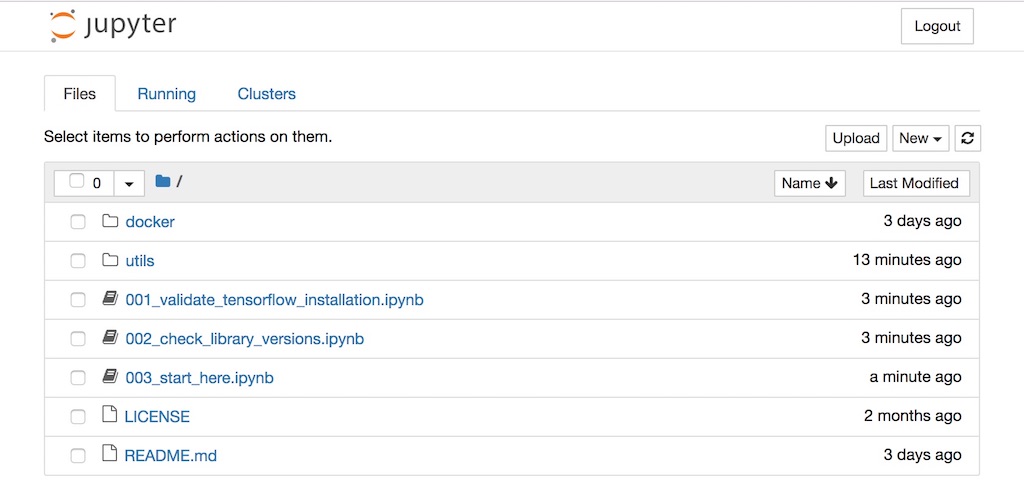
Step 3: From the log, copy-and-paste the line similar to the following to your favorite browser:
Copy/paste this URL into your browser when you connect for the first time,
    to login with a token:
        http://localhost:8888/?token=<token string>
Bonus step: Use next generation Jupyter:
After jupyter home page is loaded, i.e. http://localhost:8888/tree, browse to http://localhost:8888/lab.

Step 4: How to shutdown the docker image:
In the running image terminal (step 3), hit Ctrl+C twice.
Citation
If this project helps your research, don't hesitate to spread the word! Click on the badge below and find citation formats (e.g., BibTeX and etc) at the bottom of that page.


