
A jupyter widget to select chemical elements from the periodic table.
widget-periodictable: A Interactive Perodic Table in Jupyter



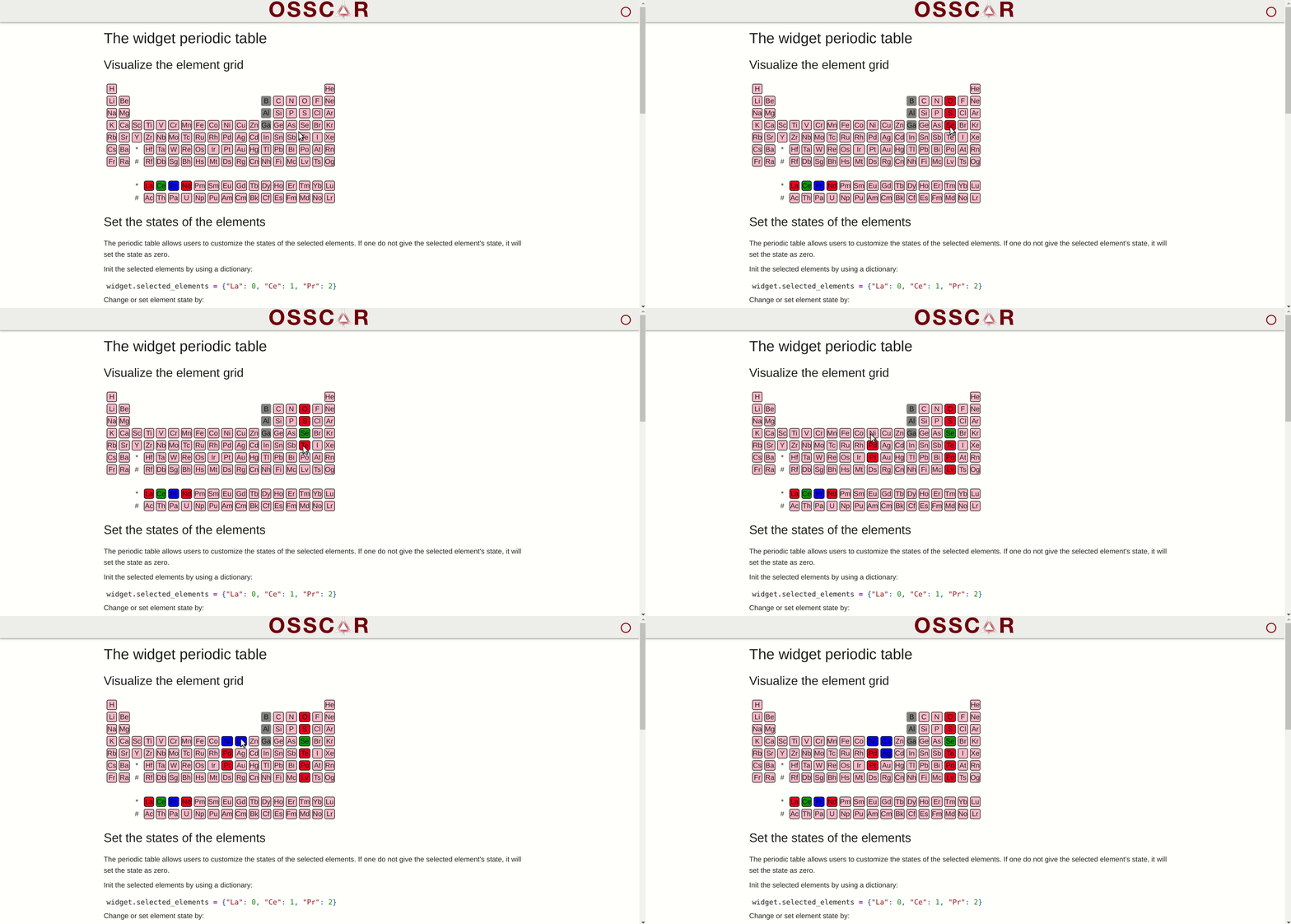
Installation & usage
pip install widget-periodictableFor usage examples, see examples/.
Development
Install the python code:
pip install -e .[dev]You then need to install the JavaScript dependencies and run the development server.
npm install
npm run dev
Open the example notebook in JupyterLab, VS Code, or your favorite editor to start developing. Changes made in js/ will be reflected in the notebook.
Releasing and publishing a new version
In order to make a new release of the library and publish to PYPI, run
bumpver update --major/--minor/--patchThis will
- update version numbers, make a corresponding
git commitand agit tag; - push this commit and tag to Github, which triggers the Github Action that makes a new Github Release and publishes the package to PYPI.
Github workflow testing
The screenshot comparison test will generate images of the widget using selenium and chrome-driver, and compares them to the reference image in test/widget-sample.png.
To update the reference image: download the generated image from the Github Workflow step called "Upload screenshots".
How to cite
When using the content of this repository, please cite the following two articles:
- D. Du, T. J. Baird, S. Bonella and G. Pizzi, OSSCAR, an open platform for collaborative development of computational tools for education in science, Computer Physics Communications, 282, 108546 (2023).
- D. Du, T. J. Baird, K. Eimre, S. Bonella, G. Pizzi, Jupyter widgets and extensions for education and research in computational physics and chemistry, Computer Physics Communications, 305, 109353 (2024).
Acknowledgements
We acknowledge support from the EPFL Open Science Fund via the OSSCAR project.



