
Library for creating global floating windows based on jetpack compose on Android.
compose-floating-window


Global Floating Window Framework based on Jetpack Compose
Preview
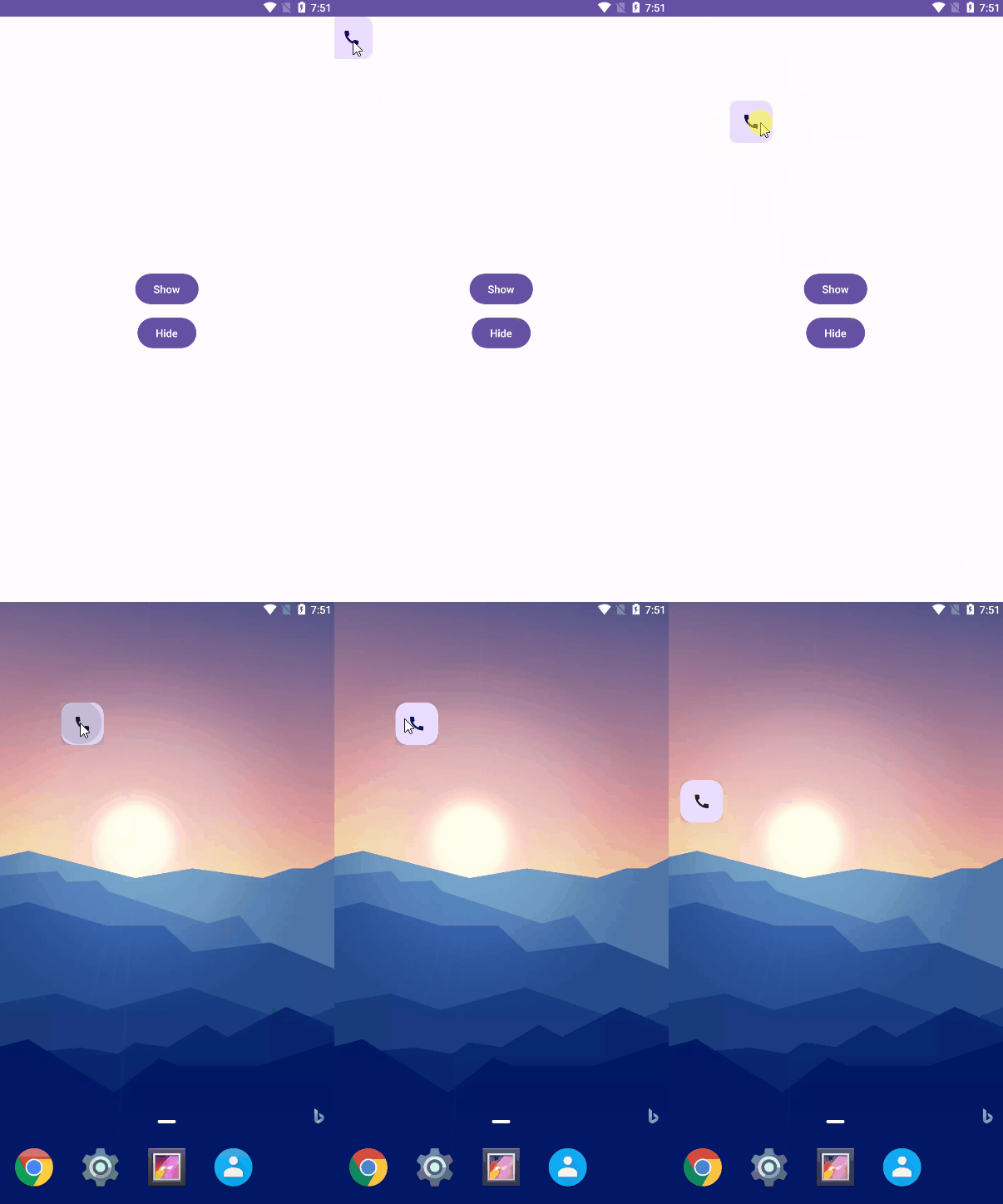
Features
- Using Compose code to describe the floating window interface.
- ViewModel support.
- Support for draggable floating windows.
- Dialog components based on the Application Context.
Basic Usage
Import Dependencies
- If the Gradle version is less than 7.0, add the Jitpack repository in the
build.gradleof your app.
repositories {
    maven { url 'https://jitpack.io' }
}- If the Gradle version is greater than or equal to 7.0, add it in the settings.gradle file.
dependencyResolutionManagement {
    repositories {
        maven { url 'https://jitpack.io' }
    }
}- Add
compose-floating-windowDependency
dependencies {
    implementation "com.github.only52607:compose-floating-window:1.0"
}
Grant Floating Window Permission
Add to AndroidManifest.xml
<uses-permission android:name="android.permission.SYSTEMALERTWINDOW" />Create Floating Window and Show
val floatingWindow = ComposeFloatingWindow(applicationContext)
floatingWindow.setContent {
    FloatingActionButton(
        modifier = Modifier.dragFloatingWindow(),
        onClick = {
            Log.i("")
        }) {
        Icon(Icons.Filled.Call, "Call")
    }
}
floatingWindow.show()
See Sample App.
Advanced Usage
Make Floating Window Draggable
Use the Modifier.dragFloatingWindow() modifier on the component you want to make draggable. Example:
FloatingActionButton(
    modifier = Modifier.dragFloatingWindow()
) {
    Icon(Icons.Filled.Call, "Call")
}
Get the current instance of ComposeFloatingWindow
Using LocalComposeFloatingWindow to retrieve, here's an example:
val floatingWindow = LocalComposeFloatingWindow.currentShow Dialog
When the Context of the floating window is set to Application, using AlertDialog and Dialog in the Compose interface of the floating window may result in a 'token is null' exception. In such cases, you can use the SystemAlertDialog or SystemDialog components, which can be used in the same way as the built-in AlertDialog and Dialog components.
Example:
SystemAlertDialog( onDismissRequest = { showDialog = false }, confirmButton = { TextButton(onClick = { showDialog = false }) { Text(text = "OK") } }, text = { Text(text = "This is a system dialog") } )ViewModel
You can access the ViewModel from any Composable by calling the viewModel() function.
class MyViewModel : ViewModel() { /.../ }
@Composable fun MyScreen(     viewModel: MyViewModel = viewModel() ) {     // use viewModel here }
See https://developer.android.com/jetpack/compose/libraries#viewmodel
License
Apache 2.0 License


