
Visualize your niri keymaps
Last updated Apr 29, 2026
36
Stars
0
Forks
0
Issues
0
Stars/day
Attention Score
53
Language breakdown
Elm 62.3%
Rust 23.3%
TypeScript 6.0%
HTML 3.9%
Nix 2.4%
Just 1.2%
▸ Files
click to expand
README
Visu: Niri Keymap Visualizer
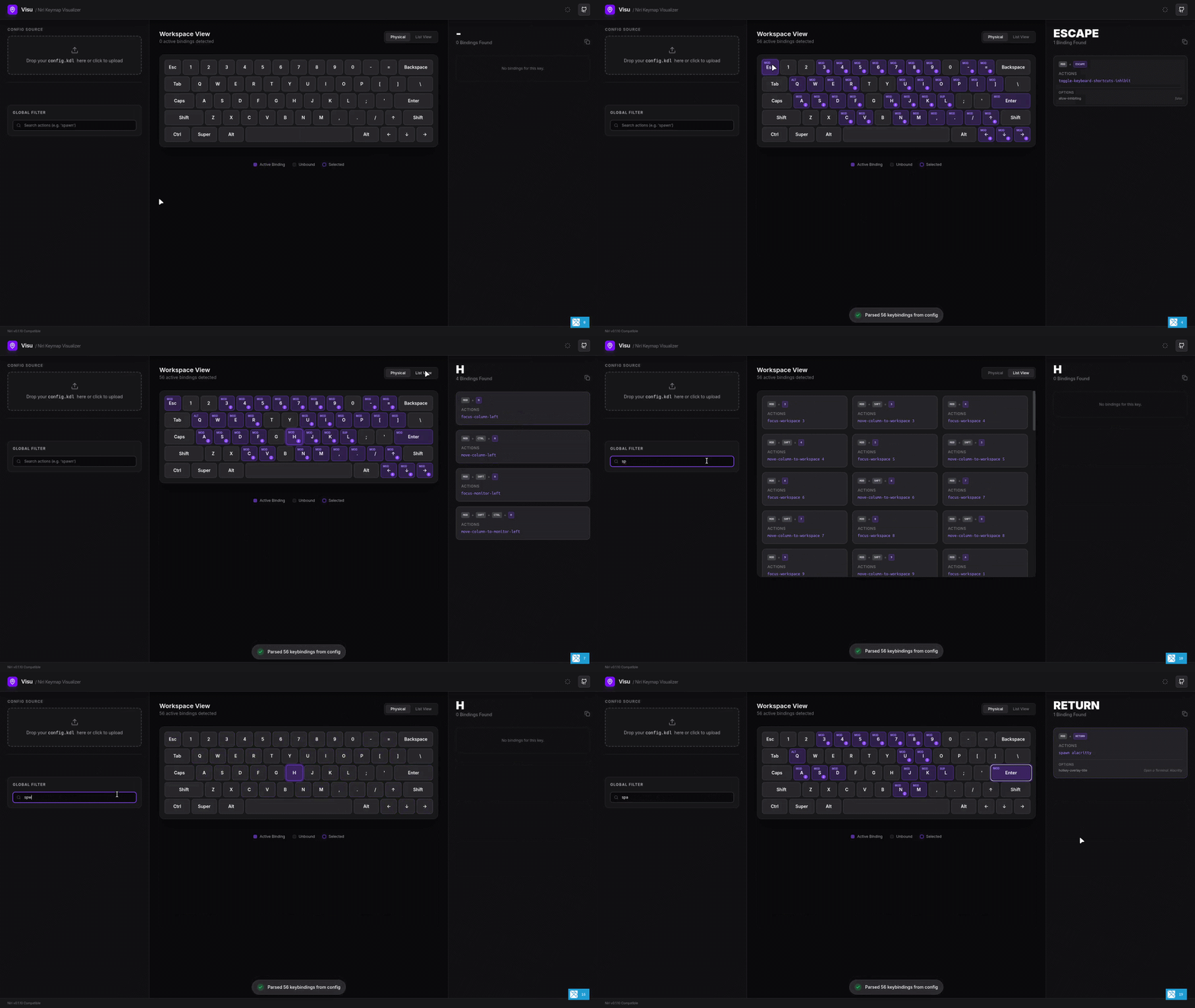
Visu is a tool for visualizing keyboard shortcuts for the niri window manager. It parses your config.kdl and displays an interactive keyboard layout to browse configured bindings.
Features
- Interactive Layout: Physical keyboard visualization with modifier highlighting.
- Search: Filter bindings by action or key name.
- Binding Details: View specific actions and configuration options (e.g.
hotkey-overlay-title). - Views: Toggle between physical keyboard and list view modes.
- Parser: Rust-based KDL parser compiled to WebAssembly.
Getting Started
Development
If you have Nix installed:
- Clone the repository.
- Run
nix develop. - Run
just install. - Run
just dev. - In a separate terminal, run
just watch-rust.
wasm-pack, Elm, Node.js, and pnpm.
Commands
| Command | Description | | :--- | :--- | | just install | Install dependencies | | just dev | Start development server | | just watch-rust | Rebuild WASM on changes | | just build | Production build | | just test | Run tests | | just fmt | Format source code |
Project Structure
src/: Elm source files.parser/: Rust parser source.flake.nix: Nix development environment.justfile: Project task definitions.
Technical Stack
- Frontend: Elm
- Parser: Rust (WASM)
- Styling: Tailwind CSS
- Build: Vite
- Tasks: Just
- Environment: Nix (optional)


