
Track your caffeine. Protect your sleep. A privacy-first Material 3 Expressive Android app that shows your active caffeine level in real time and tells you if that late espresso will cost you tonight.

Caffeine Health
Track your caffeine. Protect your sleep.








Caffeine Health is a beautifully designed Android app that helps you understand how your caffeine intake affects your body throughout the day, and whether that late-afternoon espresso might cost you sleep tonight.
Log drinks from a curated catalog, watch your active caffeine level in real time on a 24-hour curve, and get a personalized sleep forecast based on your unique metabolism.
📱 Screenshots
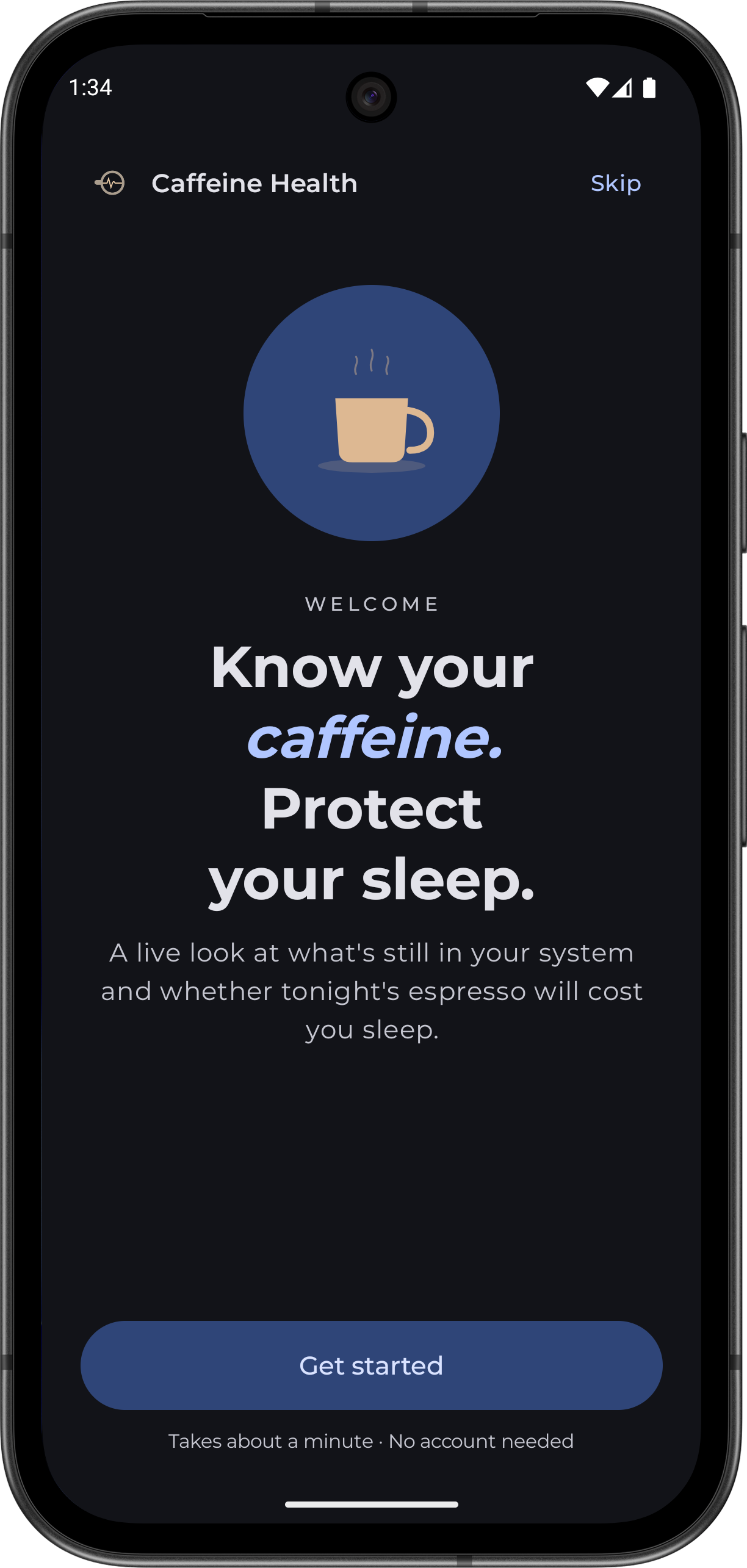 Welcome |
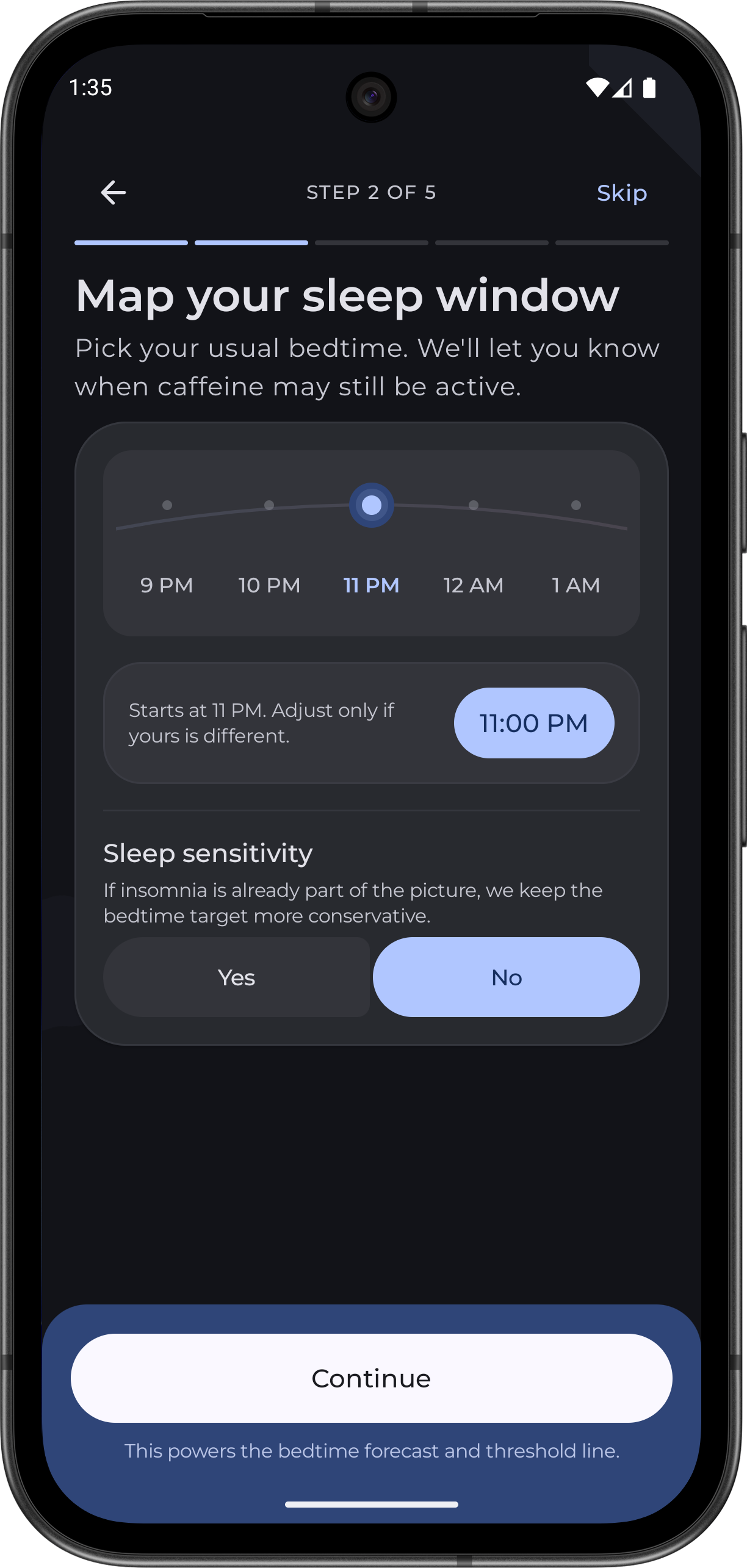 Onboarding |
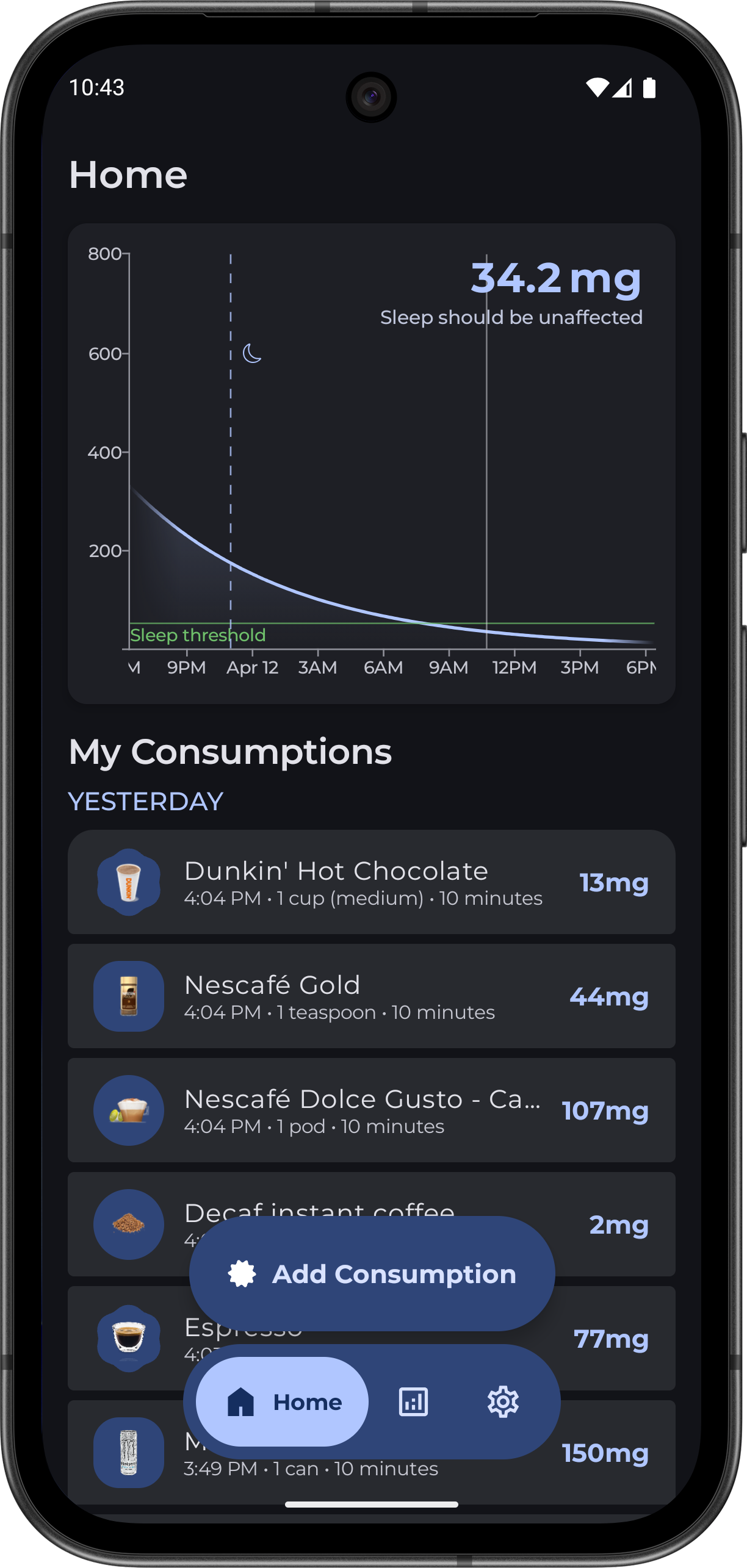 Dashboard |
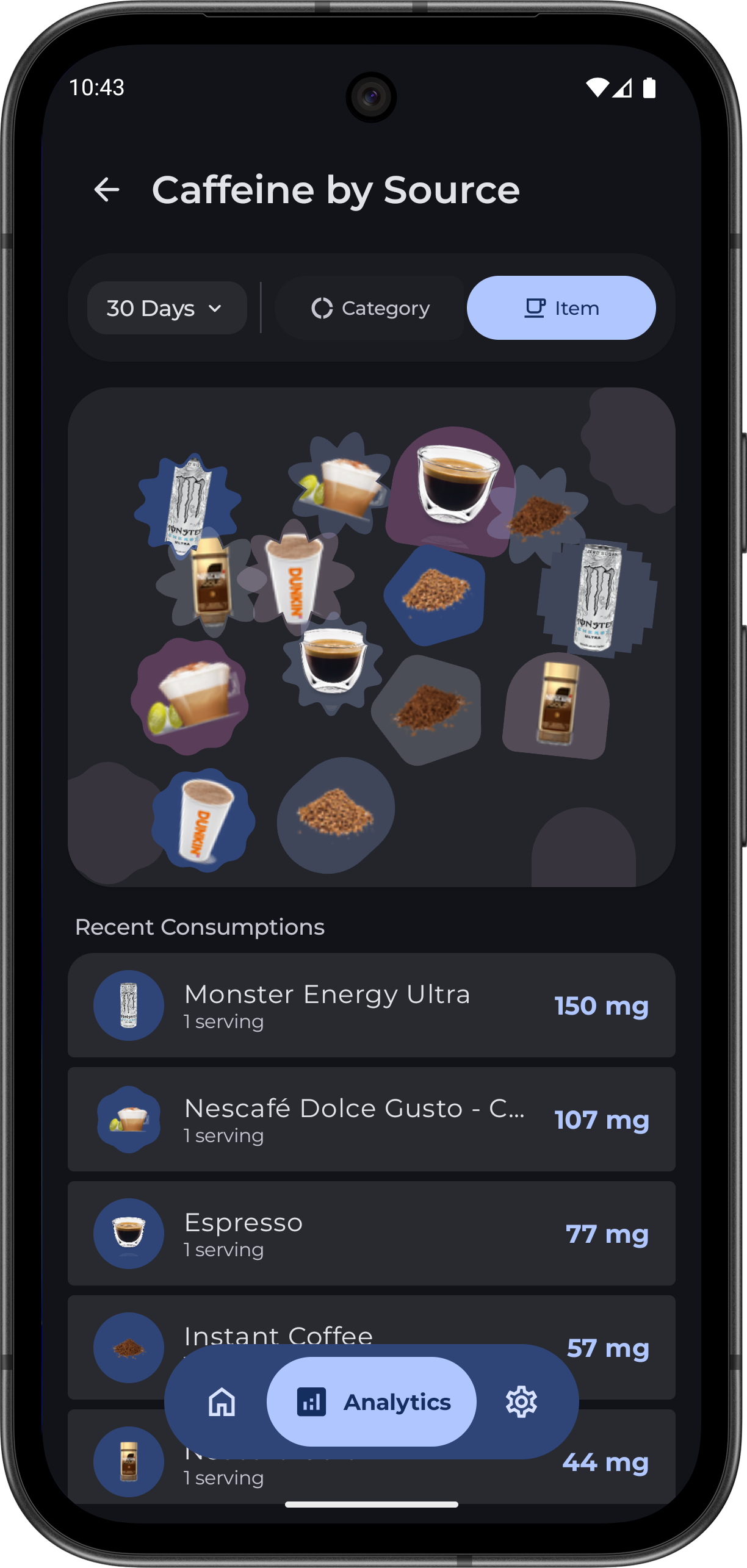 Source Analytics |
✨ Features
🏠 Dashboard
- Live caffeine curve: a smooth 24-hour chart showing your active caffeine level, updated in real time
- Emoji markers: each logged drink appears on the chart with its emoji for quick visual reference
- Sleep forecast: see how much caffeine will still be active at your bedtime and whether it crosses your safe threshold
- Today's total: at-a-glance milligram count for everything consumed today
- Drink detail sheet: tap any logged drink to see its contribution curve, peak level, current level, and total impact over time
- Quick actions: edit, duplicate, or delete entries directly from the detail sheet
☕ Drink Catalog
- Curated drink database: browse drinks across categories like coffee, tea, energy drinks, soda, and more
- Search & filter: Material 3 search bar with expressive category filter chips
- One-tap logging: log a drink with a single tap and get snackbar confirmation
- Custom serving sizes: adjust caffeine amount and timing before logging
🧬 Personalized Onboarding
- Guided profiling flow: set your age range, weight, bedtime, sleep sensitivity, lifestyle factors, and relevant medications
- Pharmacokinetic modeling: the app calculates a personalized caffeine half-life based on real-world factors (smoking, alcohol, CYP1A2 inhibitors)
- Science-backed sources: every lifestyle adjustment links to its pharmacological source
- Skip-friendly: sensible defaults if you prefer to get started immediately
⚙️ Settings
- Half-life tuning: fine-tune your caffeine metabolism rate
- Bedtime configuration: set your typical sleep time for accurate forecasts
- Sleep threshold: define the milligram level you consider safe before bed
- Appearance: theme and display preferences
- Date & time format: 12-hour / 24-hour clock, date format customization
🏗️ Architecture
com.uc.caffeine
├── MainActivity.kt          # Root scaffold, bottom nav, Navigation 3
├── MainNavigation.kt        # Navigation destinations
├── data/
│   ├── model/               # Room entities (DrinkPreset, ConsumptionEntry, DrinkUnit)
│   ├── dao/                 # Room DAOs
│   ├── CaffeineDatabase.kt  # Room database with JSON preset seeding
│   ├── SettingsRepository.kt # DataStore-backed user preferences
│   └── UserSettings.kt      # Settings data class
├── ui/
│   ├── screens/
│   │   ├── HomeScreen.kt     # Dashboard with chart, sleep forecast, log
│   │   ├── AddScreen.kt      # Drink catalog with search & filter
│   │   └── settings/         # Settings sub-screens (appearance, profile, etc.)
│   ├── components/           # Reusable UI: chart, scaffold, haptics, shimmer
│   ├── onboarding/           # Multi-step profiling flow
│   ├── theme/                # Material 3 color scheme, Montserrat typography
│   └── viewmodel/            # Shared CaffeineViewModel (MVVM)
└── util/
    ├── CaffeineCalculator.kt # One-compartment pharmacokinetic model
    ├── ChartDataGenerator.kt # 24-hour curve + contribution chart data
    └── CategoryUtils.kt     # Drink category helpers & icons
The app follows a single-activity MVVM pattern:
| Layer | Responsibility | |---|---| | View | Jetpack Compose screens + reusable components | | ViewModel | CaffeineViewModel - shared state, actions, caffeine math orchestration | | Data | Room database for drinks & entries, DataStore for user settings | | Util | Pure calculation logic (pharmacokinetics, chart data generation) |
🧪 Tech Stack
| Component | Technology | |---|---| | Language | Kotlin | | UI Framework | Jetpack Compose | | Design System | Material 3 with Expressive motion | | Navigation | Navigation 3 | | Local Database | Room | | Preferences | DataStore | | Charts | Vico (Compose + M3 theming) | | Image Loading | Coil 3 | | Typography | Montserrat (Google Fonts) | | Min SDK | 31 (Android 12) | | Target SDK | 36 |
🔬 Caffeine Science
The app uses a one-compartment oral pharmacokinetic model:
- Absorption phase: linear ramp from ingestion to peak based on drink-specific absorption rate
- Elimination phase: exponential decay governed by your personal half-life setting
- Half-life personalization: computed from age, weight, smoking, alcohol, liver health, and CYP1A2-inhibiting medications during onboarding
🚀 Getting Started
Prerequisites
- Android Studio Ladybug (2024.3) or newer
- JDK 11+
- Android SDK 36 installed via SDK Manager
Build & Run
# Clone the repository
git clone https://github.com/ohuc/CaffeineHealth.git
cd CaffeineHealth
Open in Android Studio and sync Gradle, or build from CLI:
./gradlew assembleDebug
Install on a connected device / emulator:
./gradlew installDebug
Note: The app requires Android 12 (API 31) or higher. compileSdk targets API 36 - use an emulator with API 31+ to run it.
Project Structure
CaffeineHealth/
├── app/                    # Main application module
│   ├── src/main/
│   │   ├── assets/         # Drink preset JSON database
│   │   ├── java/           # Kotlin source code
│   │   └── res/            # Resources (drawables, fonts, values)
│   └── build.gradle.kts    # App-level dependencies
├── build.gradle.kts        # Project-level config
├── settings.gradle.kts     # Module includes
└── gradle/                 # Gradle wrapper & version catalog
🎨 Design
Caffeine Health is built with Material 3 Expressive principles:
- Dynamic Color: adapts to your device wallpaper on Android 12+ with a curated espresso-toned fallback palette
- Expressive Motion:
MotionScheme.expressive()for fluid, personality-rich transitions - Montserrat typography: clean, modern font family throughout the entire app
- Haptic feedback: tactile responses on key interactions across dashboard, catalog, and settings
- Dark mode: full dark theme support with carefully tuned surface/container colors
- Animated splash screen: the Pulse Cup heartbeat traces itself in on cold start, then dissolves into the app — matching light or dark from the first frame
- Themed icon: dedicated monochrome launcher layer, so Android 13+ Material You tints the icon to your wallpaper
🤝 Contributing
Contributions are welcome! Here's how to get started:
- Fork the repository
- Create a feature branch:
git checkout -b feature/amazing-feature - Commit your changes:
git commit -m 'Add amazing feature' - Push to the branch:
git push origin feature/amazing-feature - Open a Pull Request
Guidelines
- Follow existing code style and architecture patterns
- Keep the shared ViewModel pattern - avoid per-screen ViewModels unless there's a strong reason
- Use Material 3 components and the app's existing design tokens
- Test on API 31+ emulator before submitting
🌍 Translation
This project is available on Hosted Weblate for translation.
You can contribute to this project even if you are not a developer by helping in translating this project into languages you know.
⭐ Star History
📄 License
This project is licensed under the GNU General Public License v3.0 - see the LICENSE file for details.
🙏 Acknowledgments
- Vico - beautiful charting library for Compose
- Coil - fast image loading for Kotlin
- Material 3 - Google's latest design system
- Montserrat - typeface by Julieta Ulanovsky
Made with ☕ and Kotlin


