
Application creator and general launcher for JupyterHub
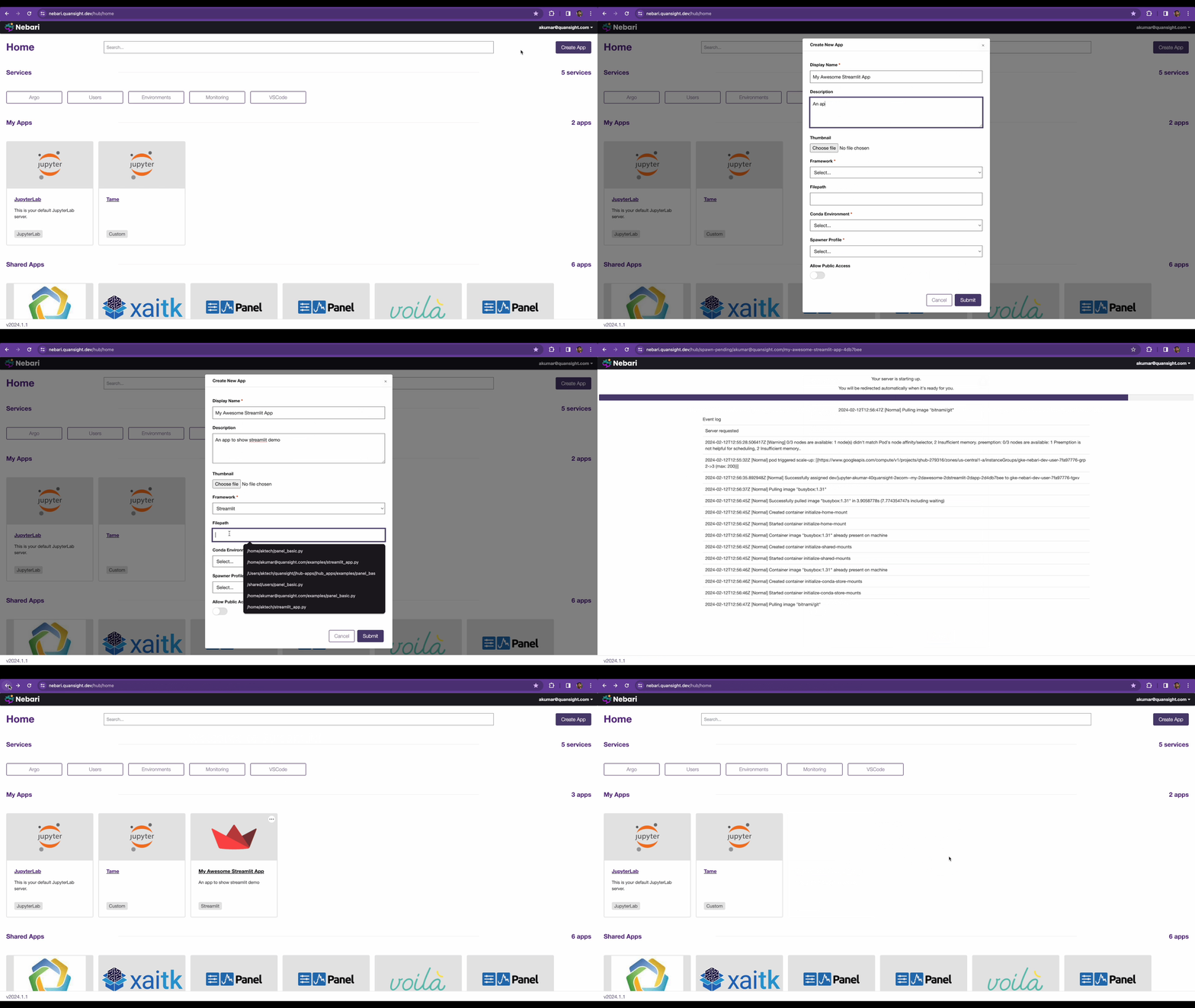
JupyterHub Apps Launcher


JupyterHub Apps Launcher is a generalized server launcher. The goal of this project is to support launching anything like say a Flask Server, FastAPI server or a Panel Dashboard via a user supplied command. Currently, the following frameworks are supported:
- [x] Panel
- [x] Bokeh
- [x] Streamlit
- [x] Plotly Dash
- [x] Voila
- [x] Gradio
- [x] JupyterLab
- [x] Generic Python Command
Installation
uv pip install jhub-appsor via conda
conda install -c conda-forge jhub-appsDevelopment Installation
Install Dependencies
uv sync --extra devTo develop the React UI frontend, also run:
cd ui
npm install
cd -
K3d Development Environment
For testing JupyterHub Apps with Kubernetes spawners (e.g., KubeSpawner), you can use the k3d development environment which provides a local Kubernetes cluster with Tilt for rapid development.
Prerequisites:
cd k3s-dev
make up
Once started, access JupyterHub at http://localhost:8000 (login with any username and password password)
To tear down the environment:
make downStarting JupyterHub
Set the following environment variable:
export JHUBAPPJWTSECRETKEY=$(openssl rand -hex 32)Start JupyterHub:
jupyterhub -f jupyterhub_config.pyNow go to http://127.0.0.1:8000/hub/home to access JHub Apps Launcher
API Endpoints
The Hub service is exposed via FastAPI endpoints. The documentation for the same can be accessed at: http://127.0.0.1:10202/services/japps/docs
To try out authenticated endpoints click on the Authorize button on the top right of the above url and choose OAuth2AuthorizationCodeBearer and click on Authorize.
Developing Locally
Note: In order to develop locally, both the JupyterHub backend and React UI frontend should be running.
- To start the JupyterHub Backend, run the following in a terminal:
jupyterhub -f jupyterhub_config.py- To start the React UI frontend, run the following in a separate terminal from the
uidirectory:
npm run watchRunning Tests
Unit Tests
pytest jhub_apps/testsE2E Tests
pytest jhubapps/tests/testse2e -vvv -s --headedUsage
JHub Apps has been tested with local JupyterHub using SimpleLocalProcessSpawner and with The Littlest JupyterHub using SystemdSpawner.
- Install JHub Apps
uv pip install git+https://github.com/nebari-dev/jhub-apps.git- Add the following in The Littlest JupyterHub's
jupyterhub_config.py
from tljh.usercreatingspawner import UserCreatingSpawner
from jhubapps.configuration import installjhub_apps
c.JupyterHub.bindurl = "<YOURJUPYTERHUB_URL>" c.SystemdSpawner.unitnametemplate = 'jupyter-{USERNAME}{JHUBSERVERNAME}' c.JAppsConfig.appsauthtype = "oauth" # or none (if you don't want authentication on apps) c.JAppsConfig.python_exec = "python3" Pass in the path to jupyterhub config c.JAppsConfig.jupyterhubconfigpath = "jupyterhub_config.py" Either a static list of conda environments to show in the create panel apps form or a callable to fetch conda enviornments dynamically, e.g. from conda-store API c.JAppsConfig.conda_envs = [] c = installjhubapps(c, UserCreatingSpawner)
Acknowledgments
This project is heavily inspired by and uses code from @danlester's cdsdashboards, without his work building this would have been a whole lot harder.


