
Reactive notebook environment for Rust that uses standard .rs files. Features process isolation, hot reloading, and instant compilation via Cranelift.
Venus

A reactive notebook environment for Rust.

What is Venus?
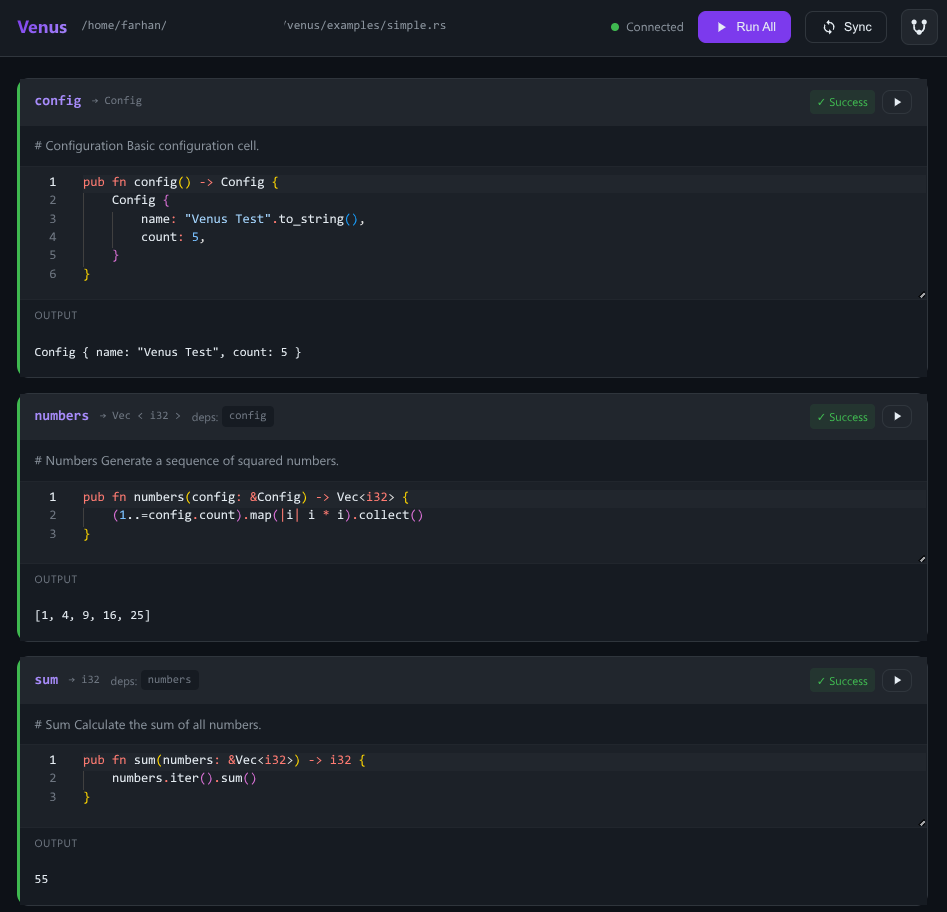
Venus lets you write Rust notebooks as regular .rs files with full IDE support. Cells are functions marked with #[venus::cell], and dependencies between cells are automatically inferred from function parameters.
⚠️ Security Warning
Venus executes arbitrary Rust code with full system access.
- ✅ Safe for: Local development, testing, learning
- ❌ NOT safe for: Production, shared servers, untrusted code
- 🔒 Cloud deployments: Providers MUST use containers/VMs for isolation
See SECURITY.md for details.
Features
- Interactive web UI - Monaco editor with syntax highlighting, cell outputs, and execution status
- Native Rust files - Write notebooks as
.rsfiles with full rust-analyzer support - Reactive dependency tracking - Dependent cells marked dirty when upstream changes
- Fast compilation - Cranelift codegen backend with smart caching (only recompiles when source changes)
- Hot reload - Run modified cells instantly without losing state from other cells
- Markdown cells - Full markdown support with syntax highlighting, images, and links
- Interactive widgets - Sliders, text inputs, dropdowns, and checkboxes
- Rich output - Render HTML, images, tables, and custom formats
- Jupyter export - Generate
.ipynbfiles for GitHub preview
Markdown Support
Venus supports rich markdown cells with full GitHub Flavored Markdown syntax:
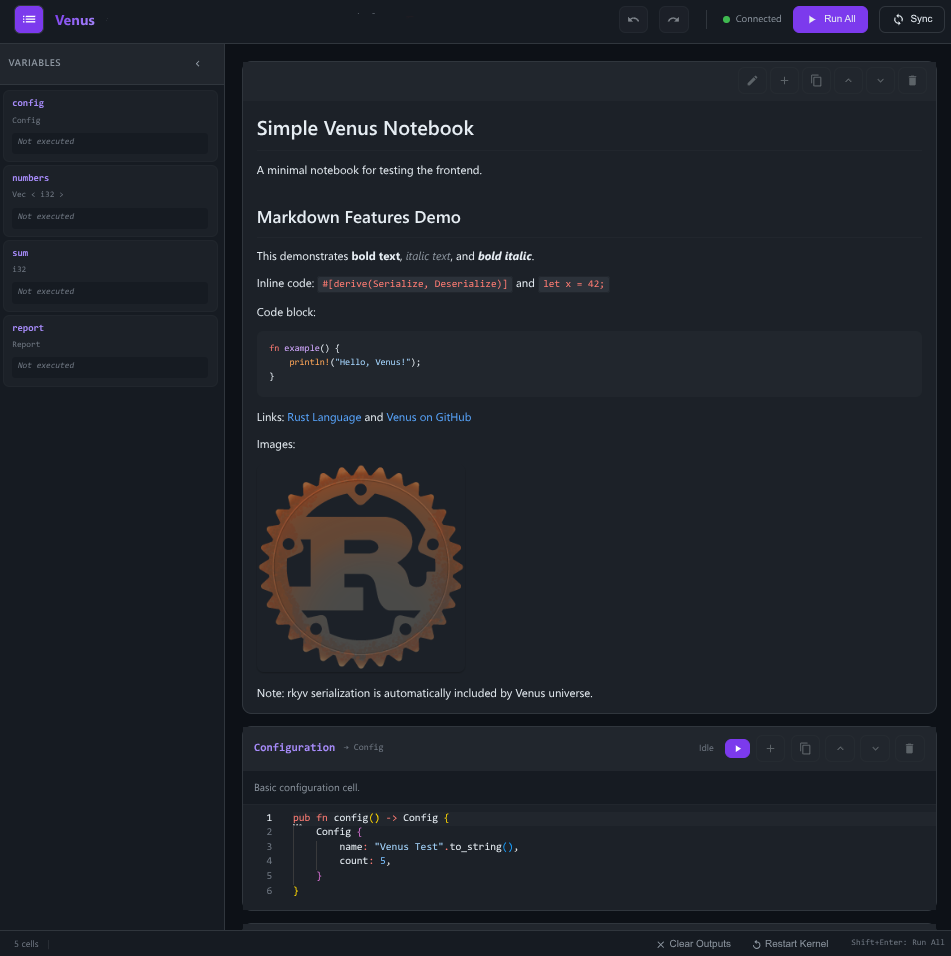
- Text formatting - Bold, italic, code blocks with syntax highlighting
- Links and images - External URLs and embedded images
- Code blocks - Multi-language syntax highlighting
- Lists and tables - Organized documentation
Quick Start
# Install Venus
cargo install venus
Create a new notebook (adds to Cargo.toml for LSP support)
venus new my_notebook
Or create as workspace member
venus new my_notebook --workspace
Run the notebook
venus run my_notebook.rs
Start the interactive server
venus serve my_notebook.rs
Venus automatically creates/updates Cargo.toml to enable rust-analyzer LSP support.
Then open http://localhost:8080 in your browser.
Example
use venus::prelude::*;
/// Configuration for the analysis #[venus::cell] pub fn config() -> Config {     Config { count: 10 } }
/// Generate squared numbers #[venus::cell] pub fn numbers(config: &Config) -> Vec<i32> {     (1..=config.count).map(|i| i * i).collect() }
/// Calculate the sum #[venus::cell] pub fn total(numbers: &Vec<i32>) -> i32 {     numbers.iter().sum() }
CLI Commands
| Command | Description | | ------------------------- | ---------------------------- | | venus run <notebook> | Execute notebook headlessly | | venus serve <notebook> | Start interactive web server | | venus sync <notebook> | Generate .ipynb file | | venus build <notebook> | Build standalone binary | | venus new <name> | Create new notebook | | venus export <notebook> | Export to standalone HTML | | venus watch <notebook> | Auto-run on file changes |
Documentation
See the docs directory for detailed documentation:
- Installation - Platform-specific setup instructions
- Getting Started - Create your first notebook
- How It Works - Internal execution model and architecture
- API Reference - Build custom frontends
- Deployment - Production deployment options
- Cells - Cell syntax and dependencies
- Widgets - Interactive inputs
- CLI Reference - Command-line interface
- Render Trait - Custom output formatting
- API Stability - Versioning and breaking change policy
Development Setup
# Install stable Rust
rustup install stable
Install nightly + Cranelift backend (required for fast compilation)
rustup install nightly
rustup component add rustc-codegen-cranelift-preview --toolchain nightly
Run tests
cargo test --workspace
Lint
cargo fmt --all -- --check
cargo clippy --workspace --all-targets -- -D warnings
Note: The Cranelift codegen backend is used for fast debug compilation of notebook cells.
Integration tests require nightly with the Cranelift component installed.
Tests run on Linux, macOS, and Windows.
Contributing
Contributions are welcome! Please feel free to submit issues and pull requests.
License
Licensed under the Apache License, Version 2.0. See LICENSE for details.


