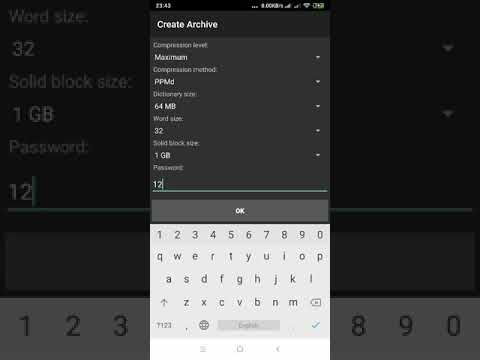
Zee is an efficient and simple to use Android Archiver and decompressor. It can decompress and compress from-to all the formats supported by the well known 7zip utility. Copyright © 2018 Mahmoud Galal , for support contact me:mahmoudgalal57@yahoo.com
Last updated Jul 4, 2026
97
Stars
14
Forks
8
Issues
0
Stars/day
Attention Score
33
Language breakdown
No language data available.
▸ Files
click to expand
README
ZeeArchiver
 Zee is an efficient and simple to use Archiver and decompressor. it can decompress and compress from-to all the formats supported by the well known 7zip utility.
 Copyright © 2025 Mahmoud Galal
For support contact me:mahmoudgalal57@yahoo.com
How to Build:
First ,you have to compile the native part of the project,P7Zip,the repo comes with version 9.20.1 source.
- Download Android NDK ,version r23 recommended
- From the command line,browse to sub-directory "\p7zip_9.20.1\CPP\7zip\Android\jni" and invoke "ndk-build"
The first native module "lib7z.so" get compiled for the armeabi-v7a ABI (You can add other ABIs if you want in application.mk file).
- Copy the compiled "lib7z.so" module to the sub-directory ("/Prebuilt/armeabi-v7a/") under the repo .(If you targets other ABI then move to the
appropriate folder under "/Prebuilt/..".
- Open the ZeeArchiver project in android studio and start building the app.
Note that the app adds a small jni layer(libzeearchiver.so) over lib7z.so module to make use of the 7z library in a proper way for android.
Migrating to p7zip v16.02:
P7zip v16.02 adds alot of enhancements & fixes to the original port in addition to supporting Rar5 format.To build the app against the newest P7zip version(stripped-down clone of v16.02 is added to this repo) , simply Open the ZeeArchiver project in android studio and start building the app, the native plugins lib7z.so & libRar.so will be built and copied automatically to "/Prebuilt" sub-directory.
Features:
- Supports the following formats:
- Supports AES-256 encryption in 7z and ZIP formats .
- A built-in file browser.
- Arabic Localization .

https://play.google.com/store/apps/details?id=com.mg.zeearchiver
The App is published at Amazon store:
https://www.amazon.com/dp/B07K5F9DCR/


How to Extract:
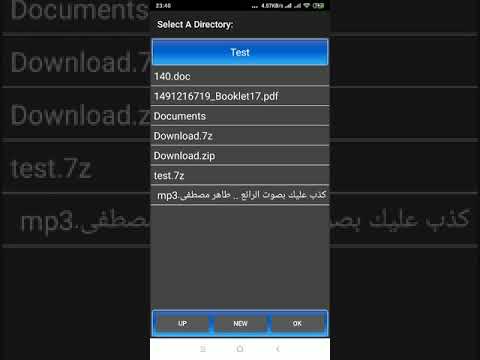
How to Compress: