
Joystick widget for Android.
Bugstick ======== Flexible joystick widget for Android.
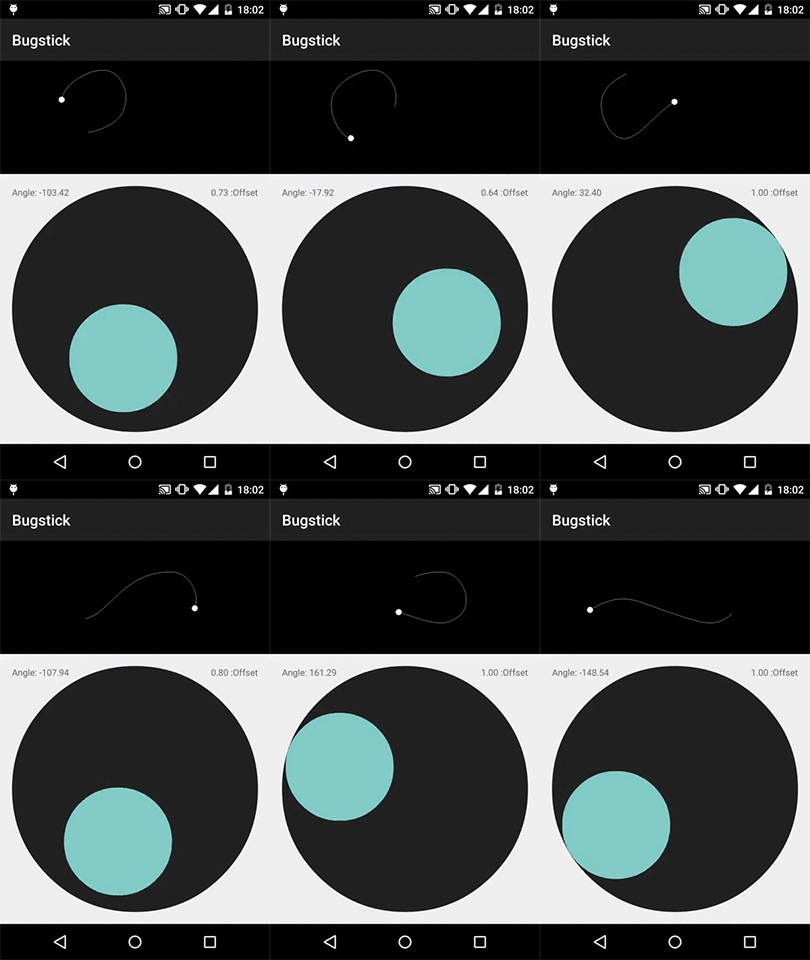
Why Bugstick?
[Other][zerokol-joystickview] [joystick][anarchy-joystickview] [widgets][sphero-joystickview] are a hassle to include in modern Gradle-based Android projects, support only limited visual customization, and suffer from overly prescriptive output.
So how does Bugstick solve these issues?
- Painless Dependency - try it out quickly with a simple Gradle dependency.
- Configurable Look - the joystick base and stick are a completely decoupled, standard
ImageView, Button, LinearLayout, or any other View as
the stick, and use standard Drawables to theme Bugstick so it looks at home in your app.
- Unopinionated Output - the widget reports proportional offset of the stick from its center as
Usage
Add it to your project using Gradle:
compile 'com.jmedeisis:bugstick:0.2.2'Example XML layout file:
<com.jmedeisis.bugstick.Joystick
    android:id="@+id/joystick"
    android:layoutwidth="@dimen/basesize"
    android:layoutheight="@dimen/basesize"
    android:background="@drawable/bg_base">
<!-- You may use any View here. -->     <Button         android:layoutwidth="@dimen/sticksize"         android:layoutheight="@dimen/sticksize"         android:background="@drawable/bg_stick" />
</com.jmedeisis.bugstick.Joystick>
Note that the Joystick ViewGroup supports only one direct child, but that child can be another ViewGroup such as a FrameLayout with multiple children.
After inflating the layout, you will typically listen for joystick events using a JoystickListener:
Joystick joystick = (Joystick) findViewById(R.id.joystick);
joystick.setJoystickListener(new JoystickListener() {
    @Override
    public void onDown() {
        // ..
    }
@Override     public void onDrag(float degrees, float offset) {         // ..     }
@Override     public void onUp() {         // ..     } });
Please refer to the included sample project for a thorough example.
Configuration
You can configure the following attributes for the
Joystick class:
startonfirst_touch- If true (default), the stick activates immediately on the initial touch.
force_square- If true (default), the joystick always measures itself to force a square layout.
radius- If specified, this is the maximum physical offset from the center that the stick is
motion_constraint- One ofNone(default),Horizontal, orVertical. Specifies whether the
None, the stick is allowed to
move freely around the center of the base.
Example configuration:
<com.jmedeisis.bugstick.Joystick
    android:id="@+id/joystick"
    android:layoutwidth="@dimen/basewidth"
    android:layoutheight="matchparent"
    android:background="@drawable/bg_base"
    app:start_
    app:force_square="false"
    app:radius="@dimen/stickoffsetmax_radius"
    app:moti>
<!-- Any View here. -->
</com.jmedeisis.bugstick.Joystick>
Development
Pull requests are welcome and encouraged for bugfixes and features such as:
- accessibility support
- more powerful motion constraints, e.g. constrain to arbitrary path
Bugstick is licensed under the terms of the MIT License.
[zerokol-joystickview]: https://github.com/zerokol/JoystickView [anarchy-joystickview]: https://code.google.com/p/mobile-anarchy-widgets/wiki/JoystickView [sphero-joystickview]: https://github.com/orbotix/Sphero-Android-SDK/tree/master/samples/UISample#joystick-view


