
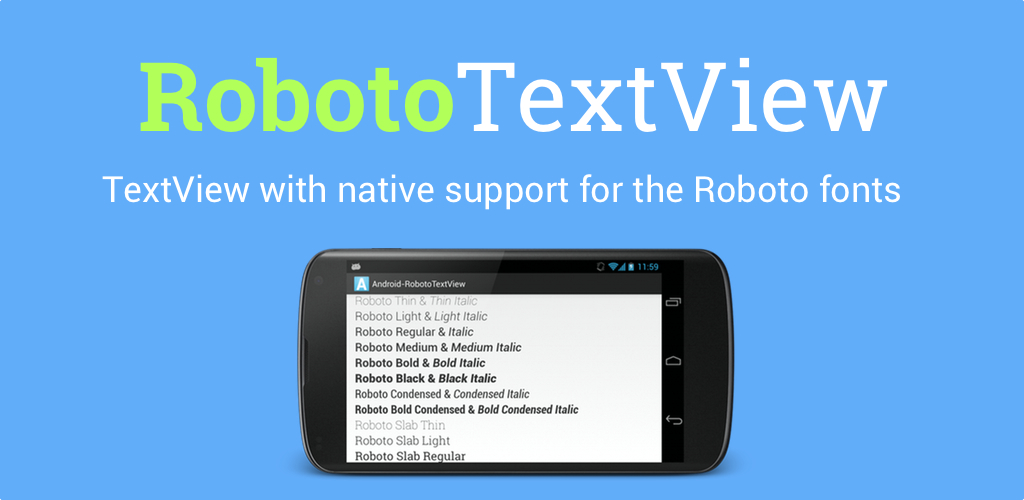
Implementation of a TextView and all its direct/indirect subclasses with native support for the Roboto fonts, includes the brand new Roboto Slab fonts.
Android-RobotoTextView ======================

Implementation of a [TextView][6] and all its direct/indirect subclasses with native support for the [Roboto][5] fonts, includes the brand new [Roboto Slab][3] and [Roboto Mono][4] fonts.
Supported fonts:
- [Roboto][1]
- [Roboto Condensed][2]
- [Roboto Slab][3]
- [Roboto Mono][4]

Deprecated :cry:
This project is deprecated in favor of the native implementation introduced in Android O.
Compatibility
This library is compatible from API 14 (Android 4.0).
Download
Gradle:
compile 'com.github.johnkil.android-robototextview:robototextview:4.0.0'Maven:
<dependency>
    <groupId>com.github.johnkil.android-robototextview</groupId>
    <artifactId>robototextview</artifactId>
    <version>4.0.0</version>
    <type>aar</type>
</dependency>
Usage
In XML
To set up a typeface you must specify the parameter robotoTypeface:
xml
<com.devspark.robototextview.widget.RobotoTextView
    xmlns:android="http://schemas.android.com/apk/res/android"
    xmlns:app="http://schemas.android.com/apk/res-auto"
    android:layoutwidth="wrapcontent"
    android:layoutheight="wrapcontent"
    app:robotoTypeface="robotolightitalic"/>
or specify a set of parameters robotoFontFamily, robotoTextWeight and robotoTextStyle:
xml <com.devspark.robototextview.widget.RobotoTextView xmlns:android="http://schemas.android.com/apk/res/android" xmlns:app="http://schemas.android.com/apk/res-auto" android:layoutwidth="wrapcontent" android:layoutheight="wrapcontent" app:robotoF app:robotoTextWeight="light" app:robotoTextStyle="italic"/>Set up typeface in code:
In Code
Using parameter typeface:
java RobotoTextView textView = new RobotoTextView(context); RobotoTypefaces.setUpTypeface( textView, RobotoTypefaces.TYPEFACEROBOTOLIGHT_ITALIC);Using parameters fontFamily, textWeight and textStyle:
java RobotoTextView textView = new RobotoTextView(context); RobotoTypefaces.setUpTypeface( textView, RobotoTypefaces.FONTFAMILYROBOTO, RobotoTypefaces.TEXTWEIGHTLIGHT, RobotoTypefaces.TEXTSTYLEITALIC);With Span
Using parameter typeface:
java RobotoTypefaceSpan span = new RobotoTypefaceSpan( context, RobotoTypefaces.TYPEFACEROBOTOLIGHT_ITALIC); Spannable spannable = new SpannableString("text"); spannable.setSpan(span, 0, 1, Spannable.SPANEXCLUSIVEEXCLUSIVE);Using parameters fontFamily, textWeight and textStyle:
java RobotoTypefaceSpan span = new RobotoTypefaceSpan( context, RobotoTypefaces.FONTFAMILYROBOTO, RobotoTypefaces.TEXTWEIGHTLIGHT, RobotoTypefaces.TEXTSTYLEITALIC); Spannable spannable = new SpannableString("text"); spannable.setSpan(span, 0, 1, Spannable.SPANEXCLUSIVEEXCLUSIVE);Roboto Inflater
To apply roboto typeface for original TextView (like a [Calligraphy][7]) you must attach inflater in your Activity class in the #onCreate() method.
@Override protected void onCreate(@Nullable Bundle savedInstanceState) { RobotoInflater.attach(this); super.onCreate(savedInstanceState); }and specify the typeface in xml:
xml <TextView xmlns:android="http://schemas.android.com/apk/res/android" xmlns:app="http://schemas.android.com/apk/res-auto" android:layoutwidth="wrapcontent" android:layoutheight="wrapcontent" app:robotoTypeface="robotolightitalic" tools:ignore="MissingPrefix"/>_Note: Popular IDE's (Android Studio, IntelliJ) will likely mark this as an error despite being correct. You may want to add tools:ignore="MissingPrefix" to either the View itself or its parent ViewGroup to avoid this. You'll need to add the tools namespace to have access to this "ignore" attribute. xmlns:tools=" http://schemas.android.com/tools". See https://code.google.com/p/android/issues/detail?id=65176._
Gradle
If you intend to use is not all fonts, the extra fonts can be removed.
android.applicationVariants.all{ variant ->
    variant.mergeAssets.doLast {
        File fonts = file("$variant.mergeAssets.outputDir/fonts")
        if (fonts.exists()) {
            for (File file : fonts.listFiles()) {
                if (file.getName().contains("RobotoSlab")) {
                    println("delete " + file.getName() + " font")
                    file.delete()
                }
            }
        }
    }
}
License
Copyright 2014 Evgeny Shishkin
Licensed under the Apache License, Version 2.0 (the "License"); you may not use this file except in compliance with the License. You may obtain a copy of the License at http://www.apache.org/licenses/LICENSE-2.0 Unless required by applicable law or agreed to in writing, software distributed under the License is distributed on an "AS IS" BASIS, WITHOUT WARRANTIES OR CONDITIONS OF ANY KIND, either express or implied. See the License for the specific language governing permissions and limitations under the License.
[1]: https://www.google.com/fonts/specimen/Roboto [2]: https://www.google.com/fonts/specimen/Roboto+Condensed [3]: https://www.google.com/fonts/specimen/Roboto+Slab [4]: https://www.google.com/fonts/specimen/Roboto+Mono [5]: http://www.google.com/design/spec/style/typography.html [6]: http://developer.android.com/reference/android/widget/TextView.html [7]: https://github.com/chrisjenx/Calligraphy
[0]: https://github.com/google/roboto


