
an extensive Qt5 & Qt6 Plotter framework (including a feature-richt plotter widget, a speed-optimized, but limited variant and a LaTeX equation renderer!), written fully in C/C++ and without external dependencies
Last updated Jul 6, 2026
1.1k
Stars
212
Forks
5
Issues
+2
Stars/day
Attention Score
96
Topics
Language breakdown
No language data available.
▸ Files
click to expand
README
JKQTPlotter - A Qt Plotting Library
This is an extensive C++ library for data visualization, plotting and charting for Qt (>= 5.0, tested with Qt up to 6.10). It is feature-rich but self-contained and only depends on the Qt framework. This software is licensed under the term of the GNU Lesser General Public License 2.1 (LGPL 2.1) or above.














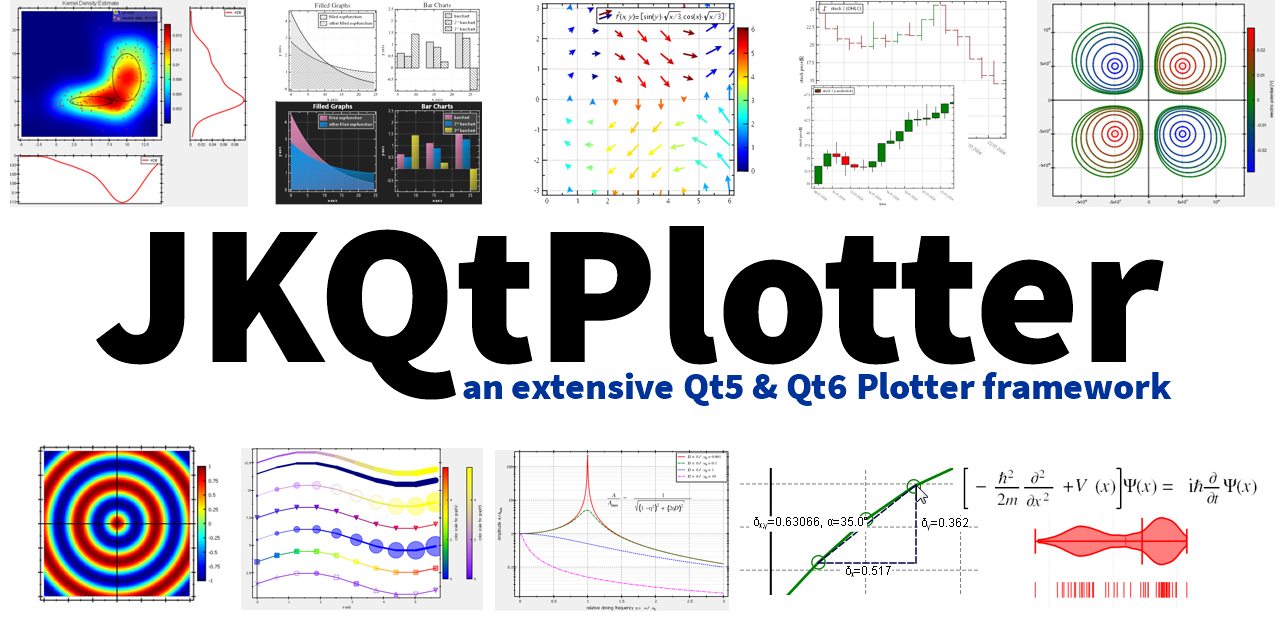
Main Features
- 2D Plotter widget class JKQTPlotter:
- centralized data management in an internal datastore JKQTPDatastore:
- large variety of graphs that can be added to a plot, e.g.:
- optional: OpenCV interface, CImg interfaces
- CMake-based build system
- extensive set of Examples/Tutorials
- extensive doxygen-generated Documentation
Documentation
A Documentation (auto-)generated with doxygen from the trunk source code can be found here: http://jkriege2.github.io/JKQTPlotter/index.html There are also some subpage of general intetest:Examples
 There is a large set of usage examples (with explanations for each) and tutorials in the folder
 ./examples/.
All test-projects are Qt-projects that use tcmake to build. Some of them are also available with additional qmake build-files.
In addition: The Screenshots-folder contains several screenshots, partly taken from the provided examples, but also from other software using this libarary (e.g. QuickFit 3.0)
Building Using CMake
JKQTPlotter contains two different build systems: A modern CMake-based build and an older (and deprecated!) QMake-based build (which works out of the box with Qt 5.x and QT 6.x). Both systems are explained in detail in http://jkriege2.github.io/JKQtPlotter/pagebuildinstructions.html.
With CMake you can easily build JKQTPlotter and all its examples, by calling something like:
$ mkdir build; cd build
    $ cmake .. -G "<cmakegenerator>" "-DCMAKEPREFIXPATH=<pathtoyourqtsources>" "-DCMAKEINSTALLPREFIX=<whereto_install>"
    $ cmake --build . --config "Debug"
$ cmake --install . --config "Debug"find_package(JKQTPlotter6 REQUIRED)
targetlinklibraries(${PROJECT_NAME} JKQTPlotter6::JKQTPlotter6)findpackage(JKQTPlotter${QTVERSION_MAJOR} REQUIRED)
targetlinklibraries(${PROJECTNAME} JKQTPlotter${QTVERSIONMAJOR}::JKQTPlotter${QTVERSION_MAJOR})Usage via CMake's FetchConten-API
In addition to the method described above (i.e. build and install the library and then use it), you can also use JKQTPlotter via CMake's FetchContent-API. For this method, you need to add these lines to your CMake project:include(FetchContent) # once in the project to include the module
... now declare JKQTPlotter5/6
FetchContentDeclare(JKQTPlotter${QTVERSION_MAJOR}
GIT_REPOSITORY https://github.com/jkriege2/JKQtPlotter.git
# GIT_TAG v5.0.0)
... finally make JKQTPlotter5/6 available
FetchContentMakeAvailable(JKQTPlotter${QTVERSION_MAJOR})targetlinklibraries(${PROJECTNAME} JKQTPlotter${QTVERSIONMAJOR}::JKQTPlotter${QTVERSION_MAJOR})


