
Danfo.js is an open source, JavaScript library providing high performance, intuitive, and easy to use data structures for manipulating and processing structured data.

Danfojs: powerful javascript data analysis toolkit




What is it?
Danfo.js is a javascript package that provides fast, flexible, and expressive data structures designed to make working with "relational" or "labeled" data both easy and intuitive. It is heavily inspired by Pandas library, and provides a similar API. This means that users familiar with Pandas, can easily pick up danfo.js.
Main Features
- Danfo.js is fast and supports Tensorflow.js tensors out of the box. This means you can convert Danfo data structure to Tensors. - Easy handling of missing-data (represented as NaN) in floating point as well as non-floating point data - Size mutability: columns can be inserted/deleted from DataFrame - Automatic and explicit alignment: objects can be explicitly aligned to a set of labels, or the user can simply ignore the labels and let Series, DataFrame, etc. automatically align the data for you in computations - Powerful, flexible groupby functionality to perform split-apply-combine operations on data sets, for both aggregating and transforming data - Make it easy to convert Arrays, JSONs, List or Objects, Tensors and differently-indexed data structures into DataFrame objects - Intelligent label-based slicing, fancy indexing, and querying of large data sets - Intuitive merging and joining data sets - Robust IO tools for loading data from flat-files (CSV, Json, Excel). - Powerful, flexible and intutive API for plotting DataFrames and Series interactively. - Timeseries-specific functionality: date range generation and date and time properties. - Robust data preprocessing functions like OneHotEncoders, LabelEncoders, and scalers like StandardScaler and MinMaxScaler are supported on DataFrame and Series
Installation
There are three ways to install and use Danfo.js in your application- For Nodejs applications, you can install the [danfojs-node]() version via package managers like yarn and/or npm:
npm install danfojs-node
or
yarn add danfojs-node
npm install danfojs
or
yarn add danfojs
For use directly in HTML files, you can add the latest script tag from JsDelivr to your HTML file:
Quick Examples
- Danfojs with HTML and vanilla JavaScript on CodePen
- Danfojs with React on Code Sandbox
- Danfojs on ObservableHq
- Danfojs in Nodejs on Replit
Example Usage in the Browser
<!DOCTYPE html>
<html lang="en">
  <head>
    <meta charset="UTF-8" />
    <meta name="viewport" c />
<title>Document</title>   </head>
<body>     <div id="div1"></div>     <div id="div2"></div>     <div id="div3"></div>
</body> </html>
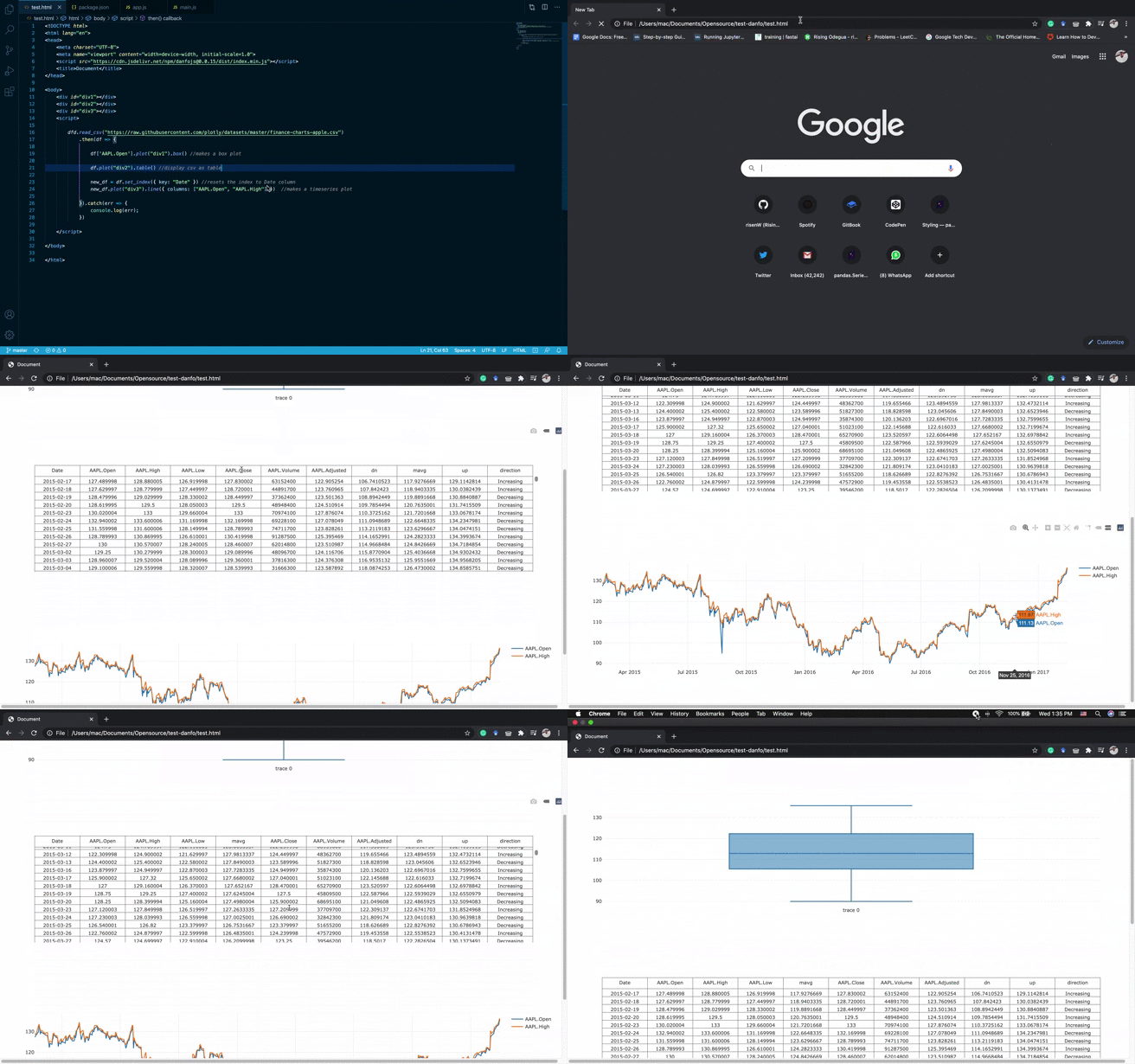
Output in Browser:
Example usage in Nodejs
const dfd = require("danfojs-node");
const file_url =   "https://web.stanford.edu/class/archive/cs/cs109/cs109.1166/stuff/titanic.csv"; dfd   .readCSV(file_url)   .then((df) => {     //prints the first five columns     df.head().print();
// Calculate descriptive statistics for all numerical columns     df.describe().print();
//prints the shape of the data     console.log(df.shape);
//prints all column names     console.log(df.columns);
// //prints the inferred dtypes of each column     df.ctypes.print();
//selecting a column by subsetting     df["Name"].print();
//drop columns by names     let cols2remove = ["Age", "Pclass"];     let dfdrop = df.drop({ columns: cols2_remove, axis: 1 });     df_drop.print();
//select columns by dtypes     let strcols = dfdrop.selectDtypes(["string"]);     let numcols = dfdrop.selectDtypes(["int32", "float32"]);     str_cols.print();     num_cols.print();
//add new column to Dataframe
let new_vals = df["Fare"].round(1);     dfdrop.addColumn("fareround", new_vals, { inplace: true });     df_drop.print();
dfdrop["fareround"].round(2).print(5);
//prints the number of occurence each value in the column     df_drop["Survived"].valueCounts().print();
//print the last ten elementa of a DataFrame     df_drop.tail(10).print();
//prints the number of missing values in a DataFrame     df_drop.isNa().sum().print();   })   .catch((err) => {     console.log(err);   });
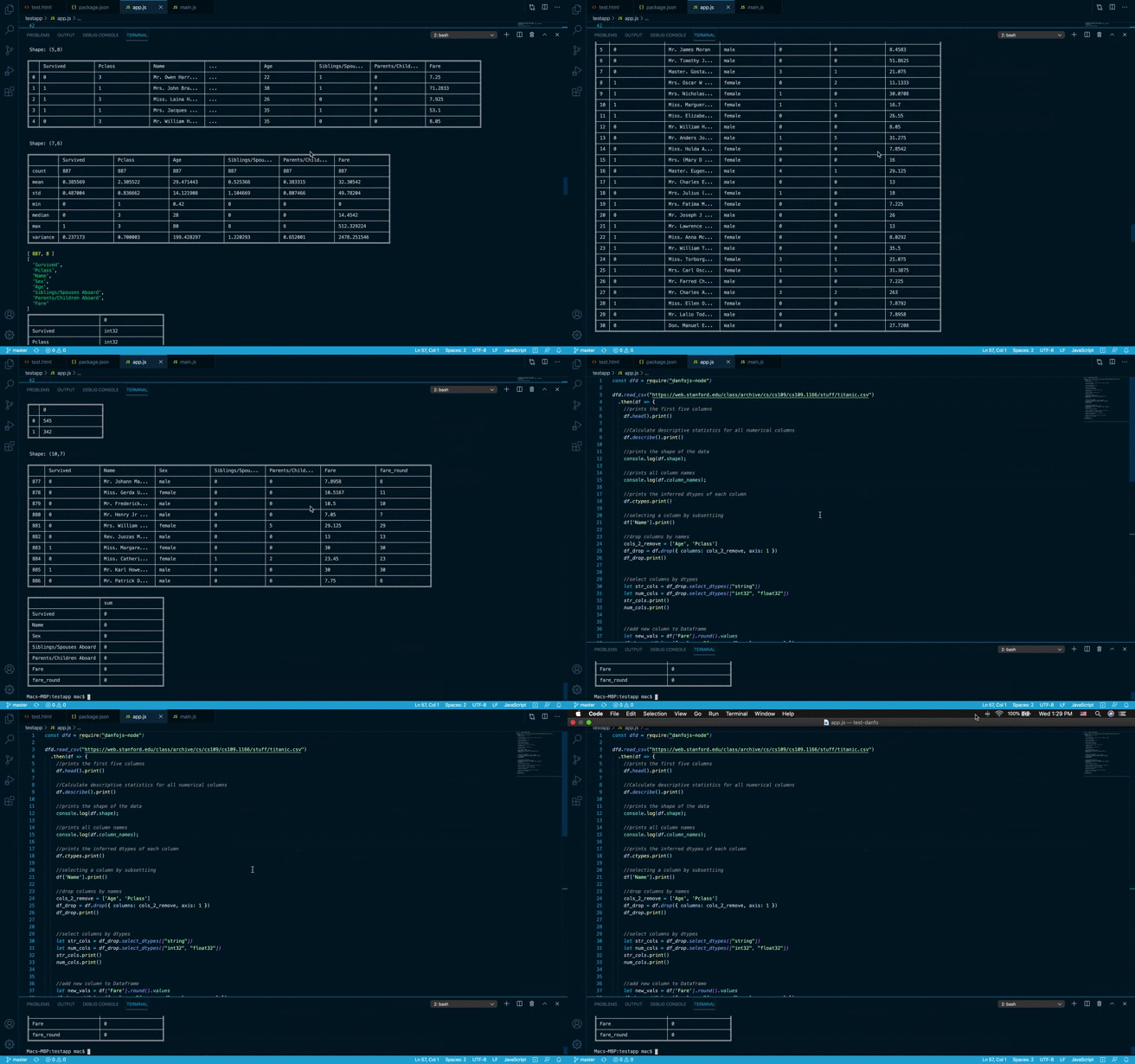
Notebook support
- VsCode nodejs notebook extension now supports Danfo.js. See guide here
- ObservableHQ Notebooks. See example notebook here


