
An android navigation bar widget

Chip Navigation Bar
A navigation bar widget inspired on Google Bottom Navigation mixed with Chips component.Usage
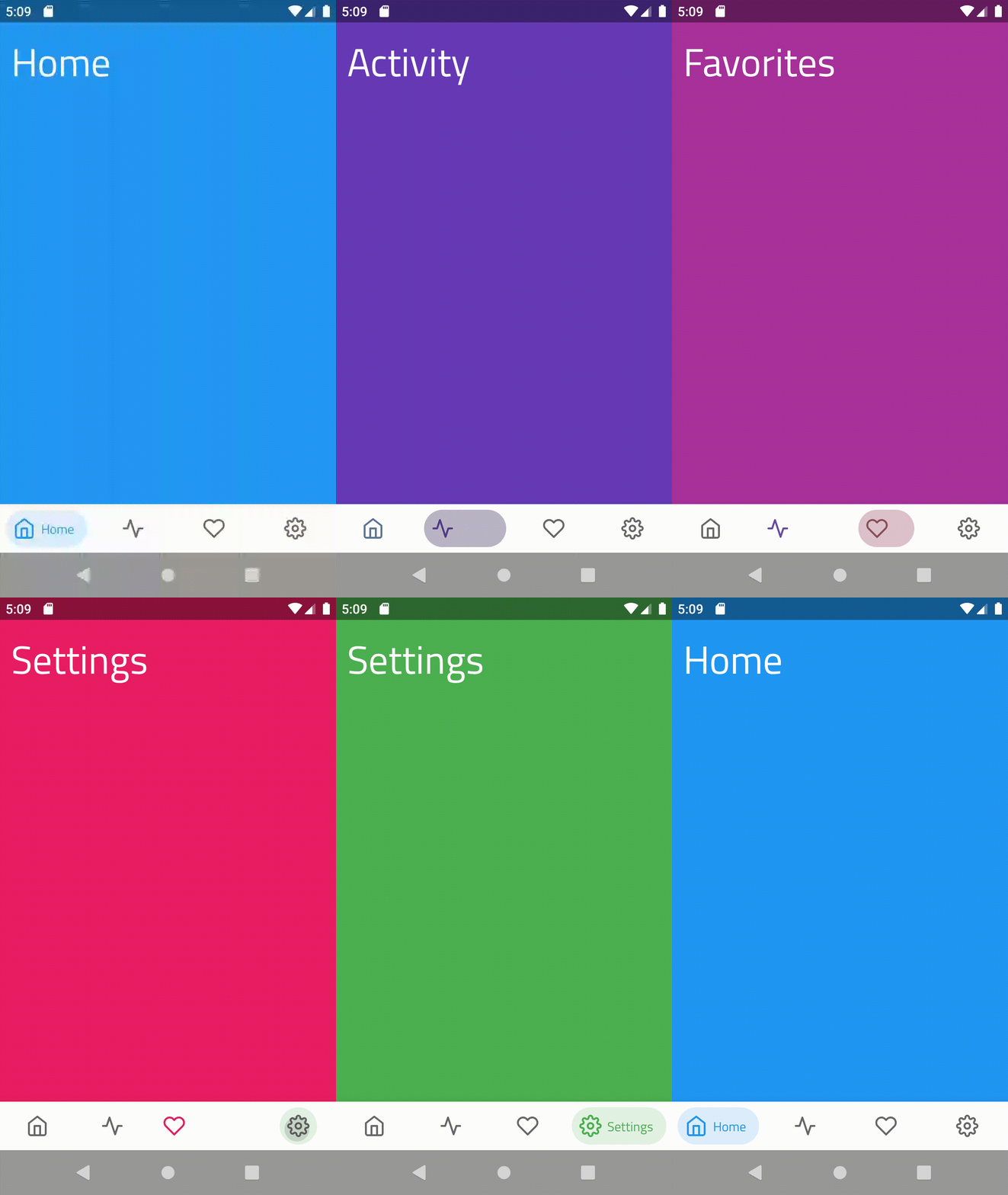
<!-- bottom_menu.xml -->
<menu xmlns:android="http://schemas.android.com/apk/res/android"
    xmlns:app="http://schemas.android.com/apk/res-auto">
    <item
        android:id="@+id/home"
        android:icon="@drawable/ic_home"
        android:title="Home"
        app:cnb_ic/>
    <item
        android:id="@+id/activity"
        android:icon="@drawable/ic_activity"
        android:title="Activity"
        app:cnb_ic/>
    <item
        android:id="@+id/favorites"
        android:icon="@drawable/ic_heart"
        android:title="Favorites"
        app:cnb_ic />
    <item
        android:id="@+id/settings"
        android:icon="@drawable/ic_settings"
        android:title="Settings"
        app:cnb_ic />
</menu>
<!-- layout.xml --> <com.ismaeldivita.chipnavigation.ChipNavigationBar     android:layoutwidth="matchparent"     android:layoutheight="wrapcontent"     android:layout_gravity="bottom"     android:background="@color/white"     app:cnbmenuResource="@menu/bottommenu" />
Vertical orientation
ChipNavigationBar supports a vertical orientation mode. This is very useful for tablets or devices with large screens.
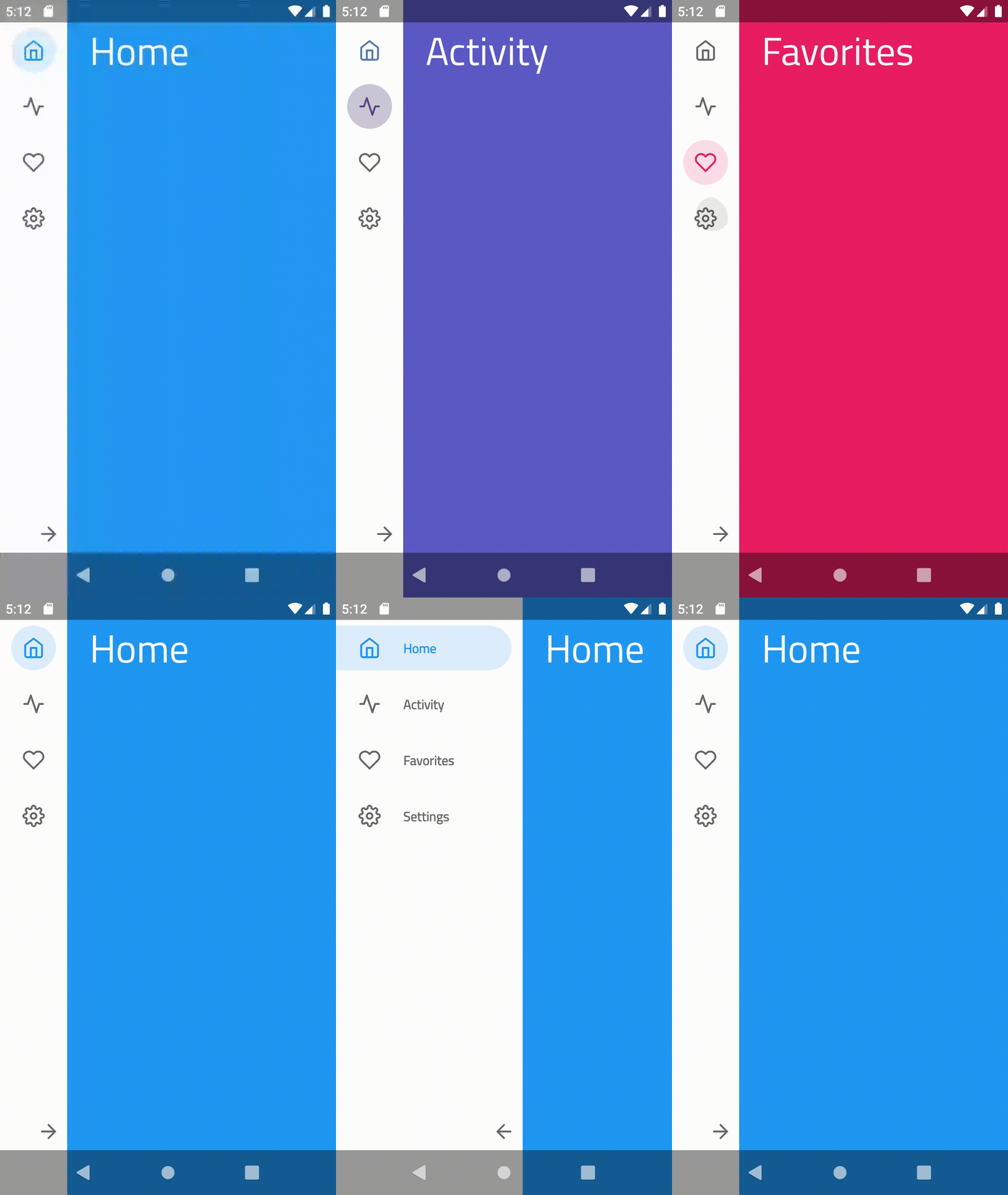
Just add the attribute cnb_orientationMode to your xml:
<com.ismaeldivita.chipnavigation.ChipNavigationBar android:id="@+id/bottom_menu" android:layoutwidth="wrapcontent" android:layoutheight="matchparent" app:cnb_menuResource="@menu/test" app:cnb_orientati />setMenuOrientation before inflate the menu: menu.setMenuOrientation(MenuOrientation.VERTICAL) menu.setMenuResource(R.menu.my_menu)>Note: The view exposes methods to expand and collapse the menu but we don't provide the implementation for the toggle button. Check the sample for a basic implementation.
Badges
The library supports badges on the menu items.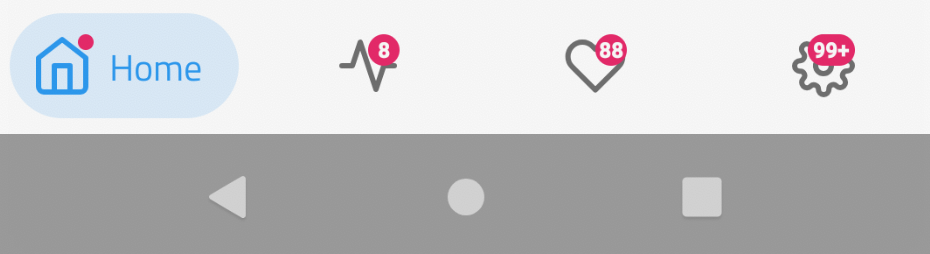
menu.showBadge(R.id.menu_home)
menu.showBadge(R.id.menu_activity, 8)
menu.showBadge(R.id.menu_favorites, 88)
menu.showBadge(R.id.settings, 10000)
XML custom attributes
MenuItem xml custom attributes
| attribute|description|default| |----------|-------------|------ | |android:id|id|required|
| android:enabled|enabled state|true|
| android:icon|icon drawable|required|
| android:title|label string|required|
| cnb_iconColor|color used to tint the icon on selected state|R.attr.colorAccent|
| cnbiconTintMode|PorterDuff.Mode to apply the color. Possible values: [srcover, srcin, srcatop, multiply, screen]|null|
| cnbtextColor|color used for the label on selected state|same color used for cnbiconColor|
| cnbbackgroundColor|color used for the chip background|same color used for cnbiconColor with 15% alpha
<menu xmlns:android="http://schemas.android.com/apk/res/android"
    xmlns:app="http://schemas.android.com/apk/res-auto">
<item         android:id="@+id/home"         android:enabled="true"         android:icon="@drawable/ic_home"         android:title="@string/home"         app:cnbbackgroundColor="@color/homechip"         app:cnb_ic         app:cnb_ic         app:cnbtextColor="@color/homelabel" />
...
</menu>
ChipNavigationBar xml custom attributes
| attribute|description|default| |----------|-------------|------ | |cnb_menuResource|menu resource file|optional since you can set this programmatically|
| cnb_orientationMode|menu orientation. Possible values: [horizontal, vertical]|horizontal|
| cnb_addBottomInset|property to enable the sum of the window insets on the current bottom padding, useful when you're using the translucent navigation bar|false|
| cnb_addTopInset|property to enable the sum of the window insets on the current bottom padding, useful when you're using the translucent status bar with the vertical mode|false|
| cnb_addLeftInset|property to enable the sum of the window insets on the current start padding, useful when you're using the translucent navigation bar with landscape|false|
| cnb_addRightInset|property to enable the sum of the window insets on the current end padding, useful when you're using the translucent navigation bar with landscape|false|
| cnb_minExpandedWidth|minimum width for vertical menu when expanded|0
| cnb_unselectedColor |color used for unselected state|#696969|
| cnb_badgeColor |color used for the badge|#F44336|
| cnbradius |radius used on the background|Float.MAXVALUE fully rounded|
| cnb_iconSize |menu item icon size|24dp|
| cnb_textAppearance |menu item text appearance|theme default|
| cnb_animationDuration |animation duration|theme default|
<com.ismaeldivita.chipnavigation.ChipNavigationBar
    android:id="@+id/menu"
    android:layoutwidth="matchparent"
    android:layoutheight="wrapcontent"
    app:cnbmenuResource="@menu/bottommenu"
    app:cnb_orientati
    app:cnb_addBottomInset="false"
    app:cnb_addLeftInset="false"
    app:cnb_addRightInset="false"
    app:cnb_addTopInset="false"
    app:cnbunselectedColor="@color/mymenuunselectedcolor"
    app:cnbbadgeColor="@color/mymenubadgecolor"
    app:cnb_radius="8dp"
    app:cnb_ic
    app:cnb_textAppearance="?myThemeTextAppearance"
    app:cnb_animati>
Public API
| method|description| |---------------|----| |setMenuResource(@MenuRes menuRes: Int) | Inflate a menu from the specified XML resource| |setMenuOrientation(menuOrientation: MenuOrientation) | Set the menu orientation| |setItemEnabled(id: Int, isEnabled: Boolean) | Set the enabled state for the menu item with the provided [id]| |setItemSelected(id: Int) | Remove the selected state from the current item and set the selected state to true for the menu item with the [id]| |setOnItemSelectedListener(listener: OnItemSelectedListener)|Register a callback to be invoked when a menu item is selected| |collapse()|Collapse the menu items if orientationMode is VERTICAL otherwise, do nothing| |expand()|Expand the menu items if orientationMode is VERTICAL otherwise, do nothing| |showBadge(id: Int)|Display a numberless badge for the menu item with the [id]| |showBadge(id: Int, count: Int)|Display a countable badge with for the menu item with the [id]| |setDuration(duration: Long)|Set a custom animation duration|
Installation
Required
- AndroidX - See migration guide
- Android Marshmallow - API Level 23
Gradle
Make sure that the repositories section includes Jitpack
allprojects { repositories { ... maven { url 'https://jitpack.io' } } }implementation 'com.github.ismaeldivita:chip-navigation-bar:1.4.0'org.jetbrains.kotlin:kotlin-stdlib:$kotlinVersion to your dependencies since this is a Kotlin library.
License
MIT LicenseCopyright (c) 2019 Ismael Di Vita
Permission is hereby granted, free of charge, to any person obtaining a copy of this software and associated documentation files (the "Software"), to deal in the Software without restriction, including without limitation the rights to use, copy, modify, merge, publish, distribute, sublicense, and/or sell copies of the Software, and to permit persons to whom the Software is furnished to do so, subject to the following conditions:
The above copyright notice and this permission notice shall be included in all copies or substantial portions of the Software.
THE SOFTWARE IS PROVIDED "AS IS", WITHOUT WARRANTY OF ANY KIND, EXPRESS OR IMPLIED, INCLUDING BUT NOT LIMITED TO THE WARRANTIES OF MERCHANTABILITY, FITNESS FOR A PARTICULAR PURPOSE AND NONINFRINGEMENT. IN NO EVENT SHALL THE AUTHORS OR COPYRIGHT HOLDERS BE LIABLE FOR ANY CLAIM, DAMAGES OR OTHER LIABILITY, WHETHER IN AN ACTION OF CONTRACT, TORT OR OTHERWISE, ARISING FROM, OUT OF OR IN CONNECTION WITH THE SOFTWARE OR THE USE OR OTHER DEALINGS IN THE SOFTWARE.


