
React Native component to show confetti
Last updated Apr 17, 2025
48
Stars
7
Forks
0
Issues
0
Stars/day
Attention Score
3
Language breakdown
TypeScript 44.1%
Objective-C 19.6%
Ruby 13.9%
Java 13.1%
JavaScript 6.5%
Starlark 2.8%
▸ Files
click to expand
README



Introduction
React native component to show confetti. It can be used as raining snow effect animation, with option to use unicode, emoji, or image as the flying pieces. This is some examplesnow effect

 (the animation is not lagging. it's because you need to wait for the gif asset to load)
shake effect
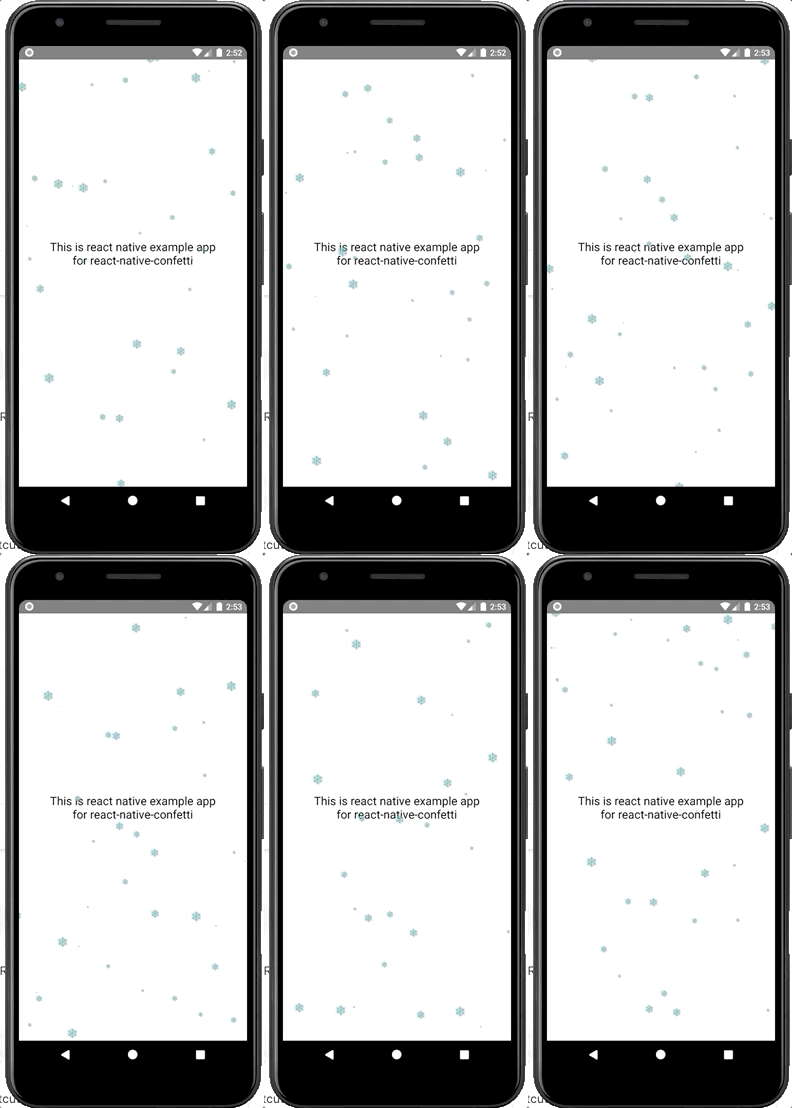
 (the animation is not lagging. it's because you need to wait for the gif asset to load)
Getting Started
Dependencies
To be able to dynamically enable confetti or to change the character, your react native app must:- Install react-native-firebase (the Core module and Remote Config module)
- Set up your app to use Firebase
- Create 5 parameters with value of string in your project's remote config:
confetti_enabled | 1 | set 1 to enable, set 0 to disable |
| confettiimagename | snowflake | if it has value, the flying piece of the Confetti will use this parameter instead of confetti_character. if you want to use character instead, set this parameter to empty string. Further explanation in using image will be given in next section |
| confetticharacter | ❅ | set this value with any character or unicode / emoji. eg: ❅, ❤️, 🏮. if parameter confettiimage_name is not empty string, this parameter is not being used |
| confetti_type | shake | set the value shake or snow. With snow, you just use vertical falling animation. With shake you get additional horizontal shake animation. |
| confetti_color | #6FC4C7 | hexadecimal value string |
Installation process
Using npm:npm i @hyperjumptech/react-native-confetti --saveyarn add @hyperjumptech/react-native-confettiUsage
Minimal usage
import packageimport {Confetti} from '@hyperjumptech/react-native-confetti';<Confetti isEnabled={true} color={'#6FC4C7'} character={'❅'} />With firebase remote config usage
import packageimport {
Confetti,
fetchConfettiFromFirebase,
} from '@hyperjumptech/react-native-confetti';state = {
confetti: {
confetti_type: 'snow',
confetti_color: '',
confetti_character: '',
confettiimagename: '',
confetti_enabled: false,
},
};const keys = [
'confetti_type',
'confetti_color',
'confetti_character',
'confetti_enabled',
'confettiimagename',
];
fetchConfetti(keys).then((data) => {
const confetti = {
confettitype: data.confettitype,
confetticolor: data.confetticolor,
confetticharacter: data.confetticharacter,
confettienabled: data.confettienabled === '1' ? true : false,
confettiimagename: data.confettiimagename,
};
this.setState({confetti});
});const {confetti} = this.state;
return (
<Confetti
isEnabled={confetti.confetti_enabled}
color={confetti.confetti_color}
character={confetti.confetti_character}
effect={confetti.confetti_type}
/>
);Usage with image instead of character
If you wish to use image, you can use image from predefined asset (not a dynamic url). So the step is same as above with additional step to define image path and size:const images = {
snowflake: {
path: require('../../pathtosnowflakeimageasset.png'),
size: 24,
},
heart: {
path: require('../../pathtoheartimageasset.jpeg'),
size: 24,
},
};imageComponent props
<Confetti
   ...
   imageComponent={
   !!confetti.confettiimagename ? (
     <Image
       source={images[confetti.confettiimagename].path}
       style={{
         width: images[confetti.confettiimagename].size,
         height: images[confetti.confettiimagename].size,
       }}
     />
   ) : (
     undefined
   )
 }
 />
API references
Props: | props | type | required | description | | -------------- | ----------------------- | -------- | ----------------------------------------------------------------------------------------------------------------------------------------------------------------------------------- | | isEnabled | boolean | yes | to enable or disable the confetti | | color | string | yes | define color of character. If you use emoji or image, the color will have no effect even if it has value | | character | string | no | the flying pieces. default character is snowflake❅. you can use any unicode character or emoji. if there is imageComponent this props will have no effect even if it has value |
| imageComponent | ReactNode | no | the flying pieces (will override character props) in form of react component for example: Image |
| effect | enum: [snow, shake] | yes | snow to get only vertical falling animation , shake to get additional horizontal shaking animation |
Build and Test
To build, runnpm run build or yarn build
To test, run npm run test or yarn test
Demo
To see the running demo, you can run the example app with these steps:- change directory to
example
cd example- install packages
yarnnpm install- run android
react-native run-androidreact-native run-ios


