
My sister is a GR of her class. She had to mark attendance of students from screenshots of teams meeting on an excel sheet. I resolved her problem by reading names from screenshots using PyTesseract and marking them present on the excel using Pandas in Python. It took me 1hr to write the code and it is saving half an hour everyday.
Last updated Oct 9, 2024
26
Stars
13
Forks
0
Issues
0
Stars/day
Attention Score
17
Language breakdown
No language data available.
▸ Files
click to expand
README
auto-zoom-attandance
Don't judge the code, this is not the best way to write code. I was learning tkinter that is why GUI is bad.
Here's the Mega link for Downloading exe file
https://mega.nz/file/Go82VDQY#GsCFrPr6-1twJq48YuFvTH0ZNvD9PL2tChznBHsjLe8
How to USE:
- Download .exe file and run it.
- Select any excel file. It should have NAME column in it (case sensitive)
- Select all the cropped screenshots of Attendees (example given)
- A new file will pop up on your Desktop (Attendees.xlsx)
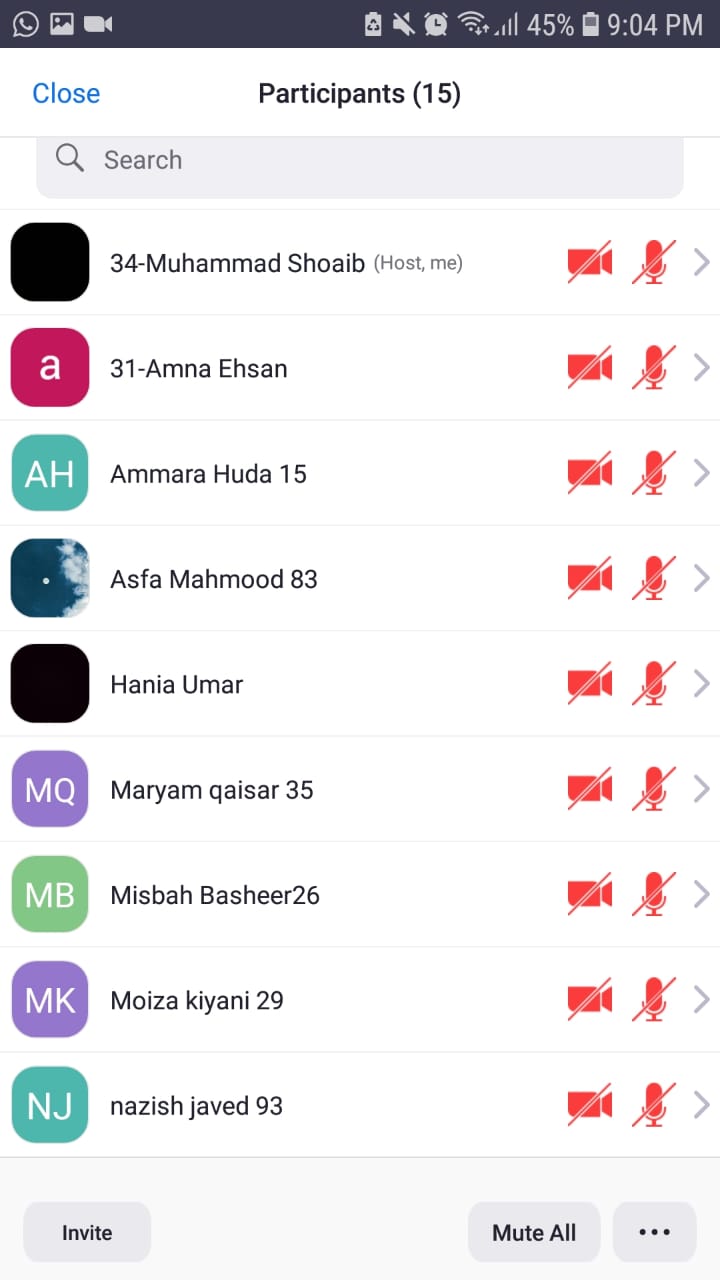
Crop it


