
Jupyter Notebook to analyze your YouTube data.
Last updated Sep 10, 2025
17
Stars
1
Forks
1
Issues
0
Stars/day
Attention Score
3
Language breakdown
Python 76.9%
Jupyter Notebook 22.1%
Dockerfile 0.9%
▸ Files
click to expand
README
youtube-data
Telegram bot and Jupyter Notebook to analyze your YouTube data.Screenshot
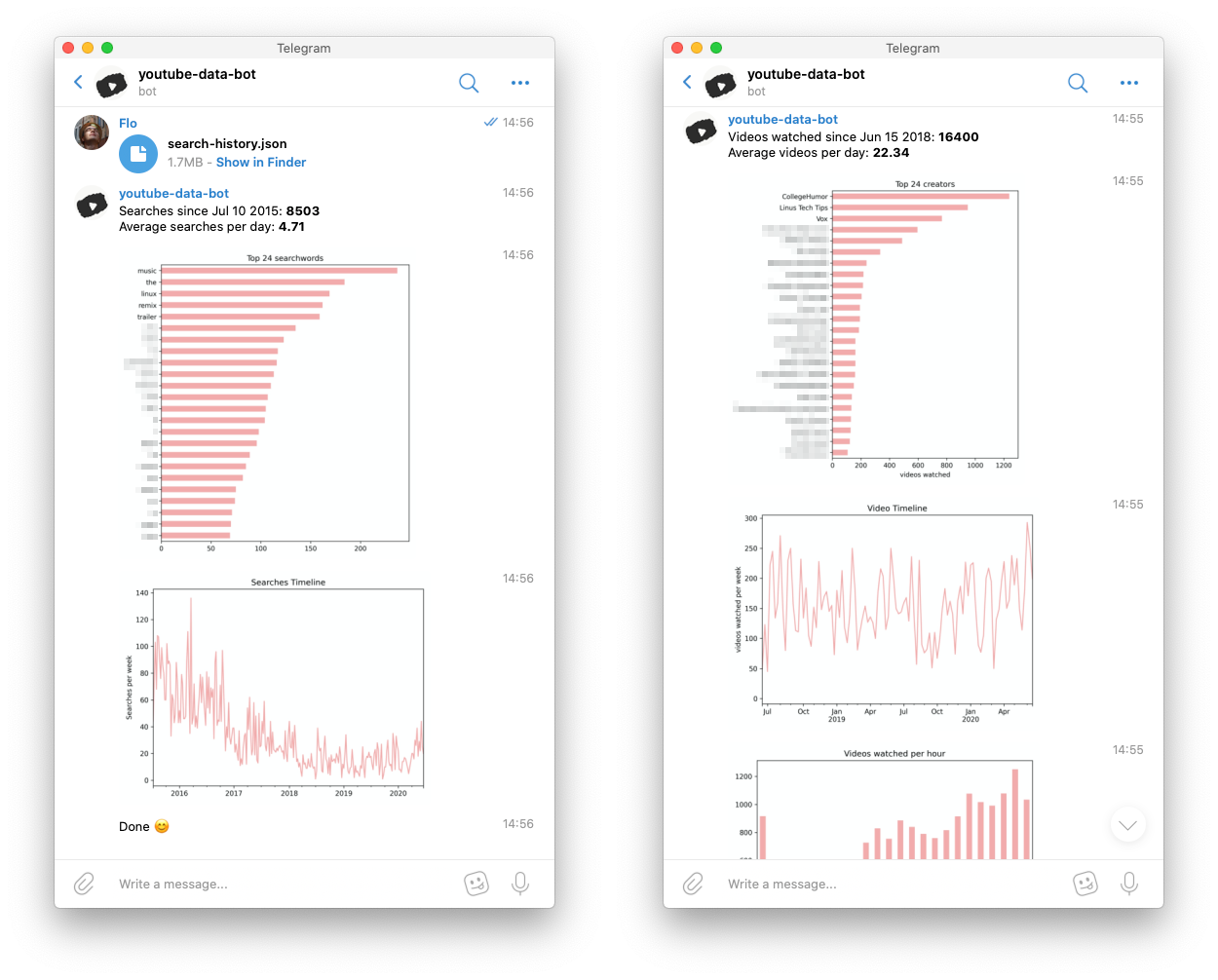
The notebook can do more than just tell you what creators you watch the most, so just try it out.
Run the bot
Requirements
1) install dockerRun it
docker build -t youtubebot-template .
docker run -e TELEGRAM_TOKEN='XXXX' --rm --name youtubebot-container youtubebot-templateXXXX with your telegram token.
Note: This way all data will be lost once you shut down the bot. To prevent this you can start the bot with a mounted docker volume.
docker build -t youtubebot-template . docker volume create youtubebot-volume docker run -d --restart unless-stopped \ -e TELEGRAM_TOKEN='XXXX' \ --mount type=volume,source=youtubebot-volume,target=/app/data \ --name youtubebot-container youtubebot-templateRun the jupyter notebook
Requirements
1) Install jupyter lab Website 2) Add the ipywidgets extension to jupyter lab Website 3) Install python libaries used for this notebookpip install pandas numpy matplotlib ipywidgets
Run it
1) Download your youtube data (and select Format=JSON) Website 2) Copy the folder "Takeout" into the folder with the Notebook. (Note: I just got a notice that this only works if your language is set to english. If that is not the case you need to modify the path in the first code-cell. This bug will be fixed in the next commits.) 3) Run the notebook withjupyter lab PATH-TO-NOTEBOOK


