
This command line tool can check spelling and show proposed correction.
Last updated Apr 25, 2026
74
Stars
9
Forks
4
Issues
0
Stars/day
Attention Score
10
Language breakdown
No language data available.
▸ Files
click to expand
README
No more "Fix typo" commit...!
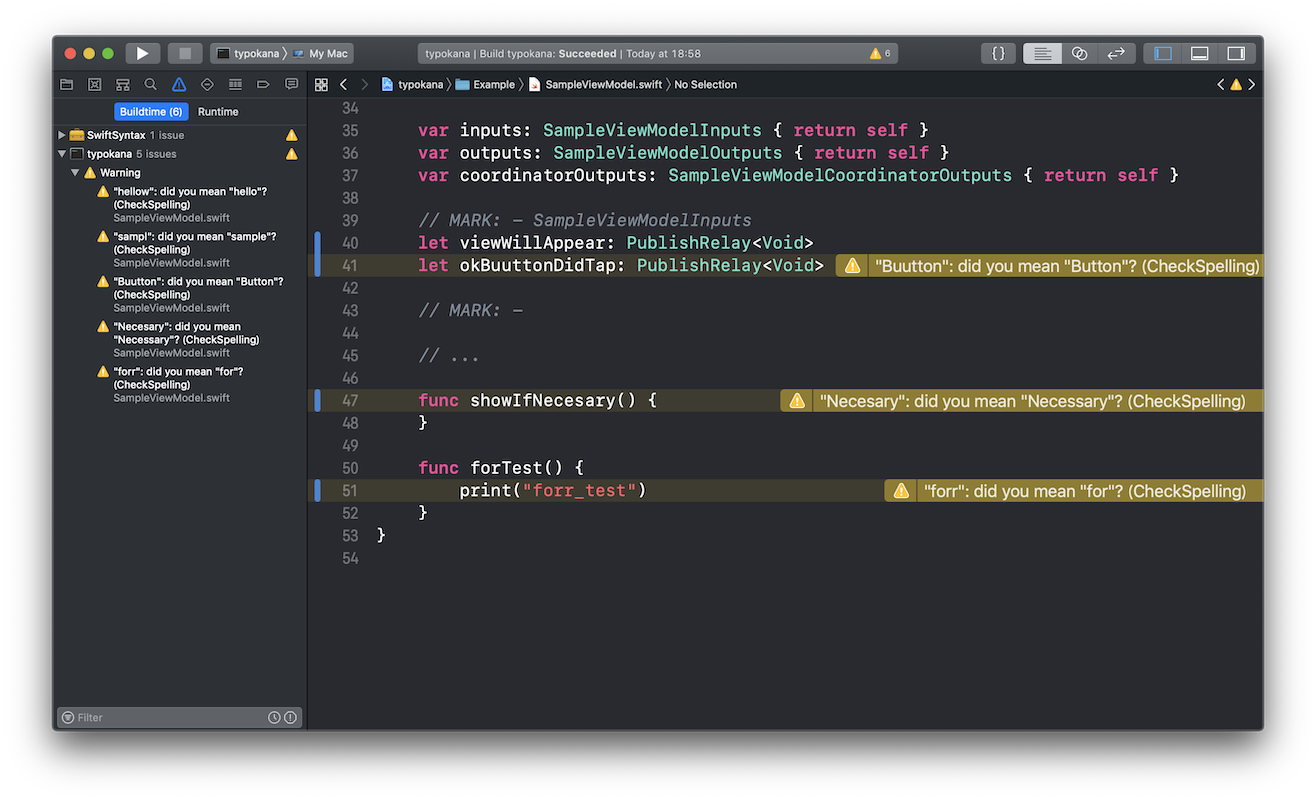
This command line tool can check spelling and show proposed correction.
Installation
Binary
We can download binary from here.
Makefile
$ git clone git@github.com:ezura/spell-checker-for-swift.git
$ cd spell-checker-for-swift
$ make
Mint
$ mint install ezura/spell-checker-for-swift@5.3.0Usage
With Xcode
Set up
Runtypokana init in the same directory as xcodeproj file.
Add run script

To display warnings on Xcode, add a script into "Run Script Phase".
if which typokana >/dev/null; then typokana --diff-only else echo "typokana is not installed." figit diff).
If you want to select a target directory, add the directory path.
if which typokana >/dev/null; then typokana /Sources else echo "typokana is not installed." fiCommand
typokana init
Prepare a list of words that the spell checker ignores.
typokana init creates ".typokana_ignore" in the current directory.
typokana
Search typo in all swift files.
Show warning for typo on Xcode when this command is run at "Run Script".
typokana -diff
This command is recommended.
Search typo only in changed swift files (fetched with git diff).
typokana --language
Change the language to use for spell checking, e.g. "en_US" (defaults to using the system language).
(typokana --language en_US)
typokana --help
(typokana --help)
OVERVIEW: Spell check
USAGE: typokana [options] argument
OPTIONS:   --diff-only, -diff   Check only files listed by git diff --name-only   --language, -l       The language to use for spell checking, e.g. "en_US" (defaults to using the system language).   --help               Display available options
POSITIONAL ARGUMENTS:   path | init          Path to target file | set up typokana
How to ignore words
- Create file named ".typokana_ignore"
- Write ignored words with line breaks
:.typokana_ignore
typokana
json
yuka


