
Android Library to make a flowing gradient effect, similar to that used in Instagram Android login screen
Last updated Jun 5, 2026
700
Stars
88
Forks
5
Issues
0
Stars/day
Attention Score
51
Language breakdown
Java 100.0%
▸ Files
click to expand
README
Flowing Gradient Library


 Android ver 3.1+
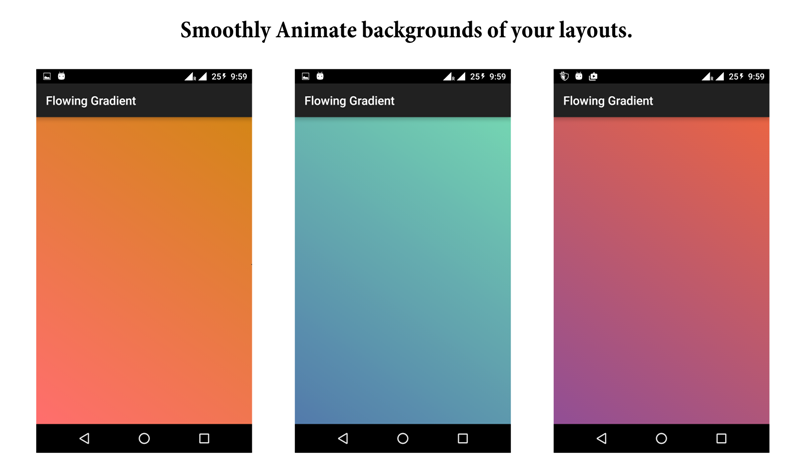
How to use
Add these lines in your build.gradle files:In your Project Level build.gradle
repositories {
        jcenter()
}
In your App Level build.gradle
dependencies {
    compile 'com.dynamitechetan.flowinggradient:flowinggradient:1.1'
}
Using Maven
<dependency>
<groupId>com.dynamitechetan.flowinggradient</groupId>
<artifactId>flowinggradient</artifactId>
<version>1.1</version>
<type>pom</type>
</dependency>
BASIC USAGE
<com.dynamitechetan.flowinggradient.FlowingGradient
        android:layoutwidth="matchparent"
        android:layoutheight="matchparent"
        />
To set your own gradients and transition duration using XML, you must add this line in your xml file in the first component:
<RelativeLayout xmlns:android="http://schemas.android.com/apk/res/android"
    xmlns:gradient="http://schemas.android.com/apk/res-auto"
    android:layoutwidth="matchparent"
    android:layoutheight="matchparent"
    >
</RelativeLayout>
Making your own Gradient Animations.
Make a file like this and place it in drawable folder<?xml version="1.0" encoding="UTF-8"?>
<animation-list xmlns:android="http://schemas.android.com/apk/res/android" android:id="@+id/selected" android:>
<!-- The drawables used here can be solid colors, gradients, shapes, images, etc. -->
<item android:drawable="@drawable/one" android:duration="4000" />
<item android:drawable="@drawable/two" android:duration="4000" />
<item android:drawable="@drawable/three" android:duration="4000" />
<item android:drawable="@drawable/four" android:duration="4000" />
</animation-list>
<!--android:duration="4000" is the duration till the gradient will be shown on the screen-->
<?xml version="1.0" encoding="UTF-8"?> <shape xmlns:android="http://schemas.android.com/apk/res/android" android:shape="rectangle"> <gradient android:angle="45" android:endColor="#D38312" android:startColor="#FF6B6B" android:type="linear" /> <corners android:radius="0dp"/> </shape>USING YOUR OWN ANIMATION GRADIENTS USING XML
<com.dynamitechetan.flowinggradient.FlowingGradient
        android:layoutwidth="matchparent"
        android:layoutheight="matchparent"
        gradient:transiti
        />
SETTING TRANSITION DURATION USING XML
<com.dynamitechetan.flowinggradient.FlowingGradient
        android:layoutwidth="matchparent"
        android:layoutheight="matchparent"
        gradient:transition_duration = "4000"
        />
Using This Library in JAVA
BASIC USAGE
RelativeLayout rl = (RelativeLayout) findViewById(R.id.rl);
  FlowingGradientClass grad = new FlowingGradientClass();
                grad.setBackgroundResource(R.drawable.translate)
                .onRelativeLayout(rl)
                .setTransitionDuration(4000)
.start();.onReltiveLayout() and be replaced by .onImageView() or .onLinearLayout() as per use.To set Alpha of the transition
RelativeLayout rl = (RelativeLayout) findViewById(R.id.rl);
  FlowingGradientClass grad = new FlowingGradientClass();
                grad.setBackgroundResource(R.drawable.translate)
                .onRelativeLayout(rl)
                .setTransitionDuration(4000)
                .setAlpha(4)
                .start();
License
Copyright (c) 2016 Chetan KaushikLicensed under the Apache License, Version 2.0


