
An ultra-light MacOS utility that helps hide menu bar icons
Last updated Jul 7, 2026
14.4k
Stars
431
Forks
90
Issues
+96
Stars/day
Attention Score
99
Topics
Language breakdown
Swift 100.0%
▸ Files
click to expand
README





Hidden Bar
Hidden Bar lets you hide menu bar items to give your Mac a cleaner look. 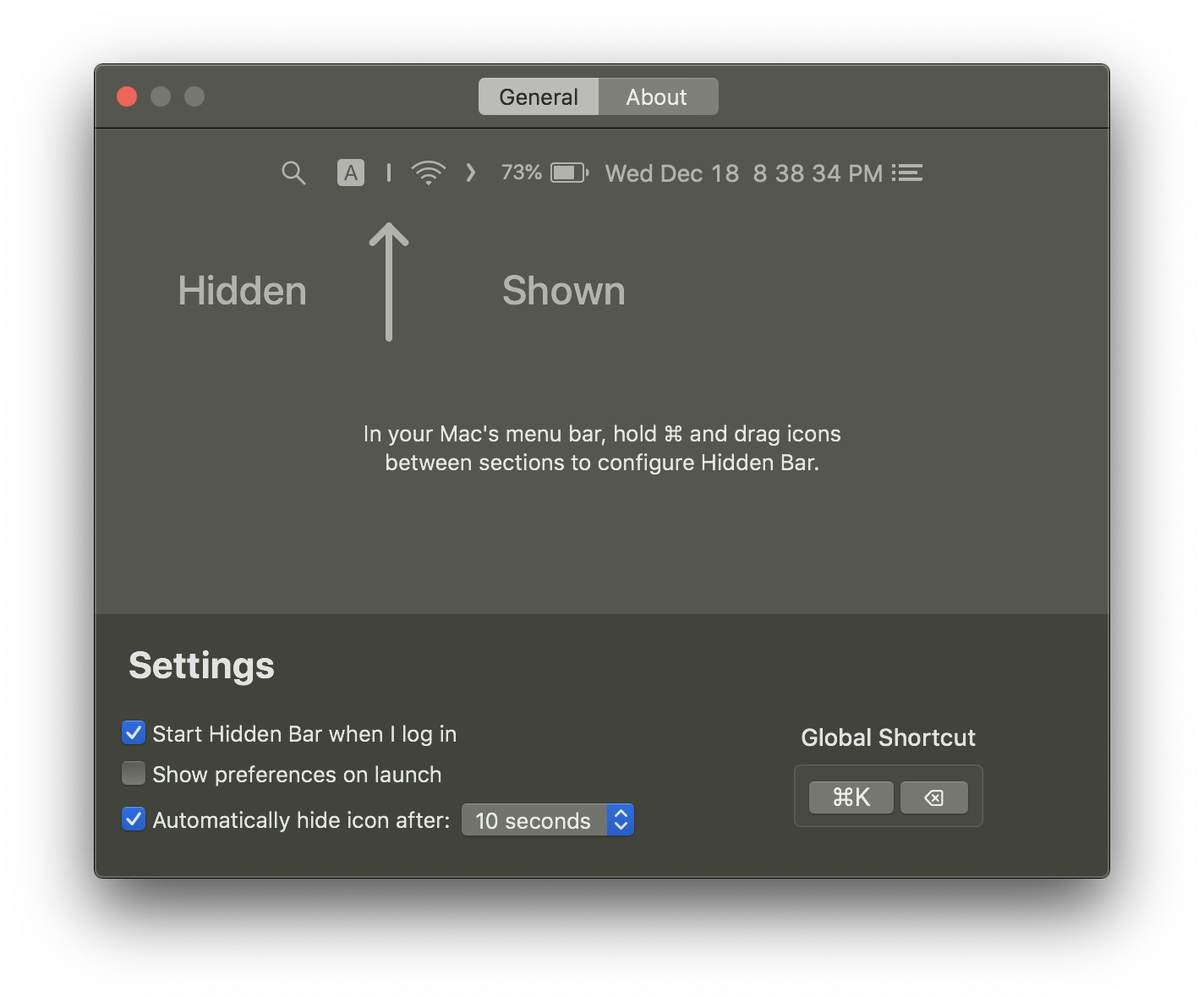
🚀 Install
App Store

Others
The Hidden Bar is notarized before distributed out side App Store. It's safe to use 👍
Using Homebrew
brew install --cask hiddenbarManual download
- Download latest version
- Open and drag the app to the Applications folder.
- Launch Hidden and drag the icon in your menu bar (hold CMD) to the right so it is between some other icons.
🕹 Usage
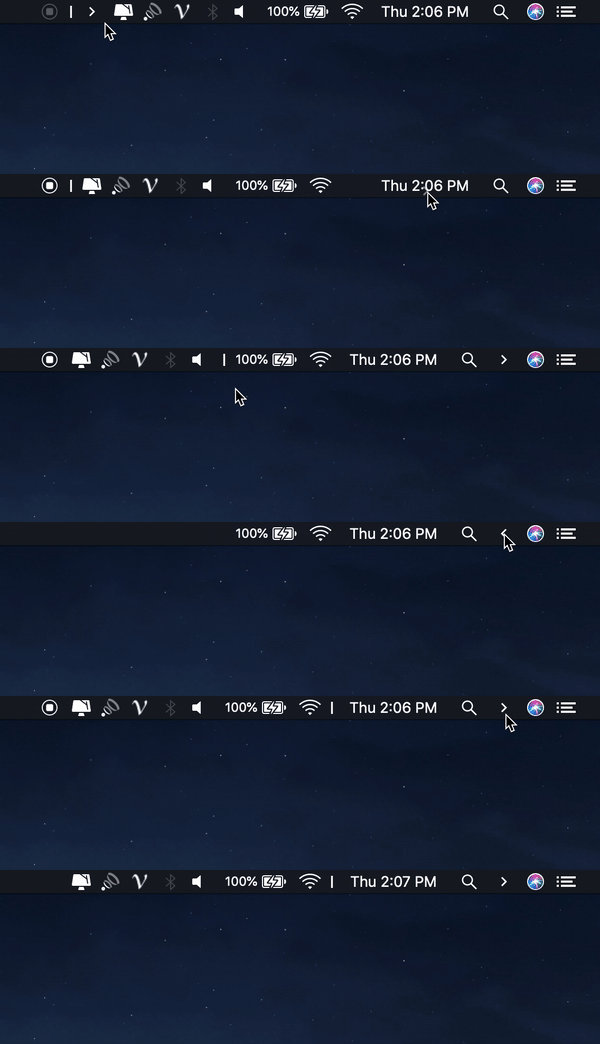
⌘+ drag to move the Hidden icons around in the menu bar.- Click the Arrow icon to hide menu bar items.
📚 Documentation
- Manual: every setting, the hidden Terminal-only options, and troubleshooting.
- Architecture: how the hiding trick works, topology, and known limits.
- Maintainer runbook: build, behavioral verification, and release process.
✨Contributors
This project exists thanks to all the people who contribute. Thank you guys so much 👏


Please read this before you make a contribution.
Requirements
macOS version >= 13.0 (Ventura)Running an older macOS? The last release supporting macOS 10.13 High Sierra through 12 Monterey is v1.10. Later versions require macOS 13 because autostart moved to the SMAppService API introduced there.
You may also like
- Blurred - A macOS utility that helps reduce distraction by dimming your inactive noise
- Micro Sniff - An ultra-light macOS utility that notify whenever your micro-device is being used
- VimMotion Vim style shortcut for MacOS
License
MIT © Dwarves Foundation


