
MH TextEditor is an optimized large text/code editor for Android
📝 MH-TextEditor
 A powerful, lightweight text editor for Android with syntax highlighting, smooth editing experience, and professional code editing features.
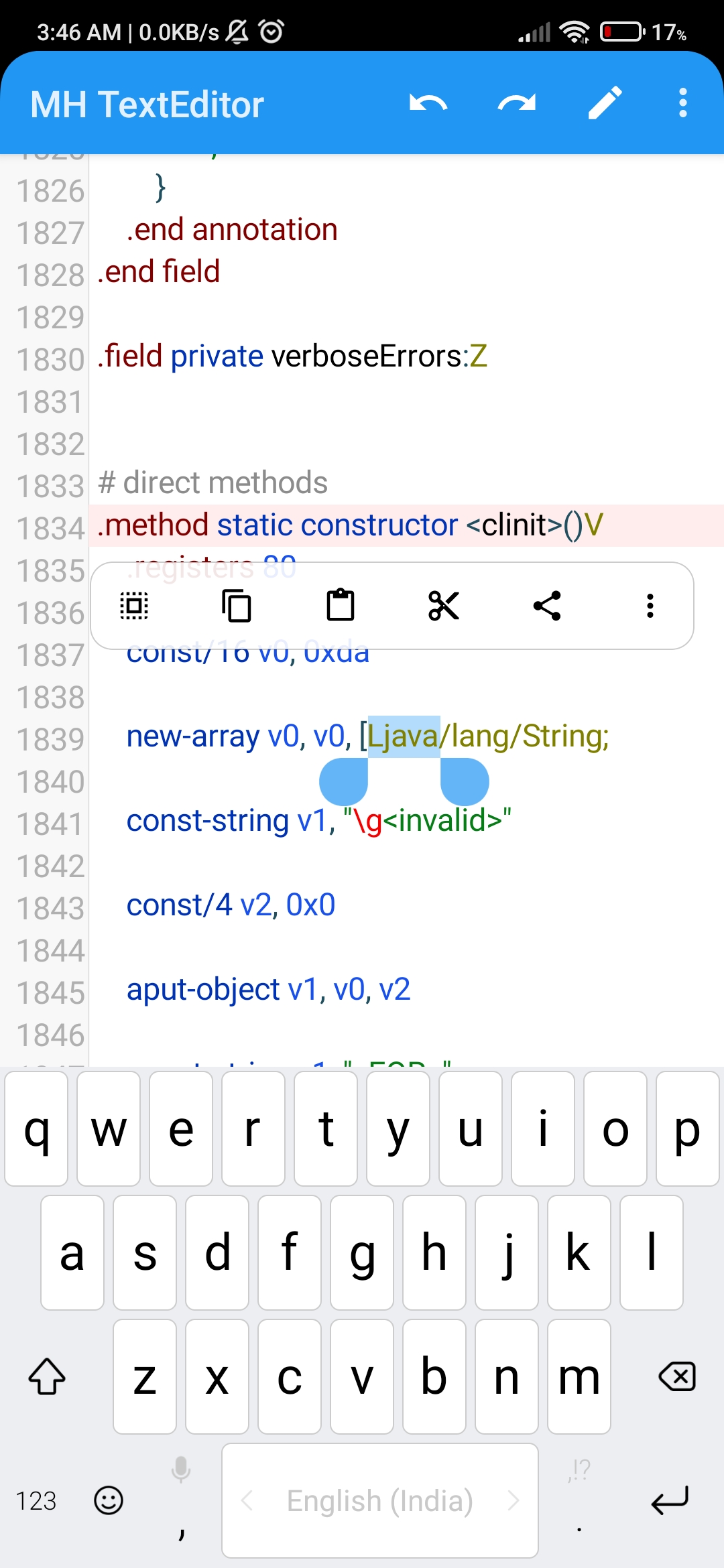
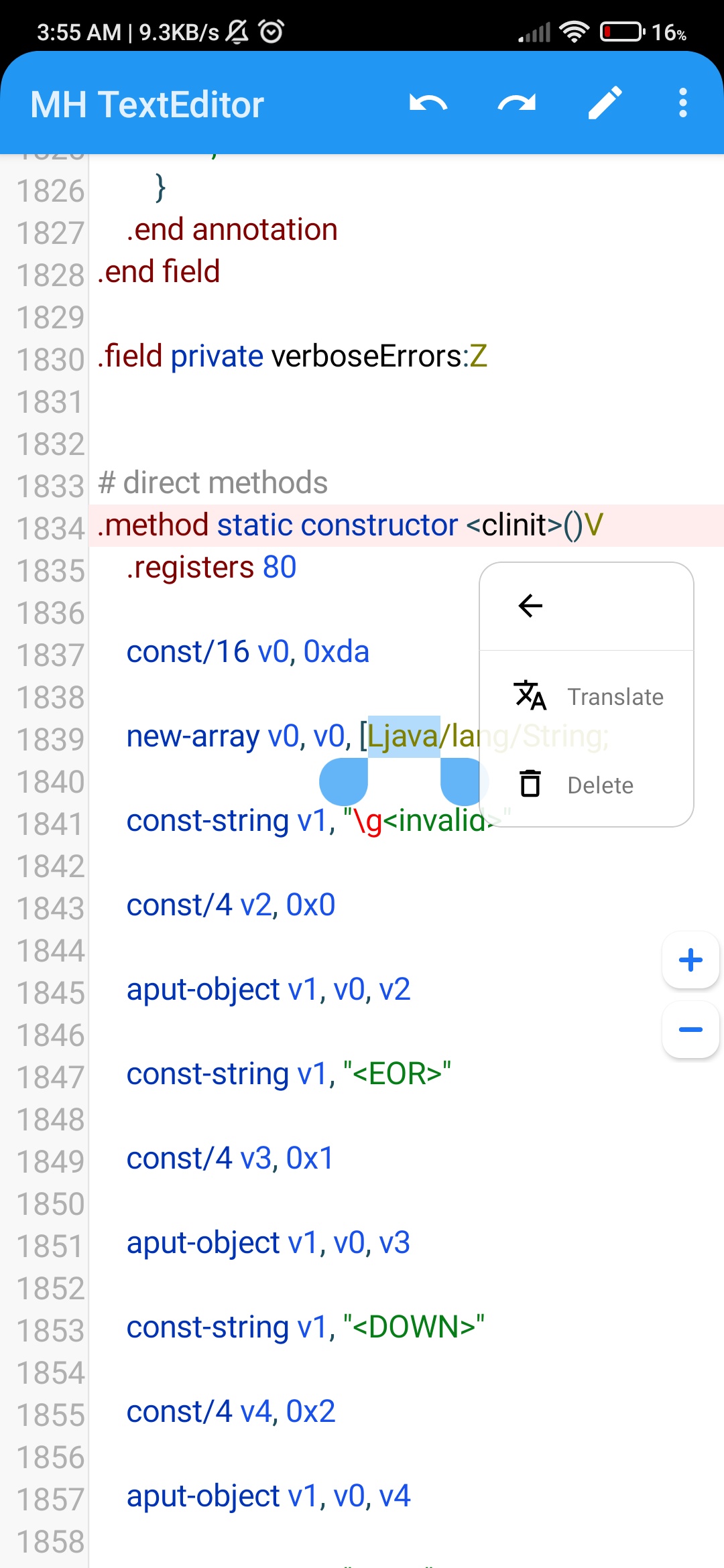
📱 Screenshots
| 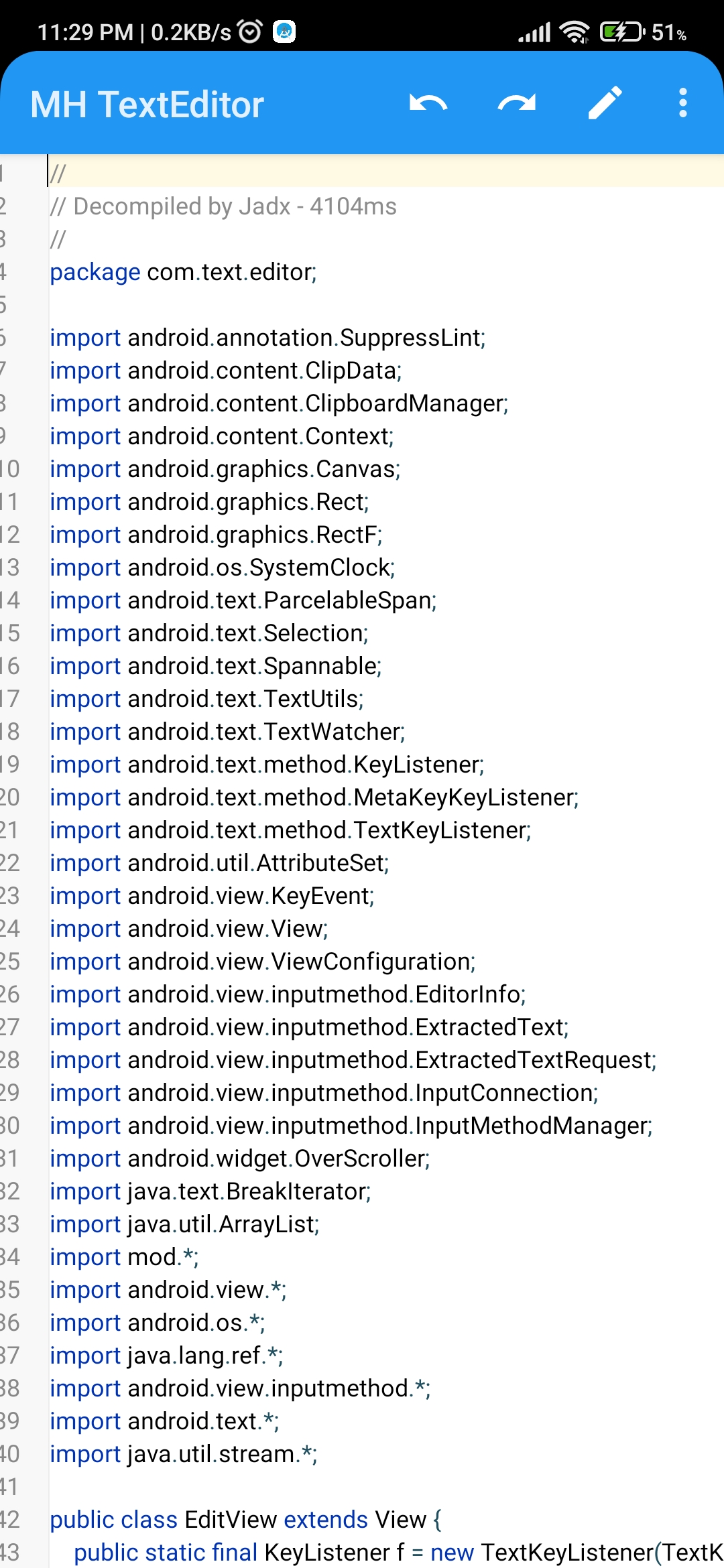 |
| 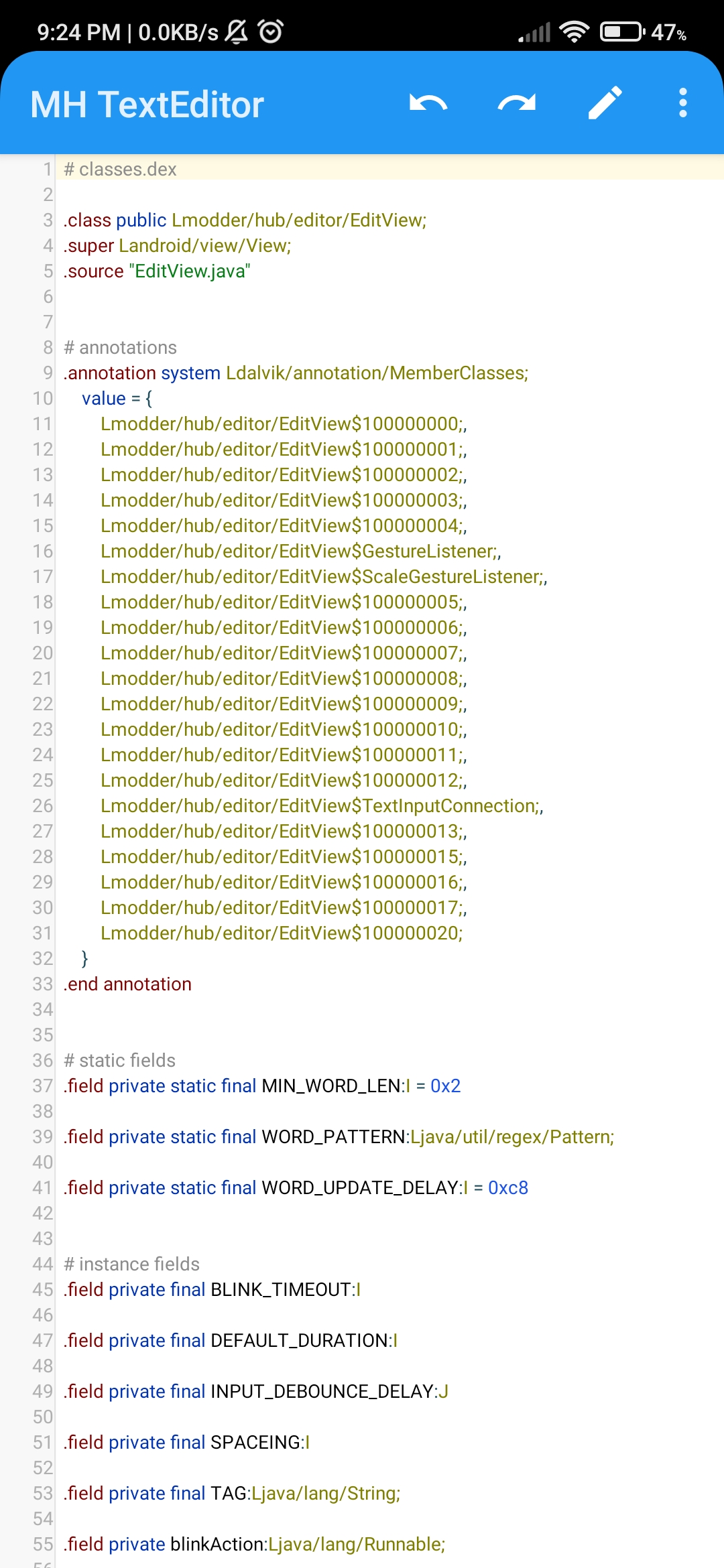 | |------------------------------------------|------------------------------------------| |
 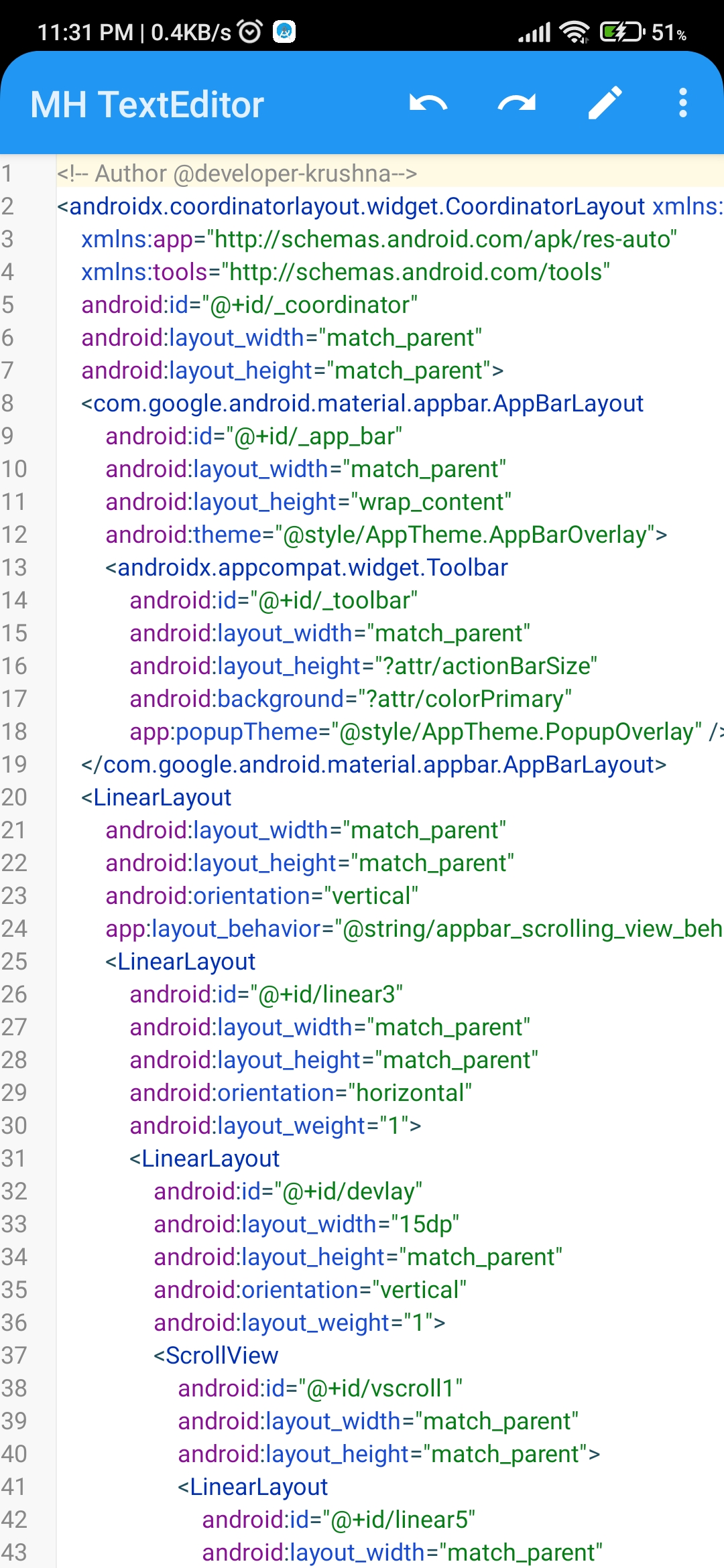 |
| 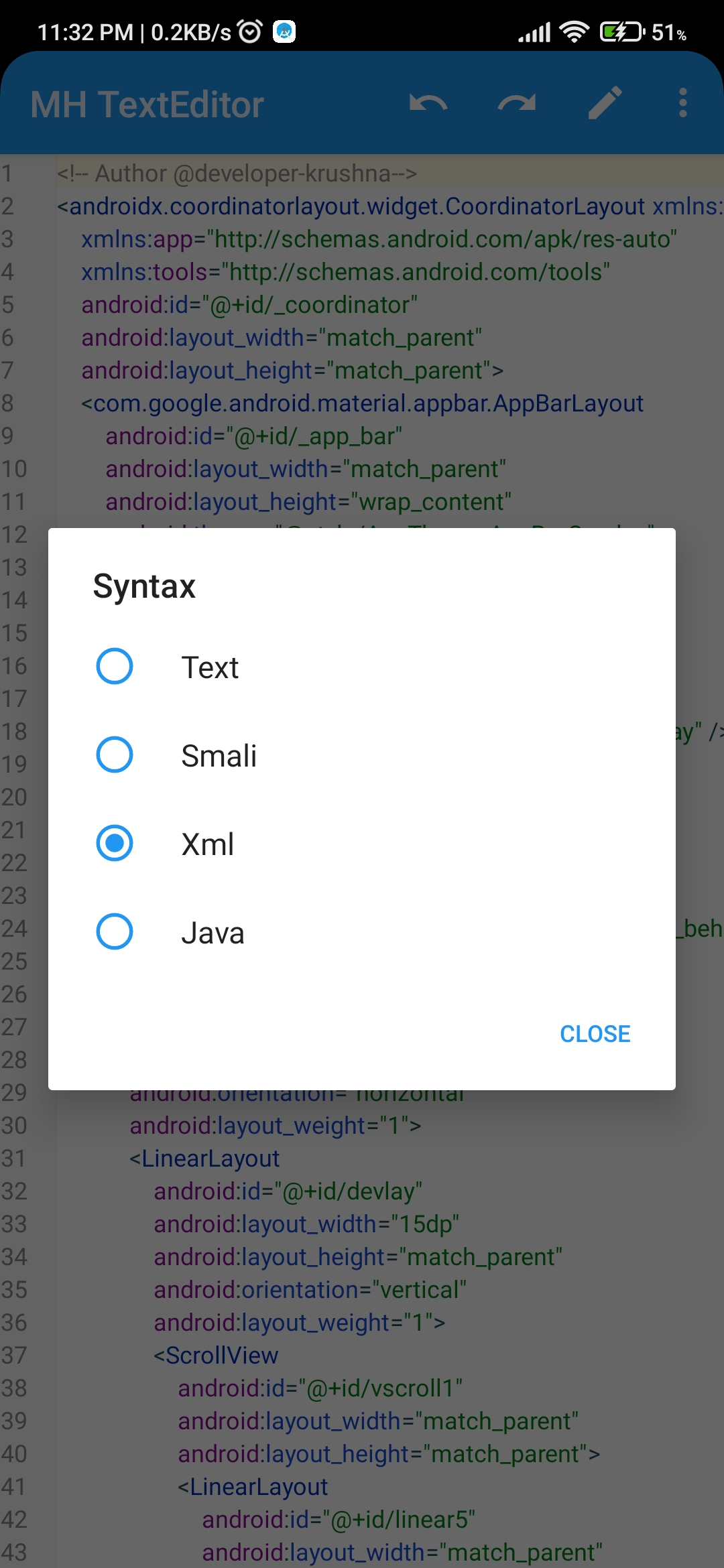 | |------------------------------------------|------------------------------------------| |
  |
|  |
|
✨ Features
🧩 Core Editing
- Smooth Text Editing — Fast and responsive typing experience
- Syntax Highlighting — Support for multiple programming languages (Java, XML, JSON, etc.)
- Line Numbers — Clean, right-aligned line numbers with proper margins
- Customizable Text Size — Pinch-to-zoom and manual text size adjustment
- Multiple Font Support — Custom typeface support for better readability
✂️ Advanced Text Manipulation
- Smart Selection — Word selection, line selection, and text range selection
- Copy / Cut / Paste — Full clipboard support with system integration
- Find & Replace — Regex-powered search and replace functionality
- Undo / Redo — Unlimited undo/redo operations with gap buffer implementation
- Auto-Indent — Smart indentation preservation on new lines
⚙️ Professional Tools
- Magnifier — Built-in magnifier for precise cursor positioning
- Selection Handles — Visual drag handles for text selection
- Floating Clipboard Panel — Context-aware clipboard actions
- Keyboard Support — Full hardware keyboard support with meta keys
- Input Method Support — Optimized for various soft keyboards
⌨️ Computer Shortcuts
MH-TextEditor supports standard desktop-style keyboard shortcuts for productivity:
| Shortcut | Action | |----------|--------| | Ctrl + A | Select All | | Ctrl + C | Copy (Selection or Current Line) | | Ctrl + X | Cut (Selection or Current Line) | | Ctrl + V | Paste | | Ctrl + Z | Undo | | Ctrl + Y / Ctrl + Shift + Z | Redo | | Ctrl + D | Duplicate Current Line | | Ctrl + L | Select Current Line | | Ctrl + Shift + L | Delete Current Line | | Ctrl + / | Toggle Single-line Comment | | Ctrl + I | Increase Indent | | Ctrl + Shift + I | Decrease Indent | | Ctrl + U | Convert Selection to Lowercase | | Ctrl + Shift + U | Convert Selection to Uppercase | | Tab | Insert Tab / Indent Selection | | Shift + Tab | Decrease Indent | | Ctrl + Backspace | Delete Previous Word | | Ctrl + Delete | Delete Next Word | | Home / End | Move to Start / End of Line | | Ctrl + Home / End | Move to Start / End of File | | Ctrl + Left / Right | Move Cursor by Word | | Page Up / Down | Scroll Page Up / Down |
🚀 Performance & UX
- Gap Buffer Implementation — Efficient text storage for large files 3M+ lines
- Smooth Scrolling & zooming — Physics-based scrolling with fling gestures
- Braces highlight - Efficently highlight close bracket , braces
- Indent guidelines — Eficently render and handling guide lines
- Cursor Blink — Visual cursor indication with customizable blink rate
- Touch Gestures — Double-tap, long-press, and scroll gestures
- Auto-complete — Intelligent word completion and suggestions
🚀 Getting Started
Basic Usage
<!-- In your layout XML -->
<modder.hub.editor.EditView
    android:id="@+id/editView"
    android:layoutwidth="matchparent"
    android:layoutheight="matchparent"
    android:focusableInTouchMode="true"/>
// In your Activity
EditView editView = findViewById(R.id.editView);
editView.setText("Your code here");
editView.setSyntaxLanguageFileName("java.json");Advanced Configuration
// Set text size
editView.setTextSize(16); // in pixels
// Enable features editView.setMagnifierEnabled(true); editView.setAutoIndentEnabled(true);
// Set typeface Typeface typeface = Typeface.MONOSPACE; editView.setTypeface(typeface); editView.setMenuStyle(ClipboardPanel.MenuDisplayMode.ICON_ONLY); // Set listeners editView.addTextChangedListener(new TextWatcher() { 		@Override 		public void beforeTextChanged(CharSequence s, int start, int count, int after) { 			// Log.d(TAG, "beforeTextChanged: " + s.length()); 		}
@Override 		public void onTextChanged(CharSequence s, int start, int before, int count) { 			// Log.d(TAG, "onTextChanged: " + s.length()); 		}
@Override 		public void afterTextChanged(Editable s) { 			// Log.d(TAG, "afterTextChanged: " + s.length()); 		} 	});
🛠️ API Reference
Core Methods
| Method | Description | |--------|--------------| | setText(String text) | Set editor content | | getText() | Get current text | | setTextSize(float size) | Set text size in pixels | | setTypeface(Typeface typeface) | Set custom typeface | | setSyntaxHighlightingEnabled(boolean enabled) | Toggle syntax highlighting |
Editing Operations
| Method | Description | |--------|--------------| | undo() | Undo last operation | | redo() | Redo last operation | | copy() | Copy selected text | | cut() | Cut selected text | | paste() | Paste from clipboard | | selectAll() | Select all text | | clearSelection() | Clear current selection |
Navigation & Search
| Method | Description | |--------|--------------| | gotoLine(int line) | Navigate to specific line | | find(String regex) | Find text using regex | | replaceFirst(String replacement) | Replace first match | | replaceAll(String replacement) | Replace all matches |
Configuration
| Method | Description | |--------|--------------| | setEditedMode(boolean editMode) | Enable/disable editing | | setMagnifierEnabled(boolean enabled) | Toggle magnifier | | setAutoIndentEnabled(boolean enabled) | Toggle auto-indent | | setOnTextChangedListener(OnTextChangedListener listener) | Text change callback |
🎨 Customization
Theming
// Custom colors
editView.setBackgroundColor(Color.WHITE);
editView.setLineNumberBackground(Color.parseColor("#F8F8F8"));
editView.setLineNumberColor(Color.GRAY);
Syntax Highlighting
Add custom syntax definition files in JSON format to extend language support:
{
  "name": ["Java", ".java", ".jsp"],
  "comment": [
    { "startsWith": "//" },
    { "startsWith": "/", "endsWith": "/" }
  ],
"rules": [     // Single-line and multi-line comments     { "type": "comment", "regex": "//.*" },     { "type": "comment", "regex": "/\\[\\s\\S]?\\*/" },       // Triple-quoted strings     {       "regex": "\"\"\"[\\s\\S]*?\"\"\"",       "groupStyles": { "0": "string" }     },
// Quoted strings     { "type": "string", "regex": "\"(?:\\\\.|[^\"])*\"" },     { "type": "string", "regex": "'(?:\\\\.|[^'])'" }   ] }
📁 File Structure
app/
├── editor/
│   ├── EditView.java           # Main editor component
│   ├── GapBuffer.java          # Efficient text storage
│   ├── highlight/
│   │   └── SyntaxConfig.java   # Syntax highlighting engine
│   └── component/
│       └── ClipboardPanel.java # Clipboard context menu
🔄 Integration with Other Components
With Activity
@Override
public boolean onCreateOptionsMenu(Menu menu) {
    getMenuInflater().inflate(R.menu.editor_menu, menu);
    return true;
}
@Override public boolean onOptionsItemSelected(MenuItem item) {     switch (item.getItemId()) {         case R.id.menu_undo:             editView.undo();             return true;         case R.id.menu_redo:             editView.redo();             return true;         case R.id.menu_find:             showFindDialog();             return true;     }     return super.onOptionsItemSelected(item); }
With File System
// Load file
String fullText = readFile(path.toString());
// Replace buffer wholesale (like setText, but async)
GapBuffer newBuffer = new GapBuffer(fullText);
editView.setBuffer(newBuffer);
// Save file String content = editView.getText(); writeFile(filePath, content);
🐛 Troubleshooting
Common Issues
- Keyboard not showing
setFocusable(true) and setFocusableInTouchMode(true) are called
- Check input connection implementation
- Keyboard not supporting
- Syntax highlighting not working
assets
- Check if highlighter is properly initialized
- Performance with large files
Logging
Enable debug logging to troubleshoot issues:
Log.d("MH-TextEditor", "Current cursor: " + editView.getCaretPosition());📄 License
Copyright (C) 2025 Krushna Chandra(@developer-krushna)
This program is free software: you can redistribute it and/or modify it under the terms of the GNU General Public License as published by the Free Software Foundation, either version 3 of the License, or (at your option) any later version.
This program is distributed in the hope that it will be useful, but WITHOUT ANY WARRANTY; without even the implied warranty of MERCHANTABILITY or FITNESS FOR A PARTICULAR PURPOSE.  See the GNU General Public License for more details.
You should have received a copy of the GNU General Public License along with this program.  If not, see <https://www.gnu.org/licenses/>.
🤝 Contributing
We welcome contributions! Please feel free to submit pull requests, report bugs, or suggest new features.
Development Setup
- Fork the repository
- Clone your fork
- Create a feature branch
- Make your changes
- Submit a pull request
Code Style
- Follow Android code style guidelines
- Use meaningful variable names
- Add comments for complex logic
- Include JavaDoc for public methods
📞 Support
If you encounter any issues or have questions:
- Check the Issues page
- Create a new issue with detailed description
- Provide code samples and error logs
🙏 Acknowledgments
- Inspired by modern code editors
- Thanks to contributors and testers
- Built with attention to performance and user experience
MH-TextEditor — Making code editing on Android better, one line at a time.


