
A library for dynamic view-to-view transitions




Transitioner provides easy, dynamic and adjustable animations between two views with nested children.

App design feature here.
Usage
First you need to create a Transitioner object containing your original and ending views:
val transition = Transitioner(originalview, endingview)<ConstraintLayout
android:id="@+id/original_view"
android:tag="constrView"
...>
<TextView android:id="@+id/text" android:tag="firstView" .../> </ConstraintLayout>
<ConstraintLayout android:id="@+id/ending_view" android:tag="constrView" android:visibility="invisible" ...>
<EditText android:id="@+id/text3" android:tag="firstView" .../> </ConstraintLayout>
I recommend you hide the second view layout, since it's only used as a placeholder for the end destination. The views can be of any type, you can mix and match them, the two layouts can have a different number of views and nested layouts are 100% supported. The only things to keep in mind are:
- all views which you would want to match together must have the same tag attribute in both layouts
- all unmatched views will remain at their original place inside the original layout
- the second layout is just a placeholder. It doesn't hold any logic, it only shows where the original layout should move to.
Basic Usage
transition.setProgress(0.5f)
 //or
 transition.setProgress(50)
Additional methods and tweaks
transition.duration = 500
transition.interpolator = AccelerateDecelerateInterpolator()
transition.animateTo(percent = 0f)
transition.onProgressChanged { //triggered on every progress change of the transition     seekBar.progress = (it * 100).toInt()     }      val progress: Float = transition.currentProgress
Here is a preview of a simple application made using this library
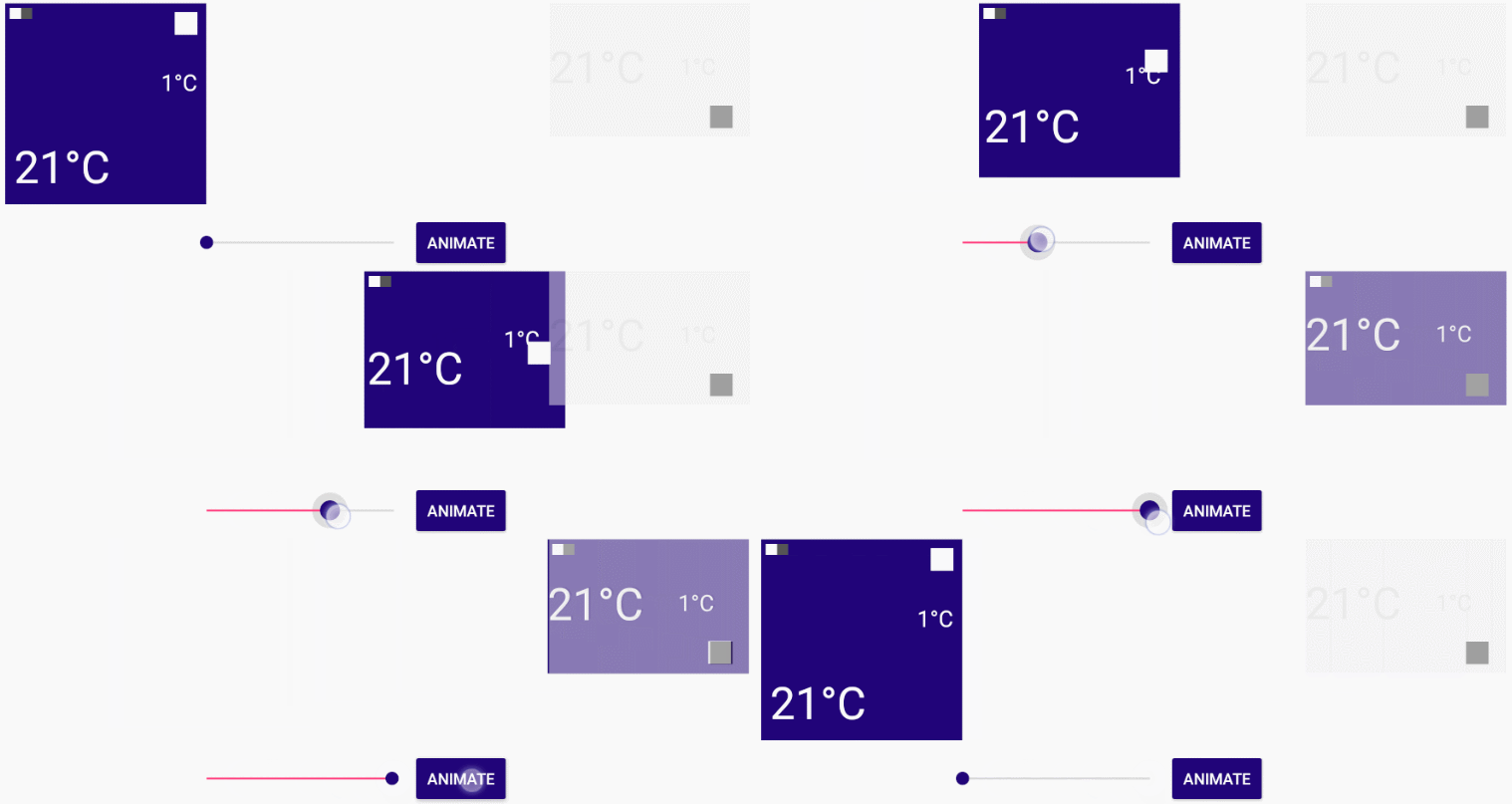
This effect can be reproduced by placing the "Transitioner.setProgress(Float)" function inside a onTouch or a onProgressChanged method.
Download
Manually
The recommended way to download is to copy the single library class file and use it in your application.
Gradle
dependencies {
  compile 'bg.devlabs.transitioner:transitioner:<latest_version>'
}
Getting help
Dev Labs @devlabsbg
Radoslav Yankov @radoyankov
Under MIT License.


