
AI-powered icon generation CLI for React Native & Expo developers. Generate stunning app icons in seconds using OpenAI's latest models.
SnapAI
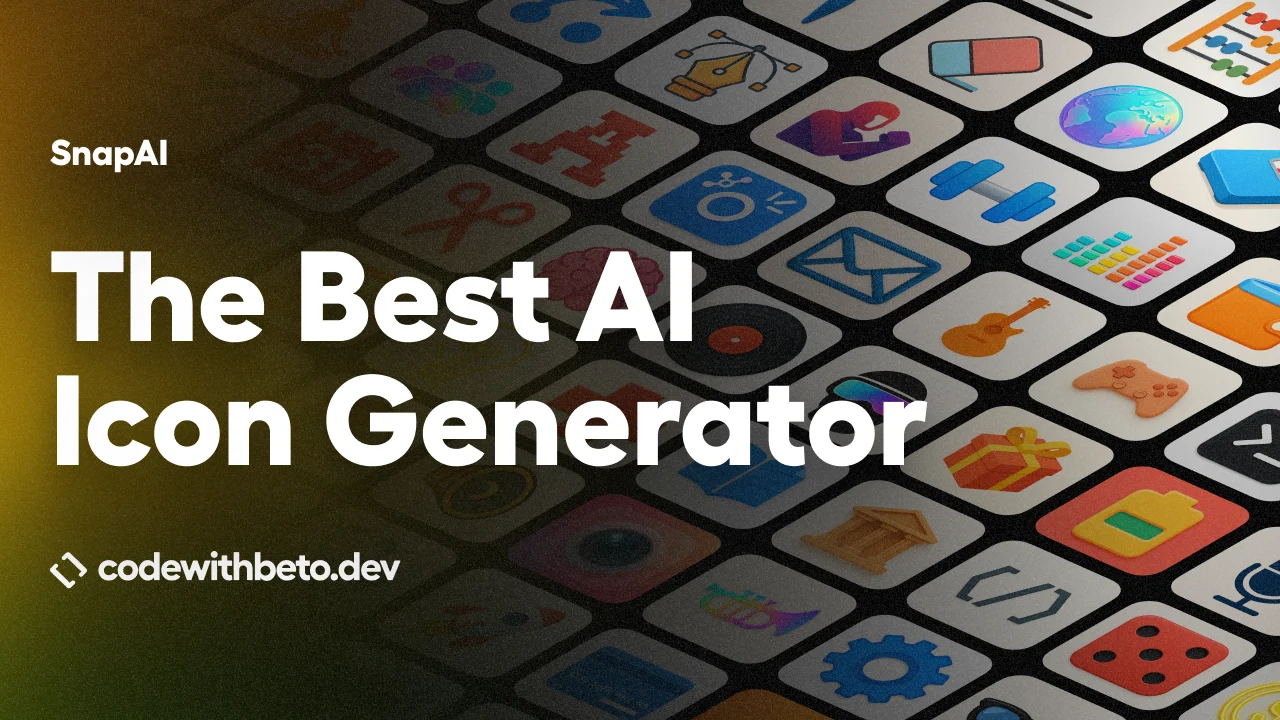
Generate high-quality square app icon artwork from the terminal — built for React Native and Expo.
SnapAI is a developer-friendly CLI that talks directly to:
- OpenAI Images (
gpt-1.5→gpt-image-1.5,gpt-1→gpt-image-1,gpt-image-2→gpt-image-2) - Google Nano Banana (Gemini image models) — selected via
--model bananaor--model banana-2
1024x1024 (1:1) to match iOS/Android icon needs and avoid resizing headaches.
Features ✨
- Fast: generate icons in seconds. No UI. No accounts.
- Latest image models:
gpt-1.5 (uses gpt-image-1.5 under the hood)
- gpt-1 (uses gpt-image-1 under the hood)
- gpt-image-2 (OpenAI GPT Image 2; same Image API path as above)
- Google Nano Banana (Gemini):
- normal: gemini-2.5-flash-image
- pro: gemini-3-pro-image-preview
- iOS + Android oriented: prompt enhancement tuned for app-icon style outputs.
- Quality controls:
--quality auto|high|medium|low (aliases: hd → high, standard → medium)
- Nano Banana Pro: --quality 1k|2k|4k
- DX-friendly: just a CLI (great for CI/CD too).
- Privacy-first: no telemetry, no tracking. Uses your API keys and sends requests directly to the provider you choose.
Video tutorial 🎥
Read: Introducing Code With Beto Skills
Install 📦
# Recommended (no install)
npx snapai --help
Or install globally
npm install -g snapai
Important 🔑
You need at least one API key:>
- OpenAI (forgpt-1.5→gpt-image-1.5,gpt-1→gpt-image-1,gpt-image-2→gpt-image-2)
- Google AI Studio (for Google Nano Banana / Gemini via --model banana)
>
SnapAI is CLI-only and sends requests directly to the provider you select.
Quickstart (first icon) ⚡
npx snapai icon --prompt "minimalist weather app with sun and cloud"Output defaults to ./assets (timestamped filenames).
Note 📝
Models can still draw the subject with visual padding (an empty border). This is normal.
SnapAI avoids forcing the words"icon"/"logo"by default to reduce padding.
If you want more “icon-y” framing, opt in with --use-icon-words.
Providers & models (what “banana” means) 🧠
SnapAI exposes providers via --model:
| Provider | SnapAI flag | Underlying model | Notes | | --------------------------- | ------------------------ | ---------------------------------- | --------------------------------------------------------- | | OpenAI (latest) | --model gpt-1.5 | gpt-image-1.5 | Always 1:1 square 1024x1024, background/output controls | | OpenAI (previous) | --model gpt-1 | gpt-image-1 | Same controls as above | | OpenAI (GPT Image 2) | --model gpt-image-2 | gpt-image-2 | Same size/quality/format/moderation flags; --background transparent is not supported (use opaque or auto) | | Google Nano Banana (normal) | --model banana | gemini-2.5-flash-image | Always 1 image, square output | | Google Nano Banana 2 | --model banana-2 | gemini-3.1-flash-image-preview | 1 image, thinking config, 1K output | | Google Nano Banana (pro) | --model banana --pro | gemini-3-pro-image-preview | Quality tiers via --quality 1k/2k/4k, multiple via -n |
Tip 💡
If you want multiple variations quickly, use OpenAI (-n) or Banana Pro (--pro -n ...).
Setup 🔐
You can store keys locally (developer machine), or provide them at runtime (CI/CD).
Local config (writes to ~/.snapai/config.json)
snapai config --openai-api-key "sk-your-openai-api-key"
snapai config --google-api-key "your-google-ai-studio-key"
snapai config --show
CI/CD secrets (recommended)
Use environment variables so nothing is written to disk:
export SNAPAIAPIKEY="sk-..."
export SNAPAIGOOGLEAPI_KEY="..."
Also supported:
export OPENAIAPIKEY="sk-..."
export GEMINIAPIKEY="..."
GitHub Actions example:
- name: Generate app icon
  run: npx snapai icon --prompt "minimalist weather app with sun and cloud" --output ./assets/icons
  env:
    SNAPAIAPIKEY: ${{ secrets.SNAPAIAPIKEY }}
You can also pass keys per command (does not persist):
npx snapai icon --openai-api-key "sk-..." --prompt "modern app artwork"
npx snapai icon --model banana --google-api-key "..." --prompt "modern app artwork"
Usage 🚀
Common (recommended)
# Default (OpenAI)
npx snapai icon --prompt "modern fitness tracker with heart rate monitor"
Output directory
npx snapai icon --prompt "professional banking app with secure lock" --output ./assets/icons
Style hint (appended after enhancement)
npx snapai icon --prompt "calculator app" --style minimalism
Preview the final generated prompt (no image generation)
npx snapai icon --prompt "calculator app" --raw-prompt --prompt-only
npx snapai icon --prompt "calculator app" --prompt-only
npx snapai icon --prompt "calculator app" --style minimalism --prompt-only
OpenAI (gpt-1.5 / gpt-1 / gpt-image-2)
# Multiple variations
npx snapai icon --prompt "app icon concept" --model gpt-1.5 -n 3
Higher quality
npx snapai icon --prompt "premium app icon" --quality high
GPT Image 2 (same CLI; transparent background is rejected — use opaque or auto)
npx snapai icon --prompt "minimal 3D star icon, soft glossy plastic" --model gpt-image-2
Transparent background + output format (gpt-1.5 / gpt-1 only — not gpt-image-2)
npx snapai icon --prompt "logo mark" --model gpt-1.5 --background transparent --output-format png
Google Gemini (gemini-2.5-flash-image / gemini-3-pro-image-preview)
# Normal (1 image)
npx snapai icon --prompt "modern app artwork" --model banana
Pro (multiple images + quality tiers)
npx snapai icon --prompt "modern app artwork" --model banana --pro --quality 2k -n 3
Nano Banana notes:
- Normal mode always generates 1 image (no
-n, no--qualitytiers). - Pro mode supports multiple images (
-n) and HD tiers (--quality 1k|2k|4k). - Output is always square.
Prompt tips (small changes, big impact) 📝
- Describe the product first, then the style:
- If you see too much empty border:
"icon" / "logo" (default behavior), or keep them off and be explicit about “fill the frame”
- Use
--stylefor rendering/material hints (examples:minimalism,material,pixel,kawaii,cute,glassy,neon)
Note 📝
If you pass --style, the style system is treated as a hard constraint and will take priority over other wording in your prompt.
Try to avoid prompts that conflict with the chosen style (e.g. --style minimalism + “neon glow”), or the model may produce inconsistent results.
Command reference 📚
snapai icon flags
| Flag | Short | Default | Description | | ------------------ | ----- | ---------- | --------------------------------------------------------------------------------- | | --prompt | -p | required | Description of the icon to generate | | --output | -o | ./assets | Output directory | | --model | -m | gpt-1.5 | gpt-1.5/gpt-1/gpt-image-2 (OpenAI) or banana / banana-2 (Google Nano Banana) | | --quality | -q | auto | GPT: auto/high/medium/low (aliases: hd, standard). Banana Pro: 1k/2k/4k | | --background | -b | auto | Background (transparent, opaque, auto) (OpenAI only; transparent invalid for gpt-image-2) | | --output-format | -f | png | Output format (png, jpeg, webp) (OpenAI only) | | --n | -n | 1 | Number of images (max 10). For Banana normal, must be 1. | | --moderation | | auto | Content filtering (low, auto) (OpenAI only) | | --prompt-only | | false | Preview final prompt + config without generating images | | --raw-prompt | -r | false | Send prompt as-is (no SnapAI enhancement/constraints). Style still applies if set | | --style | -s | | Rendering style hint appended after enhancement | | --use-icon-words | -i | false | Include "icon" / "logo" in enhancement (may increase padding) | | --pro | -P | false | Enable Nano Banana Pro (banana only) | | --openai-api-key | -k | | OpenAI API key override (does not persist) | | --google-api-key | -g | | Google API key override (does not persist) |
Examples (real outputs) 🖼️
| Prompt | Result | Command | | ----------------------------------------------------------------------- | ------------------------------------------------------------------------------------------------------------------------------------------------------------- | ----------------------------------------------------------------------------------------------------------------------- | | minimalist weather app with sun and cloud | " alt="Weather Icon" loading="lazy"> |
npx snapai icon --prompt "minimalist weather app with sun and cloud" --model gpt-1.5 | | premium banking app, shield + checkmark, clean gradients | " alt="Banking Icon" loading="lazy"> |
npx snapai icon --prompt "premium banking app, shield + checkmark, clean gradients" --model gpt-1.5 | | calendar app, simple date grid, clean illustration | " alt="Calendar Icon" loading="lazy"> |
npx snapai icon --prompt "calendar app, simple date grid, clean illustration" --model gpt-1 | | notes app, pen + paper, minimal, friendly | " alt="Notes Icon" loading="lazy"> |
npx snapai icon --prompt "notes app, pen + paper, minimal, friendly" --model gpt-1 | | music player app, abstract sound wave, clean shapes | " alt="Music Icon" loading="lazy"> |
npx snapai icon --prompt "music player app, abstract sound wave, clean shapes" --model banana | | camera app, lens icon, simple concentric circles | " alt="Camera Icon" loading="lazy"> |
npx snapai icon --prompt "camera app, lens icon, simple concentric circles" --model banana | | finance app, secure lock, clean illustration, bold silhouette | " alt="Finance Lock Icon" loading="lazy"> |
npx snapai icon --prompt "finance app, secure lock, clean illustration, bold silhouette" --model banana --pro | | photo editor app, magic wand + spark, simple shapes, modern gradients | " alt="Photo Editor Icon" loading="lazy"> |
npx snapai icon --prompt "photo editor app, magic wand + spark, simple shapes, modern gradients" --model banana --pro | | Minimal 3D star icon, soft glossy plastic, clean lighting, centered, square, no text |  |
| npx snapai icon --prompt "Minimal 3D star icon, soft glossy plastic, clean lighting, centered, square, no text" --model gpt-image-2 | | Single smooth 3D pebble shape, subtle shine, pastel gradient, lots of empty space, app icon |  |
| npx snapai icon --prompt "Single smooth 3D pebble shape, subtle shine, pastel gradient, lots of empty space, app icon" --model gpt-image-2 | | Tiny 3D crystal gem, faceted, glassy highlights, minimal, centered on plain background |  |
| npx snapai icon --prompt "Tiny 3D crystal gem, faceted, glassy highlights, minimal, centered on plain background" --model gpt-image-2 | | One rounded 3D cube, isometric, soft shadows, matte-gloss mix, very simple composition |  |
| npx snapai icon --prompt "One rounded 3D cube, isometric, soft shadows, matte-gloss mix, very simple composition" --model gpt-image-2 | | Minimal 3D ring or orbit shape, metallic sheen, floating in space, clean and calm |  |
| npx snapai icon --prompt "Minimal 3D ring or orbit shape, metallic sheen, floating in space, clean and calm" --model gpt-image-2 |
Built by Code with Beto 👋
SnapAI is made by Beto — I build open-source tools and teach React Native. If you're learning React Native, I have a comprehensive course with real-world projects, lifetime access, and a private Discord community. Hundreds of developers are already in.
YouTube · Discord · Newsletter
Privacy & security 🔒
- SnapAI does not ship telemetry or analytics.
- SnapAI sends requests directly to OpenAI or Google (depending on
--model). - SnapAI does not run a backend and does not collect your prompts/images.
- API keys are stored locally only if you run
snapai config ...(or provided at runtime via env vars/flags).
Warning ⚠️
Never commit API keys to git. Use environment variables in CI.
Development 🛠️
git clone https://github.com/betomoedano/snapai.git
cd snapai && pnpm install && pnpm run build
./bin/dev.js --help
Contributing 🤝
- Report bugs: GitHub Issues
- Suggest features: GitHub Issues
- Improve docs / code: see
CONTRIBUTING.md
License 📄
MIT


