
📱👉🖥️ Easily control your computer with a fully customizable virtual keyboard and buttons w/ actions. | UP to 150 buttons | Plugins soon | Cross Platform: Windows, MacOS, Linux (desktop) || Android, iOS (companion)
Last updated Feb 13, 2026
51
Stars
0
Forks
1
Issues
0
Stars/day
Attention Score
3
Topics
Language breakdown
No language data available.
▸ Files
click to expand
README
DeckPad
remote macro board with companion app

Virtual Macro Board - What is DeckPad? 📱👉🖥️
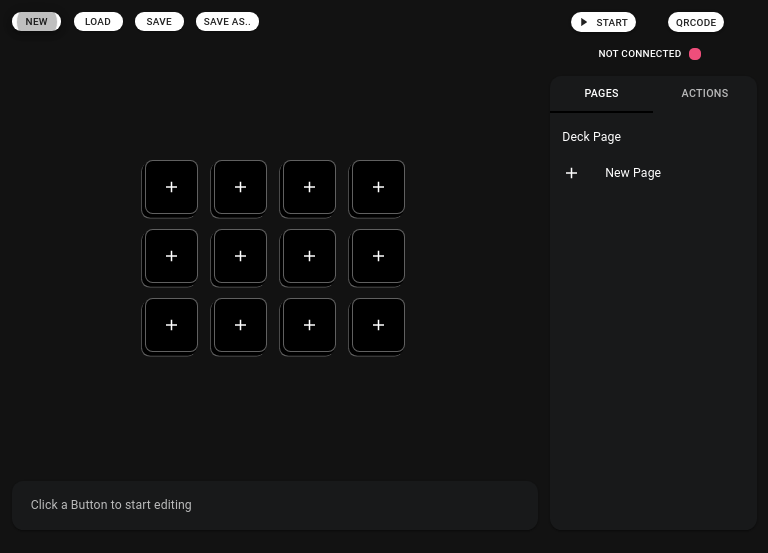
Easily control your computer with this fully customizable Deck Buttons Board (like a macro keyboard but configurable). Support custom Actions extendable with Plugins. Available on Windows, MacOS, Linux (desktop) and Android, iOS (companion app).Features
- Configurable dimensions (numbers of rows and columns)
- Up to 150 buttons per page
- Customize Buttons
- Easily save and load .board files
- Switch buttons' position with drag and drop
- Extendable with plugins, write your custom action! (WIP feature)
Download
The app is actually in alpha stage and there is available a link to download configurator and companion apps. Enjoy! 🥂💻 Desktop App - Configurator
Alpha Release
| Platform | Download | | -- | -- | | Windows | DeckPad_win.exe | | MacOS | DeckPad_mac.dmg | | Linux | DeckPad_linux.AppImage |📱 Mobile App - Companion
(download soon)Project Structure
DeckPad has the main desktop app that act as a server on LAN (it needs WiFi/Ethernet connectivity) and then through his mobile app (like a companion app) let you interact with your configured board. Repo structure:- deckpad


