
(GPU accelerated) Multi-arch (linux/amd64, linux/arm64/v8) JupyterLab Python docker images. Please submit Pull Requests to the GitLab repository. Mirror of


| See the CUDA-based JupyterLab Python docker stack for GPU accelerated docker images. | |:------------------------------------------------------------------------------------------------|
JupyterLab Python docker stack
Multi-arch (linux/amd64, linux/arm64/v8) docker images:
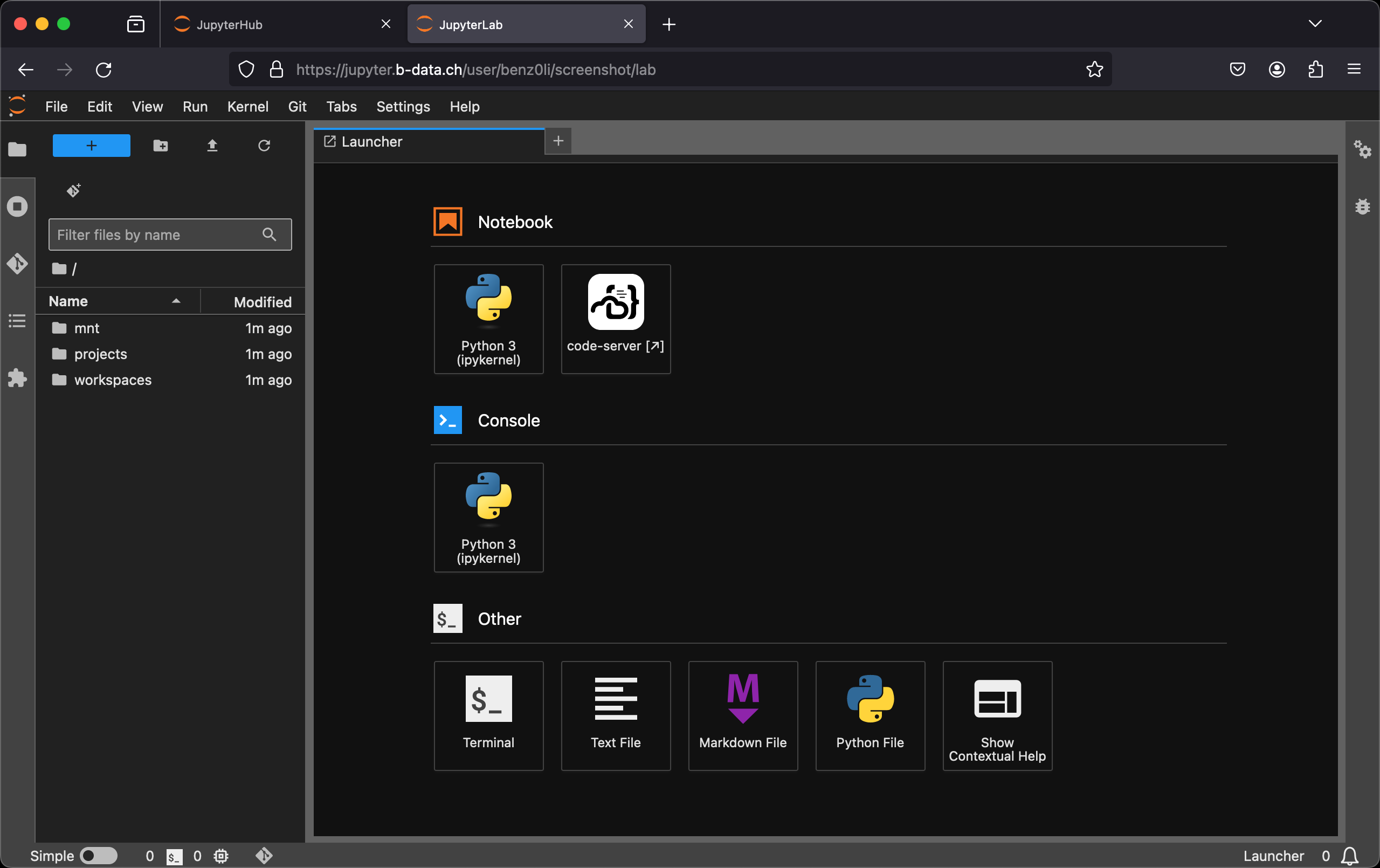
:microscope: Check out jupyterlab/python/scipy at https://demo.jupyter.b-data.ch.
Due to ongoing DDoS attacks, access to b-data's IT infrastructure has been blocked for all Chinese servers. :information_source: For any requests to unblock individual Chinese IPs or CIDR blocks, please contact
Build chain
base → scipy
Features
- JupyterLab: A web-based interactive development environment for Jupyter
Code - OSS in the
browser.
* Git: A distributed version-control system for tracking changes in source
code.
* Git LFS: A Git extension for versioning large files.
* Neovim: Vim-fork focused on extensibility and usability. (3.12.5+)
* Pandoc: A universal markup converter.
* Python: An interpreted, object-oriented, high-level programming language
with dynamic semantics.
* Quarto: A scientific and technical publishing system built on Pandoc.
:information_source: scipy image
* TinyTeX: A lightweight, cross-platform, portable, and easy-to-maintain
LaTeX distribution based on TeX Live.
:information_source: scipy image
* Zsh: A shell designed for interactive use, although it is also a
powerful scripting language.
:pointright: See the Version Matrix for detailed information.
The following extensions are pre-installed for code-server:
:information_source: devtools subtags :information_source: docker subtags (3.11.3+) :information_source: devtools subtags (3.11.5+) :information_source: Pinned to version 11.7.0 due to unsolicited AI content (3.11.4+) :information_source: docker subtags (3.11.4+) :information_source: scipy image (3.11.6+) :information_source: devtools subtags :information_source: scipy image- Resource Monitor (3.11.4+)
- ShellCheck
{PYTHON_VERSION,latest}-root(versions ≥ 3.10.5): Container runs asroot{PYTHON_VERSION,latest}-devtools(versions ≥ 3.10.5): Includes the
{PYTHON_VERSION,latest}-devtools-root: The combination of both{PYTHON_VERSION,latest}-docker(versions ≥ 3.10.11, versions ≥ 3.11.2):
docker-ce-cli
* docker-buildx-plugin
* docker-compose-plugin
* docker-scan-plugin (amd64 only)
{PYTHON_VERSION,latest}-docker-root: The combination of both{PYTHON_VERSION,latest}-devtools-docker: The combination of both{PYTHON_VERSION,latest}-devtools-docker-root: The combination of all three
devtools.
Table of Contents
Prerequisites
This projects requires an installation of docker.
Install
To install docker, follow the instructions for your platform:
- Install Docker Engine | Docker Documentation > Supported platforms
- Post-installation steps for Linux
Usage
Build image (base)
latest:
cd base && docker build \
  --build-arg PYTHON_VERSION=3.14.6 \
  -t jupyterlab/python/base \
-f latest.Dockerfile .version:
cd base && docker build \
  -t jupyterlab/python/base:MAJOR.MINOR.PATCH \
  -f MAJOR.MINOR.PATCH.Dockerfile .
For MAJOR.MINOR.PATCH ≥ 3.10.5.
Create home directory
Create an empty directory using docker:
docker run --rm \
  -v "${PWD}/jupyterlab-jovyan":/dummy \
  alpine chown 1000:100 /dummy
It will be bind mounted as the JupyterLab user's home directory and automatically populated. :exclamation: Bind mounting a subfolder of the home directory is only possible for images with Python version ≥ 3.12.2.
Run container
self built:
docker run -it --rm \
  -p 8888:8888 \
  -u root \
  -v "${PWD}/jupyterlab-jovyan":/home/jovyan \
  -e NB_UID=$(id -u) \
  -e NB_GID=$(id -g) \
  -e CHOWN_HOME=yes \
  -e CHOWNHOMEOPTS='-R' \
  jupyterlab/python/base[:MAJOR.MINOR.PATCH]
from the project's GitLab Container Registries:
docker run -it --rm \
  -p 8888:8888 \
  -u root \
  -v "${PWD}/jupyterlab-jovyan":/home/jovyan \
  -e NB_UID=$(id -u) \
  -e NB_GID=$(id -g) \
  -e CHOWN_HOME=yes \
  -e CHOWNHOMEOPTS='-R' \
  IMAGE[:MAJOR[.MINOR[.PATCH]]]
IMAGE being one of
-v flag in the command mounts the empty directory on the host
(${PWD}/jupyterlab-jovyan in the command) as /home/jovyan in the container.
-e NBUID=$(id -u) -e NBGID=$(id -g) instructs the startup script to switch the user ID and the primary group ID of ${NB_USER} to the user and group ID of the one executing the command.
-e CHOWNHOME=yes -e CHOWNHOME_OPTS='-R' instructs the startup script to recursively change the ${NB_USER} home directory owner and group to the current value of ${NBUID} and ${NBGID}. :information_source: This is only required for the first run.
The server logs appear in the terminal.
Using Podman (rootless mode, 3.11.6+)
Create an empty home directory:
mkdir "${PWD}/jupyterlab-root"Use the following command to run the container as root:
podman run -it --rm \
  -p 8888:8888 \
  -u root \
  -v "${PWD}/jupyterlab-root":/home/root \
  -e NB_USER=root \
  -e NB_UID=0 \
  -e NB_GID=0 \
  -e NOTEBOOK_ARGS="--allow-root" \
  IMAGE[:MAJOR[.MINOR[.PATCH]]]
Using Docker Desktop
Creating a home directory might not be required. Also
docker run -it --rm \
  -p 8888:8888 \
  -v "${PWD}/jupyterlab-jovyan":/home/jovyan \
  IMAGE[:MAJOR[.MINOR[.PATCH]]]
might be sufficient.
code-server settings
Some extension features enabled by default are intentionally disabled, i.e. set to false.
To enable one of these features, explicitly set it to true under 'Command Palette...' > 'Preferences: Open User Settings (JSON)'.
Enabling these via the GUI is not sufficient. Such default settings are overwritten upon restart by the Juypter startup hook 30-code-server.sh.
Misc
marimo
To add a JupyterLab Launcher icon for marimo:
- Terminal: Install marimo and click
pip install marimo click- Terminal: Install
pip install git+https://github.com/b-data/jupyter-marimo-proxy.git@jupyterlab-docker-stack- Restart the container
Similar projects
What makes this project different:- Multi-arch:
linux/amd64,linux/arm64/v8
- Base image: Debian instead of
- IDE: code-server next to
Code - OSS in the browser.
- Just Python – no Conda /
See Notes for tweaks, settings, etc.
Contributing
PRs accepted. Please submit to the GitLab repository.
This project follows the Contributor Covenant Code of Conduct.
Support
Community support: Open a new discussion here. Commercial support: Contact b-data by email.
b-data tailors the JupyterLab images to your needs, e.g.
- Integration of self-signed CA certificates to enable communication with web
- Setting up the necessary environment variables so that everything works
- If supported by the NVIDIA GPU(s): Correctly handle CUDA forward compatibility
Additionally, the JupyterHub setup can be customised to allow
- authentication with AD/LDAP
- mounting CIFS/SMB file shares
License
Copyright © 2022 b-data GmbH
Distributed under the terms of the MIT License, with exceptions.


