
(GPU accelerated) Multi-arch (linux/amd64, linux/arm64/v8) Data Science dev containers for R, Python, Julia and MAX/Mojo
(CUDA-based) Data Science dev containers



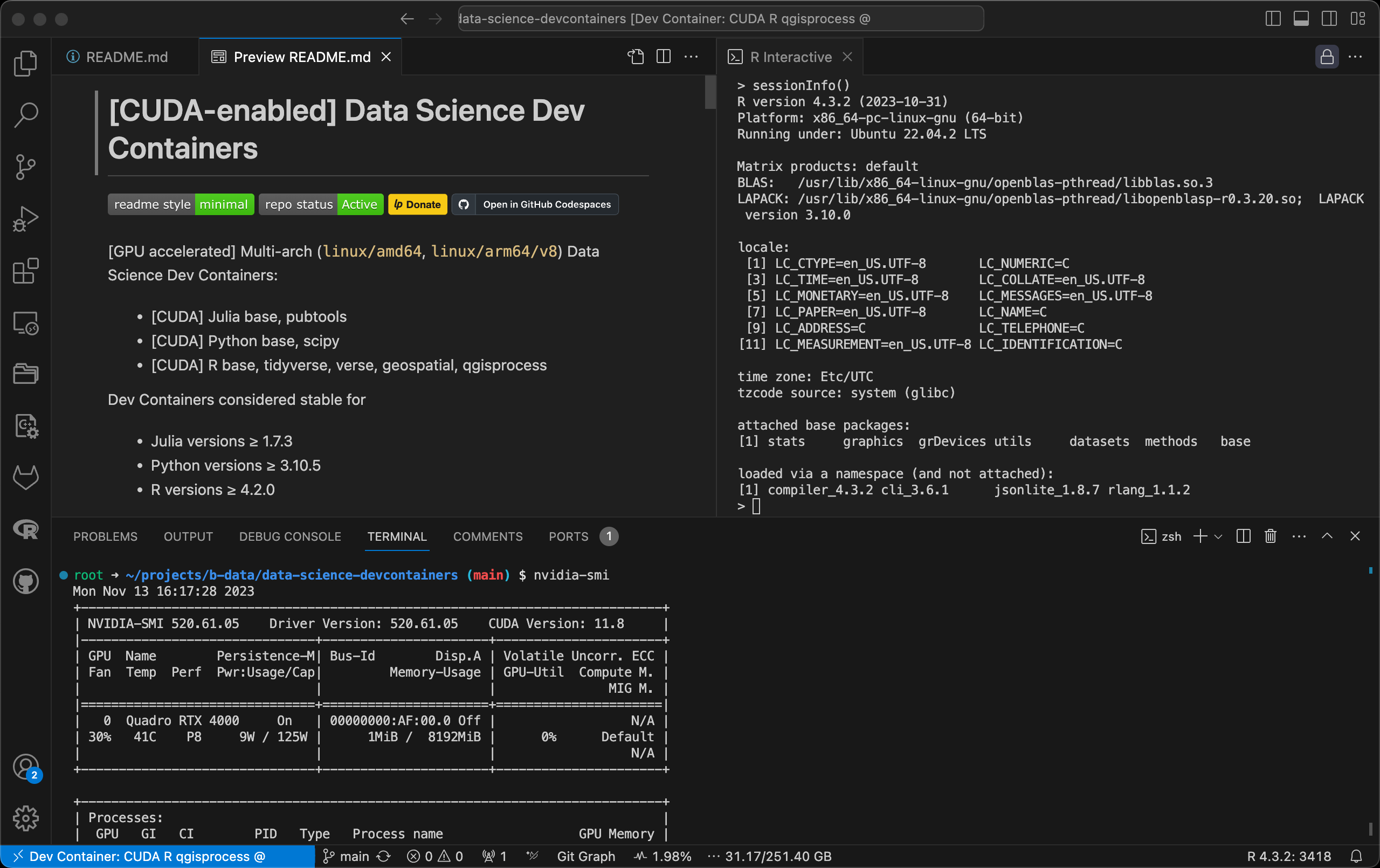
(GPU accelerated) Multi-arch (linux/amd64, linux/arm64/v8) Data Science dev containers:
- (CUDA) Julia base, pubtools
- MAX/Mojo base, scipy
- CUDA MAX base, scipy
- (CUDA) Python base, scipy
- (CUDA) R base, tidyverse, verse, geospatial, qgisprocess
- Julia versions ≥ 1.7.3
- Mojo versions ≥ 24.3.0
- Python versions ≥ 3.10.5
- R versions ≥ 4.2.0
Parent images
- (CUDA-based) Julia docker stack
- (CUDA-based) MAX/Mojo docker stack
- (CUDA-based) Python docker stack
- (CUDA-based) R docker stack
- GPU accelerated dev containers are based on the
- Dev containers' Oh My Zsh uses the devcontainers theme + default font.
Features
notebooks, code, and data.
code.
:information_source: (CUDA) R qgisprocess image
sensing.
:information_source: (CUDA) R qgisprocess image (amd64 only)
computing.
with dynamic semantics.
information system (GIS).
:information_source: (CUDA) R qgisprocess image
:information_source: Julia pubtools, MAX/Mojo/Python scipy, R verse+ images
capabilities for geodata processing and analysis.
:information_source: (CUDA) R qgisprocess image
LaTeX distribution based on TeX Live.
:information_source: Julia pubtools, MAX/Mojo/Python scipy, R verse+ images
scripting language.
:point_right: See the Version Matrices for detailed information:
- Julia: Version Matrix,
- MAX/Mojo: Version Matrix,
- Python: Version Matrix,
- R: Version Matrix,
Pre-installed extensions
[^1]: Depending on which dev container configuration is selected.
Table of Contents
Prerequisites
Dev containers require either Docker or Podman[^2] to be installed. CUDA-based versions require the following in addition:
- NVIDIA GPU
- NVIDIA Linux driver
- NVIDIA Container Toolkit
:information_source: The host running the GPU accelerated dev containers only requires the NVIDIA driver, the CUDA toolkit does not have to be installed.
Use driver version 580 (Long Term Support Branch) with NVIDIA Data Center GPUs or select NGC-Ready NVIDIA RTX boards to ensure forward compatibility until June 2028.
Install
Codespaces require no installation, but do not currently offer machines with NVIDIA GPUs.
Docker
To install Docker, follow the instructions for your platform:
- Install Docker Engine | Docker Documentation > Supported platforms
- Post-installation steps for Linux
Podman
To install Podman, follow the instructions for your platform:
CUDA
To install the NVIDIA Container Toolkit, follow the instructions for your platform:
Usage
The default dev container is meant to work on this repository.
Every other configuration is a custom Data Science dev container that behaves in a unique way:
- Default mount[^3]:
/home/vscode
* type: volume
- Codespace only mount:
/workspaces
* type: misc
- Default path:
/home/vscode - Default user[^4]:
vscode
- Lifecycle scripts:
onCreateCommand:
home directory setup
* postStartCommands
* docker:
Silently remove all unused images and all build cache (Codespace only)
* julia:
Copy user-specific startup files
* r:
Copy QGIS stuff from skeleton directory; Create R user library
* postAttachCommand:
Codespace only: Check for dev container updates
[^3]: See issue #2 about changing the mount type.
[^4]: See issue #3 about running as root.
To disable the postStartCommand or postAttachCommand, comment out line 8 in ~/.local/bin/dockerSystemPrune.sh or ~/.local/bin/checkForUpdates.sh.
Codespace
- Click the
<> Codebutton, then click the Codespaces tab.
- Create your codespace after configuring advanced options:
devcontainer.json file:
* At the top right of the Codespaces tab, select ... and click
New with options....
* On the options page for your codespace, choose your preferred options
from the dropdown menus.
* Click Create codespace.
– Creating a codespace for a repository - GitHub Docs
To open your codespace in JupyterLab:
- Execute
- Ctrl+click on one of the URLs shown in the Terminal.
:information_source: Opening your codespace in JupyterLab according to the GitHub Docs sets the default path to /workspaces/<repository-name> that you can not escape.
Local/'Remote SSH'
Use the Dev Containers: Reopen in Container command from the Command Palette (F1, ⇧⌘P (Windows, Linux Ctrl+Shift+P))
To start JupyterLab:
- Execute
Ctrl+clickon one of the URLs shown in the Terminal.
Persistence
Data in the following locations is persisted:
- The user's home directory (
/home/vscode)[^5] - The dev container's workspace (
/workspaces)
/root). Use with Docker/Podman in
rootless mode.
This is accomplished either via a volume or bind mount (or loop device on Codespaces) and is preconfigured.
| Codespaces: A 'Full Rebuild Container' resets the home directory!
:information_source: This is never necessary unless you want exactly that. | |:----------------------------------------------------------------------------------------------------------------------------------------------------|
Similar project
What makes this project different:- Multi-arch:
linux/amd64,linux/arm64/v8
- Base image: Debian instead of
- IDE: JupyterLab next to
- Just Python – no Conda /
CUDA-based images:
- Derived from
nvidia/cuda:13.3.0-runtime-ubuntu24.04
Contributing
PRs accepted.
This project follows the Contributor Covenant Code of Conduct.
Support
Community support: Open a new discussion here.
Commercial support: Contact b-data by email.
License
Copyright © 2023 b-data GmbH
Distributed under the terms of the MIT License.


