
Python package for Stroke Width Transform - Localizing the Text (Letters & Words) in a Natural Image
SWTloc : Stroke Width Transform Text Localizer

| Header | Status | |------------------------|---| |Latest Release|





Description
This repo contains a python implementation structured as a python package pertaining to the text localization method as in a natural image as outlayed in the Research Paper :-
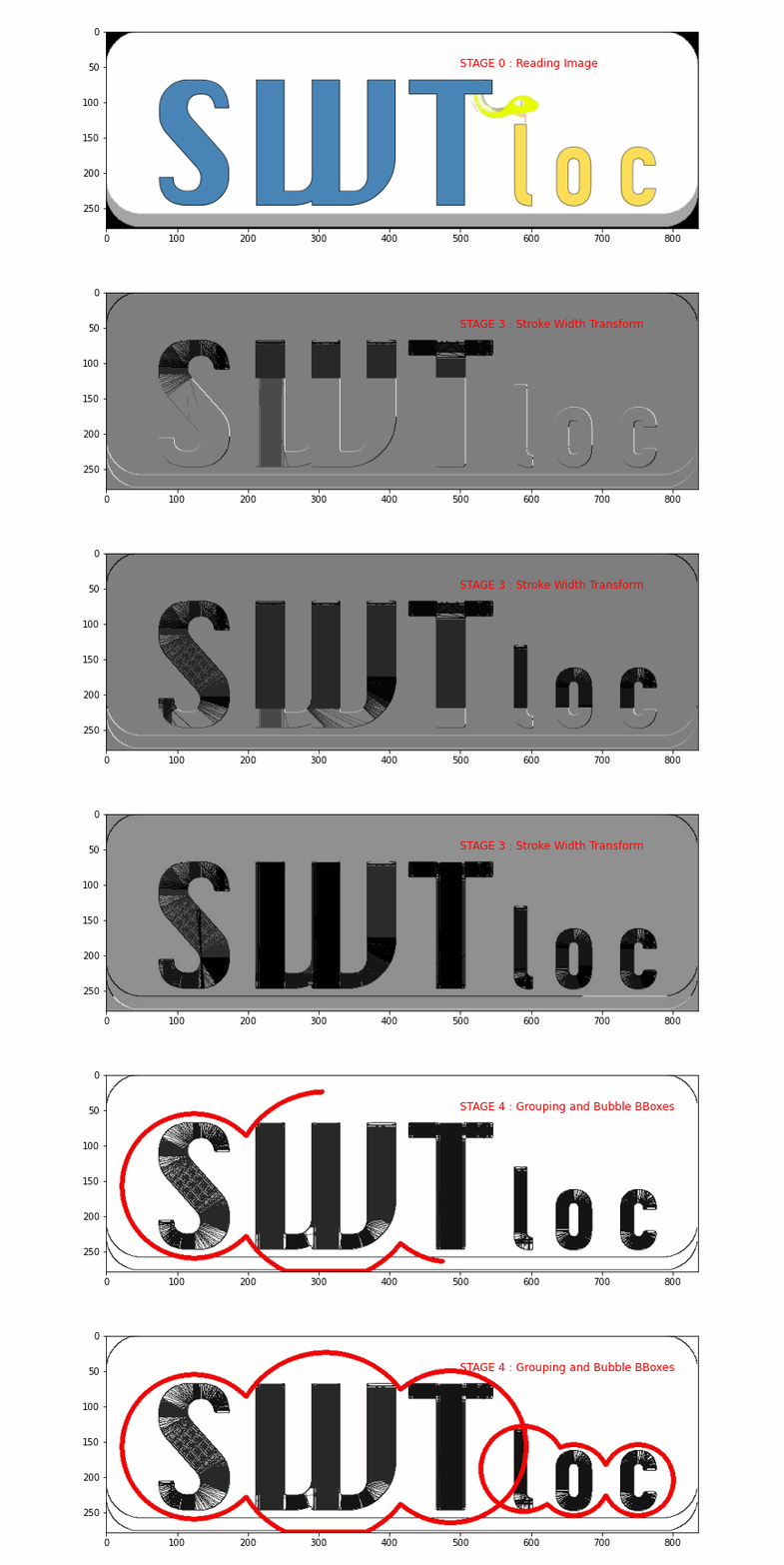
This library extends the transformation stage of the image for textual content by giving the ability to :
- Localize
Letter's : throughSWTImage.localizeLetters - Localize
Words's, via fusing individualLetter's : throughSWTImage.localizeWords

Installation
pip install swtlocDocumentation
Documentation for SWTLoc can be found at - SWTLoc DocumentationSpeed Benchmarking
Below is the speed comparison between different versions of `SWTLoc and their various engines. The time measured for
each test image was calculated based on 10 iterations of 10 runs each. Test Images can be found in examples/images/
folder in this repository, and the code for generating the below table can be found in -
Improvements-in-v2.0.0.ipynb notebook in examples/` folder.
Test Image | SWT v1.1.1 (Python) | SWT v1.1.1 (Python) [x] | SWT v2.0.0 (Python) | SWT v2.0.0 (Python) [x] | SWT v2.0.0 (numba) | SWT v2.0.0 (numba) [x] --- | --- | --- | --- |--- |--- |--- test_img1.jpg | 16.929 seconds| 1.0x| 8.145 seconds| 2.078x| 0.33 seconds| 51.315x test_img2.jpg | 10.107 seconds| 1.0x| 4.205 seconds| 2.404x| 0.178 seconds| 50.904x test_img3.jpg | 4.545 seconds| 1.0x| 2.701 seconds| 1.683x| 0.082 seconds| 55.625x test_img4.jpeg | 7.626 seconds| 1.0x| 3.992 seconds| 1.91x| 0.142 seconds| 53.859x test_img5.jpg | 17.071 seconds| 1.0x| 7.554 seconds| 2.26x| 0.302 seconds| 56.62x test_img6.jpg | 4.973 seconds| 1.0x| 3.104 seconds| 1.602x| 0.094 seconds| 53.076x
Frequently Used Code Snippets
Performing Stroke Width Transformation
# Installation
!pip install swtloc
Imports
import swtloc as swt
Image Path
imgpath = 'examples/images/testimage5/test_img5.jpg'
Result Path
respath = 'examples/images/testimage5/usage_results/'
Initializing the SWTLocalizer class with the image path
swtl = swt.SWTLocalizer(image_paths=imgpath)
Accessing the SWTImage Object which is housing this image
swtImgObj = swtl.swtimages[0]
Performing Stroke Width Transformation
swtmat = swtImgObj.transformImage(textmode='db_lf')
Localizing & Annotating Letters and Generating Crops of Letters
# Installation
!pip install swtloc
Imports
import swtloc as swt
from cv2 import cv2
import numpy as np
Image Path
imgpath = 'examples/images/testimage1/test_img1.jpg'
Read the image
img = cv2.imread(imgpath)
Result Path
respath = 'examples/images/testimage1/usage_results/'
Initializing the SWTLocalizer class with a pre loaded image
swtl = swt.SWTLocalizer(images=img)
swtImgObj = swtl.swtimages[0]
Perform Stroke Width Transformation
swtmat = swtImgObj.transformImage(textmode='db_lf',
                                   maximumangledeviation=np.pi/2,
                                   gaussianblurrkernel=(11, 11),
                                   minimumstrokewidth=5,
                                   maximumstrokewidth=50,
                                   display=False)  # NOTE: Set display=True
Localizing Letters
localizedletters = swtImgObj.localizeLetters(minimumpixelspercc=950,
                                              maximumpixelsper_cc=5200)
letterlabels = [int(k) for k in list(localizedletters.keys())]
# Some Other Helpful Letter related functions
# Query a single letter
from swtloc.configs import (IMAGE_ORIGINAL,
                            IMAGESWTTRANSFORMED)
locletter, swtloc, origloc = swtImgObj.getLetter(key=letterlabels[5])
# Iterating over all the letters
# Specifically useful for jupyter notebooks - Iterate over all
# the letters, at the same time visualizing the localizations
letter_gen = swtImgObj.letterIterator()
locletter, swtloc, origloc = next(lettergen)
# Generating a crop of a single letter on any of the available
# image codes.
# Crop on SWT Image
swtImgObj.saveCrop(savepath=respath,cropof='letters',cropkey=6, cropon=IMAGESWTTRANSFORMED, croptype='minbbox')
# Crop on Original Image
swtImgObj.saveCrop(savepath=respath,cropof='letters',cropkey=6, cropon=IMAGEORIGINAL, croptype='min_bbox')
Localizing & Annotating Words and Generating Crops of Words
# Installation
!pip install swtloc
Imports
import swtloc as swt
Image Path
imgpath = 'images/testimg2/testimg2.jpg'
Result Path
respath = 'images/testimg2/usageresults/'
Initializing the SWTLocalizer class with the image path
swtl = swt.SWTLocalizer(image_paths=imgpath)
swtImgObj = swtl.swtimages[0]
Perform Stroke Width Transformation
swtmat = swtImgObj.transformImage(maximumangle_deviation=np.pi/2,
                                   gaussianblurrkernel=(9, 9),
                                   minimumstrokewidth=3,
                                   maximumstrokewidth=50,
                                   includeedgesin_swt=False,
                                   display=False)  # NOTE: Set display=True
Localizing Letters
localizedletters = swtImgObj.localizeLetters(minimumpixelspercc=400,
                                              maximumpixelsper_cc=6000,
                                              display=False)  # NOTE: Set display=True
Calculate and Draw Words Annotations
localized_words = swtImgObj.localizeWords(display=True)  # NOTE: Set display=True
wordlabels = [int(k) for k in list(localizedwords.keys())]
# Some Other Helpful Words related functions
# Query a single word
from swtloc.configs import (IMAGE_ORIGINAL,
                            IMAGESWTTRANSFORMED)
locword, swtloc, origloc = swtImgObj.getWord(key=wordlabels[8])
# Iterating over all the words
# Specifically useful for jupyter notebooks - Iterate over all
# the words, at the same time visualizing the localizations
word_gen = swtImgObj.wordIterator()
locword, swtloc, origloc = next(wordgen)
# Generating a crop of a single word on any of the available
# image codes
# Crop on SWT Image
swtImgObj.saveCrop(savepath=respath, cropof='words', cropkey=9, cropon=IMAGESWTTRANSFORMED, crop_type='bubble')
# Crop on Original Image
swtImgObj.saveCrop(savepath=respath, cropof='words', cropkey=9, cropon=IMAGEORIGINAL, croptype='bubble')


