
📸 Instagram-like image picker & filters for iOS

YPImagePicker
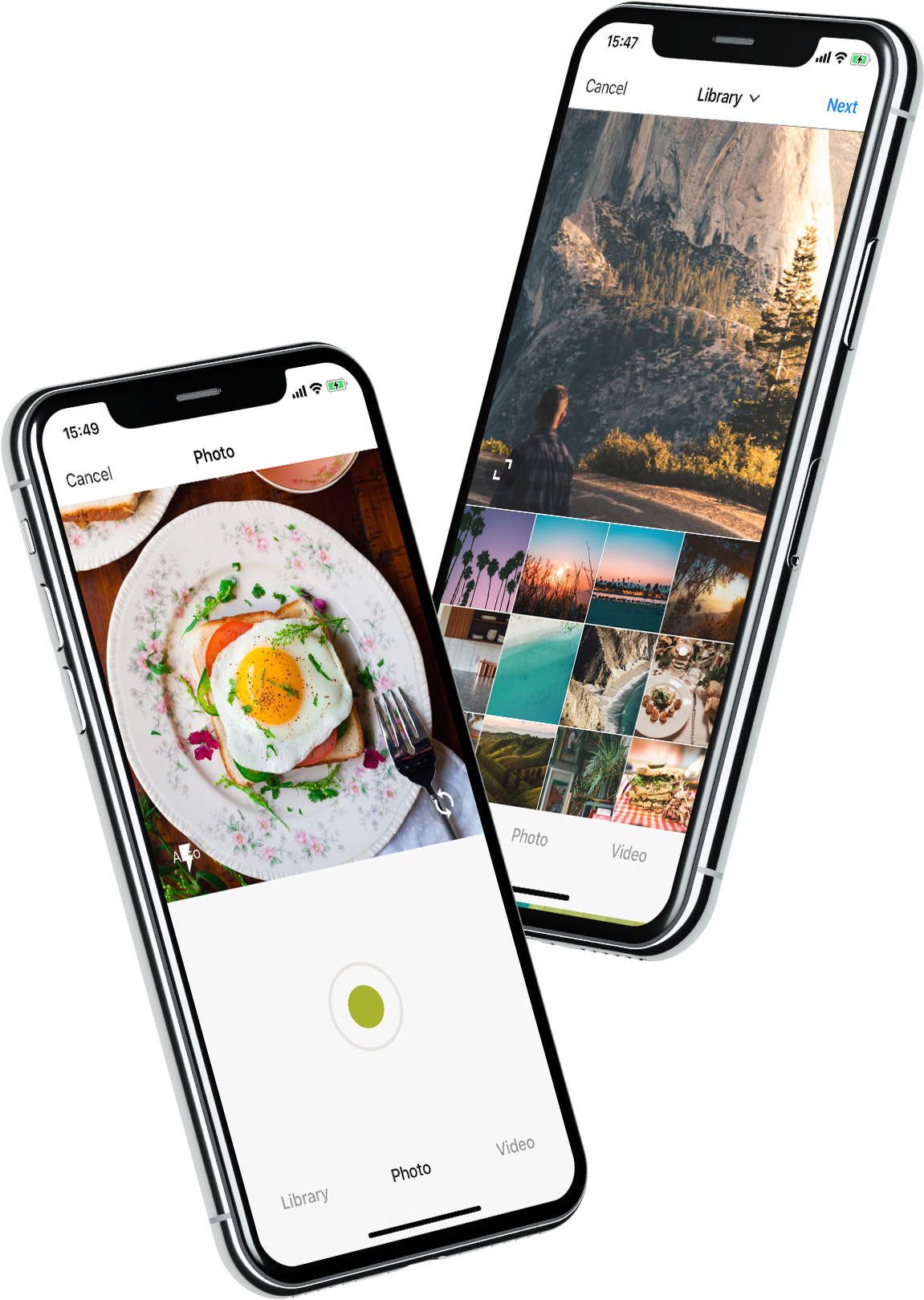
YPImagePicker is an instagram-like photo/video picker for iOS written in pure Swift. It is feature-rich and highly customizable to match your App's requirements.




 [
[ ]()
]()
Installation - Configuration - Usage - Languages - UI Customization
Give it a quick try : pod repo update then pod try YPImagePicker
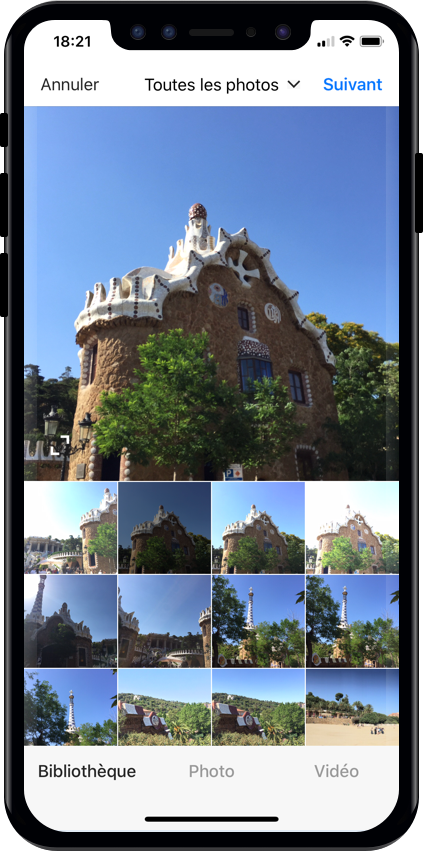
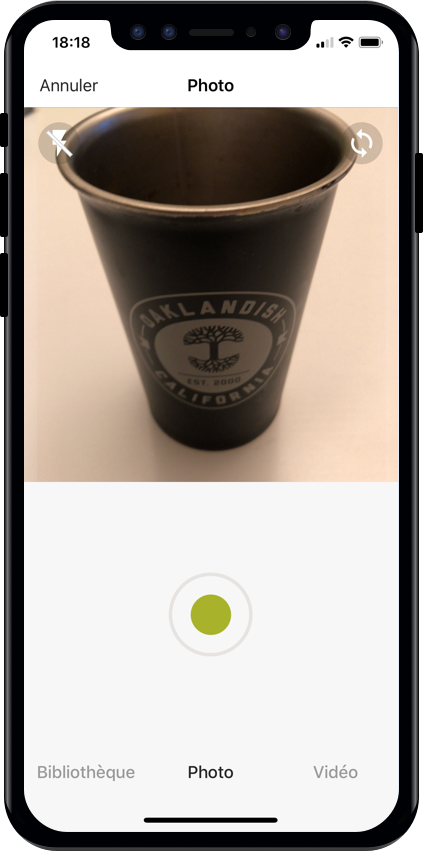
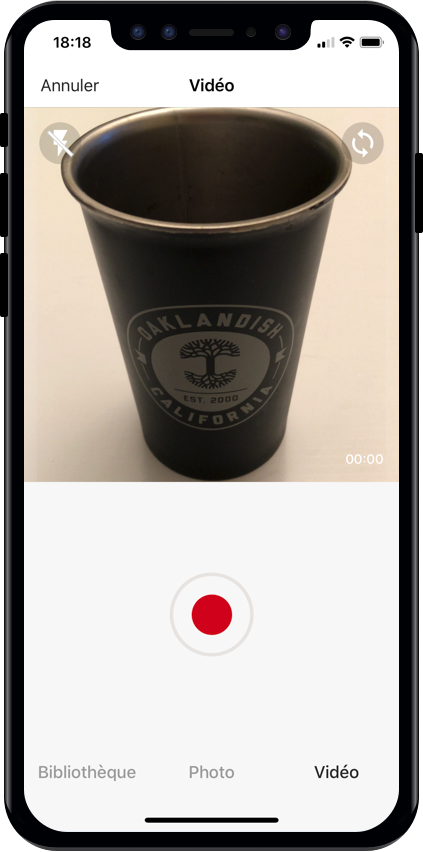
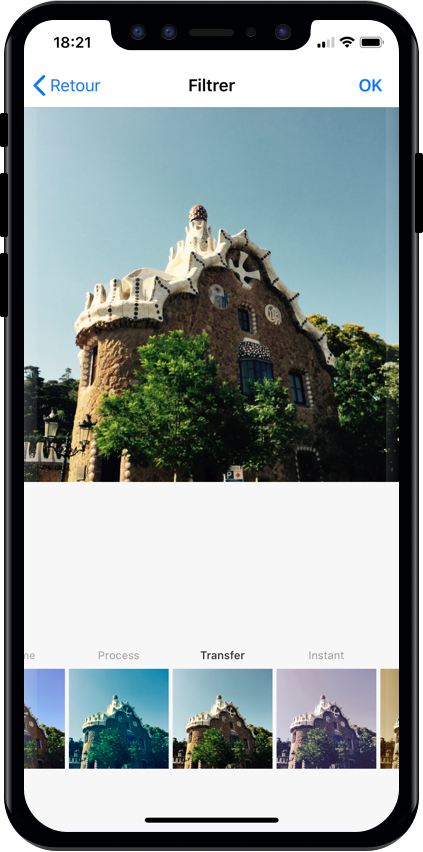
Those features are available just with a few lines of code!
Notable Features
🌅 Library 📷 Photo 🎥 Video ✂️ Crop ⚡️ Flash 🖼 Filters 📁 Albums 🔢 Multiple Selection 📏 Video Trimming & Cover selection 📐 Output image size And many more...
Installation
Using CocoaPods
First, be sure to run pod repo update to get the latest version available.
Add pod 'YPImagePicker' to your Podfile and run pod install. Also, add use_frameworks! to the Podfile.
target 'MyApp'
pod 'YPImagePicker'
use_frameworks!
Using Swift Package Manager
Open SPM dependency manager through File > Swift Packages > Add Package Dependency....
and insert repository URL:
`https://github.com/Yummypets/YPImagePicker.git
To add dependency in your own package, just specify a package in dependencies of your Package.swift: <pre><code class="lang-swift">.package( name: "YPImagePicker", url: "https://github.com/Yummypets/YPImagePicker.git", .upToNextMajor(from: "5.0.0") )</code></pre> Note: This has a minimum target iOS version of 12.0.
Plist entries
In order for your app to access camera and photo libraries, you'll need to add these plist entries :
- Privacy - Camera Usage Description (photo/videos)
- Privacy - Photo Library Usage Description (library)
- Privacy - Microphone Usage Description (videos)
Configuration
All the configuration endpoints are in the YPImagePickerConfiguration struct. Below are the default value for reference, feel free to play around :)
<pre><code class="lang-swift">var config = YPImagePickerConfiguration() // [Edit configuration here ...] // Build a picker with your configuration let picker = YPImagePicker(configuration: config)</code></pre>
General
<pre><code class="lang-Swift">config.isScrollToChangeModesEnabled = true config.onlySquareImagesFromCamera = true config.usesFrontCamera = false config.showsPhotoFilters = true config.showsVideoTrimmer = true config.shouldSaveNewPicturesToAlbum = true config.albumName = "DefaultYPImagePickerAlbumName" config.startOnScreen = YPPickerScreen.photo config.screens = [.library, .photo] config.showsCrop = .none config.targetImageSize = YPImageSize.original config.overlayView = UIView() config.hidesStatusBar = true config.hidesBottomBar = false config.hidesCancelButton = false config.silentMode = true config.preferredStatusBarStyle = UIStatusBarStyle.default config.bottomMenuItemSelectedColour = UIColor(r: 38, g: 38, b: 38) config.bottomMenuItemUnSelectedColour = UIColor(r: 153, g: 153, b: 153) config.filters = [DefaultYPFilters...] config.maxCameraZoomFactor = 1.0 config.fonts..</code></pre>Library
<pre><code class="lang-swift">config.library.options = nil config.library.onlySquare = false config.library.isSquareByDefault = true config.library.minWidthForItem = nil config.library.mediaType = YPlibraryMediaType.photo config.library.defaultMultipleSelection = false config.library.maxNumberOfItems = 1 config.library.minNumberOfItems = 1 config.library.numberOfItemsInRow = 4 config.library.spacingBetweenItems = 1.0 config.library.skipSelectionsGallery = false config.library.preselectedItems = nil config.library.preSelectItemOnMultipleSelection = true</code></pre>Video
<pre><code class="lang-swift">config.video.compression = AVAssetExportPresetHighestQuality config.video.fileType = .mov config.video.recordingTimeLimit = 60.0 config.video.libraryTimeLimit = 60.0 config.video.minimumTimeLimit = 3.0 config.video.trimmerMaxDuration = 60.0 config.video.trimmerMinDuration = 3.0</code></pre>Gallery
<pre><code class="lang-swift">config.gallery.hidesRemoveButton = false</code></pre>Default Configuration
<pre><code class="lang-swift">// Set the default configuration for all pickers YPImagePickerConfiguration.shared = config
// And then use the default configuration like so: let picker = YPImagePicker()</code></pre>
When displaying picker on iPad, picker will support one size only you should set it before displaying it: <pre><code class="lang-">let preferredContentSize = CGSize(width: 500, height: 600); YPImagePickerConfiguration.widthOniPad = preferredContentSize.width;
// Now you can Display the picker with preferred size in dialog, popup etc</code></pre>
Usage
First things first import YPImagePicker.
The picker only has one callback didFinishPicking enabling you to handle all the cases. Let's see some typical use cases 🤓
Single Photo
<pre><code class="lang-swift">let picker = YPImagePicker() picker.didFinishPicking { [unowned picker] items, _ in if let photo = items.singlePhoto { print(photo.fromCamera) // Image source (camera or library) print(photo.image) // Final image selected by the user print(photo.originalImage) // original image selected by the user, unfiltered print(photo.modifiedImage) // Transformed image, can be nil print(photo.exifMeta) // Print exif meta data of original image. } picker.dismiss(animated: true, completion: nil) } present(picker, animated: true, completion: nil)</code></pre>Single video
<pre><code class="lang-swift">// Here we configure the picker to only show videos, no photos. var config = YPImagePickerConfiguration() config.screens = [.library, .video] config.library.mediaType = .videolet picker = YPImagePicker(configuration: config) picker.didFinishPicking { [unowned picker] items, _ in if let video = items.singleVideo { print(video.fromCamera) print(video.thumbnail) print(video.url) } picker.dismiss(animated: true, completion: nil) } present(picker, animated: true, completion: nil)</code></pre>
As you can see singlePhoto and singleVideo helpers are here to help you handle single media which are very common, while using the same callback for all your use-cases \o/
Multiple selection
To enable multiple selection make sure to set library.maxNumberOfItems in the configuration like so:
<pre><code class="lang-swift">var config = YPImagePickerConfiguration()
config.library.maxNumberOfItems = 3
let picker = YPImagePicker(configuration: config)</code></pre>
Then you can handle multiple selection in the same callback you know and love :
<pre><code class="lang-swift">picker.didFinishPicking { [unowned picker] items, cancelled in
for item in items {
switch item {
case .photo(let photo):
print(photo)
case .video(let video):
print(video)
}
}
picker.dismiss(animated: true, completion: nil)
}</code></pre>
Handle Cancel event (if needed)
<pre><code class="lang-swift">picker.didFinishPicking { [unowned picker] items, cancelled in
if cancelled {
print("Picker was canceled")
}
picker.dismiss(animated: true, completion: nil)
}</code></pre>
That's it !
Languages
🇺🇸 English, 🇪🇸 Spanish, 🇫🇷 French 🇷🇺 Russian, 🇵🇱 Polish, 🇳🇱 Dutch, 🇧🇷 Brazilian, 🇹🇷 Turkish, 🇸🇾 Arabic, 🇩🇪 German, 🇮🇹 Italian, 🇯🇵 Japanese, 🇨🇳 Chinese, 🇮🇩 Indonesian, 🇰🇷 Korean, 🇹🇼 Traditional Chinese(Taiwan), 🇻🇳 Vietnamese, 🇹🇭 Thai, 🇨🇿 Czech, 🇮🇷 Farsi.
If your language is not supported, you can still customize the wordings via the
configuration.wordings api:
<pre><code class="lang-swift">config.wordings.libraryTitle = "Gallery" config.wordings.cameraTitle = "Camera" config.wordings.next = "OK"</code></pre> Better yet you can submit an issue or pull request with your
Localizable.strings` file to add a new language !
UI Customization
We tried to keep things as native as possible, so this is done mostly through native Apis.Navigation bar color
let coloredImage = UIImage(color: .red)
UINavigationBar.appearance().setBackgroundImage(coloredImage, for: UIBarMetrics.default)
// UIImage+color helper https://stackoverflow.com/questions/26542035/create-uiimage-with-solid-color-in-swift
Navigation bar fonts
let attributes = [NSAttributedString.Key.font : UIFont.systemFont(ofSize: 30, weight: .bold) ]
UINavigationBar.appearance().titleTextAttributes = attributes // Title fonts
UIBarButtonItem.appearance().setTitleTextAttributes(attributes, for: .normal) // Bar Button fonts
Navigation bar Text colors
UINavigationBar.appearance().titleTextAttributes = [NSAttributedString.Key.foregroundColor : UIColor.yellow ] // Title color
UINavigationBar.appearance().tintColor = .red // Left. bar buttons
config.colors.tintColor = .green // Right bar buttons (actions)
Original Project & Author
This project has been first inspired by Fusuma Considering the big code, design changes, and all the additional features added along the way, this moved from a fork to a standalone separate repo, also for discoverability purposes. Original Fusuma author is ytakz
Core Team


Contributors 🙏
ezisazis, hanikeddah, tahaburak, ajkolean, Anarchoschnitzel, Emil, Rafael Damasceno, cenkingunlugu heitara portellaa Romixery shotat shalamowwwSpecial thanks to ihtiht for the cool looking logo!


