
⚗ Mind Elixir is a JavaScript, framework-agnostic mind map core.

Mind Elixir Core


English | 中文 | Español | Français | Português | Русский | 日本語 | 한국어
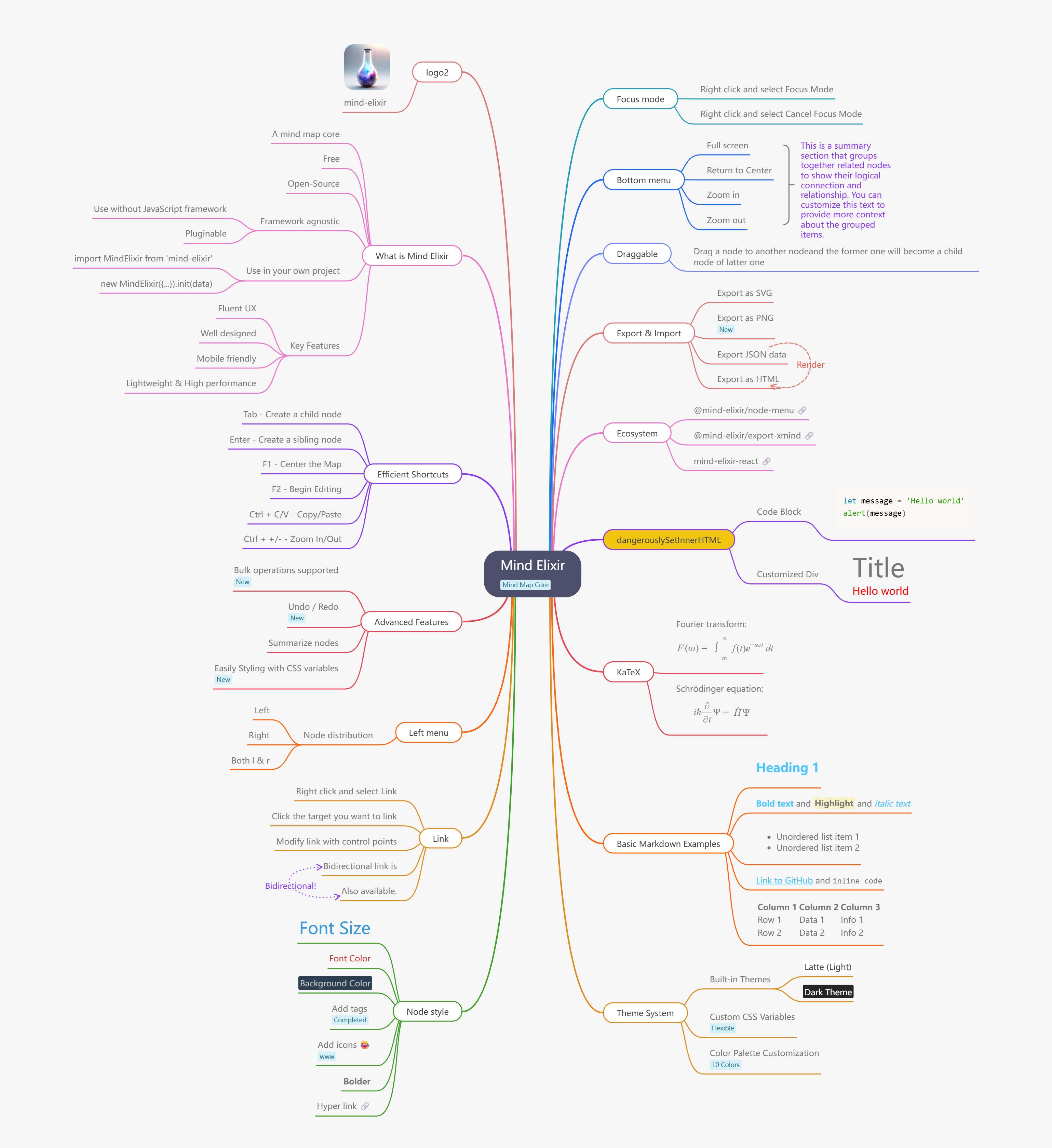
Mind elixir is a open source JavaScript mind map core. You can use it with any frontend framework you like.
Features
🎨 User Experience
- Fluent UX - Smooth and intuitive interactions
- Well designed - Clean and modern interface
- Mobile friendly - Touch events for mobile devices
- Efficient shortcuts - Keyboard shortcuts for power users
⚡ Performance & Architecture
- Lightweight - Minimal bundle size
- High performance - Optimized for large mind maps
- Framework agnostic - Works with any frontend framework
- Pluginable - Extensible architecture
🛠️ Core Features
- Interactive editing - Built-in drag and drop / node edit capabilities
- Bulk operations - Multi-node selection and operations
- Undo / Redo - Complete operation history
- Node connections & summarization - Custom node linking and content summarization
📤 Export & Customization
- Multiple export formats - SVG / PNG / HTML export
- Easy styling - Customize mindmap with CSS variables
- Theme support - Built-in themes and custom styling
Build with AI
Use npx skills add to install guides to your project:
Integration Guide:
npx skills add ssshooter/mind-elixir-core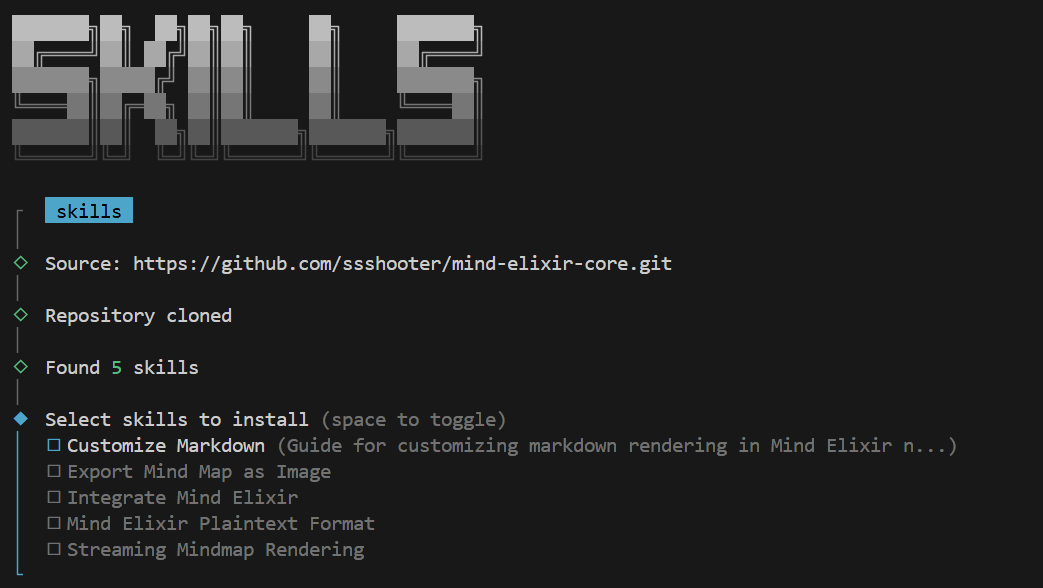
Table of Contents
Used by
Try now
Playground
- Vanilla JS - https://codepen.io/ssshooter/pen/vEOqWjE
- React - https://codesandbox.io/p/devbox/mind-elixir-3-x-react-18-x-forked-f3mtcd
- Vue3 - https://codesandbox.io/p/sandbox/mind-elixir-3-x-vue3-lth484
Documentation
https://docs.mind-elixir.com/
Usage
Install
NPM
npm i mind-elixir -Simport MindElixir from 'mind-elixir'
import 'mind-elixir/style.css'Script tag
And in your CSS file:
@import 'https://cdn.jsdelivr.net/npm/mind-elixir/dist/style.css';Init
<div id="map"></div>
<style>
  #map {
    height: 500px;
    width: 100%;
  }
</style>
import MindElixir from 'mind-elixir'
import { en } from 'mind-elixir/i18n'
import 'mind-elixir/style.css'
import example from 'mind-elixir/dist/example1'
let options = { el: '#map', // or HTMLDivElement direction: MindElixir.LEFT, toolBar: true, // default true keypress: true, // default true overflowHidden: false, // default false mouseSelectionButton: 0, // 0 for left button, 2 for right button, default 0 contextMenu: { locale: en, // [cn,zhCN,zhTW,en,ru,ja,pt,it,es,fr,ko,ro,da,fi,de,nl,nb,sv] focus: true, link: true, extend: [ { name: 'Node edit', onclick: () => { alert('extend menu') }, }, ], }, // default true before: { insertSibling(type, obj) { return true }, }, // Custom markdown parser (optional) // markdown: (text) => customMarkdownParser(text), // provide your own markdown parser function }
let mind = new MindElixir(options)
mind.install(plugin) // install your plugin
// create new map data const data = MindElixir.new('new topic') // or example // or the data return from .getData() mind.init(data)
// get a node MindElixir.E('node-id')
Data Structure
// whole node data structure up to now
const nodeData = {
  topic: 'node topic',
  id: 'bd1c24420cd2c2f5',
  style: { fontSize: '32', color: '#3298db', background: '#ecf0f1' },
  expanded: true,
  parent: null,
  tags: ['Tag'],
  icons: ['😀'],
  hyperLink: 'https://github.com/ssshooter/mind-elixir-core',
  image: {
    url: 'https://raw.githubusercontent.com/ssshooter/mind-elixir-core/master/images/logo2.png', // required
    // you need to query the height and width of the image and calculate the appropriate value to display the image
    height: 90, // required
    width: 90, // required
  },
  children: [
    {
      topic: 'child',
      id: 'xxxx',
      // ...
    },
  ],
}
Event Handling
mind.bus.addListener('operation', operation => {
  console.log(operation)
  // return {
  //   name: action name,
  //   obj: target object
  // }
// name: [insertSibling|addChild|removeNode|beginEdit|finishEdit]   // obj: target
// name: moveNode   // obj: {from:target1,to:target2} })
mind.bus.addListener('selectNodes', nodes => {   console.log(nodes) })
mind.bus.addListener('expandNode', node => {   console.log('expandNode: ', node) })
Data Export And Import
// data export
const data = mind.getData() // javascript object, see src/example.js
mind.getDataString() // stringify object
// data import // initiate let mind = new MindElixir(options) mind.init(data) // data update mind.refresh(data)
Markdown Support
Mind Elixir supports custom markdown parsing:
// Disable markdown (default)
let mind = new MindElixir({
  // markdown option omitted - no markdown processing
})
// Use custom markdown parser let mind = new MindElixir({   markdown: text => {     // Your custom markdown implementation     return text       .replace(/\\(.?)\\*/g, '<strong>$1</strong>')       .replace(/\(.?)\*/g, '<em>$1</em>')       .replace(/(.*?)/g, '<code>$1</code>')   }, })
// Use any markdown library (e.g., marked, markdown-it, etc.) import { marked } from 'marked' let mind = new MindElixir({   markdown: text => marked(text), })
Operation Guards
let mind = new MindElixir({
  // ...
  before: {
    async addChild(el, obj) {
      try {
        await saveDataToDb()
        return true
      } catch (err) {
        return false
      }
    },
  },
})
Export as a Image
Install @zumer/snapdom, then:
import { snapdom } from '@zumer/snapdom'
const download = async () => {   const result = await snapdom(mind.nodes)   await result.download({ format: 'jpg', filename: 'my-capture' }) }
For other export formats and advanced options, see the Mind Elixir documentation.
Deprecated API
⚠️ Deprecated: The mind.exportSvg() method is deprecated and will be removed in a future version.
// DEPRECATED - Do not use in new projects
const svgData = await mind.exportSvg()
Theme
const options = {
  // ...
  theme: {
    name: 'Dark',
    // main lines color palette
    palette: ['#848FA0', '#748BE9', '#D2F9FE', '#4145A5', '#789AFA', '#706CF4', '#EF987F', '#775DD5', '#FCEECF', '#DA7FBC'],
    // overwrite css variables
    cssVar: {
      '--main-color': '#ffffff',
      '--main-bgcolor': '#4c4f69',
      '--color': '#cccccc',
      '--bgcolor': '#252526',
      '--panel-color': '255, 255, 255',
      '--panel-bgcolor': '45, 55, 72',
    },
    // all variables see /src/index.less
  },
  // ...
}
// ...
mind.changeTheme({   name: 'Latte',   palette: ['#dd7878', '#ea76cb', '#8839ef', '#e64553', '#fe640b', '#df8e1d', '#40a02b', '#209fb5', '#1e66f5', '#7287fd'],   cssVar: {     '--main-color': '#444446',     '--main-bgcolor': '#ffffff',     '--color': '#777777',     '--bgcolor': '#f6f6f6',   }, })
Be aware that Mind Elixir will not observe the change of prefers-color-scheme. Please change the theme manually when the scheme changes.
Shortcuts
See Shortcuts Guide for detailed information.
Who's using
Ecosystem
- @mind-elixir/node-menu
- @mind-elixir/node-menu-neo
- @mind-elixir/export-xmind
- @mind-elixir/export-html
- mind-elixir-react
Development
pnpm i
pnpm dev
Test generated files with dev.dist.ts:
pnpm build
pnpm link ./
Update docs:
# Install api-extractor
pnpm install -g @microsoft/api-extractor
Maintain /src/docs.ts
Generate docs
pnpm doc
pnpm doc:md
Use DeepWiki to learn more about Mind Elixir
Acknowledgments
Contributors
Thanks for your contributions to Mind Elixir! Your support and dedication make this project better.


