
A View on which you can freely draw, customizing paint width, alpha and color, and take a screenshot of the content. Useful for note apps, signatures or free hand writing.
FreeDrawView ======
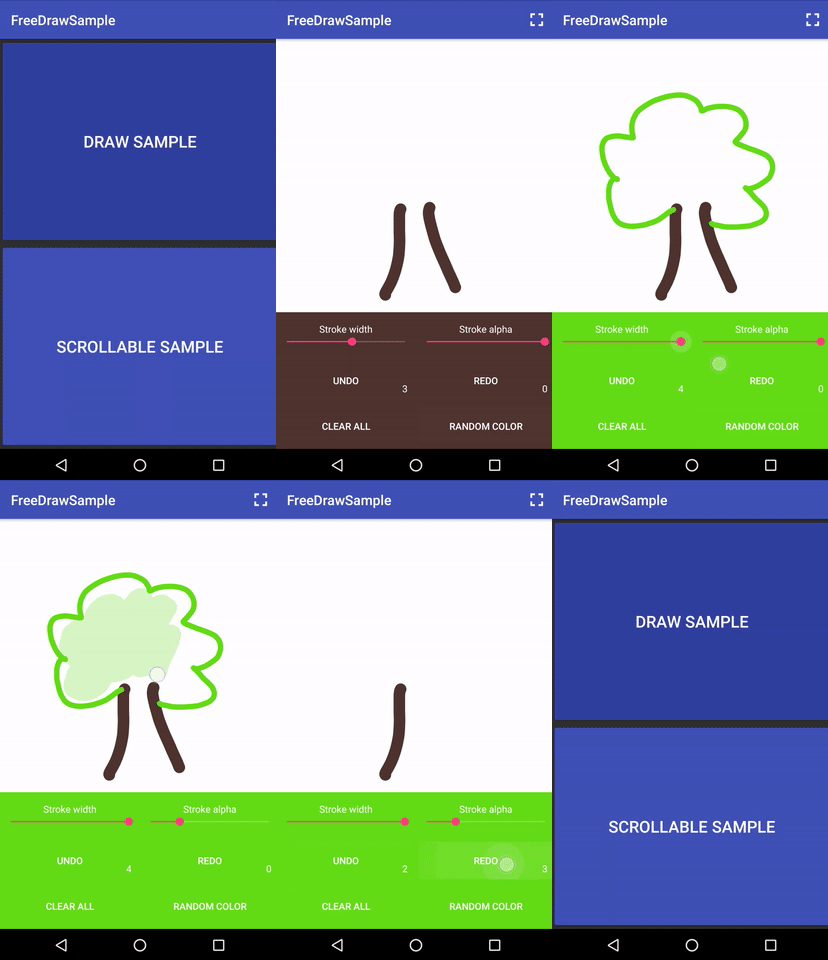
A View that let you draw freely on it. You can customize paint width, alpha and color. Can be useful for notes app, signatures or hands-free writing
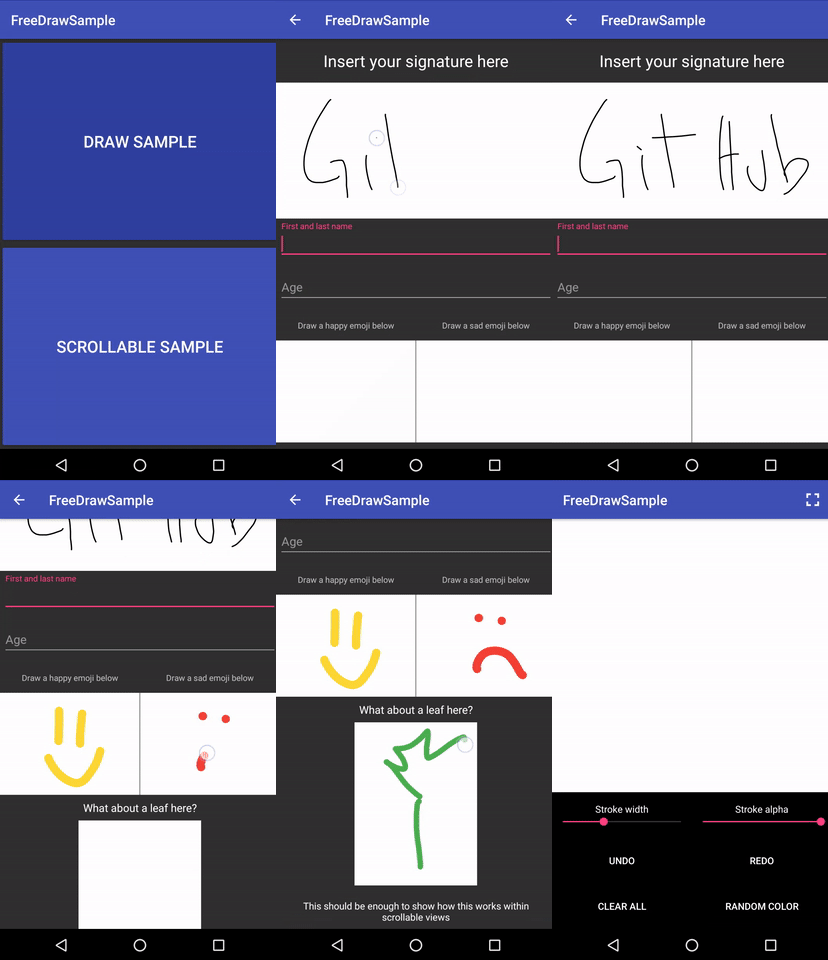
This View works flawlessly inside Scrolling parents like NestedScrollView. Be careful with lists, you need to restore manually the draw state!
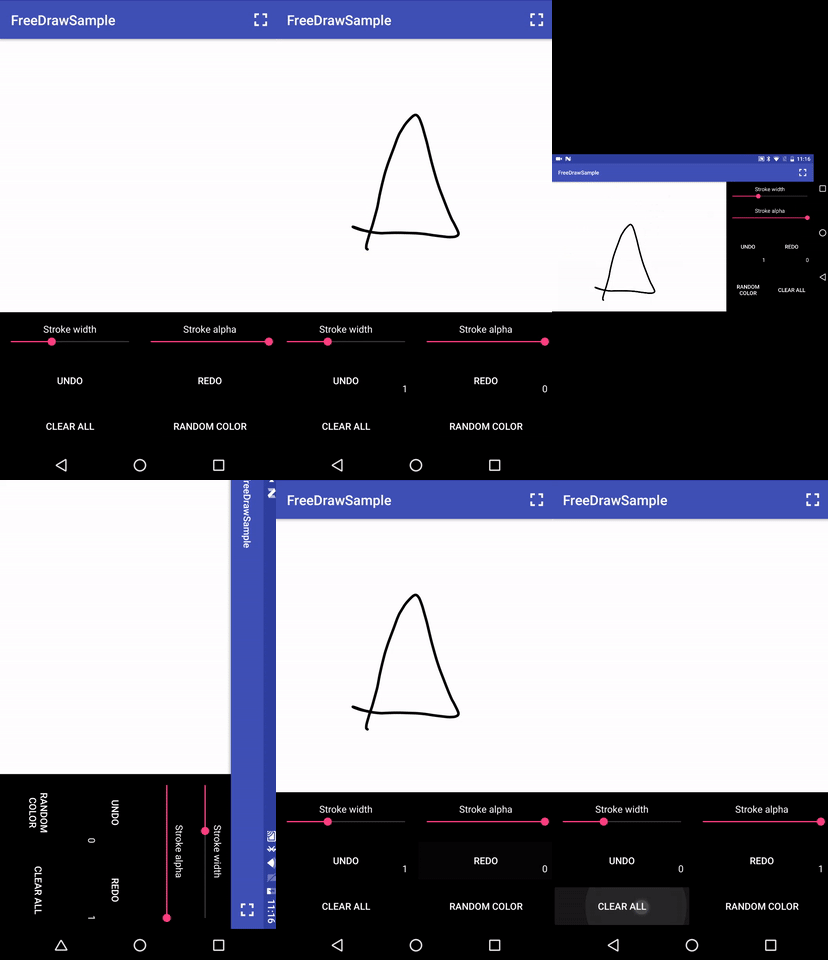
Also supports state-restore on rotation, with custom behaviours like "clear, crop or fitXY" and you can take a screenshot (given to you as a Bitmap Object) of the View drawn content
You can try the demo app on google play store.
coming soon
Or see the full video demo on YouTube.
https://youtu.be/ejEdq4lnPjc
Download
Gradle:
compile 'com.rm:freedrawview:1.1.2'
Min SDK version: 9 (Android 2.3)
Usage
To use this library, just add this inside your layout file
<com.rm.freedrawview.FreeDrawView
                    android:id="@+id/your_id"
                    android:layoutwidth="matchparent"
                    android:layoutheight="matchparent"
                    android:background="@color/white"
app:paintAlpha="255"                     app:paintColor="@color/black"                     app:paintWidth="4dp"                     app:resizeBehaviour="crop"/>
... if you need to use this View's custom xml attributes (shown in a table below or in the example above) do not forget to add this to your root layout
xmlns:app="http://schemas.android.com/apk/res-auto"And this in your Activity
public class MainActivity extends AppCompatActivity {     FreeDrawView mSignatureView;
@Override     protected void onCreate(Bundle savedInstanceState) {         super.onCreate(savedInstanceState);         setContentView(R.layout.activity_main);
mSignatureView = (FreeDrawView) findViewById(R.id.your_id);
// Setup the View         mSignatureView.setPaintColor(Color.BLACK);         mSignatureView.setPaintWidthPx(getResources.getDimensionPixelSize(R.dimen.paint_width));         //mSignatureView.setPaintWidthPx(12);         mSignatureView.setPaintWidthDp(getResources.getDimension(R.dimen.paint_width));         //mSignatureView.setPaintWidthDp(6);         mSignatureView.setPaintAlpha(255);// from 0 to 255         mSignatureView.setResizeBehaviour(ResizeBehaviour.CROP);// Must be one of ResizeBehaviour                                                                 // values;
// This listener will be notified every time the path done and undone count changes         mSignatureView.setPathRedoUndoCountChangeListener(new PathRedoUndoCountChangeListener() {                                   @Override                                   public void onUndoCountChanged(int undoCount) {                                       // The undoCount is the number of the paths that can be undone                                   }
@Override                                   public void onRedoCountChanged(int redoCount) {                                       // The redoCount is the number of path removed that can be redrawn                                   }                               });         // This listener will be notified every time a new path has been drawn         mSignatureView.setOnPathDrawnListener(new PathDrawnListener() {                     @Override                     public void onNewPathDrawn() {                         // The user has finished drawing a path                     }
@Override                     public void onPathStart() {                         // The user has started drawing a path                     }                 });
// This will take a screenshot of the current drawn content of the view         mSignatureView.getDrawScreenshot(new FreeDrawView.DrawCreatorListener() {                                   @Override                                   public void onDrawCreated(Bitmap draw) {                                       // The draw Bitmap is the drawn content of the View                                   }
@Override                                   public void onDrawCreationError() {                                       // Something went wrong creating the bitmap, should never                                       // happen unless the async task has been canceled                                   }                               });     } }
Save and restore manually the Draw content
From v1.1.0 you can get the current state of the Draw (as a Serializable object) and than restore it:FreeDrawSerializableState state = mSignatureView.getCurrentViewStateAsSerializable();// This returns a FreeDrawSerializableState (which implements Serializable)
// Save this "state" object into a file or keep it where you want
mSignatureView.restoreStateFromSerializable(state);// Restore the state of the view
// Now all the previous paths and points have been restored (including the history)
To save this Serializable Object inside a file you can take a look at the class FileHelper
Supported Attributes
FreeDrawView| XML Attribute | Java method | Description | Default value | |------------------------- |----------------------------------------------------------------- |----------------------------------------------------------------------------------------------------------------- |--------------------------------------------------------------------------------------------- | | paintColor | setPaintColor(@ColorInt int checked) | Set the color of the paint | Color.BLACK | | paintWidth | setPaintWidthPx(@FloatRange(from = 0) float widthPx) | Set the width of the paint in pixels | 4dp | | | setPaintWidthDp(float dp) | Set the width of the paint in dp | 4dp | | paintAlpha | setPaintAlpha(@IntRange(from = 0, to = 255) int alpha) | Set the alpha of the paint | 255 | | resizeBehaviour | setResizeBehaviour(ResizeBehaviour newBehaviour) | The behaviour of the view every time it is resized (on rotation for example) one of [clear, fitXY, crop] | ResizeBehaviour.CROP |
Limitations and TODO
- Multitouch drawing is currently not supported
- Eraser is not yet implemented
Manually restore state is not supported- Get the draw screenshot from a FreeDrawSerializableState without adding the view
Also, the FreeDrawView class gives some utility methods to handle path history:
void undoLast()
void redoLast()
void undoAll()
void redoAll()
void clearHistory()
void clearDraw()
void clearDrawAndHistory()
int getPathCount(boolean includeCurrentlyDrawingPath)
You can use:
(PathDrawnListener listener)
(PathRedoUndoCountChangeListener listener)
And remove them with:
()()
License
Copyright 2017 Riccardo Moro.
Licensed under the Apache License, Version 2.0 (the "License"); you may not use this file except in compliance with the License. You may obtain a copy of the License at
http://www.apache.org/licenses/LICENSE-2.0
Unless required by applicable law or agreed to in writing, software distributed under the License is distributed on an "AS IS" BASIS, WITHOUT WARRANTIES OR CONDITIONS OF ANY KIND, either express or implied. See the License for the specific language governing permissions and limitations under the License.


