
Data-Analysis-using-Excel-and-Power-BI-Sessions
Excel & Power BI Sessions from basics to advanced for Data Analysis
Last updated Mar 28, 2026
18
Stars
1
Forks
0
Issues
0
Stars/day
Attention Score
3
Language breakdown
No language data available.
▸ Files
click to expand
README
Excel Sessions from basics to advanced
(3h each)Session 1 outline:
- Introduction to Data & Data analysis life cycle
- Functions
- Arithmetic Operators
- Filter
Session 2 outLine:
- More Functions
- Functions with condition
- Relative & Absolute Reference
- Sort & Filter
- Data - Data Validation - Drop down list
- auto fill options - Format Painter
Session 3 outLine:
- Functions with more than 1 condition or criteria
- Table and Table Tools
- Charts (Introduction)
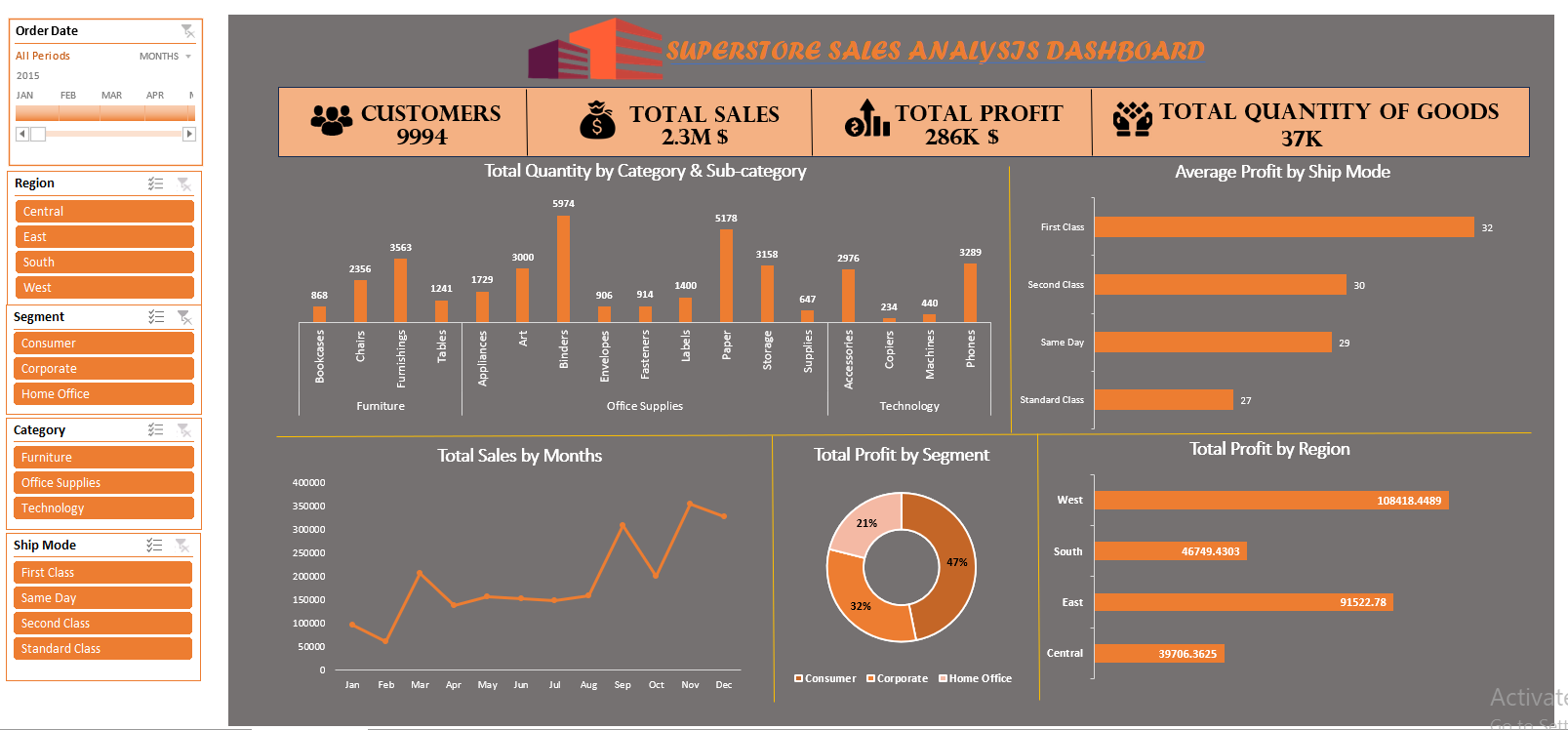
Session 4 outLine:
- Charts
- Insert Picture
- Static Dashboard
- Pivot Tables
- Pivot Charts
- Slicer
- Dynamic Dashboard
Session 5 outLine:
- More in Pivot Tables & Charts
- Date and Time Functions
- Charts Format - save as template
- More in Slicer Settings
Session 6 outLine:
- IF Function
- Nested IF - IFS
- More in Pivot Table
- Top 10 - Bottom 10 - Filters
- Slicer
- Sparklines
- Conditional Formatting
Session 7 outLine:
- Hyper Link
- VLOOKUP
- HLOOKUP
- Pivot Table (Grouping)
Session 8 outLine:
- Revision (Task 7)
- Data Cleaning
- Errors: Duplicated Values - Diff. Data Type - Blank Cells - Spaces - Date & Time - Formatting - Wrong Data
- To insert table, make sure that there is no Header Row / Merge Cells / Blank Rows or Columns / Subtotal
- Logical Formulas
- More in Pivot Tables
Session 9 outLine:
- 40 Min (QUIZ)
- Text Functions
Session 10 outLine:
- VLOOKUP + MATCH
- INDEX & MATCH
- S1 Power Query
Session 11 outLine:
- S2 Power Query
- Add Column >> Custom - Conditional - index - duplicate - multiply
- Merge Queries
- Load to (only create connection)
- Append Queries
Session 12 outLine:
- S3 Power Query
- More Transformations
- Combine
- Group by
- +Relationships
Session 13 outLine:
- Power Pivot
Power BI
Session 14 outLine:
- S1 Power BI
- Check image:👉
Session 15 outLine:
- DAX Measures
- Drill through analysis
- Tables and Matrix > Cell Elements
- Slicer
- Shapes


