
A React Native solution to parse outputData generated by EditorJs.
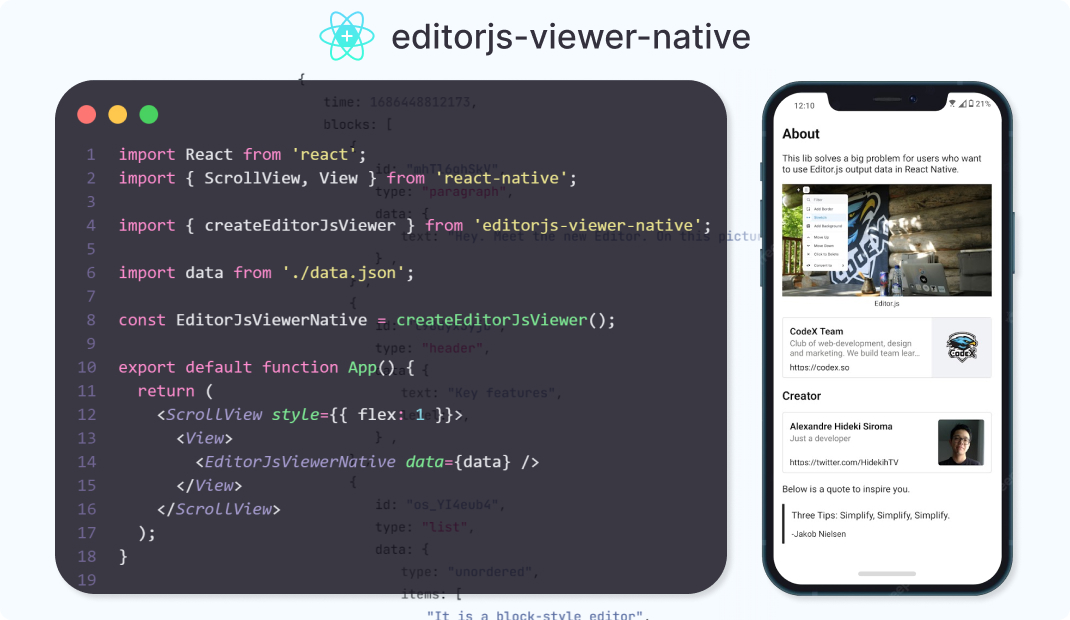


About
This lib provide a component to render in a React Native a JSON generated byEditor.js!
Installation
Version 1.0.0 is now available!npm i editorjs-viewer-nativeyarn add editorjs-viewer-nativeCurrent support for editorJs's plugins:
CodeDelimiterHeaderImageLinkListMarkerParagraphPersonalityQuoteSimple ImageUnderlineCustom block type
update plans
Usage
Create a component using functioncreateEditorJsViewer.
import { ScrollView } from 'react-native';
import { createEditorJsViewer } from "editorjs-viewer-native";
import dataFromEditorJs from "./data.json";
const EditorJsViewerNative = createEditorJsViewer();
export default function App() {   return (     <ScrollView>       <EditorJsViewerNative data={dataFromEditorJs} />     </ScrollView>   ); }
Custom component for supported plugins
If you want to use your custom component to render any supported plugin block, you can define a Component increateEditorJsViewer config object.
import { ScrollView, Text } from 'react-native';
import { createEditorJsViewer, IHeaderProps } from "editorjs-viewer-native";
import dataFromEditorJs from "./data.json";
const MyHeader = ({ data }: IHeaderProps) => {   return <Text>{data.text}</Text> }
const EditorJsViewerNative = createEditorJsViewer({   tools: {                // Updated to "tools" in v1 (before was toolsParser)     header: {       Component: MyHeader // Updated to "Component" in v1 (before was CustomComponent)     }   } })
export default function App() {   return (     <ScrollView>       <EditorJsViewerNative data={dataFromEditorJs} />     </ScrollView>   ); }
MyHeader will render all data of type header.
Support for custom blocks
If you want to render a custom block type, you can define acustomTools in createEditorJsViewer config object.
// outputData.json
{
  "blocks": [
    {
      "id": "customBlock_id2",
      "type" : "randomColeredText",
      "data" : {
        "text" : "The color of this text is generated randomic"
      }
    }
  ]
}
import { ScrollView, Text } from 'react-native';
import { createEditorJsViewer, IHeaderProps, IComponentBlockProps } from "editorjs-viewer-native";
import dataFromEditorJs from "./data.json";
interface IRandomColeredTextData { text: string; }
// * Any component will receive "data" and "containerStyle" // * "data" contain the data of block // * "containerStyle" is a simple style to prevent margin top on first element or margin bottom on last component const RandomColeredTextBlock = ({ block, containerStyle }: IComponentBlockProps<IRandomColeredTextData>) => { const randomColor = #${Math.floor(Math.random()*16777215).toString(16)}; return ( <Text style={[{ color: randomColor }, containerStyle]}>{block.data.text}</Text> ); };
const EditorJsViewerNative = createEditorJsViewer({ customTools: { randomColeredText: { // Name of your custom block type Component: RandomColeredTextBlock } } })
export default function App() { return ( <ScrollView> <EditorJsViewerNative data={dataFromEditorJs} /> </ScrollView> ); }
MyHeader will render all data of type header.
Fallback for unsupported block types
If you want to show a message for unsupported blocks (good for test, bad for production) setshowBlockFallback as true inside createEditorJsViewer config object.
const EditorJsViewerNative = createEditorJsViewer({
  showBlockFallback: true // Update to "showBlockFallback" (before was unknownBlockFallback)
})


