
Docker images of Jupyter Lab for various languages.
Jupyter Lab for various languages
Docker images of Jupyter Lab for various languages.
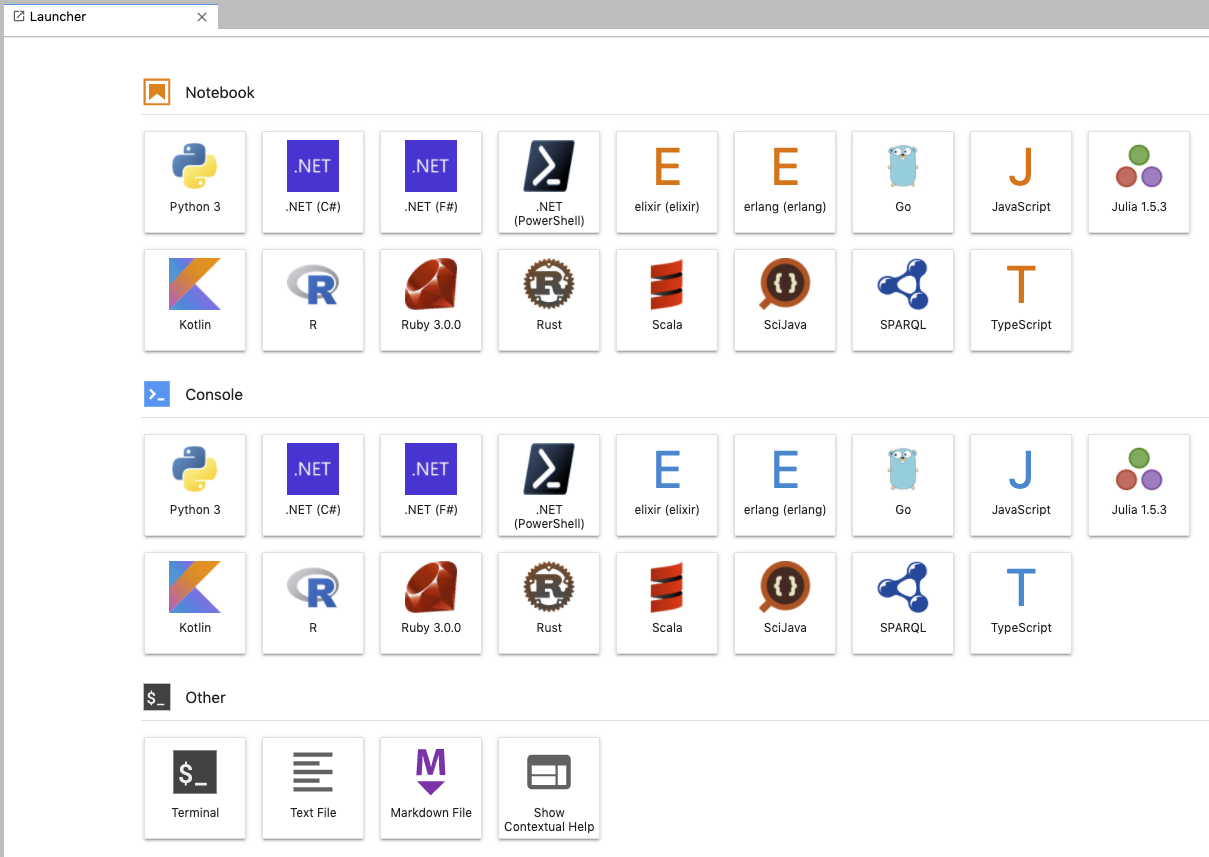
Support Languages
|Languages|Version|jupyter kernel| |---|--:|---| | Python |3.10.0|IPython| | C#(.Net6)| 10.0 | .NET Interactive| | Elixir |1.12.3|ierl| | Erlang |OTP 24.0.4|ierl| | F#(.Net6) | 6.0.9 | .NET Interactive| | Go |1.19.1|Gophernotes| | Java |18.0.2.1|Ganymede| | JavaScript(Node.js)|18.8.0|tslab| | Julia |1.8.2|IJulia| | Kotlin |1.8.0|jupyter\-kotlin| | Powershell(.Net6) | 7.2.6 | .NET Interactive| | R |4.1.3|IRKernel| | Ruby | 3.1.2 |IRuby| | Rust |1.64.0|EvCxR Jupyter Kernel| | Scala |2.13.8|almond| | Sparql||SPARQL kernel| | Typescript | 4.8.2 | tslab|
Usage
$ mkdir your/jupyter/project/dir
$ cd your/jupyter/project/dir
$ wget https://raw.githubusercontent.com/HeRoMo/jupyter-langs/master/docker-compose.yml
$ docker-compose up
After starting container, you can access http://localhost:8888/ to open jupyter lab.
Use with Visual Studio Code
You can this image as VSCode dev container. run the following command and open your/jupyter/project/dir in dev container of VSCode.
$ mkdir your/jupyter/project/dir
$ cd your/jupyter/project/dir
$ curl https://raw.githubusercontent.com/HeRoMo/jupyter-langs/master/docker-compose.yml -O
$ mkdir -p .devcontainer
$ curl https://raw.githubusercontent.com/HeRoMo/jupyter-langs/master/.devcontainer/devcontainer.json -o .devcontainer/devcontainer.json


