
A Python library for Automated Exploratory Data Analysis, Automated Data Cleaning, and Automated Data Preprocessing For Machine Learning and Natural Language Processing Applications in Python.
Data-Purifier
A Python library for Automated Exploratory Data Analysis, Automated Data Cleaning and Automated Data Preprocessing For Machine Learning and Natural Language Processing Applications in Python.




Demo Output of Auto EDA

Table of Contents
- Installation - Get Started - Tutorial - Automated EDA for NLP - Automated Data Preprocessing for NLP - Automated EDA for Machine Learning - Automated Report Generation for Machine Learning - ExampleInstallation
Prerequsites
To use Data-purifier, it's recommended to create a new environment, and install the required dependencies:To install from PyPi:
conda create -n <yourenvname> python=3.6 anaconda
conda activate <yourenvname> # ON WINDOWS: source activate <yourenvname>
pip install data-purifier python -m spacy download encoreweb_sm
To install from source:
cd <Data-Purifier_Destination>
git clone https://github.com/Elysian01/Data-Purifier.git
or download and unzip https://github.com/Elysian01/Data-Purifier/archive/master.zip
conda create -n <yourenvname> python=3.6 anaconda conda activate <yourenvname> # ON WINDOWS: source activate <yourenvname> cd Data-Purifier
pip install -r requirements.txt python -m spacy download encoreweb_sm
Get Started
Load the module
import datapurifier as dp from datapurifier import Mleda, Nlpeda, Nlpurifier, NLAutoPurifier
print(dp.version)
Get the list of the example dataset
print(dp.getdatasetnames()) # to get all dataset names print(dp.gettextdataset_names()) # to get all text dataset namesLoad an example dataset, pass one of the dataset names from the example list as an argument.
df = dp.loaddataset("womensclothinge-commercereviews")Tutorial
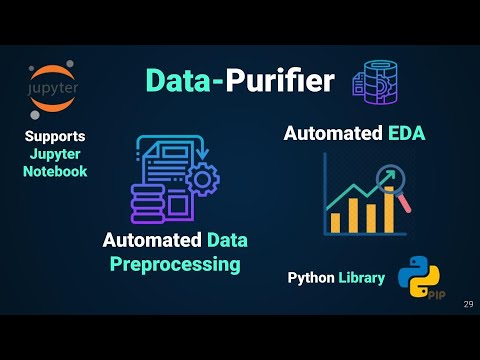
Automated NLP Pre-Processing using Data-Purifier Library Blog
Automated EDA for NLP
Basic NLP
- It will check for null rows and drop them (if any) and then will perform following analysis row by row and will return dataframe containing those analysis:
Later you can also observe distribution of above mentioned analysis just by selecting the column from the dropdown list, and our system will automatically plot it.
- It can also perform
sentiment analysison dataframe row by row, giving the polarity of each sentence (or row), later you can also view thedistribution of polarity.
- Can find count of
specific wordmentioned by the user in the textbox. - Plots
wordcloud plot - Perform
Unigram, Bigram, and Trigramanalysis, returning the dataframe of each and also showing its respective distribution plot.
For Automated EDA and Automated Data Cleaning of NL dataset, load the dataset and pass the dataframe along with the targeted column containing textual data.
nlpdf = pd.readcsv("./datasets/twitter16m.csv", header=None, encoding='latin-1')
nlp_df.columns = ["tweets","sentiment"]
Basic Analysis
For Basic EDA, pass the argument basic as argument in constructor
eda = Nlpeda(nlp_df, "tweets", analyse="basic") eda.dfFor Word based EDA, pass the argument word as argument in constructor
eda = Nlpeda(nlp_df, "tweets", analyse="word") eda.unigram_df # for seeing unigram datfarameAutomated Data Preprocessing for NLP
- In automated data preprocessing, it goes through the following pipeline, and return the cleaned data-frame
Code Implementation
Pass in the dataframe with the name of the column which you have to clean
cleaned_df = NLAutoPurifier(df, target = "tweets")Widget Based Automated Data Preprocessing for NLP
- Here you can choose the preprocessing method from the GUI
- It provides following cleaning techniques, where you have to just tick the checkbox and our system will automatically perform the operation for you.
- You can convert word to its base form by selecting either
stemmingorlemmatizationoption.
- Remove Top Common Word: By giving range of word, you can
remove top common word
- Remove Top Rare Word: By giving range of word, you can
remove top rare word
Start Purifying button to let the magic begins. Upon its completion you can access the cleaned dataframe by <obj>.df
Code Implementation
pure = Nlpurifier(nlp_df, "tweets")View the processed and purified dataframe
pure.dfAutomated EDA for Machine Learning
- It gives shape, number of categorical and numerical features, description of the dataset, and also the information about the number of null values and their respective percentage.
- For understanding the distribution of datasets and getting useful insights, there are many interactive plots generated where the user can select his desired column and the system will automatically plot it. Plot includes
Code Implementation
Load the dataset and let the magic of automated EDA begin
df = pd.read_csv("./datasets/iris.csv")
ae = Mleda(df)
ae
Automated Report Generation for Machine Learning
Report contains sample of data, shape, number of numerical and categorical features, data uniqueness information, description of data, and null information.
df = pd.read_csv("./datasets/iris.csv")
report = MlReport(df)
Example
Colab NotebookOfficial Documentation: https://cutt.ly/CbFT5Dw
Python Package: https://pypi.org/project/data-purifier/


