
IDPS-ESCAPE: Intrusion Detection and Prevention System - Enhanced Security through a Cooperative Anomaly Prediction Engine. SOAR via a Risk-aware Anomaly Detection-based Automated Response (RADAR) subsystem and a deep learning-based AD subsystem (SONAR), integrated with Wazuh, Flowintel, Suricata
IDPS-ESCAPE
IDPS-ESCAPE (Intrusion Detection and Prevention System - Enhanced Security through a Cooperative Anomaly Prediction Engine) is a sub-project of CyFORT implementing a MAPE-K-based (Monitor, Analyze, Plan, Execute, Knowledge) Security Orchestration, Automation, and Response (SOAR) system. Developed in the context of IPCEI-CIS, it targets SMEs, CERT/CSIRT entities, SOC managers, system administrators, security engineers and cloud deployments.

Core components:
- RADAR - Risk-aware detection and automated response, deployed with Ansible and operated via a web UI control panel
- SONAR - SIEM-oriented multivariate anomaly detection powered by deep learning
- ADBox - Legacy research framework
We adopt a hybrid detection approach for defense-in-depth against known and emerging threats, combining signature-based engines (Wazuh, Suricata) and machine learning (ML) algorithms for ML-based anomaly detection (AD) through RADAR and SONAR, relying on RRCF (random forest) for streaming data and MTAD-GAT (attention mechanism and deep learning), respectively.
This repository contains complete documentation, user manual, interlinked technical specifications for traceability, and validation test results, all based on the C5-DEC method.
For a visual user-oriented tour of IDPS-ESCAPE, visit the product presentation page.
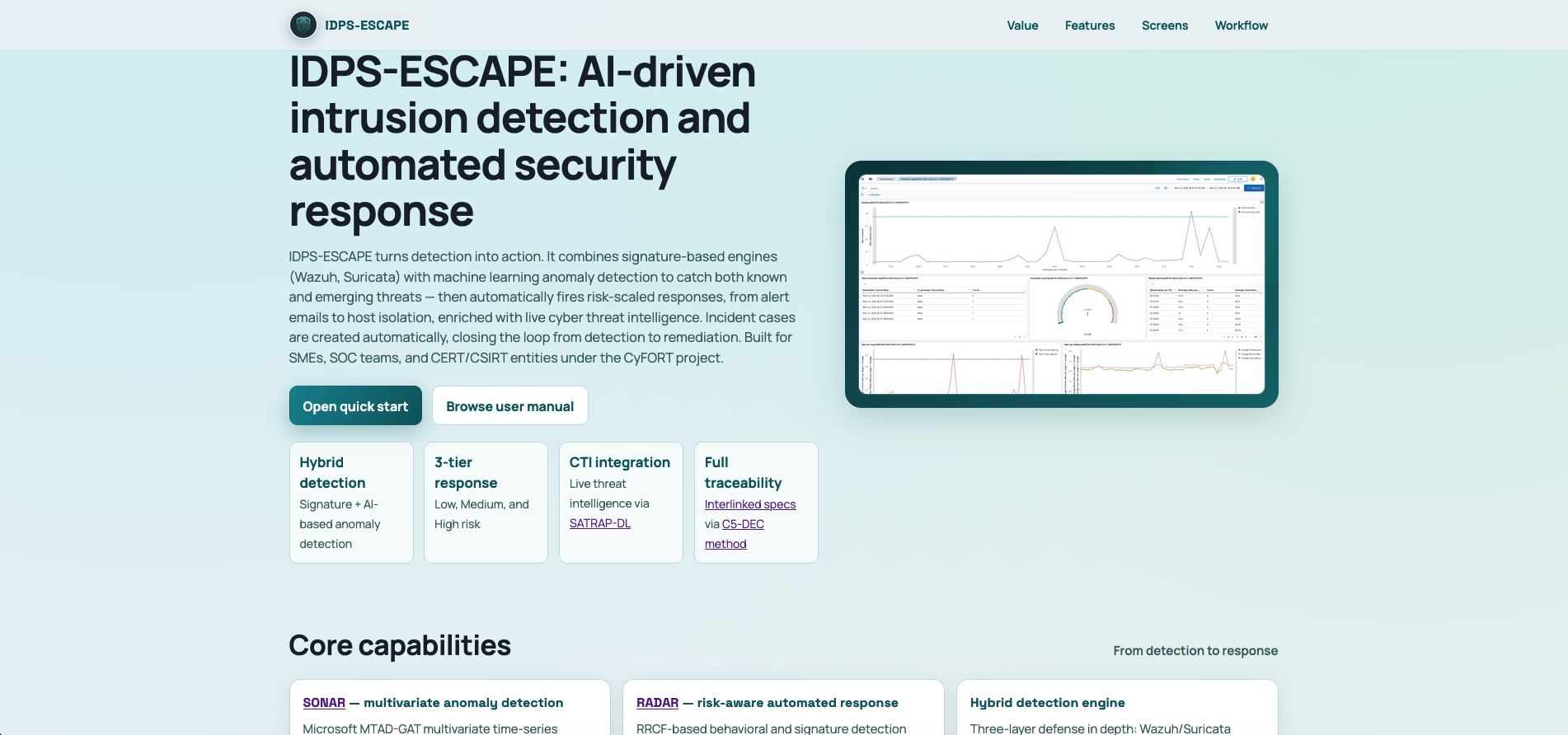
Table of contents
IDPS-ESCAPE suite
RADAR - Risk-aware AD-based Automated Response
RADAR provides hybrid detection and intelligent automated response with Ansible-based Infrastructure-as-Code deployment:
- Hybrid detection: Signature-based (Wazuh, Suricata) + ML-based anomaly detection (RRCF)
- Risk-aware actions: Tiered response (low/medium/high risk) with host isolation, process control, network rules, alert escalation, and incident case creation
- Automatic case creation: Incident case creation via integration with the DECIPHER subsystem of SATRAP-DL and Flowintel
- Flexible deployment: Local/remote manager and agent configurations
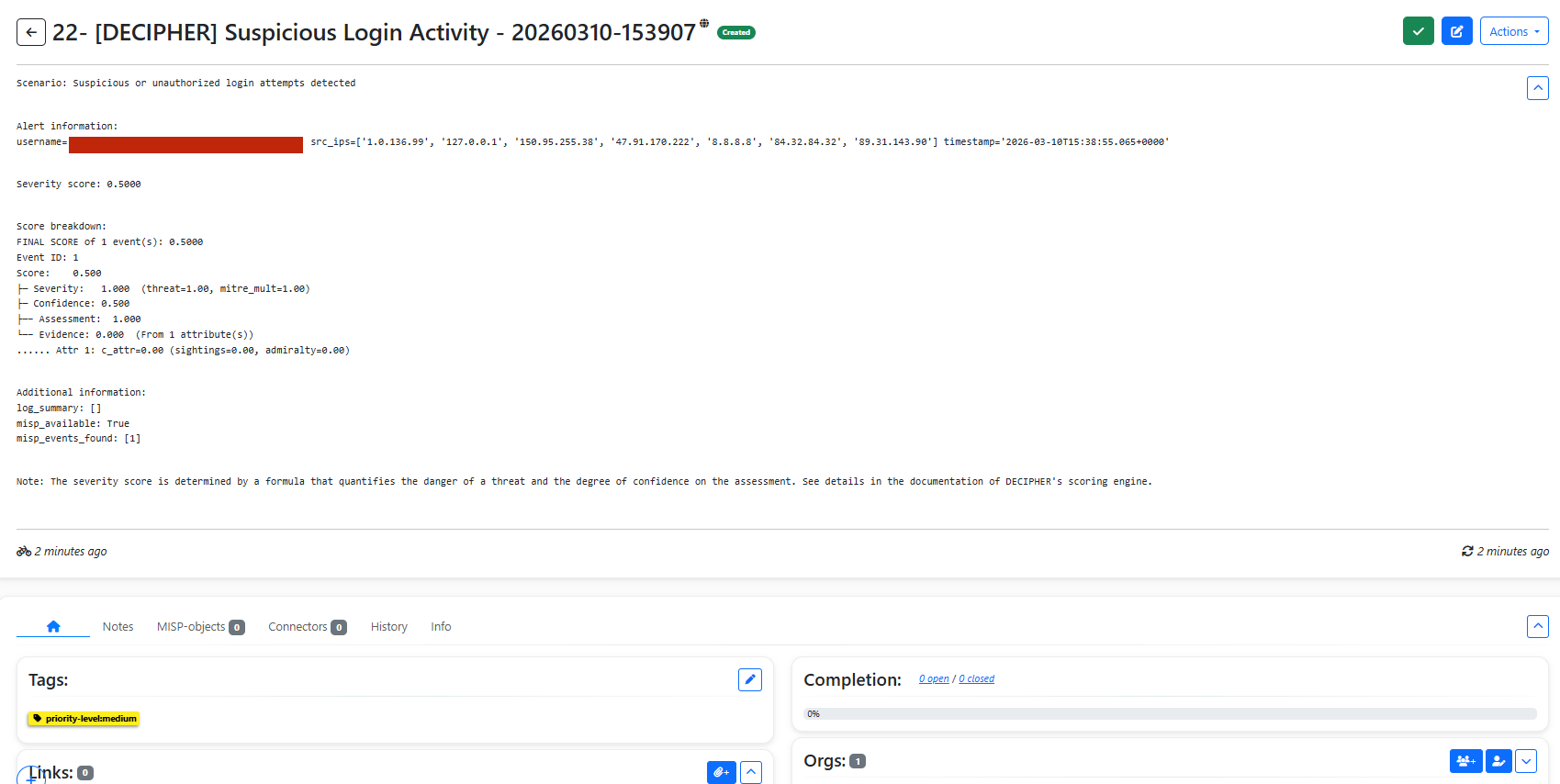
- Production scenarios: Default baseline detection, GeoIP detection, log volume monitoring, suspicious login
- Experimental scenarios: Insider threat, DDoS, C2 malware (require adaptation)
- Web-based GUI: provides a browser-based control panel covering the full deployment, orchestration and configuration lifecycle

See RADAR README, GUI user manual, scenarios, adversarial ML guidance and developer README.
SONAR - SIEM-Oriented Neural Anomaly Recognition via multivariate AD
SONAR provides a standalone SIEM-oriented anomaly detection solution based on deep learning:
- Multivariate time series AD engine: modular and optimized multivariate time-series detection based on MTAD-GAT
- Debug mode: Offline testing with synthetic data (no infrastructure required)
- Wazuh integration: Integrated with Wazuh, the open-source SIEM, for monitoring data ingestion and detection data provision and visualization
- Scenario-based: YAML configuration for repeatable workflows
- RADAR integration: SONAR data streams shipping to Wazuh for automated response and easy ingestion by RADAR
- Flexible modes: Real-time, batch, and historical analysis
Fully automated deployment with Ansible
RADAR ships complete Ansible IaC for reproducible, production-ready deployments — covering the Wazuh Manager, Wazuh Agents, and the full RADAR stack. See the pipeline documentation for details.
ADBox (Legacy)
⚠️ Legacy System: ADBox uses MTAD-GAT for research purposes only. Use SONAR for deployments.
ADBox is maintained for research continuity with PyTorch-based Graph Attention Networks. See the ADBox manual for legacy documentation.
Documentation
See our user manual for comprehensive documentation on RADAR, SONAR, and ADBox. Visit our traceability page for interlinked requirements, technical specifications such as architecture diagrams, and test reports.
Quick start
Decision tree
- Want full automated response? Bootstrap complete RADAR stack
- Need production anomaly detection? Deploy SONAR with Wazuh
- Just exploring? Start with SONAR debug mode (no infrastructure needed)
Full stack automated deployment (RADAR)
Prerequisites:
- System requirements: Ensure your environment meets the resource and network requirements specified below
- Create
radar/.envwith credentials (see env.example):
http://<manager-ip>:8080/notify)
- Configure
radar/inventory.yamlfor remote endpoints (if using--agent remoteor--manager remote)
# Bootstrap entire stack with Ansible
cd radar
sudo ./build-radar.sh suspiciouslogin --agent remote --manager local --managerexists false
See the RADAR getting started page for full details.
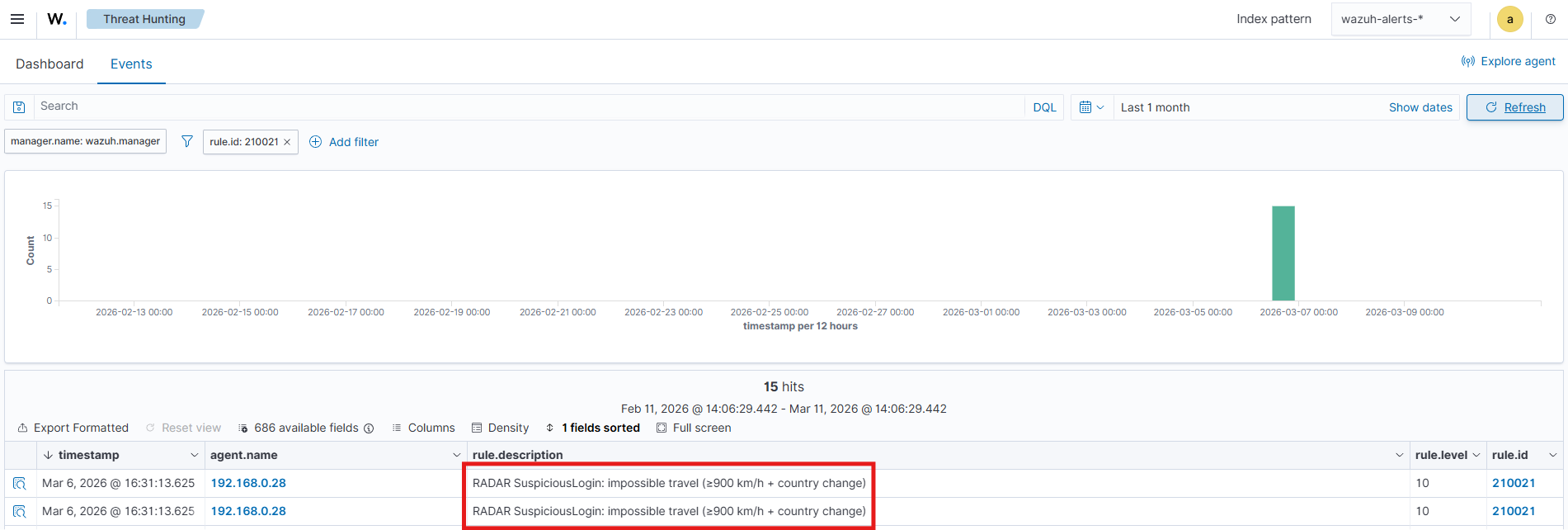
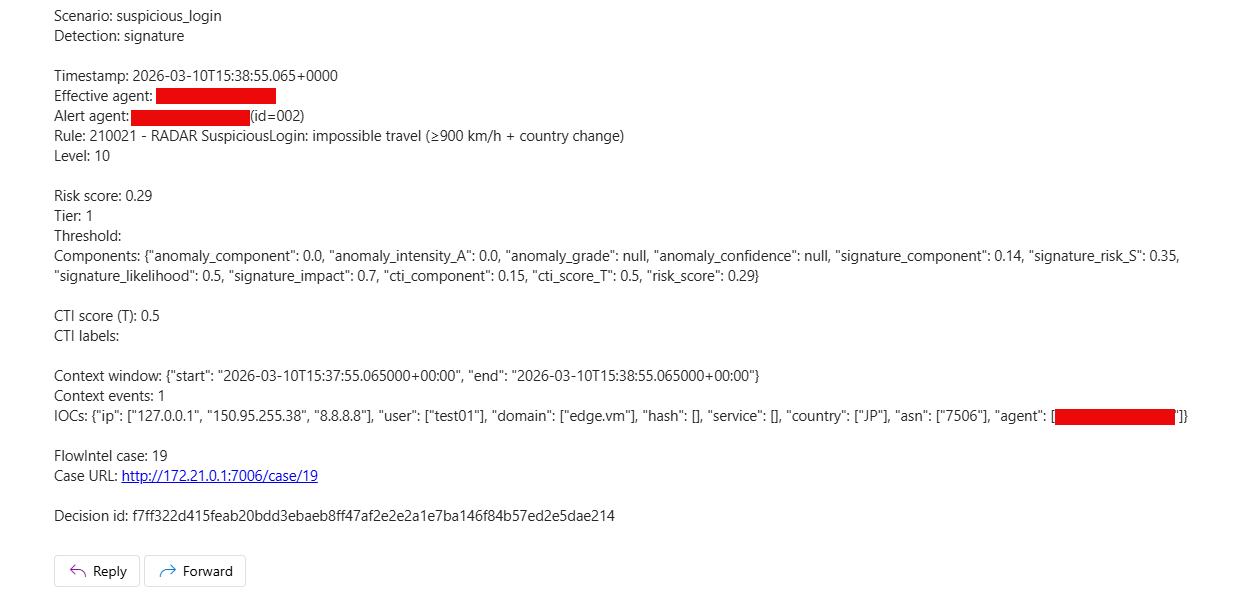
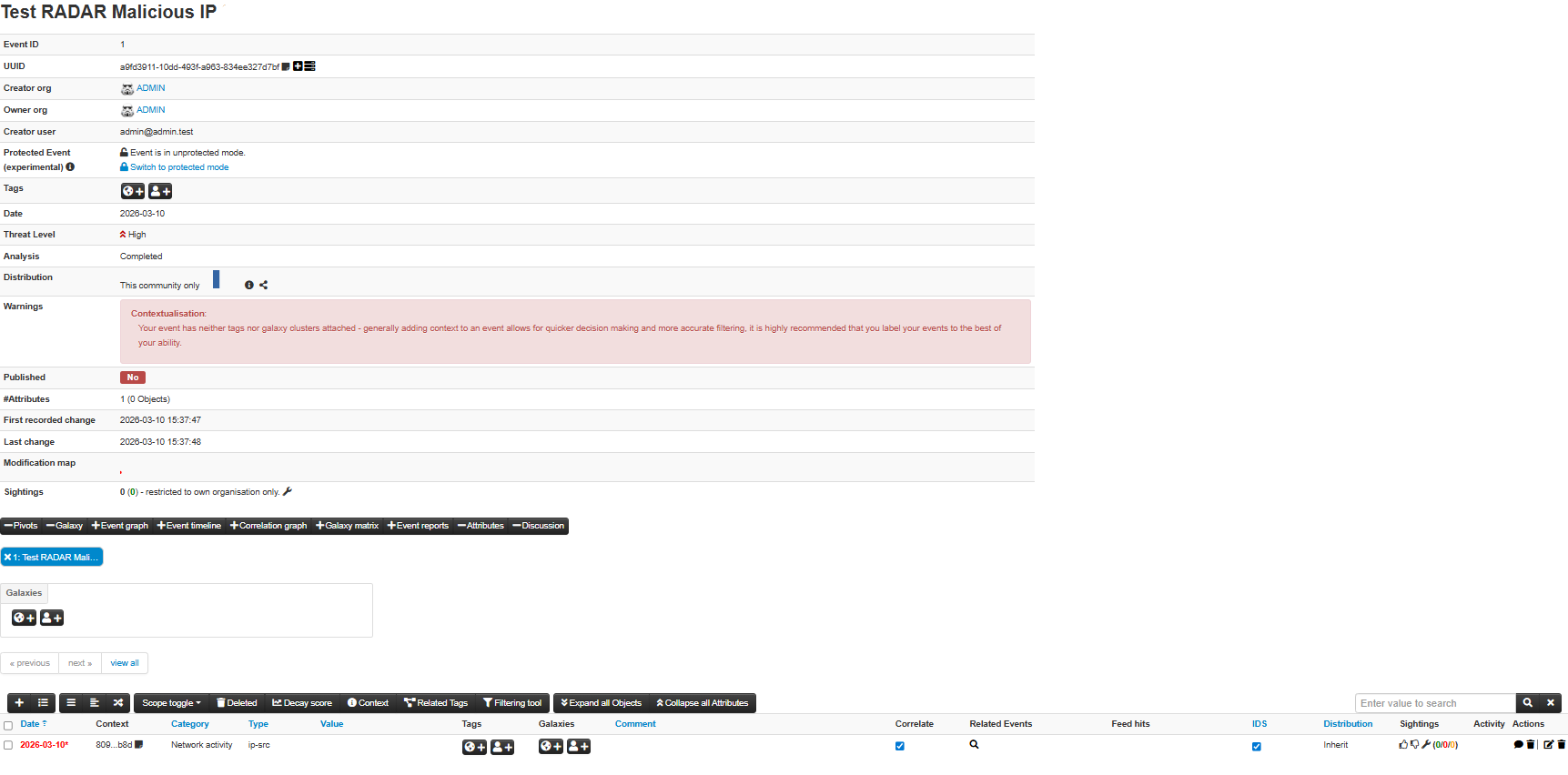
Screenshots from a Suspicious Login scenario run:
SONAR usage
SONAR provides scenario-based anomaly detection with flexible execution modes:
# Install and connect to Wazuh
poetry install --only sonar
Check Wazuh connection
poetry run sonar check
Run complete scenario (train + detect)
poetry run sonar scenario --use-case sonar/scenarios/bruteforcedetection.yaml
Debug mode (offline testing with synthetic data)
poetry run sonar scenario --use-case sonar/scenarios/example_scenario.yaml --debug
Production mode with data shipping to RADAR
poetry run sonar scenario --use-case sonar/scenarios/my_scenario.yaml --ship
See the SONAR documentation for details.
Data shipping for Wazuh and RADAR integration:
What --ship does:
- Creates dedicated data streams in Wazuh Indexer for scenario-specific anomalies
- Enables custom dashboard creation in Wazuh
- Enables real-time monitoring and RADAR automated response integration
- Installs index templates for proper field typing and validation
- Required for production SONAR→RADAR workflows

Evaluating SONAR (5 minutes)
No infrastructure required — debug mode runs the full train → detect → report workflow offline with synthetic data:
poetry install --with sonar
poetry run sonar scenario --use-case sonar/scenarios/example_scenario.yaml --debug
Requirements
Resource requirements by component
| Component | RAM | Storage | CPU | |-----------|-----|---------|-----| | Wazuh Manager | 8 GB minimum | ~15 GB | 4 cores | | SONAR | 4 GB | ~2 GB (models) | 2 cores | | RADAR | 2 GB | ~1 GB | 2 cores | | Wazuh Agents | 512 MB each | ~500 MB each | 1 core | | Full Stack | 16 GB+ | ~26 GB total | 8+ cores |
See deployment guide for network requirements and multi-node setups.
Docker deployment
Build and run with convenience scripts:
# Build images
./build.sh all              # All components
./build.sh sonar            # SONAR only
Run SONAR
./sonar.sh check            # Check Wazuh connection
./sonar.sh scenario --use-case sonar/scenarios/example_scenario.yaml --debug
Run ADBox (legacy)
./adbox.sh -u 1
Run with custom arguments
./adbox.sh <your-adbox-arguments>Note: Docker-based execution requires building the images first with build.sh.
Development
# Install dependencies
poetry install --with sonar,radar,adbox,test
Run tests
poetry run pytest tests/sonartests/  # SONAR
poetry run pytest tests/             # All
./radar/test.sh                      # RADAR
SONAR CLI
poetry run sonar check
poetry run sonar scenario --use-case sonar/scenarios/example.yaml --debug
Docker builds
./build.sh all
See SONAR README and RADAR README for component-specific development guides.
Testing
See our test report (TRP) in the list of published documents on the technical specifications traceability page detailing the validation test campaign results. Unit tests are available in the tests folder.
Disclaimer
RADAR has been validated in controlled environments and is released as stable v1.0. SONAR is at most at TRL 6. Conduct a thorough security assessment before deploying either component in production. Use at your own risk.
License
Copyright © itrust Abstractions Lab and itrust consulting. Licensed under GNU AGPL v3.0. See AUTHORS for contributors.
Acknowledgment
Co-funded by the Ministry of the Economy of Luxembourg in the context of the CyFORT project.
Contact
Abstractions Lab: info@abstractionslab.lu


