
A Custom EditText implementation that allows formatting of currency-based numeric inputs.




Currency-Edittext
A Custom EditText implementation that allows formatting of currency-based numeric inputs.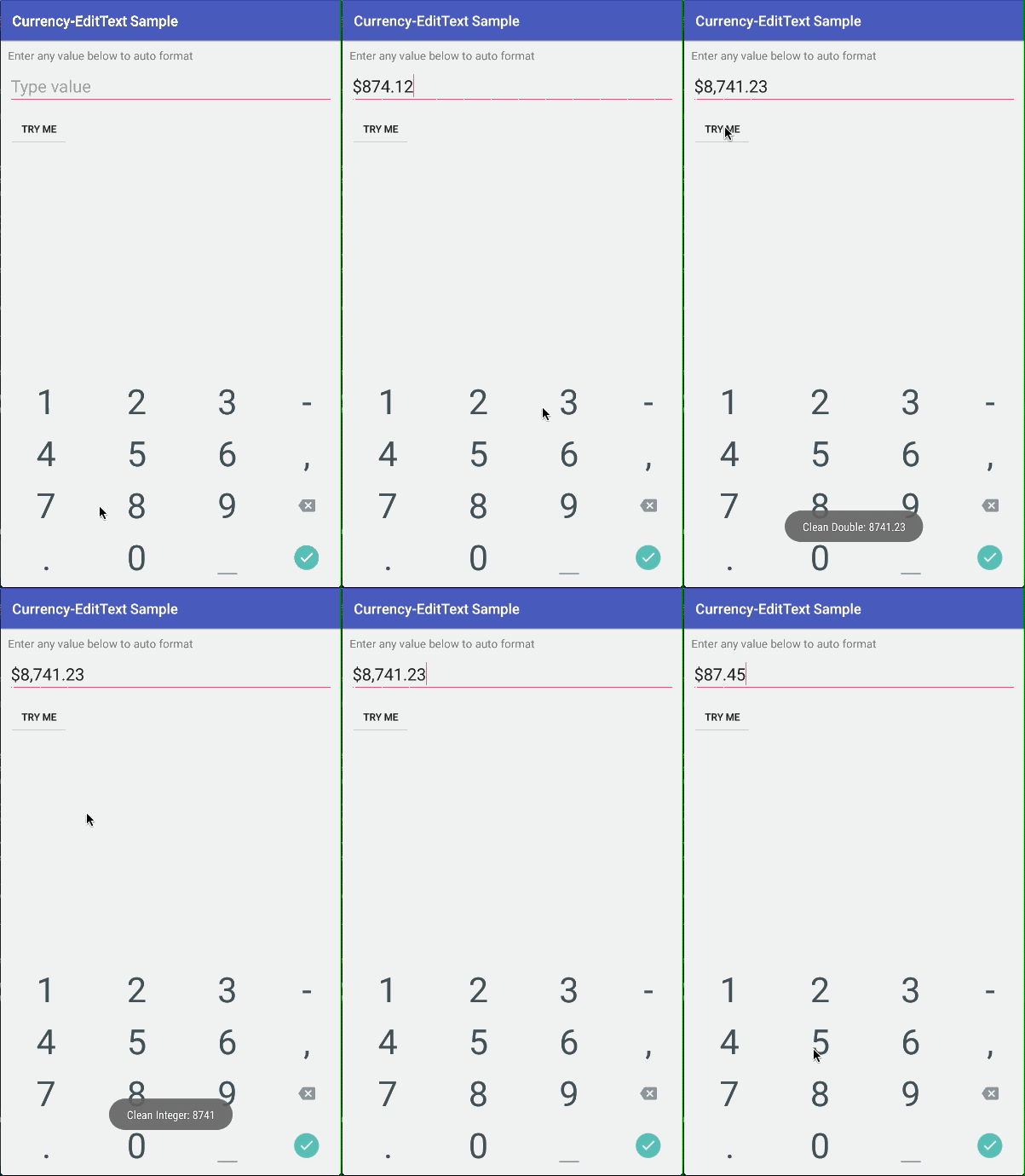
💻 Installation
Add this in your app's build.gradle file:dependencies {
implementation 'me.abhinay.input:currency-edittext:1.1'
}Or add ClapFab as a new dependency inside your pom.xml
<dependency>
  <groupId>me.abhinay.input</groupId>
  <artifactId>currency-edittext</artifactId>
  <version>1.1</version>
  <type>pom</type>
</dependency>
Implementation Sample
XML
<me.abhinay.input.CurrencyEditText
        android:id="@+id/etInput"
        android:layoutwidth="matchparent"
        android:layoutheight="wrapcontent"
        android:hint="Type value"
        android:inputType="number"
        android:textSize="24sp" />
Code
CurrencyEditText etInput;
@Override protected void onCreate(Bundle savedInstanceState) {     super.onCreate(savedInstanceState);     setContentView(R.layout.activity_main);
etInput = (CurrencyEditText) findViewById(R.id.etInput);     etInput.setCurrency(Currency.USA);     etInput.setDelimiter(false);     etInput.setSpacing(false);     etInput.setDecimals(true);     //Make sure that Decimals is set as false if a custom Separator is used     etInput.setSeparator("."); }
Customizing
The following attributes can be manipulated:
- Currency by specifying the country
- Spacing between currency and value
- Delimeter
- Decimals
- Thousands Separator Symbol
Currency
Specify the currency by setting the country of your choice.
etInput.Currency = Currency.MALAYSIA;Currency can also be disabled by:
etInput.Currency = Currency.NONE;Custom Currency/Symbol
If a custom symbol that is not included in the library is required, any string value can be used since the the Currency attribute expects a String value.
etInput.Currency = "TEST";Which produces: >TEST 450.00
Note: Currency is set to your app's Local currency by default.
Spacing
The spacing between the currency and the value can be specified by:
etInput.Spacing = true;Note: Spacing is false by default.
Delimeter
The delimeter attribute allows the addition of a . symbol after displaying the currency.
Rs.100
Rp.100
Note: Delimeter is false by default.
Decimals
Decimals can be turned off for the EditText using:
etInput.Decimals = false;This outputs the following:
$100,000
Separator
The Thousands Separator can be customized as required with any custom symbol to suit the currency formats of different countries. Example: Indonesia -> 12.000.000 (Using . instead of , as the separator)
NOTE: Decimals must be set as false in order avoid conflicts in getting a clean Double or Integer output
Getting Clean Output
A Double value without Commas, Currency and Decimal places can be retrieved using:
double cleanOutput = etInput.getCleanDoubleValue();
An Integer value without Commas, Currency and Decimal places can be retrieved using:
int cleanOutput = etInput.getCleanIntValue();


