
🛒An e-commerce shopping website. Docker, Java 11, REST API, JWT, Bootstrap, 购物车, 电子商城
Online Shop Application

A full-stack Online Shop web application using Spring Boot 2 and Angular 7.
This is a Single Page Appliaction with client-side rendering. It includes backend and frontend two seperate projects on different branches. The frontend client makes API calls to the backend server when it is running.This project is based on my previous project Online-Shopping-Store, which uses FreeMarker as template engine for server-side rendering.>
Live Demo: https://springboot-angular-shop.herokuapp.com/ Heroku has removed free tier on Postgres, the demo is no longer working...:(
For Heroku application repo cloning, please check Angular7-SpringBoot-hybrid-project.
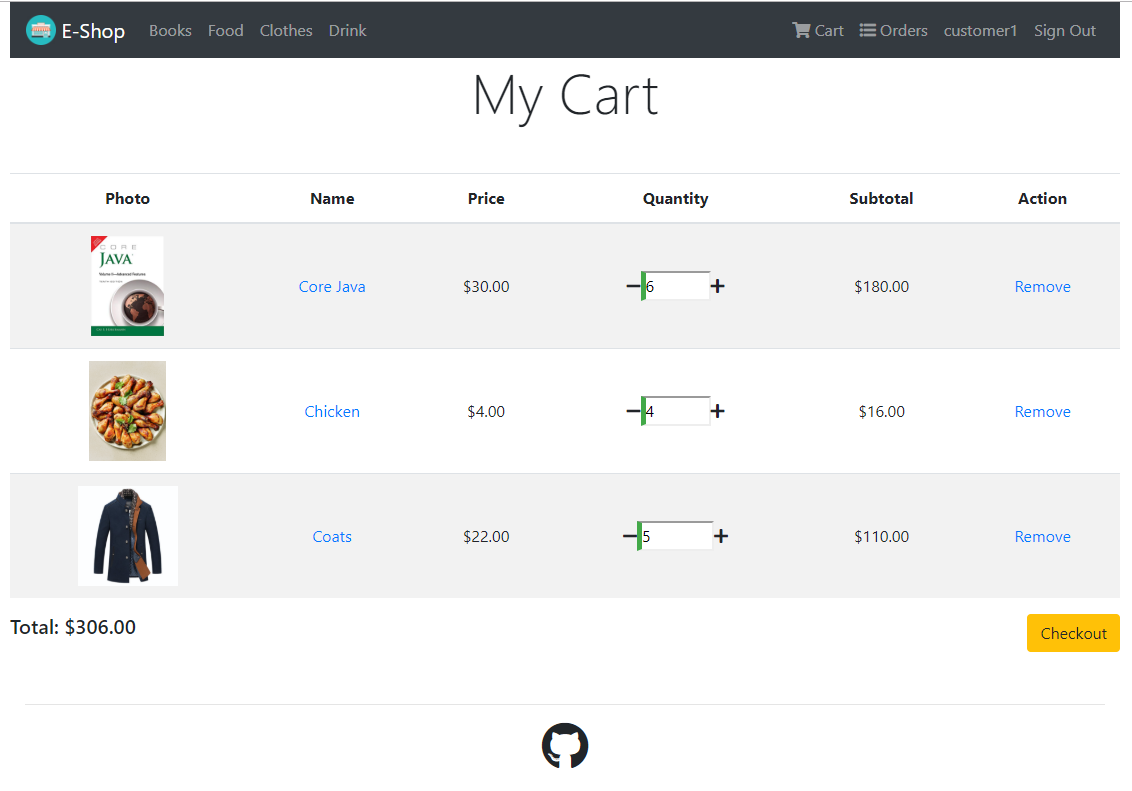
Screenshot
Features
- REST API
- Docker
- Docker Compose
- JWT authentication
- Cookie based visitors' shopping cart
- Persistent customers' shopping cart
- Cart & order management
- Checkout
- Catalogue
- Order management
- Pagination
Technology Stacks
Backend - Java 11 - Spring Boot 2.2 - Spring Security - JWT Authentication - Spring Data JPA - Hibernate - PostgreSQL - MavenFrontend - Angular 7 - Angular CLI - Bootstrap
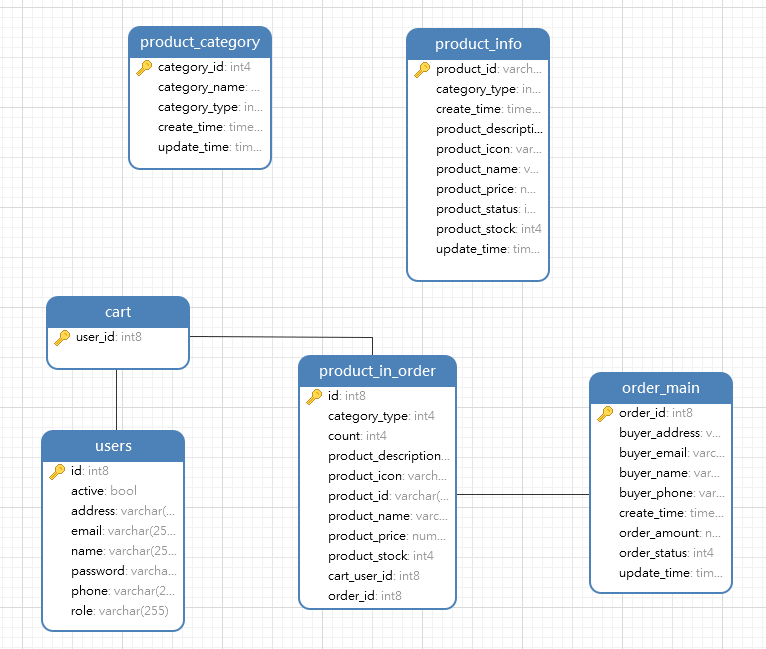
Database Schema
How to Run
Start the backend server before the frontend client.
Backend
1. Install PostgreSQL 2. Configure datasource in application.yml. 3. cd backend. 4. Run mvn install. 5. Run mvn spring-boot:run. 6. Spring Boot will import mock data into database by executing import.sql automatically. 7. The backend server is running on [localhost:8080]().
Frontend 1. Install Node.js and npm 2. cd frontend. 3. Run npm install. 4. Run ng serve 5. The frontend client is running on [localhost:4200](). Note: The backend API url is configured in src/environments/environment.ts of the frontend project. It is localhost:8080/api by default.
Run in Docker
You can build the image and run the container with Docker.- Build backend project
cd backend mvn package- Build fontend project
cd frontend npm install ng build --prod- Build images and run containers
docker-compose up --build


