
Local skill for turning repeated multi-step tasks into reusable workflows and SOPs.
Last updated Apr 9, 2026
22
Stars
0
Forks
0
Issues
0
Stars/day
Attention Score
23
Language breakdown
Python 47.4%
JavaScript 22.9%
CSS 22.6%
HTML 7.2%
▸ Files
click to expand
README
WorkflowHub
Turn repeated multi-step tasks into reusable local workflows for Codex, OpenClaw, or similar agent runtimes.
中文简介
WorkflowHub 是一个把“你的做事方式”沉淀成本地 workflow / SOP 的 skill。
它适合这样的场景:
- 你经常让 agent 处理同类多步骤任务
- 你希望 agent 先检查有没有现成 SOP,而不是每次从头开始
- 你希望 agent 在执行前先问一句“发现已有流程,是否复用?”
- 你希望任务做完后,可以把这次过程保存成新的 workflow,或者更新旧 workflow
- runtime 侧的匹配、复用确认、brief 生成、保存与更新
- 本地 UI 侧的浏览、编辑、删除、预览
Overview
WorkflowHub is a local skill for turning repeated multi-step tasks into reusable workflows.
It helps an agent:
- detect when a new task looks similar to a saved SOP
- ask whether to reuse that SOP before execution
- render a workflow into a short execution brief
- save or update a workflow after a task is completed
UI Preview
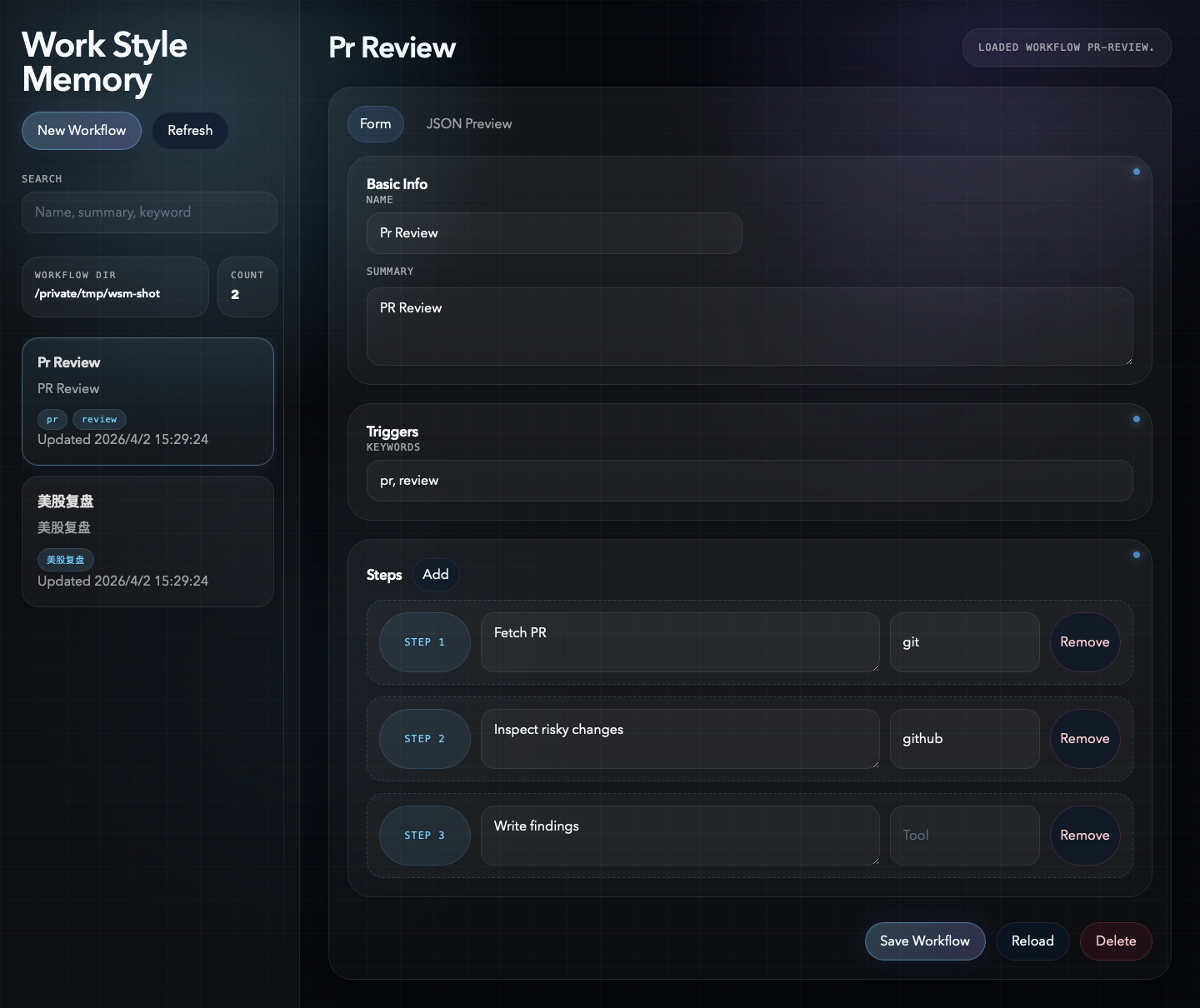
Core Ideas
- Workflows are structured memory, not giant prompts.
- A matched SOP should be suggested first, not silently executed.
- The UI is for editing workflow files, not for simulating runtime chat behavior.
- The workflow file is the source of truth.
Features
- workflow matching for repeated tasks
- explicit confirmation before reusing a matched SOP
- workflow-to-brief rendering for runtime execution
- draft capture and save / update after real tasks
- local UI for browsing, editing, deleting, and previewing workflows
- Unicode-friendly workflow names and file paths
Runtime Behavior
Recommended flow:
- Before a non-trivial repeated task, check the saved workflow library.
- If there is a strong match, ask the user whether to reuse it.
- If the user agrees, compile the workflow into an execution brief and run with it.
- After the task, ask whether to save a new workflow or update an existing one.
- Do not silently execute a matched SOP unless the user explicitly asked to use their previous workflow in the current turn.
Workflow Format
Each workflow is stored as one JSON file.
{
  "id": "pr-review",
  "name": "PR Review",
  "summary": "Review pull requests with a risk-first pass.",
  "match": {
    "keywords": ["pr", "review", "diff"]
  },
  "steps": [
    {
      "id": "step-1",
      "title": "Step 1",
      "instruction": "Fetch the PR",
      "tool": "github"
    }
  ],
  "tool_preferences": [
    {
      "tool": "github",
      "purpose": ""
    }
  ],
  "version": 1
}
Quick Start
Create a workflow:
python3 scripts/new_workflow.py "PR Review" --dir /tmp/workflowsMatch a task:
python3 scripts/match_workflows.py \
  "Please review this PR and look for regressions" \
  --dir /tmp/workflows \
  --tools git,github
Render an execution brief:
python3 scripts/renderworkflowprompt.py \
  /tmp/workflows/pr-review.json \
  --task "Please review this PR and look for regressions"
Save a workflow from a real task:
python3 scripts/save_workflow.py \
  "Review this PR for regressions" \
  --dir /tmp/workflows \
  --steps $'Fetch PR\nInspect risky changes\nWrite findings' \
  --tools git,github
Local UI
Start the editor:
python3 ui/server.py --dir ./.openclaw/workflowsThen open:
http://127.0.0.1:8765The UI is intentionally scoped to workflow management:
- browse workflows
- edit workflow fields
- delete workflows
- preview JSON
Installation
Copy the folder into your host product's local skills directory and restart the host or open a new session.
cp -R workflowhub /path/to/skills/Typical workflow storage locations:
- project-local:
./.openclaw/workflows - personal global store:
$CODEX_HOME/workflowhub/workflows
Project Structure
workflowhub/
├── SKILL.md
├── instruction.md
├── assets/
├── references/
├── scripts/
└── ui/
Documentation
- instruction.md
- references/workflow-schema.md
- references/runtime-behavior.md
- references/local-ui-spec.md


